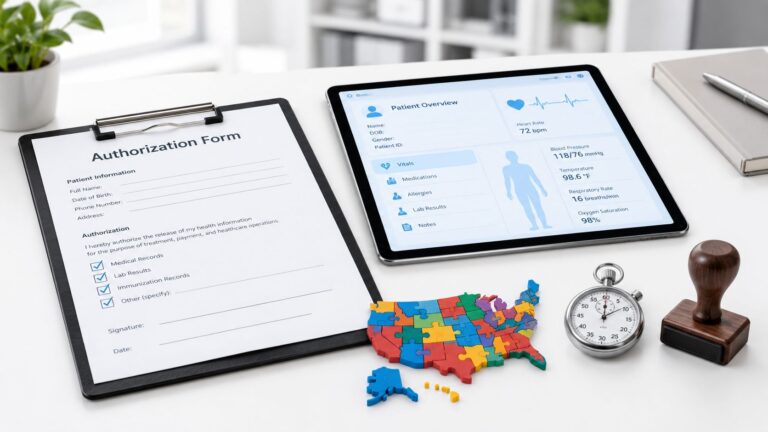

A medical front office isn't a greeting desk, it's the control point that decides whether patients get through the door, whether bills get paid, and whether clinicians stay focused on care. That matters because front-desk failures are not small annoyances. In one MGMA case study, more than 50% of incoming calls in some clinics went to voicemail, while the target was 10% or lower, and 10 a.m. was the peak time for missed calls MGMA phone-system improvements. When access breaks at that point, appointment booking slows, messages pile up, and patients fall out of the workflow.
The practical answer is simple: treat the medical front office as an access-control and revenue-protection system, not just a scheduling desk. That means assigning ownership for calls, intake, eligibility, authorizations, recalls, and message triage, then measuring the results with a small set of KPIs that reflect completed care, not just activity. It also means deciding where remote help fits. In many practices, a remote receptionist, insurance verifier, or prior-authorization specialist can stabilize the busiest lanes if the workflow is defined clearly and the handoffs are tight.
What a Medical Front Office Actually Does Today
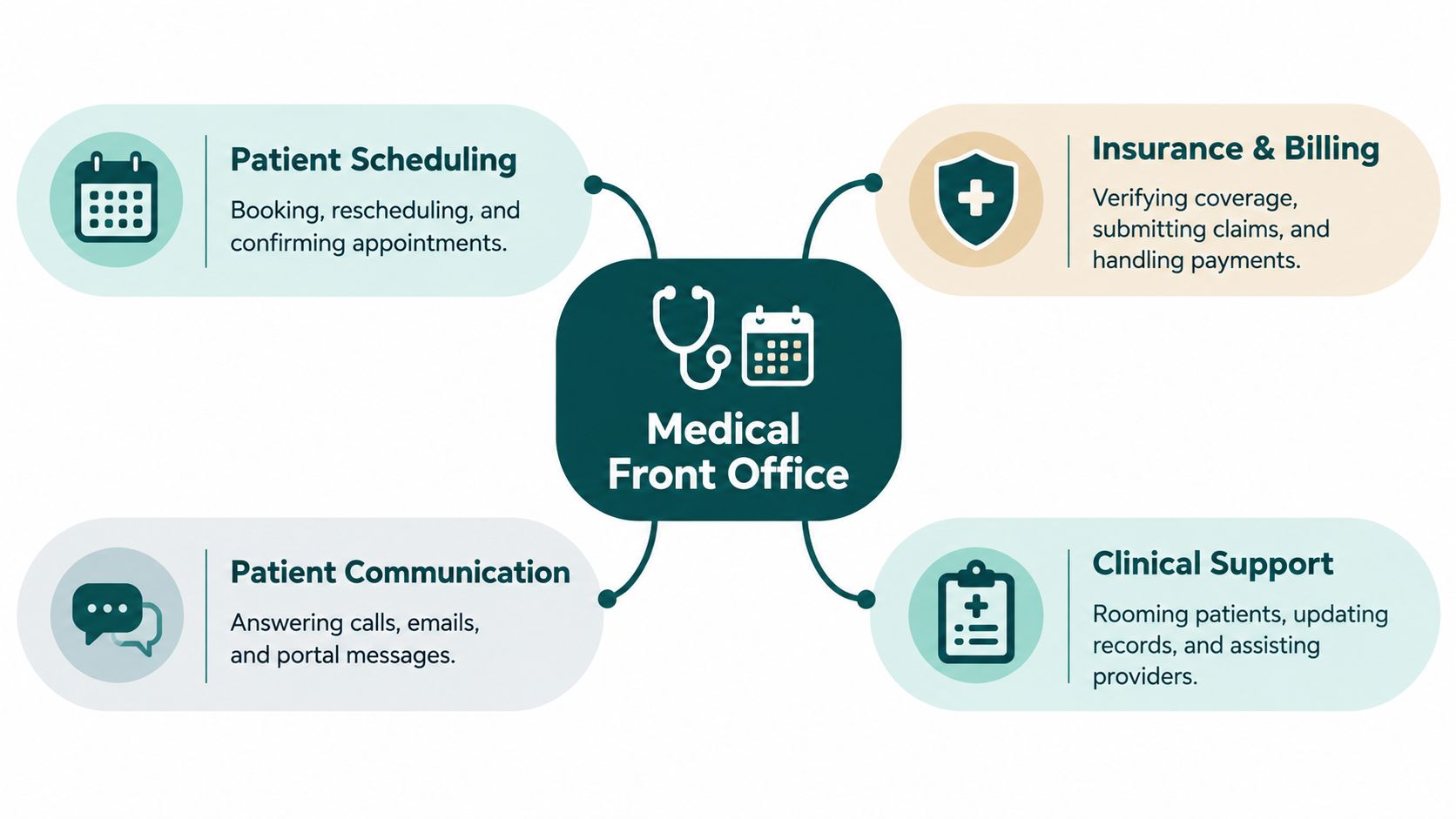
The modern medical front office owns more than check-in and the phone. It handles the first conversion point in the practice, where a patient's request becomes a booked visit, a routed message, a verified benefit, or a tracked follow-up. In day-to-day terms, that includes scheduling, recall, eligibility checks, prior authorization support, referral coordination, intake, and message triage. It also includes the quiet work that keeps the schedule from unraveling, like confirming visits and moving patients off voicemail and into a live scheduling path.
A useful way to think about it is this, the front office sits between demand and capacity. Demand arrives through calls, portal messages, referrals, and cancellations. Capacity exists in rooms, provider time, payer approvals, and staff attention. The job is to match them without dropping information or creating duplicate work for clinicians and billers.
Practical rule: If a task determines whether a visit happens, whether payment gets authorized, or whether a message reaches the right person, it belongs in front-office ownership.
That ownership has limits. Front-office staff should not make clinical decisions, diagnose symptoms, or improvise licensed work. Their value is in moving information accurately, following the right workflow, and escalating when a request crosses into clinical territory. For a practice owner, the first step is to map every patient-facing administrative task to one owner and one backup. Once that's done, coverage gaps become visible fast.
A Day in the Life of the Front Desk
A front desk earns its keep in the first hour. Phones ring, the portal fills with unread messages, and the first person on duty has to sort what can be handled fast from what needs a clean handoff. A same-day cancellation may open a slot. A new caller wants the earliest opening. A patient on hold may need a message routed to the right clinical inbox. Every one of those moves affects access, revenue, or both.
By midmorning, pressure usually shows up in the queue. The 10 a.m. missed-call peak from the MGMA data above is where a thin desk turns into voicemail buildup. That is also when a terminated policy or a missing authorization shows up at check-in and forces a rescue that should have been handled earlier. If no one owns the exception queue, patients wait, the back office improvises, and providers lose time that should have gone to visits.
A virtual medical receptionist model works when it clears the right queue before lunch and keeps the day stable after the first wave of changes. The point is not constant activity. The point is early sorting, clean routing, and fewer surprises at the window.
A front desk that runs well looks busy, but it stays controlled because exceptions get handled before they spread. Before lunch and again before close, the team should clear these queues:
- Unconfirmed visits: Patients who have not been reached or have not replied.
- Late cancellations: Slots that can still be filled.
- Eligibility problems: Visits that need a second pass on coverage.
- Authorization stalls: Requests waiting on payer response or missing documentation.
- Unresolved messages: Items that have aged without ownership.
The desk also needs to know what belongs where. A remote assistant can take call overflow, manage portal triage, and work backfilled cancellations, while in-clinic staff keep eyes on arrivals, exceptions at the window, and the cases that need immediate coordination. If a practice wants more detail on how these roles are commonly structured, this overview of medical office receptionists is a useful reference point.
When those queues stay visible, the day stays manageable. When they disappear into scattered inboxes, the practice learns about the problem from a no-show, a denied claim, or a frustrated patient.
Core Workflows and How to Run Them
The front office works best when each workflow has a clear owner, an exception queue, and a completion standard. That sounds basic, but many practices blur the boundaries and then wonder why tasks bounce between reception, billing, and clinical staff. The trick is to separate what can be standardized from what needs judgment, then build the handoff around that line.
Scheduling and reminders
Scheduling should do more than fill slots. It should confirm visits, release cancellations quickly, and keep the calendar moving toward a realistic third-next-available date. MGMA's practice-operations data showed 5.00% no-shows, 11.26% appointment cancellations, and 79.50% of canceled appointments rescheduled within 30 days in aggregate single-specialty practices in 2022 MGMA practice operations data. That's a good reminder that cancellations are not pure loss if someone owns the backfill process.
Intake and verification
Intake is more than sending a form. It includes records requests, insurance capture, and making sure check-in doesn't become a bottleneck. Eligibility verification should happen before the visit when possible, with the source and timestamp documented so staff can see exactly where the answer came from. If the practice waits until arrival, the front desk becomes a dispute desk.
Prior authorization
Prior authorization needs a defined work queue, not a side task. The AMA reported that physicians averaged 45 prior authorizations per physician each week, taking about 14 hours of physician and staff time, and 94% said prior authorization delayed access to necessary care AMA prior authorization survey. That's why submission, status tracking, payer follow-up, denial handling, and escalation all need ownership.
What automation can and can't do
Automation helps with reminders, status checks, and repetitive routing. It doesn't resolve missing documentation, unclear ownership, or payer-specific exceptions. Human coordination still matters when a request stalls, a patient needs an update, or a denial needs a clean handoff.
| Workflow | Primary owner | Key exception queue | Outcome metric |
|---|---|---|---|
| Scheduling and reminders | Receptionist or patient coordinator | Unconfirmed visits, waitlist openings | No-show rate |
| Intake | Patient intake coordinator | Missing forms, incomplete histories | Eligibility completion before visit |
| Insurance verification | Insurance verification specialist | Coverage mismatches, terminated policies | Time to verified eligibility |
| Prior authorization | Prior authorization specialist | Pending requests, denials, appeals | Authorization turnaround time |
The best front office doesn't do everything faster, it does the right things in the right order, with fewer surprises at check-in.
The KPIs That Matter
A front office can answer more calls and still lose access if patients cannot get scheduled, authorizations stall, or cancellations are not reclaimed. The scorecard needs to show whether patients are moving into completed care, not just whether phones are being picked up.
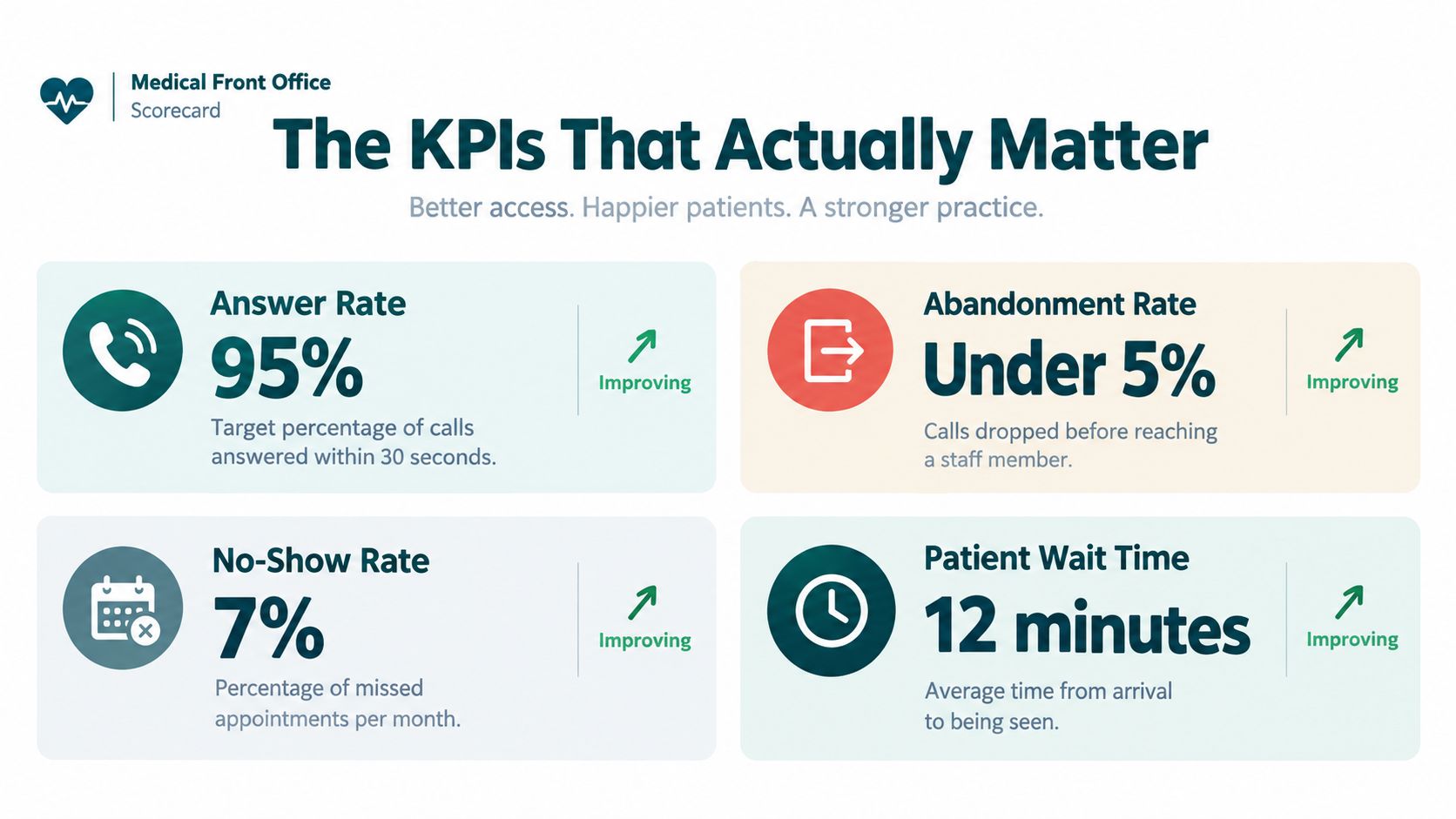
A practical weekly dashboard usually includes abandoned-call rate, third-next-available appointment, no-show rate, same-day cancellation rate, reschedule-within-30-days rate, authorization turnaround time, eligibility completion before visit, and same-day message closure. The goal is to see how the metrics interact, not to stack as many as possible on one dashboard. A low no-show rate can hide slow access. A fast authorization queue can still be unhealthy if cases sit untouched for days.
The most useful readout is a small set of paired questions.
- Are patients getting through? Watch abandoned calls and voicemail volume.
- Are patients getting scheduled soon enough? Watch third-next-available.
- Are visits holding? Watch no-shows and same-day cancellations separately.
- Are administrative blockers clearing? Watch authorization turnaround and eligibility completion.
- Are messages closing the same day? Watch unresolved-message aging.
Insurance verification support matters because eligibility problems usually show up as front-desk friction before they become billing problems. If that work is not measured, staff spend their day reacting to surprises instead of preventing them.
The habit that helps most is a weekly review of trends, not a monthly cleanup. If a number looks fine but the queue is aging, the metric is hiding the problem. Use the KPI to force a conversation about ownership, not just to decorate a dashboard.
In-Clinic Staff, Hybrid, and Remote Assistants Compared
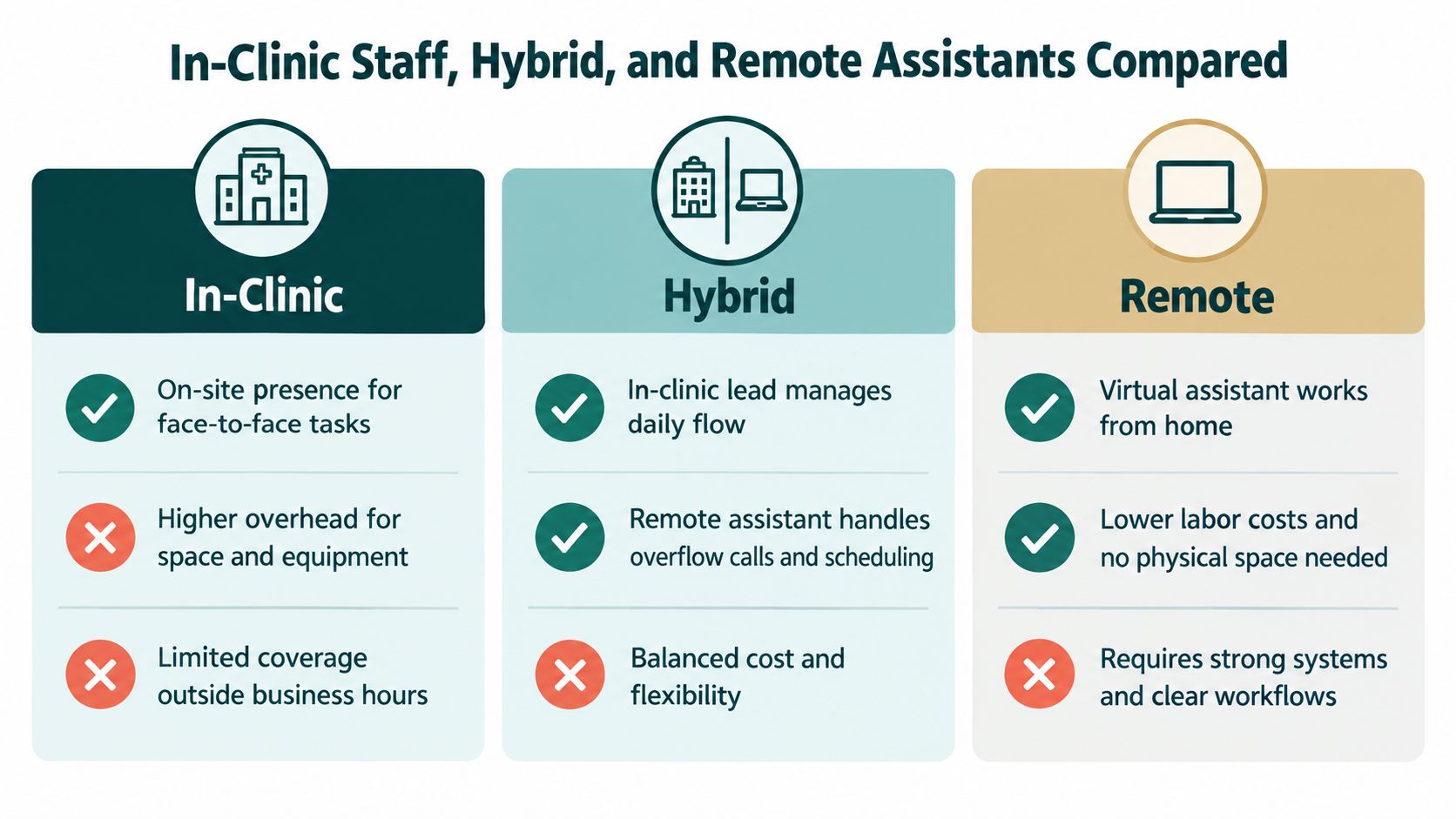
The staffing model should follow the workflow, not the other way around. Some practices need bodies on-site because they handle walk-in triage, specimen coordination, or constant face-to-face interactions. Others can move a surprising amount of phone, scheduling, and authorization work offsite if the systems are clean and the roles are narrow.
Where in-clinic still wins
In-clinic staff are strongest when the workflow depends on physical presence, quick face-to-face problem solving, or immediate cross-talk with the care team. They're also easier to supervise informally. The trade-off is coverage, because the same person who handles check-in may also be interrupted by phones, walkers, billing questions, and providers.
Where hybrid works best
Hybrid coverage fits practices with predictable peaks, especially when the front desk needs overflow help during busy call windows. An in-clinic lead can own the lobby and urgent exceptions, while a remote assistant clears scheduling, reminders, or authorizations. This often reduces burnout without forcing the practice into a full remote redesign.
Where remote coverage can fail
Remote staffing falls apart when access to the EHR, payer portals, or call scripts is vague. It also breaks when multiple people own the same queue and nobody knows who called the patient last. If the practice can't define ownership, remote coverage usually adds confusion instead of capacity.
A remote model is rarely the right answer for every task. It works best when the lane is narrow, the handoffs are documented, and the manager is willing to audit results instead of assuming activity equals progress.
Scoping a Remote Assistant Role That Helps
A remote assistant should cover a defined operational lane tied to access or cash, not a general sense that the front desk is overloaded. Start with one queue and one result. If new patient calls are going unanswered, assign inbound scheduling and callback management. If visits are booked but fall out later, assign confirmations, reminders, and waitlist fill. If claims stall upstream, assign eligibility checks or prior authorization follow-up. The role should protect a specific KPI, not absorb random tasks.
That distinction matters in practice. A virtual medical receptionist can own inbound calls, appointment confirmations, and message routing. A patient coordinator can handle intake packets, records requests, and waitlist backfill. An insurance verification specialist belongs on eligibility work. A prior authorization specialist should own submission, status checks, and escalation. A medical administrative assistant can span several lanes, but only if the queue rules are tight and the handoffs are written down.
Some practices use a medical virtual assistant for front-office and revenue-cycle support. When comparing vendors, focus on role fit, system access, and whether the assistant can work inside the practice workflow without creating duplicate follow-up.
A clean pilot has three parts:
- One owner, one backup. Give the assistant a named queue and a supervisor who reviews exceptions.
- One measurable target. Pick a metric the role can move, such as message closure, eligibility completion, or authorization turnaround.
- One operating rhythm. Set daily review, escalation rules, and a short feedback loop with the in-clinic lead.
Practical rule: If the role description cannot fit on one page, it is probably too broad for a first remote hire.
Compliance has to be built in from day one. Use HIPAA training, a signed confidentiality agreement, a Business Associate Agreement, role-based EHR access, and audit logging. Those controls protect privacy, accuracy, and accountability while the practice adds capacity.
Common Mistakes When Adding Front-Office Capacity
The most common mistake is adding people without redesigning the queue. If two staff members both think they own callbacks, the patient gets contacted twice or not at all. If software sends reminders but nobody owns the responses, the practice creates more noise instead of less work.
Another trap is pushing prior authorization to a remote worker without giving them payer portal access, escalation rules, or a denial taxonomy. That does not speed anything up, it just parks stalled cases in a new inbox. The same problem shows up with bilingual coverage that was promised but not staffed, or AI tools that create documentation clean-up for clinicians instead of reducing it.
A simple test catches most failures early. Ask who owns the case when the workflow breaks, who sees the exception first, and what happens if the first owner is out. If the answer is vague, the process is still unfinished. Front-office capacity only helps when it is paired with clear ownership, real access, and regular audit sampling.
The Takeaway
The medical front office is an access-control and revenue-protection system, not a phone desk. Practices that run it well do three things consistently, they define ownership for each workflow, they measure completed care instead of raw activity, and they staff the right lane with the right mix of in-clinic and remote support.
The next move is straightforward. Pick the weakest workflow in your practice, choose the metric that proves whether it's improving, and run a focused 60-day pilot before you scale. If you want outside help matching the role to your specialty, software stack, and clinic hours, MedicalVirtual can help you evaluate the lane and line up a fit for your team.
If you want to test whether a remote receptionist, insurance verifier, or prior-authorization specialist would reduce pressure in your front office, visit MedicalVirtual and start with a role scoping conversation. They place pre-vetted medical virtual assistants into U.S.-hours workflows, so you can compare options before you commit to a hire.