

If you're looking at a backlog of voicemails, unsigned charts, prior authorizations stuck in payer portals, and front-desk staff who can't keep up, you're in the same position many medical practices are in right now. The question usually isn't whether the work exists. It's whether you can hand part of it to a remote person without creating new denial, compliance, or patient-experience problems.
A medical virtual assistant can absolutely help, but only when the role is scoped around specific healthcare workflows. This isn't generic admin support with a headset. In a well-run setup, a remote assistant handles defined tasks like scheduling, intake, records requests, insurance verification, referral coordination, documentation support, and prior-authorization tracking inside the systems your practice already uses. What they should not do is make clinical decisions, determine medical necessity, or improvise when a workflow turns ambiguous.
That distinction matters more now because virtual care and distributed operations are no longer edge cases. Medicare fee-for-service telehealth visits grew from about 840,000 in 2019 to 52.7 million in 2020, and HHS also reported that more than 28 million Medicare beneficiaries used telehealth during the pandemic's first year, as described in CMS coverage of the 63-fold increase in Medicare telehealth utilization. Practices learned to run key workflows across phones, EMRs, payer portals, and remote staff.
What follows is the practical side of that decision. Which roles work in practice. Where human judgment must stay with licensed staff. How to design escalation rules. And how to hire remote support without treating privacy and workflow control as afterthoughts.
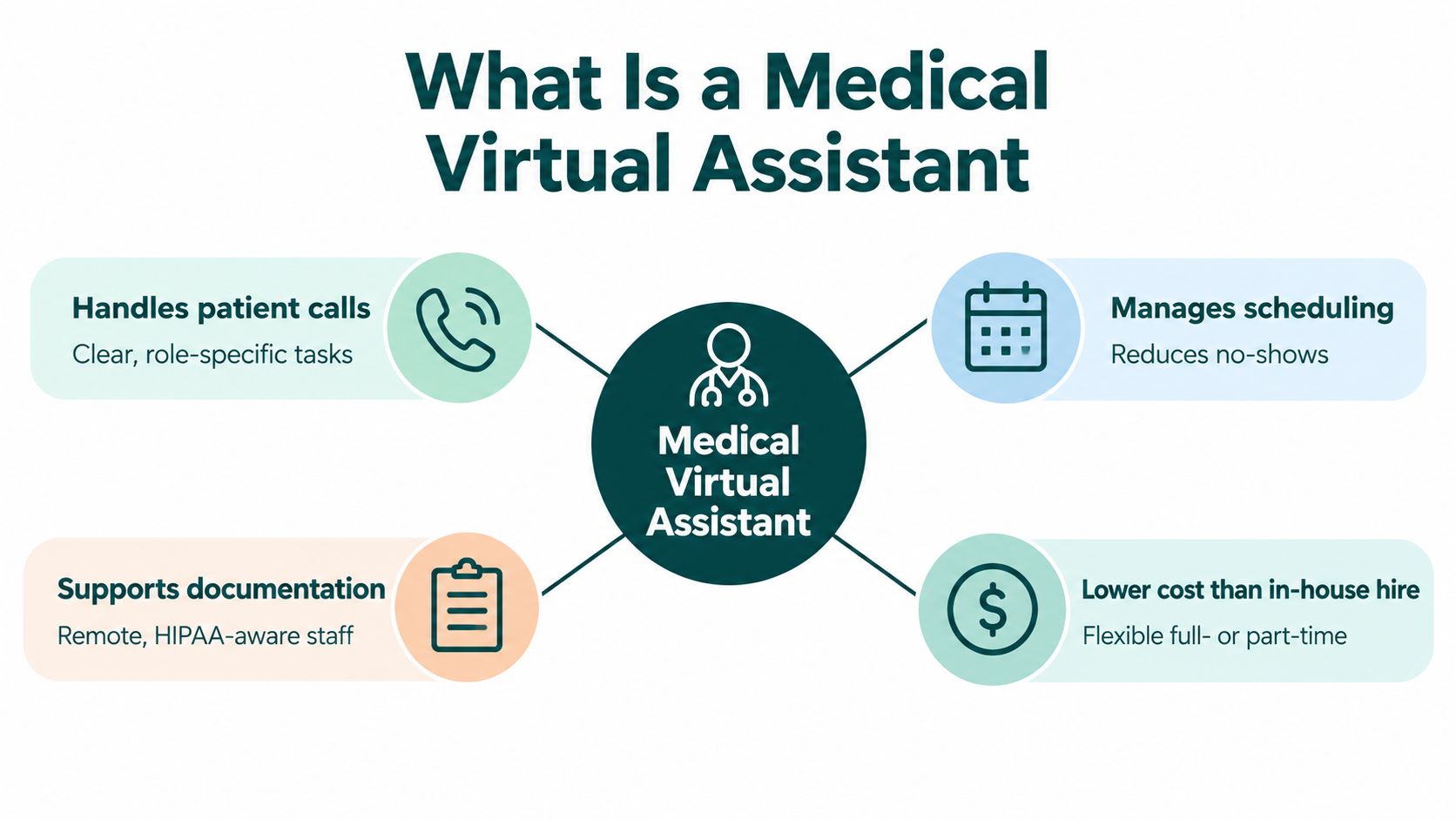
What Is a Medical Virtual Assistant and Why Practices Need One
A medical virtual assistant is a remote healthcare support worker who handles non-licensed operational tasks for a medical practice inside real practice systems. That usually means the phone system, scheduling software, EMR, payer portals, fax queues, shared inboxes, and document workflows. The useful version of the role is narrow and accountable. The unhelpful version is a vague promise that "someone can do your admin."
In practice, the difference shows up quickly. A general assistant may answer calls and book appointments. A medical virtual assistant should also know what to do when a referral arrives missing clinical notes, when an insurance plan requires benefit verification before booking, or when a refill request needs routing back to licensed staff instead of being handled as a customer-service message.
Where the role fits in daily operations
Most practices don't need "extra help" in the abstract. They need pressure taken off repeatable workflows that drain the day:
- Front-desk overflow from inbound calls, rescheduling, reminders, and recall lists
- Patient intake work such as form follow-up, demographics review, records collection, and chart prep
- Revenue-cycle support including insurance verification, charge entry, claim follow-up, and denial tracking
- Documentation support such as chart preparation, scribing under provider review, and routing incomplete items
- Authorization and referral work that involves assembling documents, submitting requests, and checking status
Primary care clinics often feel this through broad message volume and referral coordination. Mental health practices usually feel it through intake, scheduling, benefits questions, and steady patient communication. Dental and orthodontic groups often need strong front-desk coverage, insurance verification, and treatment-related scheduling discipline.
Practical rule: If the task depends on a script, checklist, queue, or documented workflow, a remote assistant can often own it. If it depends on medical judgment, exception handling about patient safety, or a legal scope question, it stays with licensed staff.
What a medical virtual assistant should not do
Many practices get sloppy at this point. They hire for relief, then discover that relief without boundaries creates risk.
A remote assistant can collect information, organize documentation, submit forms, track status, and escalate. They should not diagnose, determine urgency beyond approved triage scripts, choose codes independently when your workflow requires coder or provider review, or make decisions about medical necessity. On prior authorization, for example, the assistant can prepare the file and move the request through the payer process. The clinician still owns the part that requires medical reasoning.
A good hiring question is simple: what exactly can this person do without asking permission each time, and what must trigger escalation? If you can't answer that clearly, the role isn't designed yet.
Understanding the Administrative Burden Behind Remote Hiring
At 5:30 p.m., the waiting room may be empty while the practice's workday continues. Unanswered messages, unsigned charts, payer requests, forms, and follow-up calls still need owners. Remote hiring makes sense only when those tasks are separated from decisions that require clinical judgment or licensed oversight.
According to AMA reporting on physician work hours and pajama time, physicians surveyed across 81 health systems and organizations in 2023 reported an average 59-hour workweek. Direct patient care accounted for 27.3 hours, indirect patient care for 14.1 hours, and administrative tasks for 7.9 hours. The report also found that 20.9% of physicians spent more than eight hours each week using the EHR outside normal work hours, between 5:30 p.m. and 7:00 a.m.
The figures reflect a familiar operational problem. Administrative work arrives in small pieces throughout the day, then collects after the final appointment. A clinician may spend the evening clearing inbox items while an in-office employee tries to resolve claims questions, missing records, forms, prior authorizations, and callbacks.
The work that's eating capacity
Administrative burden is a chain of handoffs rather than one task. Each handoff creates an opportunity for delay, duplicate work, or an incomplete record.
Common examples include:
- Scheduling friction when calls arrive during rooming, check-in, or lunch coverage
- Eligibility and benefits work that should be completed before the visit, not after a claim rejects
- Records coordination that delays new-patient onboarding or leaves an incomplete chart
- Charge and claim follow-up that drifts when no one owns the daily queue
- Documentation support after the provider finishes the visit but still needs a structured, reviewable chart
Earlier AMA data from 2018 also showed that paperwork and administrative tasks consumed substantial physician time. 70% of physicians reported spending at least 10 hours per week on that work, and 32% reported spending 20 hours or more. The point for a hiring manager is operational: assign repeatable preparation and tracking work before it reaches the clinician's evening queue.
Why remote hiring makes sense for some workflows
Remote support is useful when the task can be performed through the EMR, payer portals, phone system, or shared work queue. The value comes from consistent ownership, not from placing another person on staff.
A front-desk bottleneck may need dedicated coverage for calls, confirmations, and message routing rather than another person physically stationed at the desk.
A remote assistant can update demographics, request records, verify coverage, assemble documentation, submit approved forms, and track outstanding items. The practice still needs written rules for exceptions. A missing clinical document, conflicting patient information, urgent symptom message, unusual payer request, or possible privacy concern should move to the designated staff member instead of being resolved by guesswork.
What remote support does and doesn't solve
A medical virtual assistant performs best when the workflow is defined, measured, and reviewed. Remote staffing will not repair unclear ownership or inconsistent provider sign-off.
| Workflow | Good fit for remote support | Poor fit for remote support |
|---|---|---|
| Scheduling | High call volume, reminders, waitlist backfill | Walk-in traffic without a call-routing process |
| Documentation | Chart preparation, records indexing, scribing under provider review | Providers who do not review or close charts consistently |
| Revenue cycle | Eligibility checks, denial follow-up, status checks | Billing ownership split across vendors without one accountable queue |
| Prior authorization | Document assembly, submission, tracking, payer follow-up | Denials or urgent cases without escalation rules |
Define what the assistant may complete independently, what requires a second review, and what must reach a clinician or billing lead. That boundary protects against unsafe communication, avoidable denials, and unsupported documentation. Remote support removes friction when the practice gives it a controlled workflow to run.
Core Medical Virtual Assistant Roles and Specialty Use Cases
A missed call becomes a lost appointment when the front desk is busy, while an incomplete authorization can delay care and create another denial. The right medical virtual assistant role addresses a defined queue, uses the practice's systems correctly, and knows when human judgment must take over. Generic call-center staffing often fails because phone coverage alone does not ensure EMR proficiency, payer-document review, or referral management.
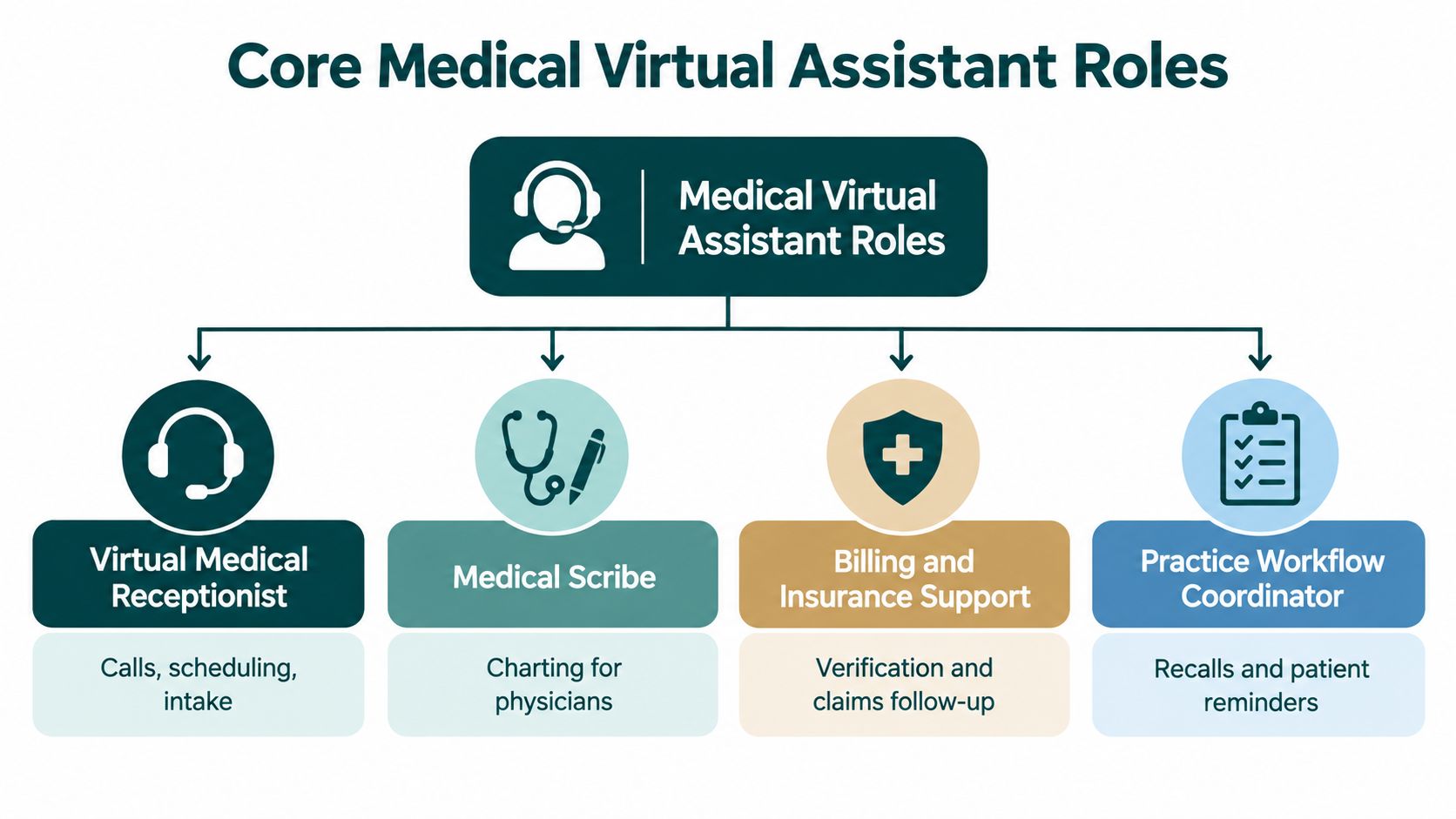
The main roles and where they fit
Match the role to the bottleneck, then define the decisions the assistant may make without review.
| Role | Best use case | Common specialties |
|---|---|---|
| Virtual medical receptionist | Calls, scheduling, reminders, message routing | Primary care, dental, therapy, optometry |
| Medical scribe | Real-time note support and chart closure | Primary care, internal medicine, specialty clinics |
| Billing support assistant | Charge entry, claim follow-up, denials, patient balances | Multi-provider groups, dental, specialty practices |
| Insurance verification specialist | Benefits checks before visits or procedures | Dental, ortho, surgery, therapy, imaging-heavy specialties |
| Prior-authorization specialist | Submission, tracking, payer follow-up, appeals support | Primary care, cardiology, neurology, orthopedics, behavioral health |
| Patient intake coordinator | New-patient onboarding, forms, records, referral prep | Mental health, specialty care, dental, multi-site practices |
A virtual medical receptionist suits practices that miss calls during clinic hours. Give the role approved scripts, scheduling rules, and message categories. A receptionist should not decide whether a complex symptom, unusual appointment request, or unclear urgency can be booked. Those messages need a named clinical or supervisory escalation path.
A medical scribe helps when providers finish notes after hours. The arrangement works best with a repeatable visit structure and same-day provider review. Practices considering this workflow can compare a remote medical scribe with a general assistant. Terminology, documentation discipline, and provider-specific chart habits make the distinction operationally important.
Billing, verification, and intake roles also need boundaries. An assistant can gather records, check benefits, enter charges, or follow a claim status. A billing lead should handle unusual contractual questions, while a clinician should resolve conflicting clinical information or decide whether documentation supports medical necessity.
Prior authorization deserves its own design
Prior authorization shows why specialization and escalation rules belong together. The 2025 AMA prior authorization survey findings found that physicians and care teams complete approximately 40 prior-authorization requests per physician per week, consuming about 13 hours of physician and staff time weekly. The survey also reported that 32% of physicians say requests are often or always denied.
An authorization assistant should:
- Separate queues clearly into new requests, pending decisions, payer information requests, denials, and appeals
- Collect documentation completely so the diagnosis, order, note, and payer criteria align before submission
- Track aging daily instead of relying on memory or scattered inbox reminders
- Escalate correctly when the issue involves medical necessity, a clinical contradiction, an urgent case, or peer-to-peer review
The same survey found that authorization delays or denials were associated with additional utilization reported by physicians, including 68% citing additional office visits, 42% citing immediate-care or emergency-department visits, and 29% citing hospitalizations. Those consequences make ownership and escalation more than workflow preferences.
Set the handoff in writing. The assistant may assemble and submit a complete packet, but a clinician should decide how to address a medical-necessity question, and a designated billing or clinical lead should control denials and appeals.
Specialty differences matter
Mental health practices often gain more from intake coordinators and reception support because new-patient calls, eligibility questions, reminders, and records collection consume the queue. Primary care commonly needs a broader combination of scheduling, inbox support, referrals, and prior authorization. Dental offices often benefit from reception, verification, and billing support because appointment availability and insurance clarity affect daily operations.
One remote hire should not be expected to absorb every queue immediately. Define one ownership area, give the assistant documented rules, and create escalation triggers for exceptions. That structure preserves the efficiency of remote support while keeping clinical judgment, liability-sensitive communication, and denial decisions with the appropriate staff.
HIPAA Compliance and Secure Remote-Work Design
A Business Associate Agreement matters. It just isn't enough by itself.
If a remote assistant or staffing company handles protected health information on your behalf, you generally need a written BAA. HHS explains in its sample business associate agreement provisions that the agreement must define permitted uses and disclosures, require appropriate safeguards, require reporting of unauthorized uses and breaches of unsecured PHI, and address delegated obligations such as patient access, amendments, and accounting where applicable.
The contract is complete. It does not prove the day-to-day setup is secure.
The real risk is access design
A lot of practices still ask the wrong first question. They ask whether the assistant will sign confidentiality paperwork. The better question is how access will be controlled across the EMR, phone system, payer portals, email, and any exported documents.
A 2025 healthcare breach analysis based on the HHS OCR portal reported that 35.8% of breaches occurred at business associates, while 24.9% involved compromised email accounts. The same analysis reported that 76% of enforcement actions included a penalty related to inadequate risk analysis.
That should change how you vet remote staffing. The issue isn't where the worker lives. The issue is whether your systems, permissions, and supervision are designed well enough for remote access.
Controls that should exist before access begins
Use this as a practical review list when evaluating a provider or a direct hire:
- Unique credentials so each assistant has their own account. Shared logins are a bad habit and a poor audit trail.
- Role-based permissions that limit access to the minimum necessary data for the assigned tasks.
- Multifactor authentication where supported for the EMR, email, portals, and other cloud systems.
- Device and file restrictions that prevent PHI from being downloaded to personal devices or moved into consumer tools.
- Access termination procedures so accounts are disabled promptly when a role changes or ends.
- Audit and incident review with a documented path for suspicious activity, misdirected messages, or potential breaches.
MedicalVirtual is one example of a staffing provider that structures placements around healthcare workflows and BAA-supported arrangements, including HIPAA-compliant virtual assistant roles for medical practices. Even then, the practice still needs to verify the actual control environment rather than relying on marketing language.
A BAA creates legal obligations. It does not tell you whether someone can screenshot PHI to a personal laptop, forward records through personal email, or keep access after they leave.
What to ask about home-work security
HHS guidance on teleworking in healthcare stresses workforce training on secure work practices, including VPN use, handling PHI, and approved collaboration tools, as outlined in HHS guidance for securely teleworking in healthcare. That guidance is practical because it maps to the exact weak points most practices overlook.
Ask questions like these:
- Which systems will this person access?
- Are those accounts organization-controlled?
- Are screenshots, local downloads, recordings, and browser-saved files prohibited and monitored?
- What training is given before access starts?
- Who reviews logs and permissions periodically?
- What happens if a suspicious email, wrong-number fax, or accidental disclosure occurs?
The safest remote setups are usually boring. Clear permissions. clean handoffs, limited downloads, approved devices, and documented review. That's what you want.
Vetting Standards and Evaluation Criteria for Hiring
Hiring remote support goes better when you treat it like role design first and talent search second. Too many practices start by asking where to find a person. The better starting point is what queue that person will own, what systems they'll touch, and where they must escalate.
A five-stage vetting process worth insisting on
A reputable staffing process should do more than confirm someone can speak professionally on Zoom. At minimum, look for five separate screens:
- Background review appropriate for the role and employer relationship.
- Role-specific skills testing such as EMR navigation, payer workflow familiarity, medical terminology, or documentation accuracy.
- Spoken and written English assessment because patient-facing and payer-facing errors often start as communication errors.
- HIPAA and security training before start, with periodic refreshers after placement.
- Final placement interview with your practice so you can test fit against specialty, pace, and workflow style.
That sequence matters because healthcare support is not interchangeable. A strong scheduler may fail in denials. A capable biller may not be comfortable handling patient calls. A good intake coordinator may not be disciplined enough for same-day scribing.
What to compare between hiring models
A self-serve freelance marketplace gives you breadth, speed, and lower up-front friction. It also puts more of the screening, role training, access control, and replacement burden on your practice. A curated staffing pipeline usually narrows the choices but gives you more structure around fit and operating standards.
Here are the questions that help separate the two:
- Role specificity. Are candidates screened for medical reception, scribing, verification, billing, or prior auth specifically?
- U.S. healthcare exposure. Have they worked in U.S. medical-practice workflows before?
- Hours alignment. Can they work your clinic hours consistently?
- Language needs. If your patients are Spanish-speaking, can the assistant handle bilingual communication naturally?
- Employment handling. Who manages payroll, local contracts, and continuity if the placement changes?
- Re-matching support. What happens if the fit is wrong after onboarding?
For practices that need live call handling, a remote medical receptionist can be a better first hire than a general admin because the work depends on appointment logic, patient communication, and message discipline during clinic hours.
Questions that expose weak staffing vendors
Some providers sound polished until you ask operational questions. That's where the gaps show.
"Who decides when the assistant escalates a denial, a missing record, or a scheduling exception?" If the answer is vague, the placement will likely be vague too.
Ask these directly:
- Who signs the BAA, and what does it cover?
- How are credentials issued and revoked?
- What systems can the assistant access on day one?
- How do you test documentation accuracy or payer workflow competence?
- Do you offer replacement or re-matching support if the role fit isn't right?
- Can you tailor the shortlist by specialty, software, and clinic hours?
The strongest candidates aren't just pleasant and organized. They're comfortable inside structured healthcare workflows and don't improvise when the process calls for escalation.
Pricing, ROI Measurement, and Implementation Planning
Pricing only matters if the role is tied to a measurable bottleneck. Otherwise you're buying activity, not relief.
MedicalVirtual staffing starts at $10 per hour. The final rate depends on the role, experience and hours scheduled; direct hire and built-team pricing are tailored to your needs. Other providers structure fees differently, so compare the scope of screening, management, replacement support, and workflow readiness as well as the rate.

Measure workflow outcomes, not busyness
The best ROI metrics depend on the job you assign. Counting calls answered or tasks touched isn't enough.
Track operational results such as:
- First-pass prior-authorization completeness
- Median submission-to-decision time
- Same-day chart closure percentage
- Authorization-related appointment cancellations
- Denial overturn rate
- Accounts receivable aging movement
- No-show reduction tied to confirmations and backfill work
Those measures tell you whether the role is reducing friction. Raw output rarely does.
Start small and tighten the rules
A careful rollout usually works better than assigning five jobs to one assistant on week one.
Use a simple sequence:
- Pick one high-friction workflow.
- Set a baseline before the assistant starts.
- Write escalation rules in plain language.
- Limit access to only the required systems.
- Expand scope only after quality is stable.
Remote staffing may not be the right fit if your practice has undefined scheduling rules, fragmented billing ownership, or providers who won't review delegated documentation promptly. A medical virtual assistant works best when the workflow is real, repeatable, and supervised.
The Takeaway
A medical virtual assistant is most useful when you stop thinking in job titles and start thinking in workflows. The right remote hire can take ownership of scheduling, intake, documentation support, verification, billing follow-up, or prior authorization. But the role only works when you define what can be delegated, what must be escalated, and what remains with licensed staff.
Practices usually get the best results by starting with one measurable pain point, building access and oversight correctly, and judging success by operational outcomes instead of generic productivity. If you treat remote staffing as a controlled extension of your existing systems, not a loose outsourcing experiment, it can become a stable part of how your practice runs.
If you want a structured way to hire for these roles, MedicalVirtual connects U.S. practices with pre-vetted LATAM healthcare staff for reception, intake, billing support, documentation, and prior authorization work. You can review candidates before hiring, match coverage to your clinic hours, and build the role around the specific workflow that's slowing your practice down.