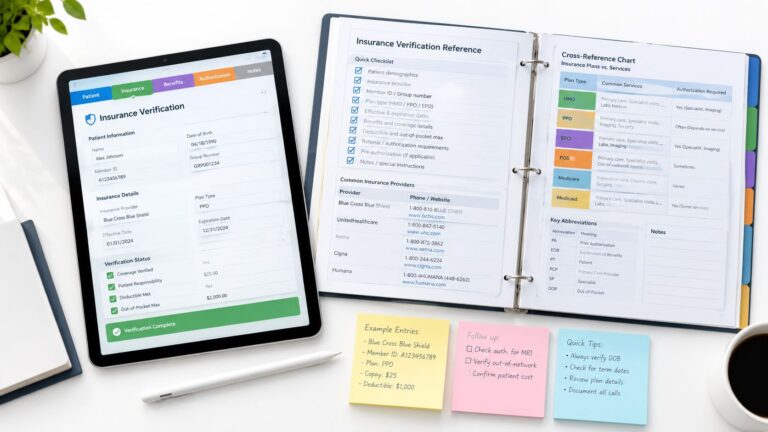
A HIPAA-compliant virtual assistant operates inside the business-associate framework, with a written BAA plus administrative, physical, and technical safeguards. It doesn't become compliant just by completing training or signing a confidentiality agreement.
That distinction matters because a remote receptionist may handle appointment details, a scribe may edit clinical notes, and a billing assistant may work with claims and insurance information across an EHR, phone platform, clearinghouse, and cloud storage. Each system creates an access decision, and each ordinary task can create a privacy or security exposure if the workflow isn't controlled.
The practical standard is evidence, not labels. Before granting access to PHI, a practice should verify the provider's contractual coverage, role-based permissions, device and authentication controls, audit capability, training records, incident-escalation process, and offboarding procedure. The practice also needs to keep reviewing those controls after onboarding because responsibility doesn't disappear when work moves offshore or outside the clinic.
This guide explains how to evaluate a BAA, configure daily safeguards, assess remote-access risk, test whether training is applied, and question a staffing provider before access is granted. Requirements can vary by service arrangement and jurisdiction, so practices should confirm their obligations with qualified counsel or a healthcare compliance professional. For additional operational guidance, the MedicalVirtual blog provides related information on remote healthcare staffing.
What HIPAA Compliance Really Means for a Virtual Assistant
A HIPAA-compliant virtual assistant is part of a controlled business-associate arrangement. HHS states that a covered entity must execute a written business associate contract when an outside party performs functions or services involving PHI on its behalf, and cloud or service providers maintaining electronic PHI also require a BAA. Using such a provider without one violates the HIPAA Rules, according to HHS business-associate guidance.
Training still matters, but it only equips the person to follow the practice's controls. A certificate can't restrict an EHR account, prevent a download to an unmanaged laptop, record who opened a chart, or define what happens after a suspected disclosure. A confidentiality agreement creates an obligation, but it doesn't prove that the assistant's device, network, applications, or working environment are secure.
Compliance follows the work
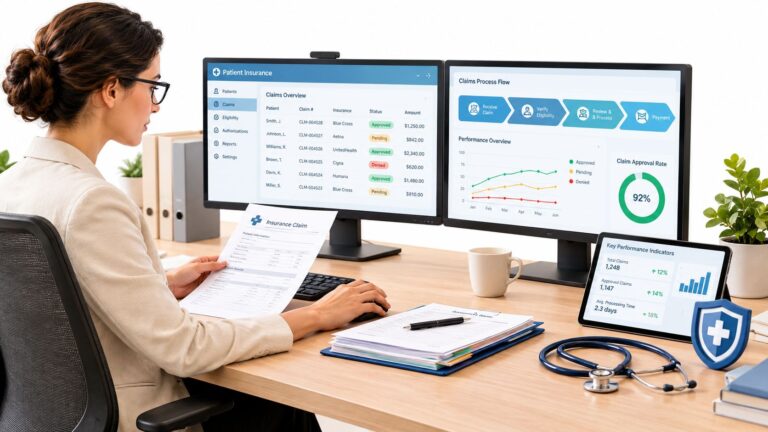
The role determines the exposure. A virtual medical receptionist may see names, contact details, appointment history, and messages. A scribe may access encounter information and change documentation. A prior-authorization coordinator may handle clinical attachments, payer portals, and referral records. A billing assistant may work with charges, claims, remittances, and coding documentation.
The right question isn't whether the assistant is remote. It's whether the practice can show that each task is performed through approved systems, with appropriate permissions, documented procedures, trained personnel, and reviewable activity. That makes compliance an operating model rather than a marketing description.
What this guide treats as proof
A defensible arrangement has four connected parts:
- Contractual foundation: A client-specific BAA defines permitted uses, safeguards, incident duties, subcontractor responsibilities, and the handling of PHI when the relationship ends.
- Administrative controls: Written procedures explain onboarding, training, approvals, escalation, access reviews, and termination.
- Physical and technical safeguards: Managed devices where feasible, secure authentication, role-based permissions, protected communications, session controls, and audit logs limit and trace access.
- Ongoing verification: The practice checks whether permissions remain appropriate, reviews relevant logs, documents incidents, and confirms corrective actions.
A practice shouldn't accept “HIPAA compliant” as the end of the conversation. It should ask what the provider can demonstrate before the assistant sees a patient record.
The Business Associate Agreement as Your Legal Foundation
The BAA is the contractual anchor for a remote healthcare staffing relationship. It sets the boundaries for what the staffing provider and its workforce may do with PHI, but it doesn't transform an insecure workflow into a secure one. I think of it as a lease for a controlled house. The lease establishes the rules, occupants, permitted activities, and remedies. It doesn't prove that the doors are locked or that someone is checking the alarm.
HHS guidance says a BAA must describe permitted and required uses and disclosures, prohibit unauthorized uses, address subcontractors and safeguards, cover return or destruction of PHI, and be terminated if feasible when a material violation is identified and reasonable efforts don't cure it. The HHS business-associate contract guidance is the appropriate starting point for reviewing those obligations.
What the agreement should define
A useful BAA describes the actual relationship instead of granting broad, vague permission to “access patient information.” It should identify the functions being performed, the permitted systems, the categories of PHI involved, the expected safeguards, and the provider's cooperation duties if a patient exercises a right of access or requests an amendment.
For example, a scheduler might be authorized to use the scheduling platform and limited patient fields needed to book or confirm appointments. A billing assistant may need charges, claims, remittances, and relevant coding records, but not unrestricted access to every clinical note. A scribe may need encounter information for documentation, with clear limits around independent clinical decisions and provider sign-off.
The agreement should also cover:
- Permitted uses and disclosures: The provider may use PHI only for defined services and legal obligations.
- Safeguards: The provider must maintain appropriate administrative, physical, and technical protections.
- Subcontractors: Restrictions and obligations must flow to any subcontractor that can access PHI.
- Incident cooperation: The provider must identify, respond to, document, mitigate, and report relevant incidents.
- Patient-rights support: The provider must assist when its work involves access, amendment, accounting, or related requests.
- End-of-relationship handling: PHI should be returned or destroyed where feasible, with exceptions documented.
- Termination rights: The parties need a process for material violations that aren't cured through reasonable efforts.
Questions to ask before signing
Ask the provider to show how the agreement connects to its operations. Who signs the BAA, the organization or only the individual assistant? Does the provider use subcontractors, and can they access PHI? How are incidents communicated? What happens to accounts, files, recordings, and credentials when an assistant leaves? Can the provider explain which tasks the assistant will perform without relying on unrestricted chart access?
If you need a reference point for how an enterprise service provider handles BAA requests, an enterprise BAA request resource from AONMeetings can help frame the questions you should ask about process and documentation. It isn't a substitute for counsel reviewing your agreement, but it illustrates why a BAA request should be treated as a structured business process rather than an informal email.
Practical rule: Don't sign a BAA you can't translate into account permissions, approved applications, staff procedures, and an incident playbook.
The practice remains responsible for understanding the service environment and aligning the contract with real controls. If the BAA permits a task but the assistant uses personal email, shared credentials, or unapproved storage to complete it, the document hasn't protected the workflow. Contract language should therefore be checked against the provider's device policy, access model, training records, logging capability, and termination procedure before PHI access begins.
Technical Safeguards That Protect Patient Data Every Day
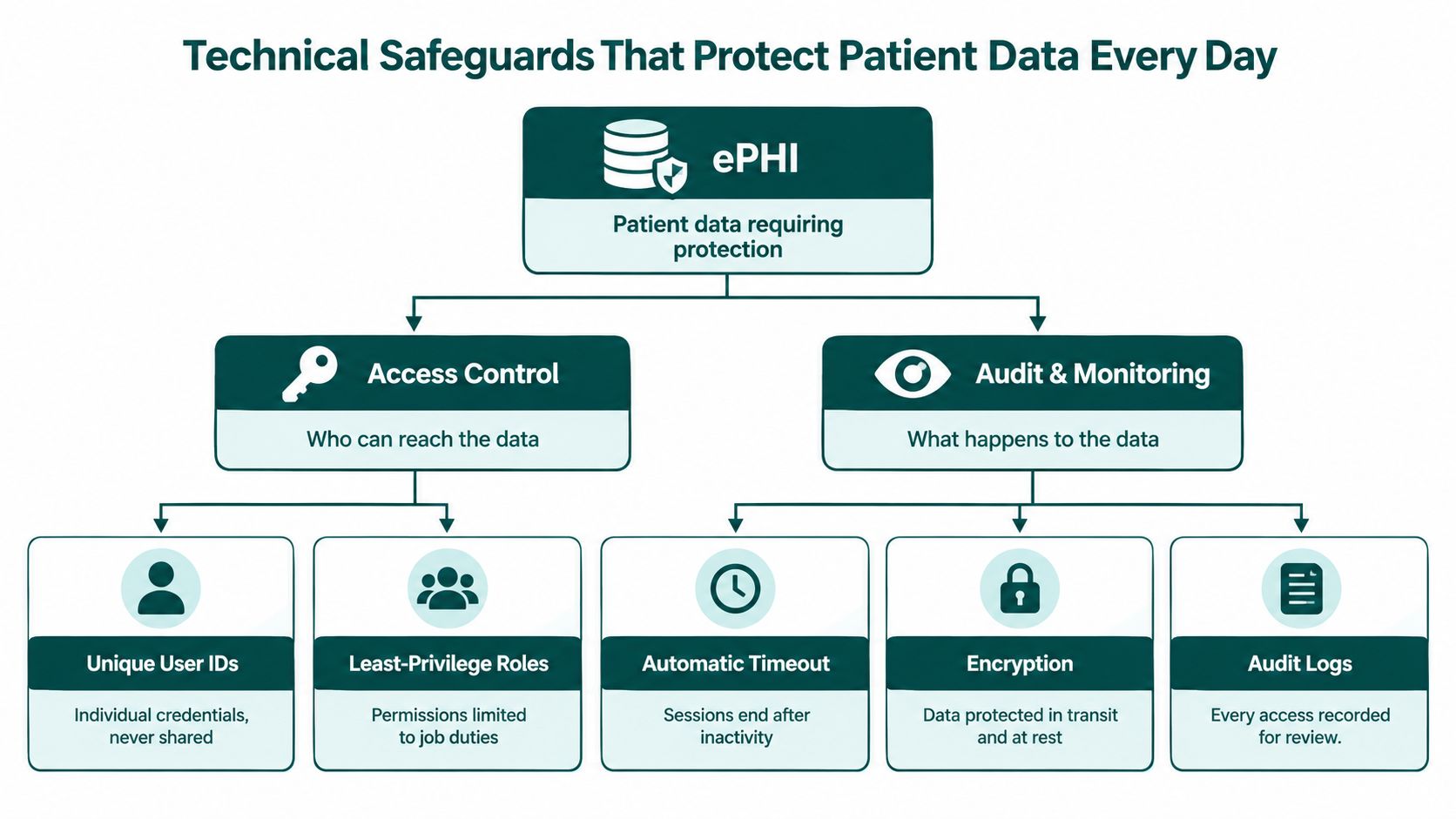
Technical safeguards are the technology and policies used to protect ePHI and control access. HHS distinguishes these safeguards from the broader administrative and physical measures in the Security Rule, and its Security Rule overview explains that business associates must identify and respond to suspected security incidents, mitigate practicable harm, document outcomes, and report incidents under the BAA.
Some controls are directly tied to the Security Rule. Others are prudent implementation choices that help a practice meet its obligations. The difference matters. HIPAA doesn't turn one specific vendor product, VPN configuration, or device model into a universal requirement. The practice must assess its risks and select reasonable safeguards for the environment.
Build access around the job
Every assistant should have a unique user account. Shared credentials make it difficult to determine who opened a record, who changed a note, or whose session remained active after a shift. Multi-factor authentication adds another layer against compromised passwords, while role-based EHR permissions restrict what the account can see and do.
A practical role map might look like this:
| Role | Typical system access | Control boundary |
|---|---|---|
| Virtual receptionist | Scheduling platform, approved phone system, limited demographics and communication fields | No unrestricted clinical-note browsing |
| Medical scribe | Task-limited encounter documentation and provider-directed chart information | No independent diagnosis, treatment, or clinical decision-making |
| Billing assistant | Charges, claims, remittances, coding documentation, and payer portals | Access limited to revenue-cycle work |
| Prior-authorization specialist | Authorization queue, relevant clinical attachments, payer portals, and referral details | Escalation required for clinical interpretation |
| Patient intake coordinator | Intake forms, records requests, demographics, and insurance information | No access beyond intake and records workflows |
A scheduler's permissions should match scheduling. If the role changes, the practice should approve expanded access rather than allowing permissions to accumulate by convenience.
Control devices, sessions, and data movement
Where feasible, use organization-managed devices or require a documented device standard. Controls may include encryption, screen locking, patching, endpoint protection, private workspaces, and restrictions on local storage. Session timeouts reduce the chance that an unattended computer exposes an open chart. Remote access should be limited to the practice's defined working hours where the systems support that control, and accounts should be disabled promptly when the assistant leaves or changes roles.
PHI should remain in approved systems. Prohibiting downloads to personal folders, screenshots, personal email, consumer messaging applications, and unapproved cloud storage removes common shortcuts that create untraceable copies. For practices that exchange documents with remote staff, a specialized guide to HIPAA-compliant file sharing can help managers evaluate secure transfer workflows and retention questions.
Make activity reviewable
Centralized audit logging should show who accessed or changed a record, when the event occurred, and which account or system was used. The exact fields available will depend on the EHR, practice-management platform, phone system, or clearinghouse, but the principle is consistent: a practice should be able to investigate activity without relying on memory or a shared login.
For a scribe, review may focus on changes to clinical notes and whether provider approval occurred. For a biller, it may include claim attachments, payment information, and payer communications. For a receptionist, it may involve message routing and appointment changes. Logs don't prevent every mistake, but they provide traceability and support investigation.
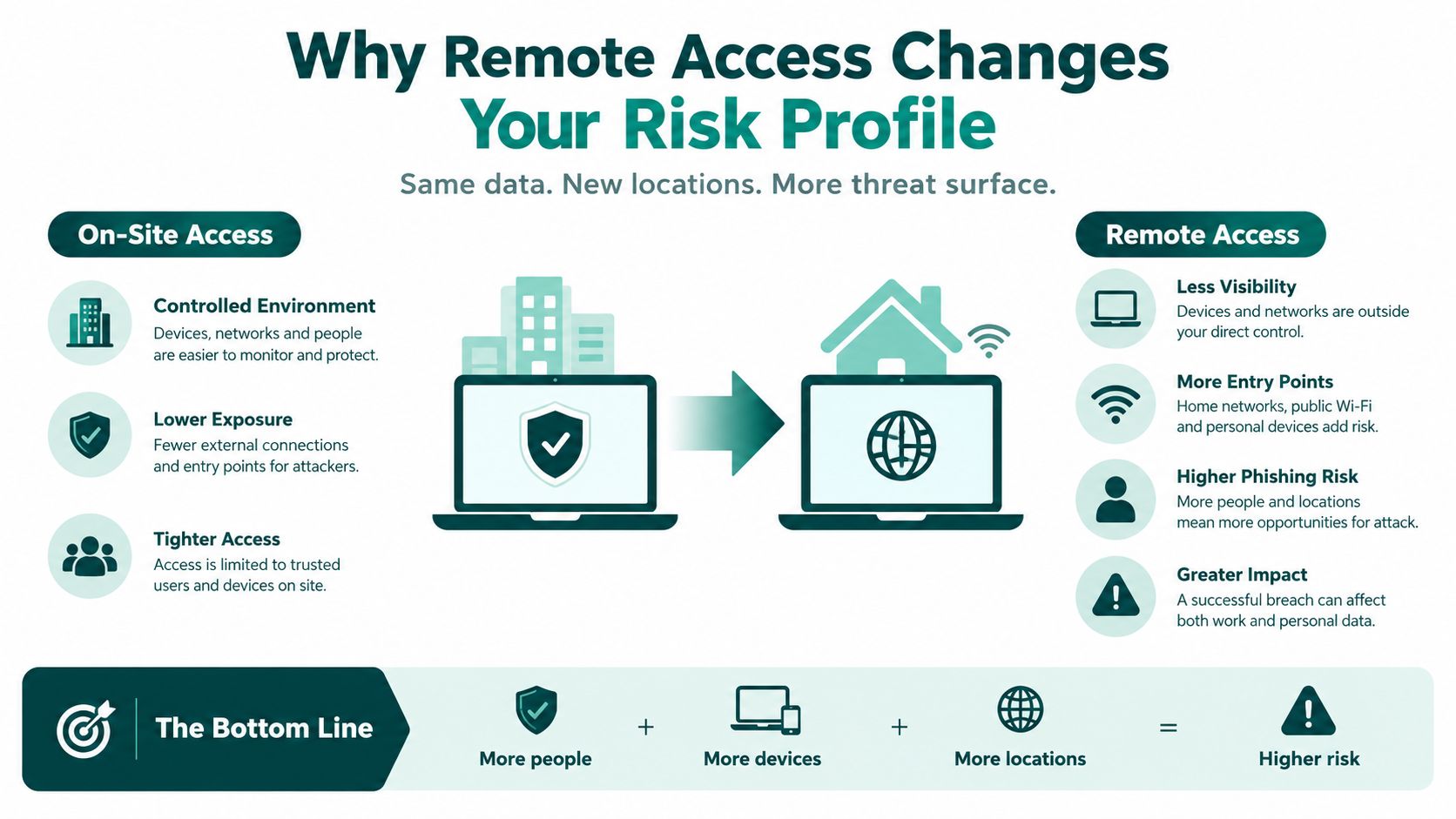
Why Remote Access Changes Your Risk Profile
Remote work doesn't automatically create noncompliance. It does change the places where a practice must look for risk. An assistant may connect from a home workspace, use several cloud applications, receive a call through a softphone, and move between the EHR and payer portals during one task. Each connection, device, credential, and transfer needs a defined control.
The scale of the exposure is clear in HHS reporting. In calendar year 2024, the Office for Civil Rights recorded 663 reported breaches of unsecured PHI affecting at least 500 individuals, involving approximately 242,908,056 people, and hacking and information-technology incidents represented 81% of reported large breaches, according to the HHS 2024 breach report. Those figures don't mean every remote assistant arrangement is unsafe. They do show why cyber controls deserve the same attention as the contract.
Ordinary operations can create exposure
A breach doesn't require malicious intent. A receptionist can send a message to the wrong patient, a biller can download a claim attachment to an unmanaged computer, or an assistant can leave a session open while stepping away. Exposed credentials, excessive permissions, weak subcontractor controls, and unapproved devices can create the same result.
The minimum-necessary rule is the first containment measure. A scheduler generally needs demographics, appointment history, insurance details, and communication preferences for the scheduling task. That doesn't mean the scheduler needs every clinical note. HHS requires reasonable efforts to limit PHI use, disclosure, and requests to the minimum needed, with role-based policies identifying which workforce members need which categories of PHI and under what conditions, as described in HHS minimum-necessary guidance.
Offshore location isn't the control
Geography alone neither creates compliance nor removes it. An offshore assistant with tightly segmented permissions, managed authentication, approved devices, and reviewed logs may present less practical exposure than an internal employee who has broad access, uses shared credentials, and works without monitoring. Conversely, an offshore arrangement with unmanaged equipment and no clear escalation process can multiply uncertainty.
This is why the practice should evaluate the workflow rather than the location. Ask where PHI is displayed, whether files can be downloaded, which systems log activity, how the assistant reports a suspected incident, and how access is disabled at separation. A provider that can't answer those questions clearly hasn't given the practice enough evidence to make an informed risk decision.
Training and Ongoing Audits That Keep Compliance Real
Training is useful when it changes behavior inside a specific workflow. HHS guidance requires covered entities to analyze risks associated with remote access and off-site use of ePHI, then provide remote-workforce training that addresses those vulnerabilities and gives clear instructions for accessing, storing, and transmitting ePHI. A generic course can introduce the rules, but it won't tell a scribe how to handle an unfinished note or a receptionist how to escalate a misdirected message.
Make training role-specific
A receptionist should practice identity verification, message routing, appointment communications, and escalation of sensitive requests. A billing assistant should understand claim attachments, payer portals, remittance information, and the prohibition on moving records into unapproved spreadsheets. A scribe needs clear boundaries around documentation, provider review, corrections, and questions that must go to licensed staff.
Training should also address the remote environment:
- Device loss: The assistant knows whom to contact immediately and how the account or device will be secured.
- Suspicious activity: Unexpected prompts, unusual login notices, or strange messages are reported rather than investigated informally.
- Misdirected communication: A wrong recipient, voicemail, attachment, or portal message triggers immediate escalation.
- Storage decisions: The assistant knows which systems are approved and which local or consumer tools are prohibited.
- Role boundaries: Administrative staff don't diagnose, interpret clinical information, or make licensed decisions unless the role and jurisdiction expressly allow it.
Document the initial training, practice-specific orientation, refresher activity, and any corrective coaching. HHS expects remote-workforce training to address the vulnerabilities of remote access, so the record should show more than a course title.
Audit the controls, not just the employee
A useful review cycle checks whether access still matches the assistant's duties, samples relevant audit logs, confirms that offboarding was completed, and records corrective actions through completion. If an assistant moves from scheduling into billing, the practice should document the new approval and adjust permissions. If a system changes, the remote workflow should be reassessed rather than assumed to remain safe.
The incident path should name the practice contact, the provider contact, the person responsible for preserving evidence, and the person coordinating the investigation. For practices building a more formal monitoring process, an MSSP HIPAA compliance workflow from ThreatExploit AI offers a useful way to think about recurring evidence collection and escalation, although the workflow still needs to match the practice's systems and agreement.
Report immediately, not on the deadline
HHS states that a business associate must notify the covered entity of a breach of unsecured PHI without unreasonable delay and no later than 60 days after discovering the breach, as explained in its breach notification guidance. That is an outside legal deadline, not a recommended internal response time.
A remote assistant should report a lost device, exposed screen, unauthorized login, misdirected message, or suspicious download the same day, preferably as soon as it is noticed. Waiting to investigate alone can destroy evidence and leave the practice with too little time to meet its own notification duties.
Practices evaluating the people who may support this work can also review the medical assistant opportunities and standards for talent to understand the professional expectations communicated to prospective remote staff.
How to Vet a HIPAA-Compliant Virtual Assistant Provider
The most useful vendor conversation happens before the first login is issued. Ask for evidence, not assurances. A provider should be able to explain how it selects assistants, documents training, controls devices and accounts, handles subcontractors, reports incidents, and removes access when an engagement ends.
HHS doesn't recognize an official “HIPAA certification” for people or vendors. A provider using that phrase may be referring to private training or an internal designation, so ask what the claim means and request the underlying documents. The relevant question is whether the arrangement has appropriate safeguards and whether the practice can verify them.
Use an evidence-based checklist
| Vetting criterion | What to ask the provider | What a strong answer looks like |
|---|---|---|
| BAA coverage | Will the organization sign a client-specific BAA? | The BAA identifies services, permitted uses, safeguards, incident duties, subcontractors, and end-of-relationship handling. |
| Workforce training | What training is completed before PHI access, and how are refreshers documented? | Records show HIPAA and security training, remote-work instructions, role-specific procedures, and recurring refreshers. |
| Assistant confidentiality | Does each assistant sign confidentiality obligations that cover PHI? | The provider can explain how workforce obligations align with the client BAA and internal policies. |
| Device policy | What devices and networks may access the practice's systems? | The provider describes managed devices where feasible, encryption, screen locks, patching, secure connections, and prohibited storage. |
| Authentication | Are accounts unique and protected with multi-factor authentication? | No shared credentials. The provider supports individual accounts, controlled password handling, and prompt account disablement. |
| Role permissions | How is minimum-necessary access configured? | The provider collaborates with the practice to map permissions to scheduling, intake, billing, documentation, or authorization duties. |
| Audit records | Can the practice review access and change activity? | The EHR and related systems produce usable logs showing the account, event, time, and affected record or workflow. |
| Incident escalation | What happens after a suspected disclosure or security event? | The provider has named contacts, immediate escalation procedures, evidence-preservation steps, documentation, and BAA-based notification duties. |
| Offboarding | How are access, devices, files, recordings, and credentials handled when a role ends? | Access is disabled promptly, assets and PHI are returned or destroyed where feasible, and completion is documented. |
| Skill verification | How do you test the assistant's healthcare and role-specific ability? | The provider uses background checks, practical skills testing, language assessment where relevant, and a structured interview. |
Match permissions to responsibilities
A staffing provider can help source talent, but the practice should approve the actual access map. The following is a useful starting point:
- Scheduling: Calendar, appointment history, demographics, insurance details needed for the appointment, and communication preferences.
- Patient intake: Intake forms, demographics, records requests, and approved patient communications.
- Billing support: Charges, claims, remittances, coding documentation, payer portals, and billing correspondence.
- Prior authorization: Authorization queues, relevant clinical attachments, payer portals, and referral information, with clinical questions escalated.
- Scribing: Encounter information needed to prepare documentation, with provider review and no independent clinical judgment.
- Records and referrals: Records workflows, referral documents, and communication systems required for coordination.
This mapping is especially important for behavioral health, dental, specialty, and multi-site practices because the systems and information flows differ. A mental health practice may need tighter handling of sensitive notes and messages. A dental practice may prioritize scheduling, insurance verification, and claims. A specialty clinic may need prior-authorization coordination without giving an administrative worker unrestricted clinical access.
MedicalVirtual is one example of a pre-vetted LATAM staffing option. Its stated model includes a BAA with each client, five-stage vetting, HIPAA training before start with annual refreshers, prior U.S. healthcare experience for shortlisted assistants, and role matching for functions such as reception, intake, billing, insurance verification, scribing, and prior authorization. Practices should still verify the specific controls, contract terms, and system permissions for their own engagement. If you want to compare candidates and workflows directly, you can connect with MedicalVirtual.
The Takeaway
A HIPAA-compliant virtual assistant isn't a label attached to a person or staffing company. It's an operating system of contractual, administrative, physical, and technical controls. The practice remains responsible for understanding the service environment, performing appropriate risk management, and confirming that the BAA, permissions, devices, procedures, and monitoring work together.
Start with three decisions. Execute a task-scoped BAA with the organization handling PHI, configure minimum-necessary access before the assistant's first day, and schedule recurring access reviews and training refreshers. Require an incident path that encourages immediate reporting, and retain evidence showing that permissions, logs, corrective actions, and offboarding were reviewed.
If you're evaluating pre-vetted, BAA-backed medical virtual assistants, compare providers by the evidence they can produce before access is granted, not by a compliance phrase on a website.
MedicalVirtual connects U.S. medical practices with pre-vetted LATAM healthcare talent for reception, intake, billing, scribing, insurance verification, and prior-authorization support. Visit MedicalVirtual to review the shortlist process and discuss a role scoped to your systems, hours, and PHI controls.