

A patient rarely drops out of physical therapy because one exercise felt hard. More often, the referral sat unanswered, the benefits check happened too late, authorization expired between visits, or nobody rebooked a missed appointment while the episode still had momentum. That's why your physical therapy front desk isn't a greeting post. It's the access and continuity system that gets a patient from referral to evaluation, keeps approved visits from running out mid plan, and protects the next appointment before it disappears.
If you're hiring, adding remote coverage, or trying to fix a schedule that looks full while patients stop coming, start with ownership. Decide who verifies benefits, who tracks authorization, who confirms high-risk visits, and who watches the waitlist. Then decide whether that work needs someone on site, remote, or both. This guide works through that staffing decision, the daily workflow, the privacy boundaries for EMR access, and the metrics that show whether patients are completing care.
What the Physical Therapy Front Desk Actually Runs
The U.S. Bureau of Labor Statistics occupational outlook for physical therapists puts the field at approximately 283,700 physical therapist jobs and projects 10.9% employment growth from 2024 through 2034. Every one of those jobs sits behind a queue of referrals, eligibility checks, and authorization windows that someone has to move before a therapist can treat.
That someone is the front desk. It books the episode, verifies benefits and visit limits, tracks authorization, confirms attendance, requests records, explains copays, and routes clinical messages to the right person on the same day. It doesn't diagnose or decide whether treatment should continue. Those calls stay with licensed providers. What the desk does decide is whether an approved plan of care gets used.
Why a Course of Visits Changes the Job
A one-encounter office can sometimes recover from a late verification. A therapy clinic often can't. Say a patient clears the evaluation and gets approved for a block of follow-up visits. If nobody checks remaining visits before that block is booked, you can fill a therapist's week with uncovered appointments, or pause care while staff chase an approval the patient assumed was already handled. Each authorization day lost, each referral that goes cold, and each missed visit that never gets rebooked is exactly the failure this desk exists to prevent.
Multi-site groups feel this at volume. Solo clinics feel it personally, because one absence can stop referrals, reminders, and authorization follow-up at once. The access logic is the same one you'd use to manage gym access with Fitness GM in an adjacent setting: controlled entry and clear permissions. Here, though, what passes through that gate is referrals, payer rules, and protected health information. Treat it as a staffing and workflow decision first, and a software purchase second.
Who Owns Each Front Desk Task
Start with assignments, not job titles. A manager should be able to point to every row below and name the person who owns it today, the deadline that applies, and what happens when it slips.
Physical therapy front desk responsibility matrix
| Task | Usual owner | Finish by | If it slips |
|---|---|---|---|
| New referral booking | Receptionist or scheduler | Same day as referral | Patient calls another clinic |
| Benefits and visit limits | Insurance verification specialist | Before the evaluation | Surprise balance or denied visits |
| Initial and continued-visit authorization | Prior-authorization support | Before treatment starts or the approved visits run out | Care waits days to weeks |
| Intake forms and records | Patient intake coordinator | Before arrival | Therapist time spent chasing paperwork |
| Reminders, cancellations, waitlist | Receptionist | Day before; earlier for high-risk visits | Empty slots and broken episodes |
| Message triage during clinic hours | Receptionist | Same clinic day | Voicemail queues and missed bookings |
| Estimates and copay explanation | Front desk with billing support | Before the first visit | Collections disputes at check-in |
| Plan-of-care dates and remaining visits | Scheduler with authorization support | Before the next block is booked | Visits scheduled without coverage |
Authorization Is Not a Side Task
The timing explains why one greeter can't absorb everything between check-ins. The American Physical Therapy Association administrative burden infographic reported that 80.2% of respondents waited an average of at least three days for a health-plan prior-authorization decision, and 30.2% reported waiting one to two weeks. Depending on coverage type, approximately 59.5% to 65.0% of front-desk respondents reported spending more than 10 minutes requesting approval for continued visits for an established patient.
Ten minutes sounds small until you multiply it across portals, faxes, hold times, requests for more documentation, and the call back to the patient. It also isn't one task. Someone has to confirm whether authorization is required, submit the right clinical packet, check status, record the approved number and expiration date, and alert the scheduler before those visits run out. If that same person is supposed to answer every inbound call, authorization work will always lose to the ringing phone.
Practical rule: Separate patient-access calls from paperwork-heavy authorization work whenever volume allows it. The phone needs an uninterrupted owner, and authorization needs a queue, not a memory.
Where the Therapist Still Owns the Work
Front desk staff can track dates, but they don't create the clinical justification. The therapist establishes the plan of care, documents medical necessity, decides frequency, and determines whether a patient should continue, pause, or discharge. Administrative staff support that work by making sure the referral is present, the signed documents are filed, and the scheduler knows how many approved visits remain.
Referral-source follow-up also belongs in the matrix, even though it's easy to leave informal. Assign someone to confirm receipt of referrals, report that the evaluation was booked, and flag referrals that couldn't be reached. Referring offices judge your reliability by what happened to their patient, not by your marketing visit.
Before you hire anyone, mark each row in-house, virtual, shared, or therapist-owned. I would do that on one page with the clinic manager and lead therapist in the room. If a row has two owners and no primary, it effectively has none.
How In-House and Virtual Reception Compare
No model wins for every clinic. Compare coverage you get, not the schedule on paper, and compare local cost on a fully loaded basis rather than a posted hourly wage.
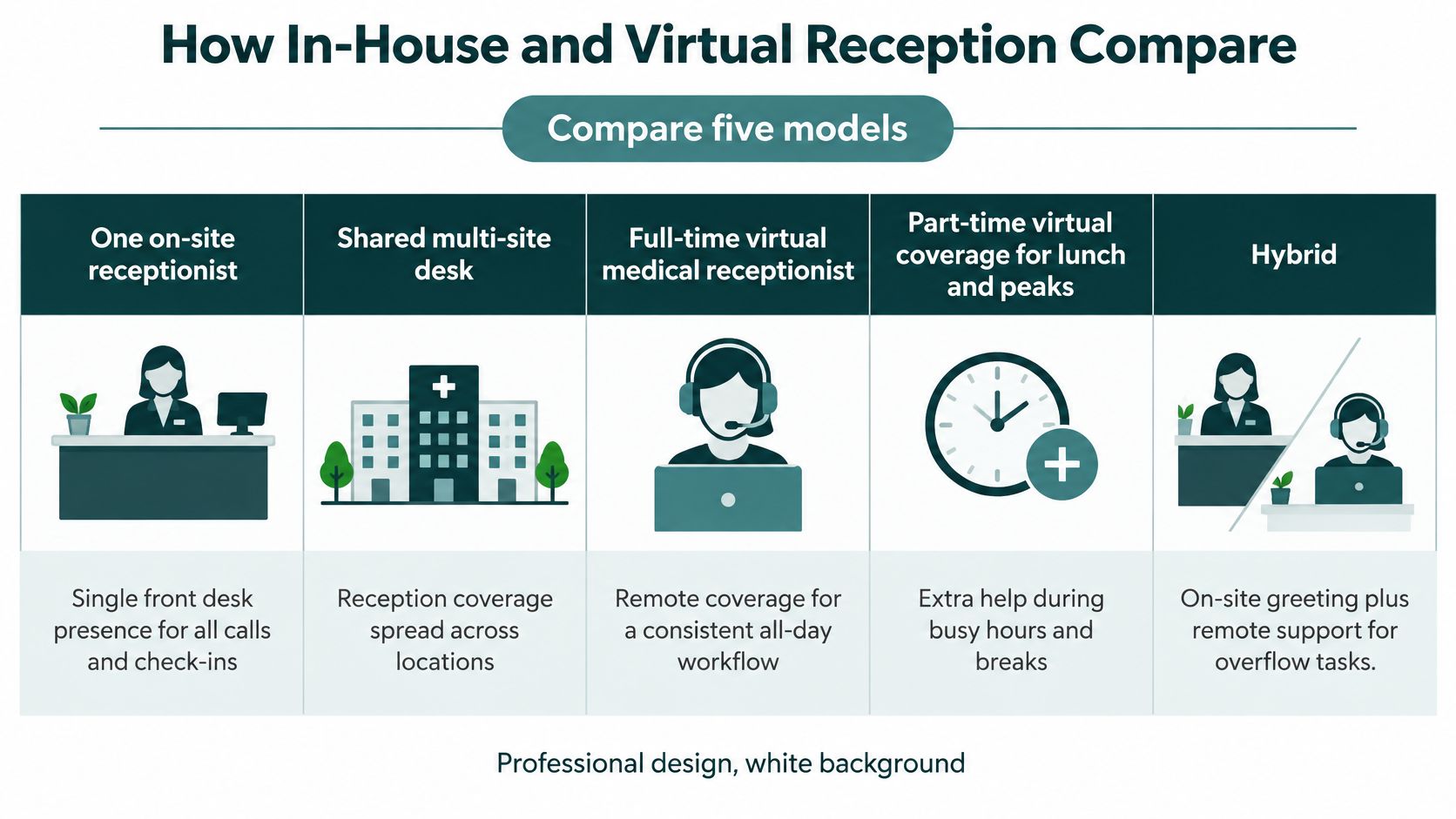
Front desk staffing models for physical therapy
| Model | Fits best when | Coverage | Cost shape | Main risk |
|---|---|---|---|---|
| One on-site receptionist | Single clinic, moderate call volume | Clinic hours except breaks and PTO | Local salary, payroll taxes, benefits, paid time off | One absence stops the phones |
| Shared multi-site desk | Two or more locations with similar workflows | Central queue across sites | Coordination time plus staff cost | Local exceptions get lost |
| Full-time virtual receptionist | Steady phones, reminders, and intake during U.S. clinic hours | Dedicated shift in the practice time zone | Remote rate by role and hours; confirm current pricing | Weak without EMR access, scripts, and supervision |
| Part-time virtual coverage | Lunch, peaks, or overflow only | Partial day | Remote rate by hours covered; confirm current pricing | Handoffs drop messages |
| Hybrid on-site plus remote | Busy clinic that still needs a person at the door | On-site greeting; remote scheduling, benefits, and authorization | Local wage plus remote rate | Duties blur and work gets duplicated |
The chart below gives the same five options a quick visual check before you price any of them.
When Virtual Coverage Works
A remote receptionist works when the job is remote-capable and properly equipped. That means practice phone system access, an individual EMR login, a script library, a supervisor who reviews work, and hours matched to your clinic time zone. Scheduling, reminders, recall lists, benefits checks, intake follow-up, and authorization tracking can all be handled this way if the person has prior U.S. healthcare experience and knows your payer mix.
If you're evaluating that model, review how a dedicated remote medical receptionist role is scoped against your matrix rows. Bring your actual call windows, EMR, and top payers to that conversation. A generic promise to answer phones tells you very little about whether referrals will be logged correctly at 4:30 in the afternoon.
Bilingual English and Spanish coverage deserves a specific decision in many therapy markets. If Spanish-speaking callers routinely get transferred, put on hold, or called back later, you don't have equal access on your main line. Staff bilingual coverage directly on that line instead of treating it as an escalation.
When It Is the Wrong Tool
Virtual coverage is a poor fit as your only plan if someone must take cash, set up equipment, walk patients to treatment areas, manage a crowded waiting room, or handle in-room flow with no on-site backup. It's also a poor fit if you won't grant system access. A receptionist who can take messages but can't book, verify, or document in the EMR creates a second queue for your in-house staff to clear later.
Hire with safeguards either way:
- Interview before you commit: Test spoken English, and Spanish if required, EMR navigation, and how the candidate handles a frustrated patient asking about a balance.
- Run a paid trial week: Put the person on real reminder calls and scheduling tasks with supervision, not a pretend exercise.
- Set a re-match path: Agree in advance what happens if the fit fails, who covers during the change, and how access is removed.
Keep someone physically at check-in where patients arrive. Add dedicated remote or shared staff once call, verification, or authorization volume exceeds one person's uninterrupted day.
That decision rule keeps you from two common mistakes. The first is paying for remote help while your on-site desk still drowns. The second is hiring another local greeter when your real bottleneck is benefits checks that could be done from anywhere with the right access.
EMR Access Privacy and the Business Associate Agreement
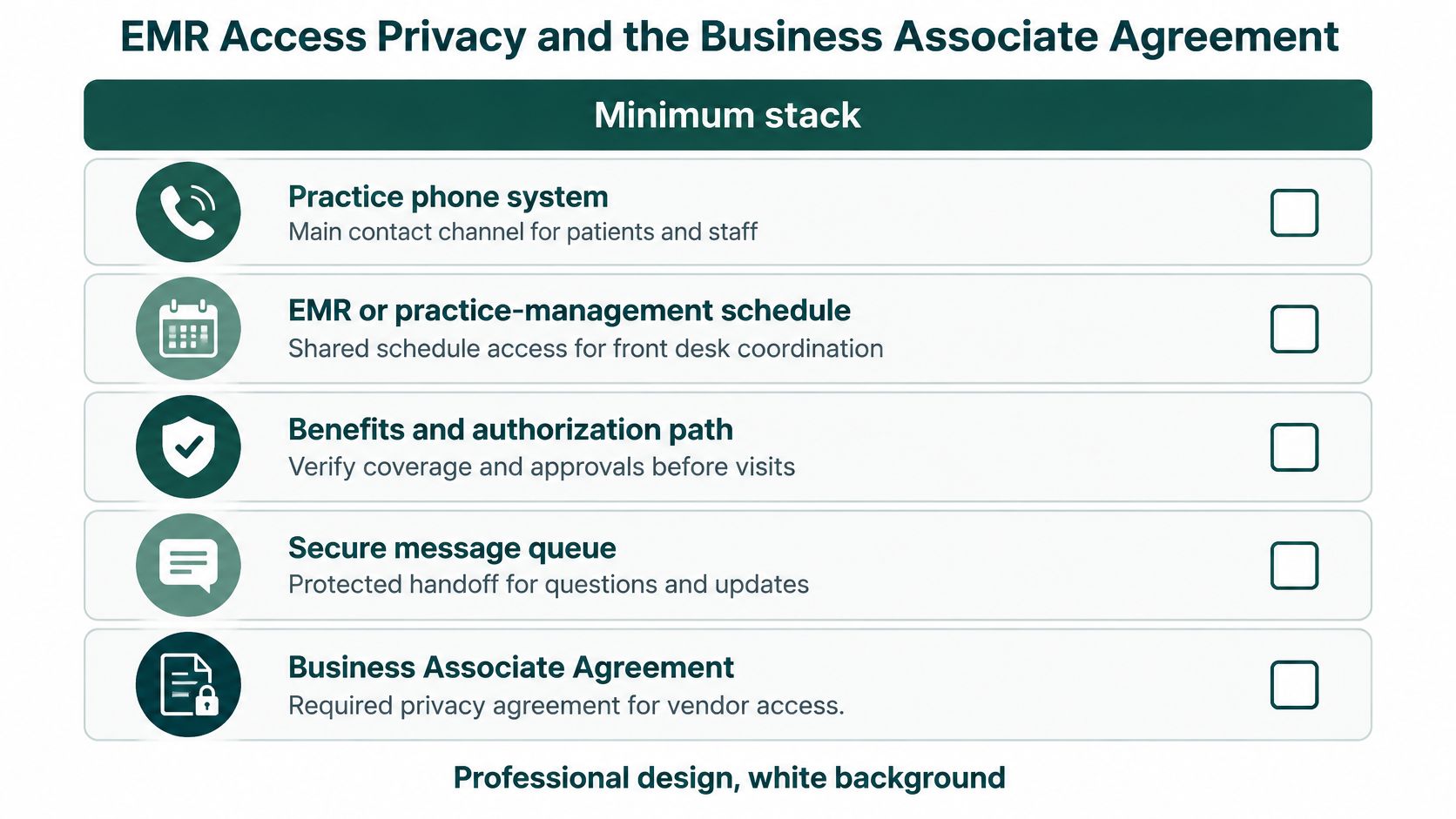
Give front desk staff the smallest workable stack, then protect it properly. You need the practice phone system, the EMR or practice-management schedule, a benefits and authorization path, a secure message queue, and an authorization tracker. You don't need to rank products to make this decision. You need to know who can see what, and what happens on a bad day.
The minimum stack below shows the pieces that should be in place before remote coverage starts.
Permissions to Grant and Permissions to Withhold
A scheduler normally needs the calendar, demographics, insurance fields, reminder tools, referral documents, and task notes. An insurance verification specialist needs eligibility and authorization information. Neither automatically needs broad clinical chart access if the role is booking and intake only. Set permissions by role, require individual logins, and prohibit shared accounts.
Write the downtime path before you need it. If the EMR or phones fail, staff should know which temporary log to use, what minimum information to capture, who reconciles it later, and how patients with urgent clinical concerns reach a licensed provider. Don't let staff improvise with personal email or personal phones because the normal system is down.
Practices comparing vetted staffing arrangements often review the requirements for a HIPAA aligned virtual assistant setup alongside their own access controls. Use that review to ask practical questions about training, supervision, subcontractors, and audit logs. Don't treat any vendor description as a substitute for your own risk assessment.
What the BAA Must Do
When a remote assistant handles protected health information for scheduling, reminders, referrals, or insurance intake, the U.S. Department of Health and Human Services HIPAA laws and regulations guidance states that a business associate agreement must impose written safeguards for individually identifiable health information and may not authorize uses or disclosures that would violate the HIPAA Privacy Rule. The agreement should describe the actual work, not just promise confidentiality.
Name the permitted tasks and systems. Define incident reporting, subcontractor responsibilities, return or destruction of PHI, permitted disclosures, and termination obligations. HHS also explains that business associates are directly subject to certain HIPAA requirements, while your practice remains responsible for selecting an appropriate arrangement and protecting patient information.
Two boundaries matter here. First, a signed BAA doesn't make an insecure workflow compliant. Weak passwords, shared logins, unsupervised access, and unreviewed schedule edits are still weak controls. Second, HHS doesn't recognize an official HIPAA certification for a person, vendor, or workflow, so don't buy on that label.
State privacy laws and payer contracts can add requirements beyond HIPAA. Have qualified counsel or your compliance lead confirm the arrangement for your practice. Then launch only when you have a signed BAA, individual EMR access, a script library, and a supervisor reviewing a sample of calls and schedule edits each week.
Workflows That Protect the Next Visit
Run the episode as one chain. Referral intake, benefits verification, authorization, and reminders either hand off cleanly or the patient feels every gap between them.
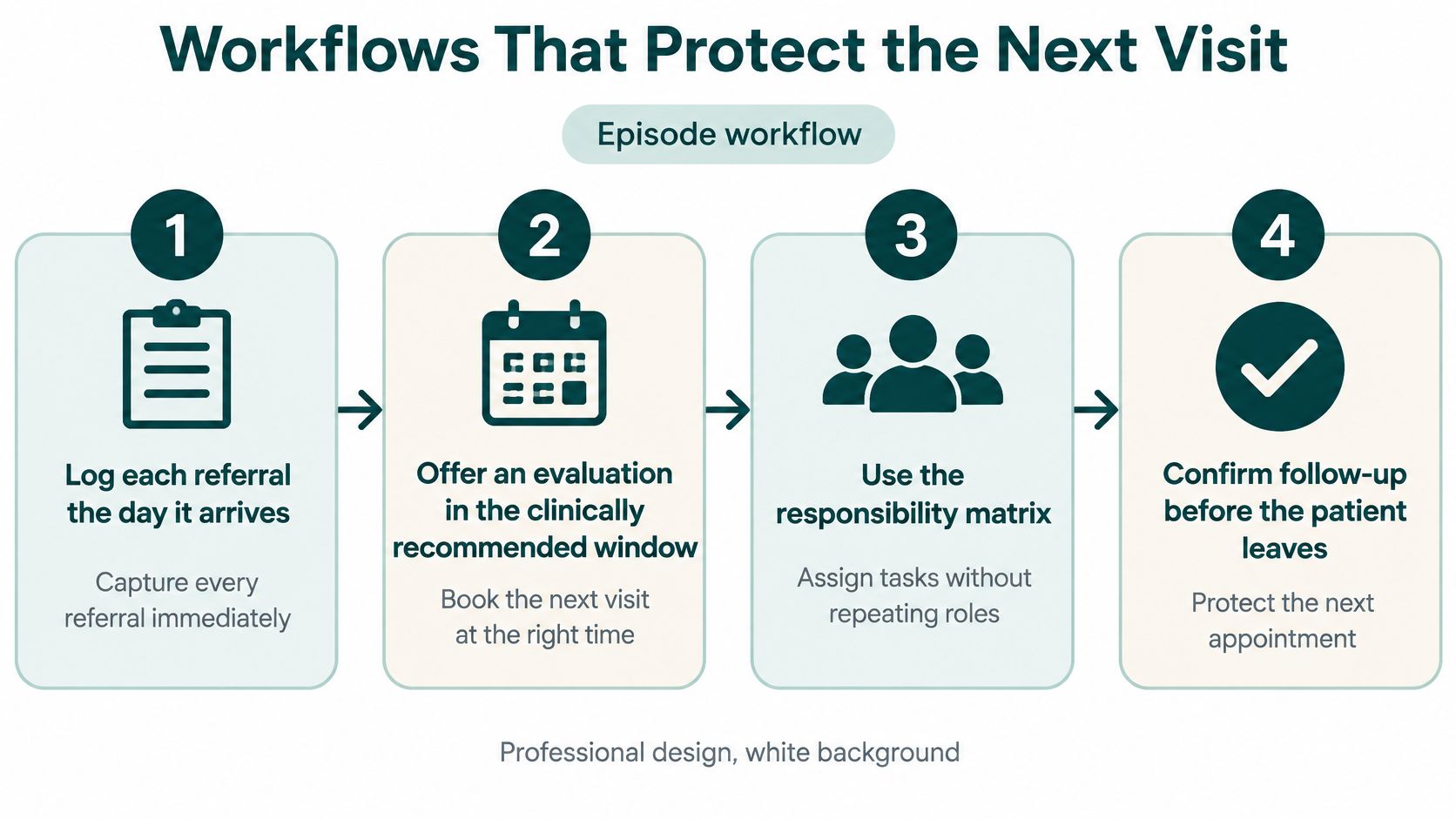
The Episode Workflow in Order
Log each referral the day it arrives. Create a trackable record with the patient, referring source, contact attempts, and a named scheduler owner, then offer an evaluation inside the clinically appropriate window, preferring nearer dates when you can. A referral sitting in fax or email with no owner is already at risk.
Verify benefits before the slot is treated as firm. Check eligibility, visit limits, cost sharing, referral requirements, and whether authorization applies. If your team needs a consistent sequence, standardize how to verify insurance so every checker captures the same fields in the same place. Share the findings with the patient before the first visit whenever you can.
Send intake and records requests with a deadline. Forms, insurance cards, relevant records, and signed consents should all be in before arrival. The same prepare-ahead principle shows up on new-patient pages in other specialties, where patients are invited to plan your first chiropractic visit before they come in. Patients who know what to bring and what happens next check in faster.
Check plan dates before booking the next block. Confirm plan-of-care dates, remaining approved visits, and expiration dates before ongoing treatment goes on the calendar. The desk tracks those operational fields. The therapist owns the plan itself.
Authorization Tracking Without Sticky Notes
Keep one tracker for every pending case. At minimum, record payer, request date, decision deadline, approved visits, expiration date, status, and escalation owner. Work it daily, not when a patient shows up asking why today's visit isn't approved.
Authorization rule: Don't book past an unresolved approval just to keep the schedule looking full. Escalate first, then book what you can support.
When a payer requests more information, route it to the therapist the same day with a due date. When approval arrives, notify the patient and scheduler right away, because delay after approval wastes the work you just did. When visits are denied or reduced, the therapist decides the clinical response while the desk handles patient communication and any resubmission logistics the practice assigns.
Confirmation and Recovery After a Miss
- Confirm high-risk visits earlier than a generic reminder. A peer-reviewed study of musculoskeletal physical-therapy episodes found that 73% of patients missed at least one appointment and clinic-level no-show rates ranged from 15% to 31%, with higher risk tied to prior cancellations and longer gaps between scheduling and the visit. A related analysis of 182,134 physical-therapy appointments reported an 11.1% no-show rate, with new visits booked more than 20 days out lost to no-shows or cancellations at materially higher rates.
That evidence justifies segmenting confirmations by risk. Call earlier when a patient has prior cancellations, a long lead time, or a widening gap between visits. Ask directly about barriers such as start time, transportation, childcare, work, language, or cost. Document the confirmation status so the next caller doesn't dial blind.
Release cancellations the same day and backfill. A cancelled slot should go back on the grid immediately, with waitlist patients contacted in a documented order. Note who accepted, who declined, and who still wants an earlier visit. A waitlist nobody works is just a list of disappointed patients.
Make one practical rebooking call after a miss. Offer a specific new time and ask what got in the way. A missed visit is not automatically noncompliance, and reminders alone rarely fix the underlying cause. Sometimes the answer is a different time of day, a shorter scheduling horizon, clearer cost information, or a therapist conversation about whether the plan still fits the patient's life.
Close each day with a one-page afternoon checklist: tomorrow's confirmations, unworked referrals, authorization cases due within the next few visits, cancelled slots not yet released, and missed visits still unrebooked. I would treat that fifteen-minute review as the highest-return habit on this list, because it catches whatever slipped earlier in the chain before tomorrow opens with yesterday's surprises.
Metrics That Show Patients Are Dropping Out
Answer speed matters, but it doesn't tell you whether care continued. A clinic can answer quickly, book an evaluation three weeks out, lose the patient while authorization is pending, and still report a healthy call number. Measure continuity instead.
The stakes are visible in the American Physical Therapy Association 2025 administrative burden findings, where 85% of respondents believed prior authorization negatively affected clinical outcomes and 57% said administrative burden had led their practice to discontinue participation with at least one payer network. Those are front desk metrics with clinical and access consequences, even though they don't look like reception numbers.
Continuity metrics for a physical therapy front desk
| Metric | What it tells you | Review | Watch-out |
|---|---|---|---|
| Days from referral to evaluation | Whether new patients actually start | Weekly | A full schedule can still hide a long wait |
| Visits lost while authorization is pending | Care stalled after the plan is ready | Weekly | Do not book past an unresolved approval just to fill the grid |
| Abandoned referrals | Patients who never reach an evaluation | Weekly | Call volume will not show them |
| Same-day cancellation recovery | Whether the waitlist works | Daily | Recovery that overbooks the therapist is not a win |
| No-show and late-cancel rate by lead time | Which visits need earlier confirmation | Weekly | Clinic rates of roughly 11% to 31% are context, not a quota |
| Continuation denial or expired-authorization rate | Episodes stopped by paperwork | Monthly | A payer exit may be rational; track it before it surprises clinicians |
| Time from missed visit to rebook | Whether outreach restores the episode | Weekly | Repeated punitive calls do not fix transport, work, or cost barriers |
How to Read the Scorecard
Look for patterns by payer, therapist, lead time, and prior cancellation history. If referrals arrive steadily but evaluations don't rise, your problem is contact, scheduling access, or verification speed. If evaluations happen but follow-up visits stall, look at authorization turnaround, cost communication, and whether the next block was booked while the patient was still engaged.
Investigate a rising gap between visits before adding more reminder messages. A gap can mean the schedule is too tight, the approved visits ran out, the patient can't afford the copay frequency, or the offered times don't fit work and transportation. Each cause needs a different response.
Watch the overbooking trap. Filling every uncertain slot can raise utilization on paper while overloading therapists, shortening attention for patients who attend, and creating a waiting room nobody enjoys. Pair utilization with rebooking success and episode completion so staff aren't rewarded for making the day look productive while continuity gets worse.
For a small clinic, review the scorecard weekly in a short operations huddle. Multi-site groups should use a shared dashboard with the same definitions at every location, or each site will choose the metric that flatters it. I would start with three, abandoned referrals, days from referral to evaluation, and same-day slot recovery. Add the rest once those three are defined, trusted, and acted on without argument.
How the Desk Changes by Practice Size
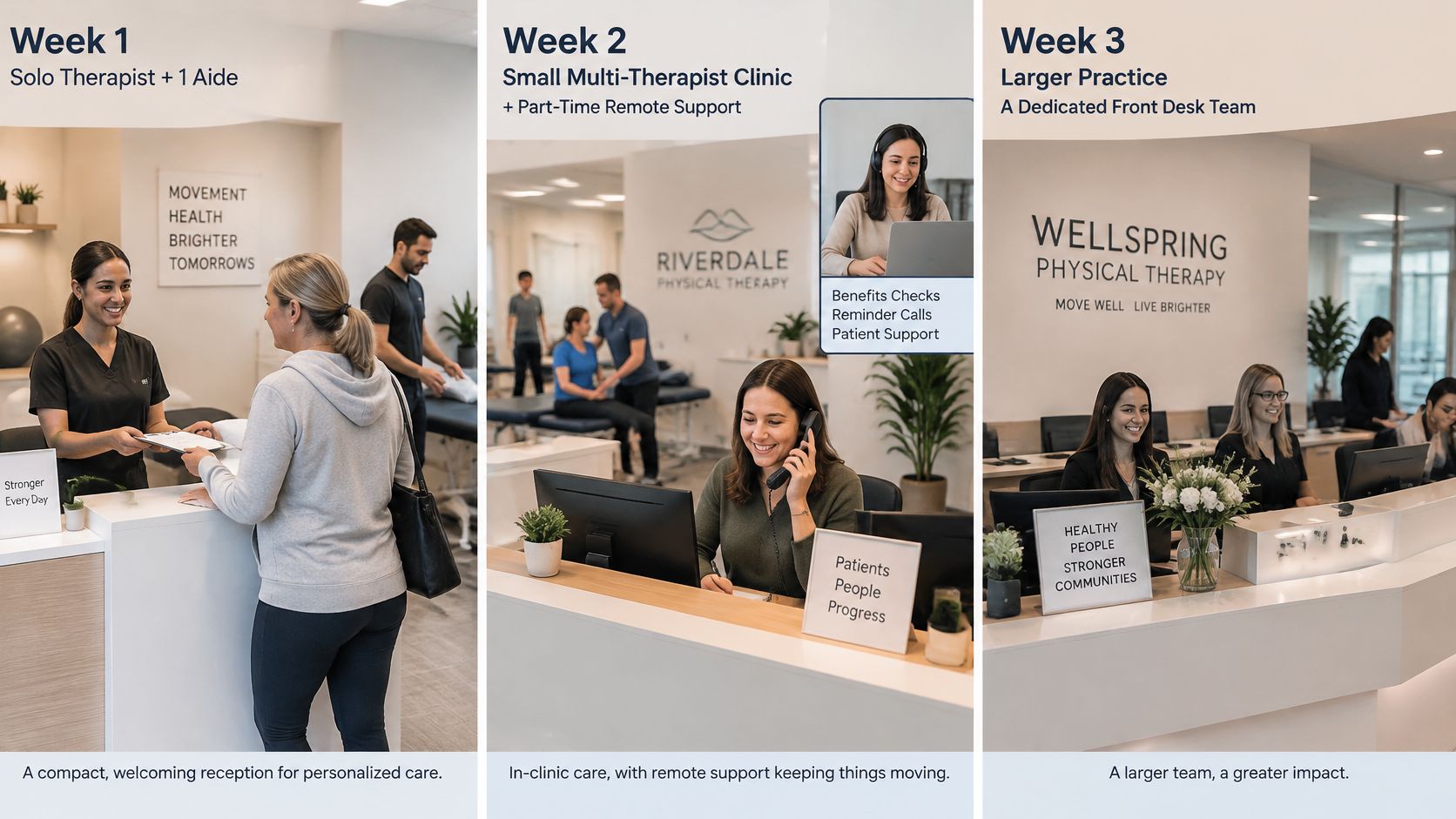
Size changes the failure mode. The examples below are fictional, but each one reflects a staffing pattern practice managers have to solve in different ways.
The progression below shows how reception needs shift as a practice grows.
A Solo Therapist With One Aide
Say a solo owner treats all day while an aide helps with flow and tries to catch phones between patients. Calls go to voicemail during treatment blocks, benefits checks happen after hours, and reminder calls only occur when someone remembers. The clinic doesn't need a call center. It needs an on-site presence for arrivals and part-time remote help for benefits checks, reminder calls, and referral follow-up during the hours the owner is treating.
The mistake to avoid is letting the owner remain the only real scheduler. If every booking decision, payer question, and cancellation recovery waits for the therapist, remote help becomes a message service and the queue grows. Give the remote person authority to book within written rules, verify routine benefits, and escalate defined exceptions.
A Clinic With Three to Eight Clinicians
Now picture a busier clinic on a normal week. Monday brings a referral pile from weekend fax and web forms. Wednesday brings authorization expirations for patients already mid plan. Friday brings cancellations that need waitlist backfill before the weekend. One receptionist can greet patients well or work those queues well, but asking for both at full quality means one side will fail.
This size usually needs a named authorization owner separate from the person on the main phone line. The receptionist handles arrivals, inbound calls, confirmations, and waitlist outreach. The authorization owner works the tracker, benefits exceptions, and continuation requests in protected blocks. Don't assign that work with no time blocked and then judge the person for falling behind.
Payer mix shapes the week here. A cash-pay heavy clinic needs especially clear estimates and payment expectations before the first visit. A Medicare-heavy or managed-care heavy panel needs tighter attention to plan-of-care dates, visit limits, and documentation deadlines. Those are workflow emphases, not legal conclusions, and your biller or compliance lead should confirm payer-specific requirements.
A Multi-Site Group
A group with many clinics needs standardization with controlled local exceptions. Use one referral script, one verification form, one authorization tracker structure, and one definition for abandoned referrals. Allow local variation for hours, therapist specialties, and payer mix where those differences are real. Without that balance, each site invents its own rules and leaders can't compare performance accurately.
Centralization helps when callers get a consistent answer and staff can cover each other. It hurts when a central team doesn't know that one location closes early on Fridays, another has a Spanish-speaking therapist only on certain days, or a third needs a local escalation path for a patient standing at the desk. Don't centralize the queue without naming that local contact and the hours they can intervene.
Across all three sizes, language access follows patient demand, not headcount. If Spanish-speaking patients call your main line daily, bilingual coverage belongs in the core schedule. Match your clinic to the closest example first, then buy coverage for that failure mode, not for a generic idea of being busy.
The Takeaway
Staff your physical therapy front desk as the system that moves a patient from referral to a completed plan of care. That means a reliable on-site presence where patients physically arrive, plus enough dedicated scheduling, verification, and authorization capacity that those jobs aren't squeezed between check-ins. A full schedule is only useful if the visits in it are verified, approved, confirmed, and attended.
Take three next steps. First, assign every matrix row to a named role and mark what stays with the therapist. Second, start tracking abandoned referrals, days from referral to evaluation, and same-day slot recovery each week. Third, if anyone outside your practice will access PHI, put the arrangement under a BAA with individual EMR permissions, defined tasks, training, and supervisor review.
If you need that added capacity, MedicalVirtual can be evaluated as one staffing option for a pre-vetted virtual medical receptionist, insurance verification specialist, or prior-authorization assistant working your clinic hours, with candidates interviewed before hire. Use your matrix and scorecard to judge any provider, including that one. The right hire should make continuity visible, not just make the phones quieter.
If your therapists are losing treatment time to unanswered calls, late benefits checks, and authorization queues, MedicalVirtual places pre-vetted LATAM receptionists, verification specialists, and prior-authorization assistants who work your U.S. clinic hours in your phone and EMR systems. Review the placement process, interview candidates before hiring, and choose coverage that fits your front desk matrix at MedicalVirtual.