

A multi-provider practice can have a full schedule and still be waiting on claims because charges sit unentered, payer messages go unanswered, or denials land in an inbox no one owns. A virtual assistant for medical billing can take responsibility for that work remotely, inside your practice's approved billing systems. The useful hire isn't just someone who sends claims. It's someone who protects the handoffs from patient intake through payment, manages exceptions, and knows when an issue needs a clinician or manager.
The role can include charge entry, claim submission, payment posting, denial tracking, payer follow-up, patient statements, and billing reports. Depending on how you divide responsibilities, it may also connect with insurance verification and prior authorization, though those tasks need clear ownership and escalation rules. The right setup depends on your specialty, payer mix, software, and the work your in-house team can reliably complete.
This guide lays out the role, the claim lifecycle, front-end controls, practical performance measures, the boundary between automation and human judgment, and the privacy and access safeguards to establish before onboarding. The central recommendation is straightforward: define the queues and decision limits first, then hire for the work that gets stuck.
What a Virtual Medical Billing Assistant Owns Day to Day
Give a remote billing assistant ownership of exceptions, charge-data accuracy, and documented follow-up. Claim submission is one task within that assignment. The useful distinction is whether the assistant can identify why an item is stuck, take the permitted action, and route unresolved questions to someone with authority to answer them.
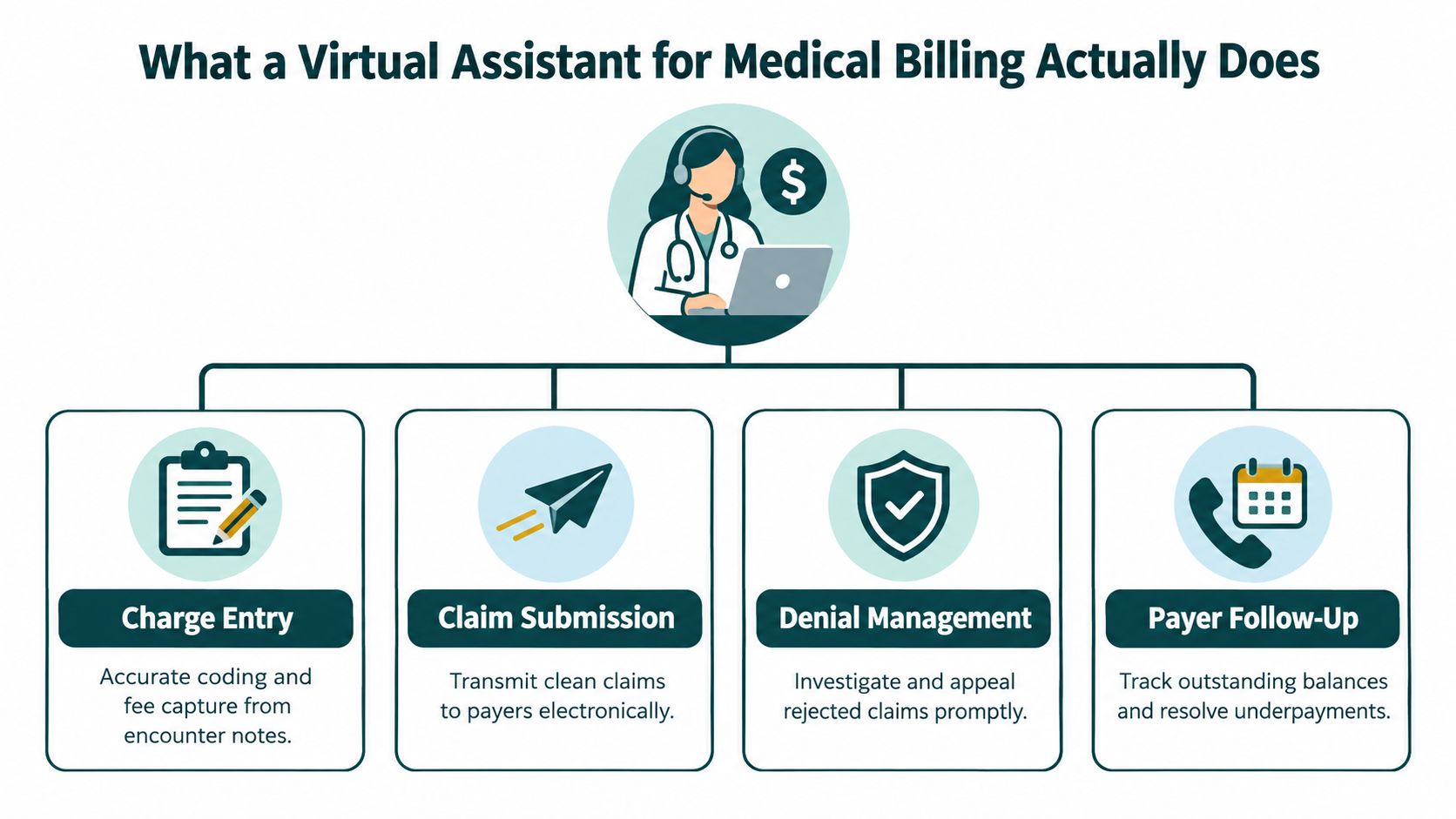
A virtual medical billing assistant performs assigned revenue-cycle work in the practice's electronic health record (EHR), practice-management system, clearinghouse, and payer portals. Daily responsibilities can include reviewing rejected claims, validating charges, submitting claims, posting payments, documenting denials, and investigating unpaid balances. Treat the assistant as a steward of the information feeding those claims: discrepancies need correction by the responsible staff member, with the resolution recorded. The assistant can gather records and flag missing clinical details, but clinical judgment and medical-necessity decisions remain with the provider.
Define the boundaries before assigning the queue
Keep adjacent administrative roles distinct. Verification staff check coverage and benefits; authorization staff submit and track approval requests. Receptionists handle calls and scheduling, while scribes document encounters under provider direction. Smaller practices may combine assignments, but every task still needs a named owner and a clear handoff.
| Role | Primary Focus | Typical EMR Modules |
|---|---|---|
| Medical billing assistant | Charges, claims, denials, payments, and payer follow-up | Billing, claims, remittance, accounts receivable |
| Insurance verification specialist | Eligibility, benefits, and coverage details | Registration, insurance, eligibility |
| Prior-authorization specialist | Authorization requests, reference numbers, and status tracking | Orders, authorization, scheduling |
| Virtual medical receptionist | Calls, scheduling, confirmations, and message routing | Scheduling, registration, messaging |
| Medical scribe | Visit documentation under provider direction | Clinical notes, encounter documentation |
Build payer-specific queues with defined exception types, next actions, and escalation owners. A rejected claim needing a demographic correction belongs in a different assignment from a denial requiring clinical documentation. Require notes that show the issue, action taken, payer response, and next follow-up. Audit a sample of completed and open items to check that the recorded action resolves the problem or advances it toward resolution.
Write the job description around those responsibilities: maintain assigned claim and accounts-receivable queues, validate charge and payer information, submit and track claims, post payments, document denials, and escalate clinical or contractual questions to the designated practice lead.
Before hiring, list every system the assistant will use, including remittance tools, the statement vendor, and approved communication channels alongside the core billing platforms. Define permitted decisions as carefully as access. A broad “full-cycle billing” label leaves too much room for missed handoffs and disputes over ownership, especially when work is outsourced.
The Daily Claim Lifecycle and Where a Remote Assistant Fits
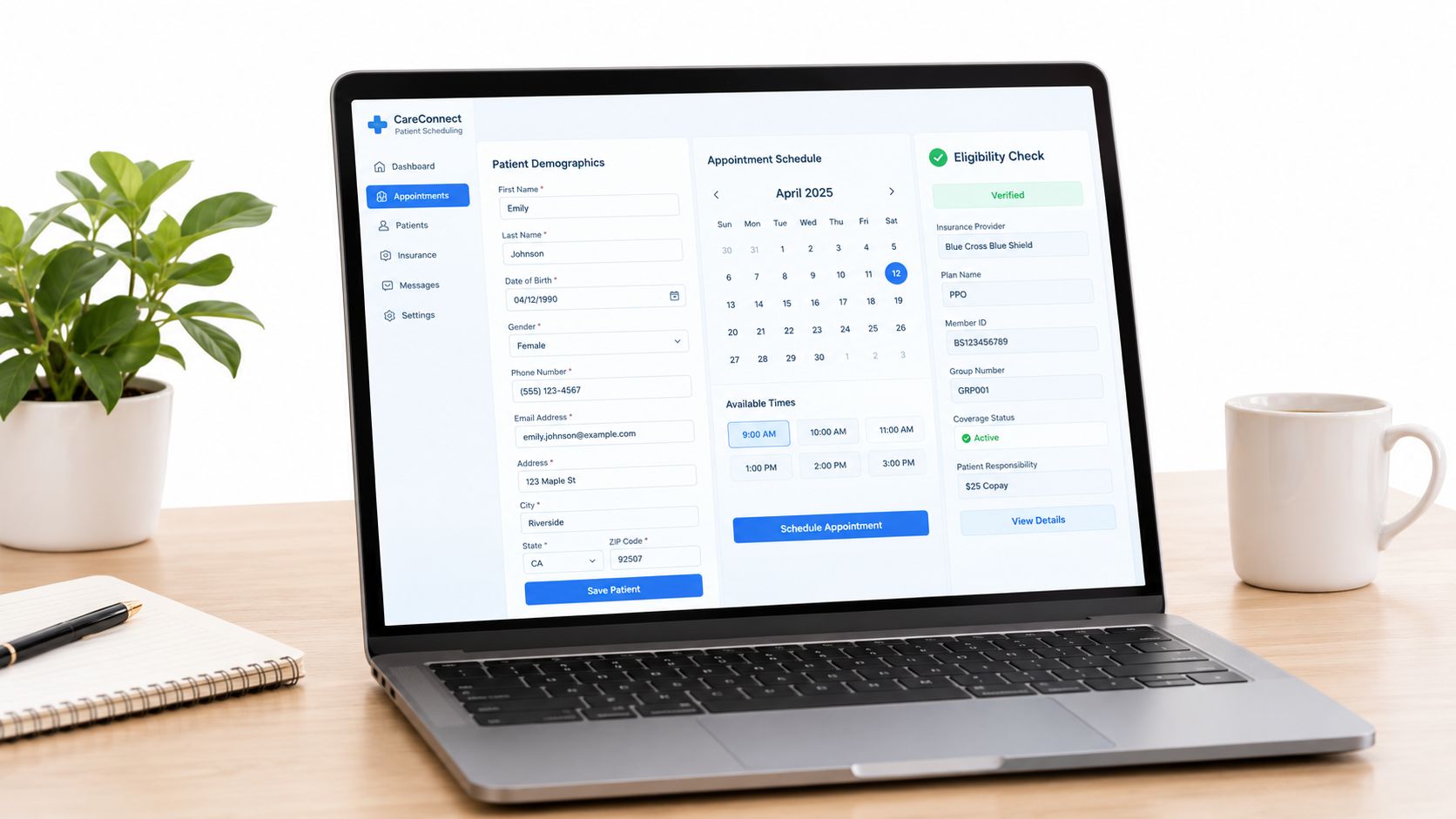
Claims work starts before a patient is seen. If registration captures the wrong subscriber details or the payer information isn't current, the billing team may inherit a preventable correction later. The remote assistant's role should connect the front desk's data to the claim, with a clear route for fixing discrepancies instead of guessing.
From registration to a clean submission
At scheduling or check-in, staff confirm demographics and insurance details. An assigned assistant or verification specialist can check eligibility and benefits in the payer's approved system, then record the result in the practice-management platform. If the plan requires authorization, the team needs to capture the reference number and status before the service, while clinical documentation remains the provider's responsibility.
After the encounter is documented and closed, the billing assistant reviews the charge information for completeness and enters or validates charges. Practices that need a closer look at this handoff can review how charge entry works in medical billing. The assistant then checks payer and demographic fields, required coding details, and attachments before sending the claim through the clearinghouse.
From payer response to account closure
Once submitted, claims need status monitoring. The assistant checks clearinghouse and payer responses, corrects technical rejections within their authority, and routes clinical documentation requests to the appropriate provider or clinical staff. When payment arrives, the assistant posts the remittance, reconciles patient and payer responsibility, identifies apparent underpayments for review, and prepares secondary claims or patient statements according to practice policy.
Follow-up shouldn't be one undifferentiated list. Create payer-specific queues for Medicare, Medicaid managed care, and commercial plans, with the relevant submission rules, documentation needs, and escalation path recorded in work instructions. A claim's payer category alone doesn't determine its next step, so the assistant should use documented rules rather than assumptions.
For every claim touch, require the assistant to update the status, date, payer response or denial reason, action taken, next follow-up date, deadline if applicable, and owner of any escalation. That history makes the queue usable by someone else if the assistant is away and helps managers distinguish work in progress from claims that are stalled.
Denial Prevention Through Front-End Controls
The billing team can't fix bad intake data by repeatedly resubmitting the same claim. Preventable rework often starts before transmission, when eligibility, demographics, authorization details, or supporting documentation are incomplete. Give the assistant responsibility for checking those fields and documenting exceptions, while reserving clinical decisions for licensed or otherwise accountable practice staff.
The payer mix matters. A large multipayer claims analysis found initial denial rates of 15.1% for Medicaid managed care, 10.5% for Medicare Advantage, and 7.8% for commercial insurance. Denial overturn rates were 51.1%, 60.8%, and 46.4%, respectively, in those same payer segments (multipayer claims analysis). These figures support payer-specific queue priorities, not a blanket rule that every claim from one segment should outrank every other claim. Use the practice's own claim value, deadlines, and denial history alongside payer category.
Build a pre-submission control
Before a claim goes out, the assistant should verify:
- Eligibility and plan details: Confirm that the coverage information matches the date of service and the patient record.
- Demographic match: Check the subscriber, patient, and payer fields for mismatches.
- Authorization reference: Confirm that the required reference or approval is recorded and associated with the service.
- Charge and coding completeness: Flag missing or inconsistent information for the authorized billing lead or clinician.
- Attachments and payer rules: Check that required records and submission details are present for that payer.
When a denial does arrive, capture the reason code, date received, payer deadline, corrective action, resubmission or appeal date, and final outcome. A structured insurance verification form can help standardize what gets collected before the visit, but the practice still needs to define who resolves missing or conflicting information.
| Common Denial Reasons and Matching Front-End Controls | Payer Risk Level | Pre-Submission Control |
|---|---|---|
| Eligibility or coverage mismatch | Depends on the practice's payer mix and encounter | Verify active coverage and record the source and date checked |
| Missing authorization | Higher where payer rules require approval | Capture the authorization reference and match it to the service |
| Demographic mismatch | Depends on registration accuracy | Compare patient and subscriber details against the payer record |
| Missing clinical documentation | Varies by service and payer requirements | Confirm required records are attached; route clinical gaps to providers |
| Coding or charge inconsistency | Varies by payer policy and claim type | Validate charge details and escalate questions outside the assistant's authority |
Billing staff can correct administrative issues they're authorized to handle. A missing clinical note, medical-necessity statement, or provider attestation should go to the clinician, not be improvised by a remote assistant. Keep the escalation trail in the billing system so the practice can see who requested the information, when it was requested, and what happened next.
KPIs, Reporting, and ROI Attribution
Measure the role by outcomes the assistant can influence, not by claims touched or calls made. A large activity count can hide a queue that keeps aging, repeated corrections, or unresolved payer requests. Before onboarding, document the practice's current definitions and baseline reports so that later comparisons use the same data and rules.
Separate early signals from financial outcomes
Leading indicators show whether the workflow is being followed: eligibility verification completion, authorization capture, clean-claim rate, and first-pass acceptance. Lagging indicators show what happened financially: accounts-receivable aging, denial-to-resolution time, net collections, and dollars recovered from corrected or appealed claims. The exact calculation should match the practice's reporting system and payer mix.
Use a compact dashboard with metric definitions beside each figure:
- First-pass acceptance: Claims accepted by the payer or clearinghouse without correction, measured against submissions.
- Days in accounts receivable: The practice's chosen A/R aging measure, calculated consistently.
- Denial-to-resolution time: Elapsed time from denial receipt to final disposition.
- Deadline compliance: The share of assigned denials resolved within the relevant payer deadline.
- Net collections and recovered dollars: Payments collected against collectible amounts, with recovered claims tracked separately.
- Front-end completion: Eligibility and authorization checks completed before the service when required.
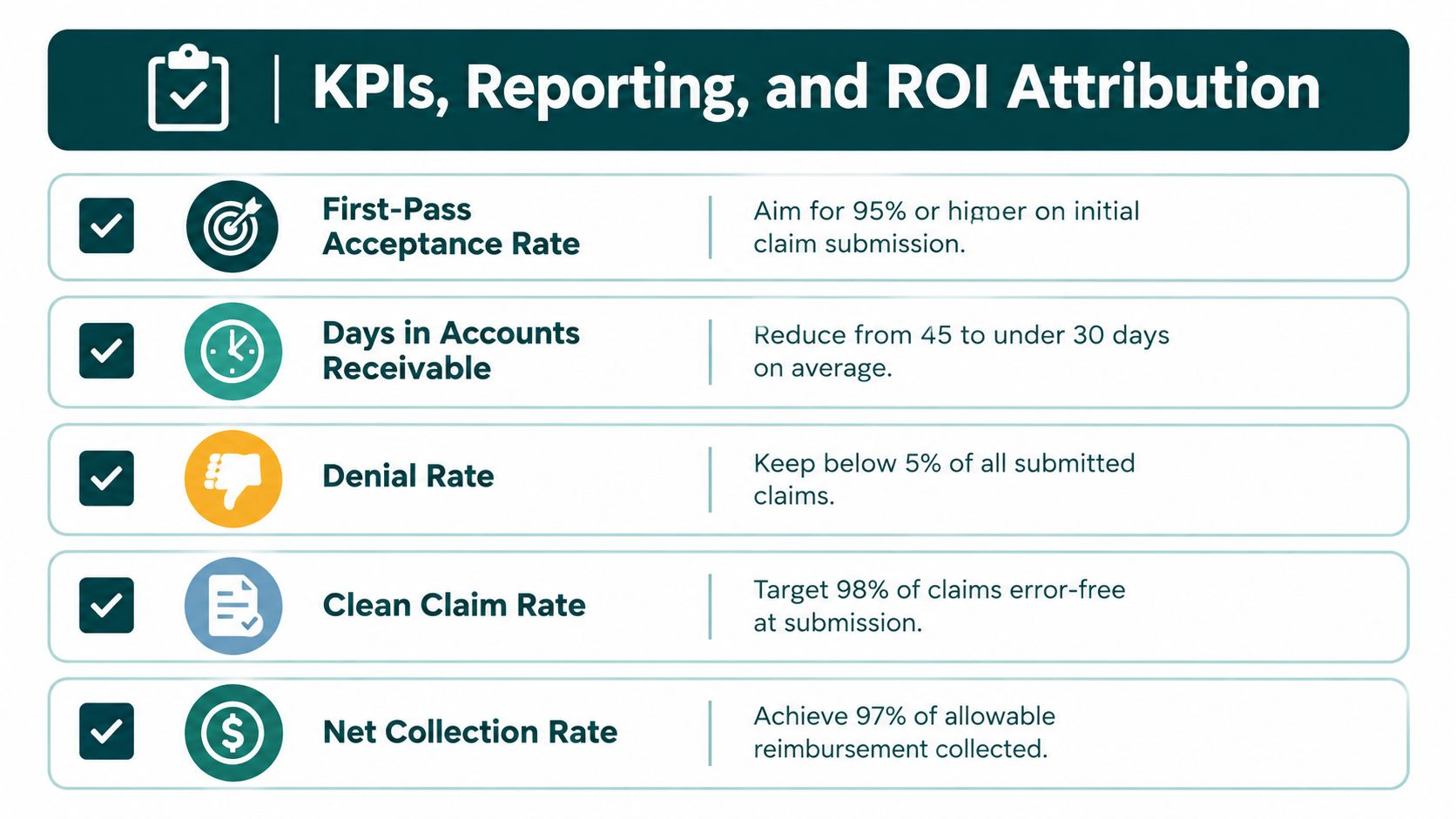
Don't treat an attractive target on an infographic as a universal benchmark. Specialty, payer contracts, coding mix, and the practice's starting workflow affect what a useful target looks like. Establish the baseline from your own reports, then choose goals the assistant can reasonably influence.
Attribute change carefully
A before-and-after comparison won't prove that the assistant caused a change if the practice also changed software, payer rules, staffing, or authorization workflows. Record those changes, hold the metric definitions steady, and review monthly trends rather than reacting to one unusual period. During onboarding, assign a defined queue or task set so managers can see what the remote role owns.
At the first review, confirm access, work instructions, and documentation quality. At the next, examine whether work is being completed on schedule and whether exceptions reach the right owner. At the later review, compare the baseline with the same measures and decide whether the scope, training, or queue design needs adjustment. Practices considering outside support can compare the defined scope with medical billing services, but should still retain direct visibility into work queues and results.
Where Humans Add Value Over Automation
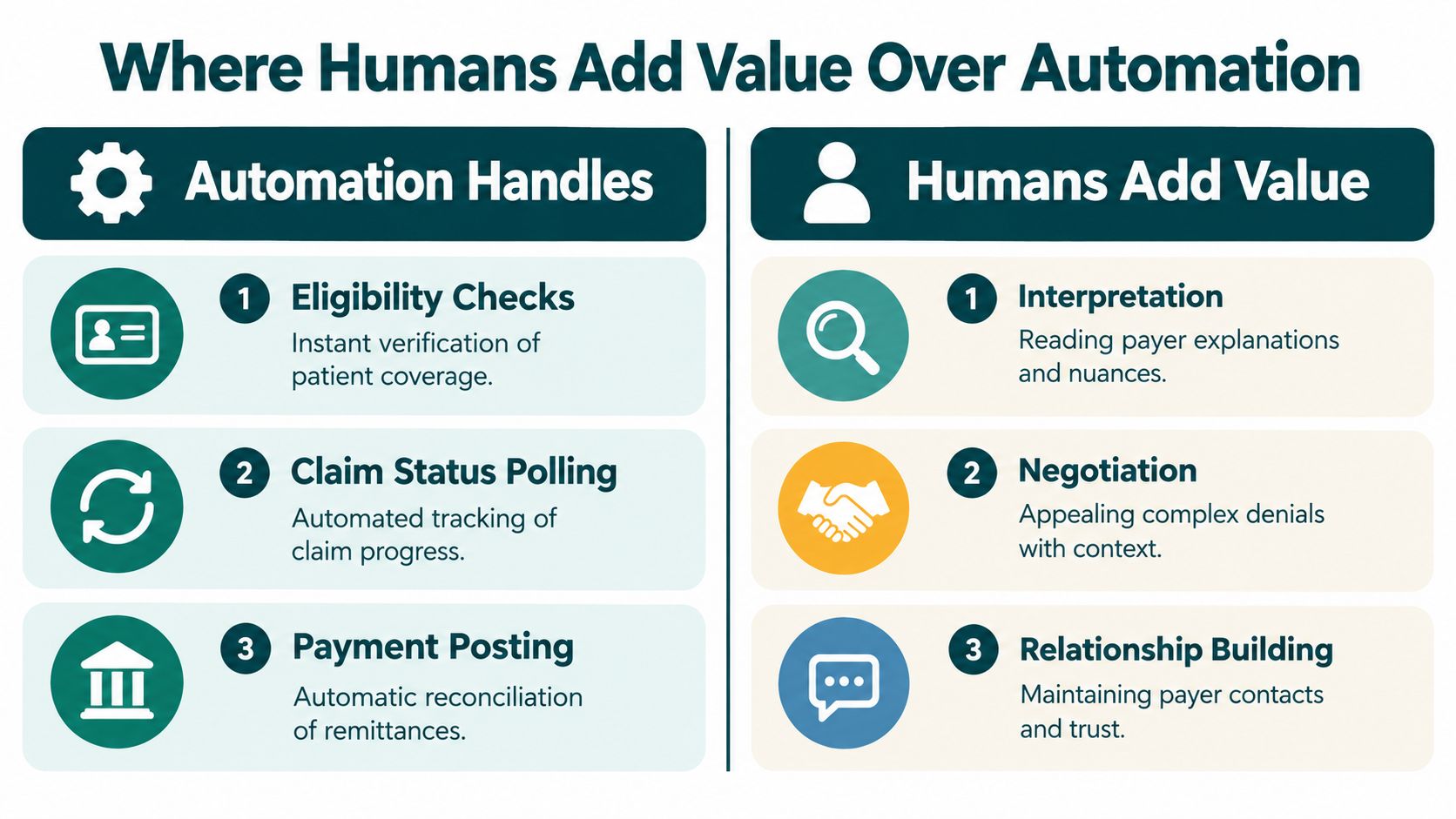
Automation can handle repeatable steps such as eligibility checks, claim-status polling, payment posting, and initial denial sorting when the systems and rules are configured correctly. It doesn't remove the need to understand why a payer rejected a claim, whether the response requires clinical input, or which action is appropriate under the practice's contract and workflow. Assign the remote assistant to manage exceptions and document decisions, rather than duplicating a bot's routine work.
Prior authorization is a clear example of why handoffs matter. An American Medical Association survey found physicians complete an average of 43 prior-authorization requests per week and physicians and staff spend the equivalent of 12 hours weekly on the requirements. Twenty-seven percent of physicians said requests are often or always denied (AMA survey on prior authorization). A coordinator can gather required information, submit requests through approved channels, track status, and record the authorization number. Once approval is confirmed, billing should receive the reference and the relevant service details through a documented handoff.
| Task Automation Fit by Billing Function | Automation Fit | Human Oversight Needed |
|---|---|---|
| Eligibility checks | Good fit for routine checks when system access and payer data are reliable | Review mismatches and coverage exceptions |
| Claim-status polling | Good fit for repeated status checks | Interpret unclear responses and set next actions |
| Payment posting | Suitable for standardized remittance workflows | Review exceptions, adjustments, and apparent underpayments |
| Denial categorization | Useful for sorting common reason codes | Validate ambiguous denials and payer-specific requirements |
| Appeals and clinical documentation | Limited where judgment or provider input is required | Prepare records and route clinical questions to authorized staff |
Practical rule: Automate predictable transactions. Give a person ownership of exceptions, deadlines, and escalation.
Auditability matters whether a task is done by software or a person. Keep role-based permissions, documented work queues, escalation thresholds, and quality sampling. The practice should be able to tell who changed a claim, what action was taken, and who approved a decision that required clinical or management review.
Compliance, System Access, and Hiring Criteria
A remote worker's location doesn't remove the practice's privacy obligations. HHS states that a remote medical billing assistant, receptionist, scribe, or care coordinator may qualify as a HIPAA business associate when the person or organization creates, receives, maintains, or transmits protected health information on behalf of a covered practice. A written business associate agreement (BAA) must be in place before the assistant receives access (HHS sample business-associate agreement provisions).
The agreement should set permitted uses and disclosures, require safeguards, and address reporting of impermissible disclosures or breaches. A confidentiality agreement may supplement it, but doesn't replace a required BAA. The practice should also review every system in the workflow, including the EHR, billing platform, clearinghouse, phone system, document storage, and messaging tools. If a vendor or subcontractor handles PHI, clarify the contractual and security responsibilities before using it.
Limit access to the work
HHS's Security Rule guidance requires satisfactory assurances that a business associate will appropriately safeguard electronic PHI and address applicable Security Rule duties (HHS Security Rule guidance). In practice, configure unique credentials, role-based permissions, secure authentication, minimum-necessary access, and prompt account removal when the placement ends. A scheduler doesn't need unrestricted billing or clinical-note access because the systems share a login environment.
The practice should document who provisions accounts, reviews permissions, handles suspected incidents, and manages subcontractors. Check whether an assistant's requested productivity, transcription, or messaging tool will touch PHI, and confirm that the tool and data flow are approved before use. Training is useful, but a certificate alone doesn't secure an account or control access.
Evaluate skills against the actual queue
Test candidates with realistic, de-identified work rather than relying only on a resume. Ask them to use a demo EHR or practice-management environment, explain how they would document a denial, and identify when they would stop and escalate a clinical question. Assess written and spoken communication, payer-workflow familiarity, attention to detail, and prior U.S. practice or billing-company experience when those are relevant to your role.
Use a consistent scorecard covering system navigation, claim-workflow judgment, documentation quality, communication, privacy practices, and ability to follow escalation rules. Verify references and clarify who supervises the assistant day to day. If you use a staffing provider, confirm who signs the BAA, whether subcontractors are involved, how access is managed, and who is responsible for handling a placement change.
The Takeaway
Assign your virtual medical billing assistant ownership of exceptions and front-end data quality. Define payer-specific queues, automated tasks, manager reviews, and clinical escalations. Keep responsibility for each handoff clear. A vague agreement to “handle billing” leaves unresolved work without an owner.
Before onboarding, map the queues and establish baseline measures so you can judge results against the practice's starting point.
Audit the work early: check whether front-end errors are caught, exceptions reach the right person, and payer follow-up produces a documented next action. Measure early controls alongside financial outcomes, then adjust scope or training to the work arriving in each queue.
For remote billing support, MedicalVirtual connects U.S. practices with pre-vetted Latin American healthcare talent. Visit MedicalVirtual to define a billing role covering charge entry, claim submission, denial management, and payer follow-up, matched to your practice's hours, EMR, and clearinghouse.