
A medical transcriptionist converts provider dictation and speech-recognition drafts into accurate, EHR-ready clinical reports while protecting patient information and flagging inconsistencies. The role is shrinking, with the U.S. Bureau of Labor Statistics projecting a 4% decline from 2025 to 2035 while still expecting about 6,200 openings per year on average because practices and hospitals still need people to catch errors, standardize notes, and keep records usable.
If you manage a practice, this question usually comes up when providers are dictating between visits, the chart still isn't closed by late afternoon, and someone has to decide whether the answer is transcription, scribing, better speech recognition, or a different remote support model. That's where many teams get stuck. They know the note has to be finished, but they don't always know which part of the documentation process needs a human.
The practical answer is that a medical transcriptionist handles post-visit documentation cleanup and conversion. They turn recorded speech into formal reports, correct speech-recognition output, research unclear terminology, and format the final note so it can live properly in the chart. For practices comparing staffing options, it also helps to understand how this role relates to other documentation and healthcare support paths. Hiring teams that want broader exposure to healthcare and life sciences roles sometimes review marketplaces such as the LatoJobs life sciences page to see how documentation work fits into the wider clinical support labor pool.
Introduction to What a Medical Transcriptionist Does
A medical transcriptionist takes a provider's spoken dictation and turns it into a written clinical document that can be reviewed, finalized, and stored in the electronic health record. In many practices, that means history and physicals, operative notes, discharge summaries, consultation reports, and other chart documentation that needs to be accurate enough for care continuity, billing support, and legal defensibility.
The core job sounds simple until you watch it happen in a real workflow. A physician may dictate quickly between rooms, use shorthand, skip part of a sentence, or rely on specialty language that general staff won't recognize. The transcriptionist has to listen carefully, understand the medical context, and convert that audio into a structured note without guessing at unclear meaning.
Practical rule: Transcription is not just typing faster. It's documentation quality control applied to spoken clinical information.
That distinction matters more now because many practices already use speech recognition. In that environment, the transcriptionist often isn't creating text from scratch. Instead, the work shifts toward editing, proofreading, correcting medical terminology, and making sure the final note matches what the provider intended to say.
For practice managers, the useful question isn't only what does a medical transcriptionist do. It's where that person fits in the workflow, how the role differs from scribing, what privacy safeguards are required, and whether this is a long-term staffing function or a narrower documentation support need.
How Medical Transcription Turns Dictation Into an EHR Ready Note
At 5:40 p.m., a physician finishes the last patient, dictates three quick summaries into a phone, and heads to the parking lot. By the next morning, those recordings need to become notes that another clinician can follow, a coder can read, and the EHR can store without confusion. That conversion step is where transcription still matters.
Where the audio starts
The older model was highly manual. The Bureau of Labor Statistics described transcriptionists working from headset-and-foot-pedal systems to prepare reports from emergency visits, imaging studies, operations, chart reviews, and discharge summaries, then route those reports back for physician signature or correction (BLS historical occupation description). Many practices no longer use that exact setup, but the starting point is still the same: spoken clinical information enters the workflow in audio form and has to be converted into a chart-ready document.
The input may come from a handheld recorder, a mobile app, an EHR dictation tool, or speech recognition that produces a rough draft first. The technology changed faster than the documentation standard did.
A helpful comparison is this: speech recognition produces text, but transcription produces usable documentation. For managers reviewing process design, general guidance on how to transcribe audio accurately helps explain why microphone quality, speaker habits, and review steps affect note quality long before a provider signs anything.
What happens between dictation and the final note
A transcriptionist usually works in one of two lanes. They either convert raw audio into text, or they clean up a machine draft that is close but not dependable yet. In both cases, the job is less like clerical typing and more like copyediting a clinical report where a single wrong word can change meaning.
That means checking whether a phrase is medically plausible, correcting medication names and procedure terms, expanding shorthand into standard chart language, and placing content into the format the practice uses for that note type. If the recording says "hypertension" but the surrounding sentence clearly points to "hypotension," the issue has to be flagged for review, not passed through because the audio software inserted a familiar word.
Ambiguity is common. Providers dictate fast, change direction mid-sentence, refer to prior visits from memory, or assume the listener knows the specialty context. A skilled transcriptionist handles that the way a good proofreader handles a messy contract. They do not rewrite the author's meaning. They make the document readable, consistent, and safe to review.
Why "EHR ready" means more than typed out
An EHR-ready note is not just a block of text with decent spelling. It has the right sections, uses language the next user can interpret, and fits the practice's routing rules for review, signature, and filing. If that structure is missing, the note may sit in suspense, bounce back to the provider, or create extra work for coding and records staff.
This is also where transcription differs from nearby support roles. A scribe captures the visit in real time. Speech recognition converts speech to words. Transcription sits in the middle as a documentation-quality function, often after the encounter and before final sign-off. In smaller practices, that function may overlap with document routing or chart completion tasks handled by staff in roles related to a medical records clerk.
The role is smaller than it once was. It still fills a specific gap. Whenever audio is unclear, machine output is unreliable, or the note needs a trained human editor before it becomes part of the legal record, transcription remains part of the workflow.
Core Duties and Daily Responsibilities in Practice
At 4:30 p.m., the visit schedule is finished, but the documentation work is not. One provider has left a rushed operative dictation, another has a speech-recognition draft with medication errors, and referral staff are waiting on a signed note before they can send records out. In that moment, the transcriptionist is doing more than typing. They are helping the practice turn unfinished narration into a usable clinical document.
Producing the right report for the right clinical context
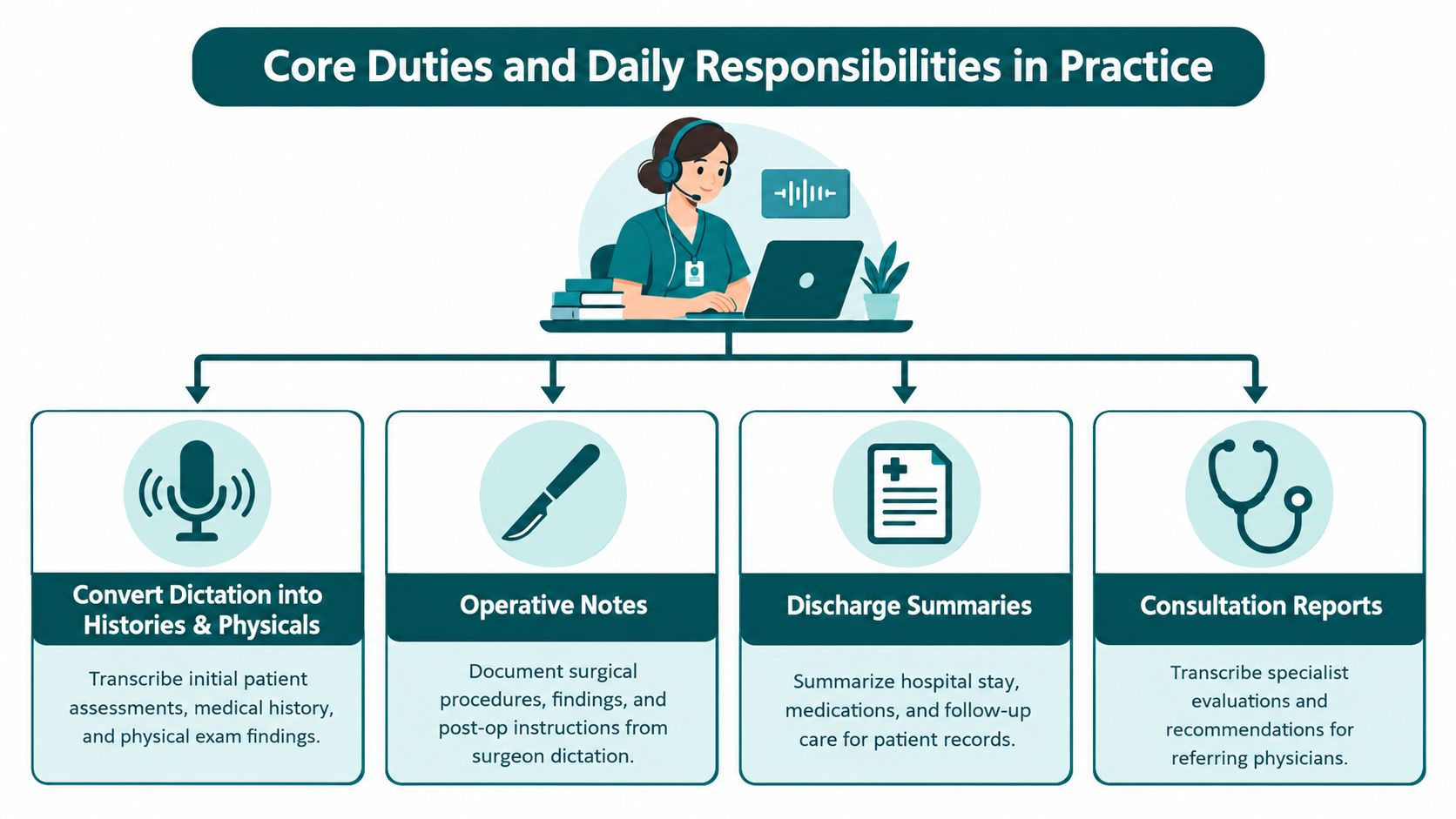
A medical transcriptionist converts dictated encounters into formal reports such as history and physicals, operative notes, discharge summaries, and other patient record documents. The task sounds straightforward until you look at how different those documents are in daily practice.
An operative note has to read differently from a consult. A discharge summary has its own logic. A family medicine follow-up may be brief, while a specialty note may depend on very specific terminology, abbreviations, and section order. The transcriptionist has to identify the document type quickly, then format it so the provider, coder, and downstream staff can all use it without rework.
That document judgment is part of the job, not an extra step.
Editing machine output and catching what software misses
In many practices, the workload has shifted from typing every word from audio to cleaning up speech-recognition drafts. The function is smaller than it used to be, but it still matters when machine output is technically readable and still wrong in ways that create chart risk.
Career guidance from the U.S. Bureau of Labor Statistics describes medical transcriptionists as workers who listen to voice recordings, review and edit reports, and translate medical abbreviations into full form when needed (medical transcriptionists occupational overview). That aligns with what happens in real workflows. The software gets text onto the screen. The human checks whether the note says what the clinician meant.
A common failure point is the fast closing portion of a dictation, where the provider lists medication changes, follow-up timing, and diagnosis details in one run-on sequence. Those are the lines that often need careful review because a small wording error can change the meaning of the note.
Researching terms and holding unclear content for clarification
Good transcriptionists do not fill gaps with guesses. They verify unfamiliar drug names, check anatomy and procedure terms, and flag audio that is too unclear to safely finalize.
That restraint protects the record.
If a provider trails off during an impression, refers to a sound-alike medication, or uses an uncommon specialty term, the transcriptionist may need to pause the document and send a query. Managers sometimes read that as delay. In practice, it is quality control. A note that moves fast but carries unresolved ambiguity often creates more work later for the provider, coding team, or medical records staff.
A few examples come up often:
- Medication names that sound alike. The correct action is verification, not assumption.
- Incomplete assessment statements. If the diagnosis or plan is missing needed detail, the note may need clarification before filing.
- Procedure wording that changes meaning. In surgical and specialty documentation, one incorrect term can alter the clinical record.
Manager's checkpoint: If documentation support staff never ask clarification questions, review a sample of finalized notes. Silence can mean overconfidence, not efficiency.
Protecting record integrity inside the workflow
At the practice level, the transcriptionist often functions like a final document editor before provider sign-off. They are watching for mismatched medications, incomplete sentences, inconsistent dates, missing headings, and language that does not fit the report type. AHIMA has long framed health record documentation quality around accuracy, completeness, consistency, and timeliness, which is the same standard operations teams feel every day when notes move through the chart completion queue (AHIMA practice brief and guidance resources).
That is why the role sits closer to documentation quality than clerical data entry. The transcriptionist is one of the last people to catch record defects before the note becomes part of the legal medical record.
Working within turnaround pressure without losing accuracy
Every practice feels the time pressure differently. Providers want charts closed. Billing staff need documentation that supports claims. Referral teams need finalized notes for outbound records. Patients may be waiting for paperwork tied to the visit. The transcription queue sits in the middle of all of that.
A workable process usually depends on four controls:
- Clear audio intake rules
- Accurate clinical language editing
- Consistent templates and report structure
- Turnaround targets that fit the practice's daily volume
If one of those slips, the problem spreads quickly. The note may still get completed, but it can miss the window when the rest of the office needed it. That is the practical role of a medical transcriptionist today. Smaller than it once was, still useful in the right workflow, and most valuable when documentation quality has to be checked before the chart moves on.
Medical Transcriptionist Versus Medical Scribe and Other Support Roles
Practice managers most often mix roles together. A transcriptionist and a scribe both support documentation, but they do it at different points in the visit and for different operational goals.
A medical transcriptionist usually works from recorded dictation after the encounter or from a speech-recognition draft that needs cleanup. A medical scribe supports documentation during the encounter, often entering information directly into the EHR in real time under provider direction. Those are not interchangeable workflows.
Transcriptionist vs scribe at a glance
| Criteria | Medical Transcriptionist | Medical Scribe |
|---|---|---|
| Timing | Usually after the visit | During the visit |
| Input source | Recorded dictation or speech-recognition draft | Live provider-patient encounter |
| Provider interaction | Limited and usually asynchronous | Ongoing and immediate |
| Main output | Edited, formatted report for chart completion | Real-time visit note in the EHR |
| Best fit | Dictation-heavy providers, specialty reports, post-visit editing | Providers who want same-encounter documentation support |
| Primary strength | Accuracy review, terminology cleanup, report formatting | Speed of note completion while the visit is happening |
| Main limitation | Doesn't reduce in-room documentation burden in real time | Requires workflow coordination during patient encounters |
When transcription is the better fit
Transcription often fits practices where providers prefer dictating after visits, where reports are structured and repeatable, or where specialty notes require careful editing before filing. It can also fit clinics that already have decent speech recognition but still need a human to clean up the output.
For example, a surgeon dictating operative reports at the end of a block may not need a live scribe. That provider may need a documentation specialist who can convert those recordings into organized final reports and flag missing elements.
When scribing solves the actual problem
If your real issue is providers staying late to finish notes, a scribe may be the more direct answer. The chart can be built as the visit happens, reducing after-hours documentation work.
Managers comparing these jobs often find it useful to review a side-by-side explanation of medical assistant vs medical scribe because the confusion usually extends beyond just scribing and transcription. Front-desk support, intake, records management, and chart documentation often overlap in smaller practices.
If the provider says, “I need someone to fix my dictated notes,” that points toward transcription. If the provider says, “I need the note done before I walk out of the room,” that points toward scribing.
Where other support roles fit
Not every documentation problem requires either role alone. A practice may need:
- A records specialist to route documents, upload outside records, and manage chart organization
- A virtual medical assistant to handle intake tasks that affect note completeness
- A documentation support worker who edits reports but doesn't participate in live visits
One restrained option in that broader category is MedicalVirtual, which places remote healthcare support staff for U.S. practices, including documentation-related roles such as scribes and records support. That's most relevant when your need extends beyond transcription into a wider clinic workflow.
The key is matching the role to the bottleneck, not to the label.
Handling PHI Quality Checks and HIPAA Aligned Workflows
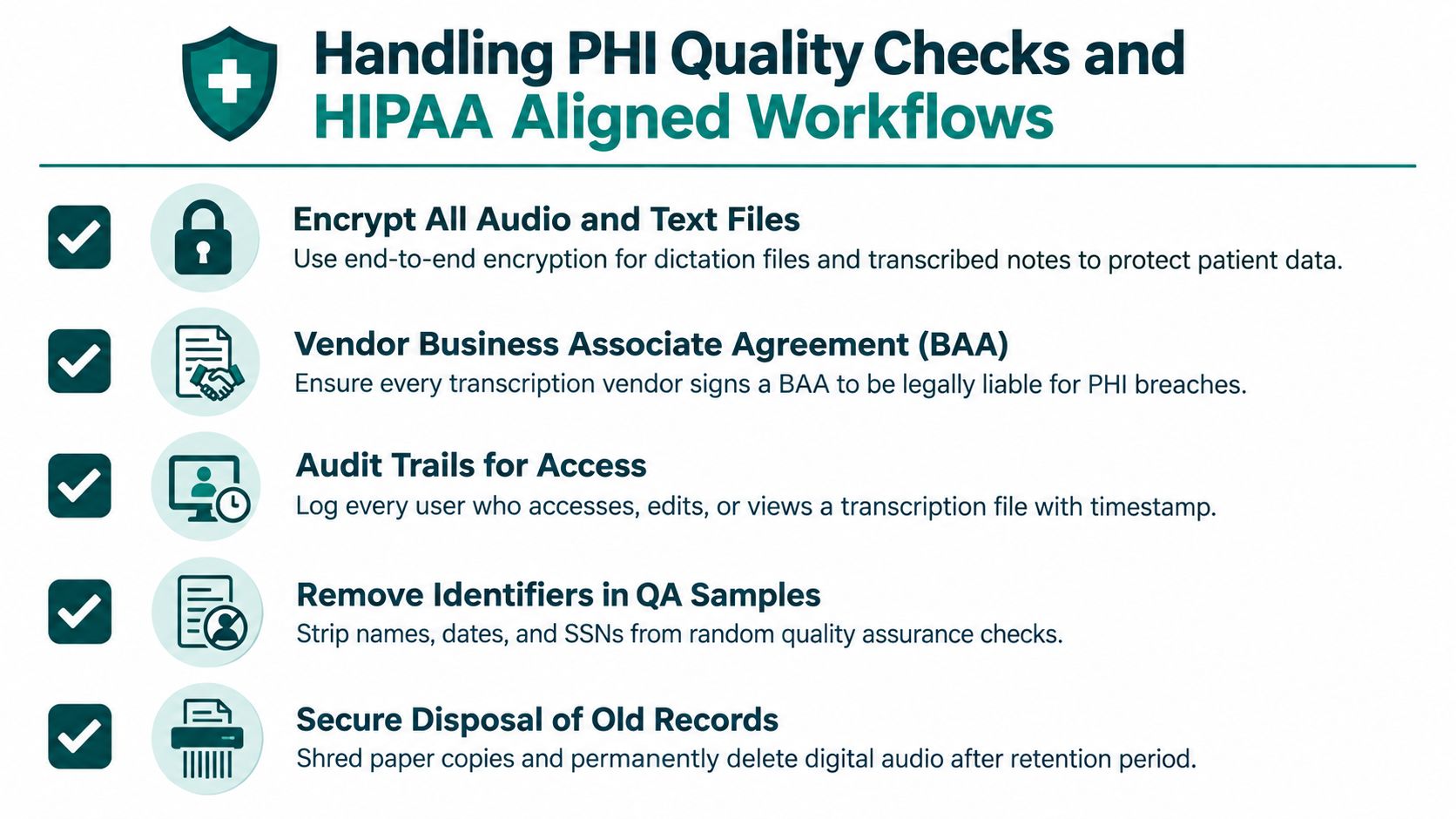
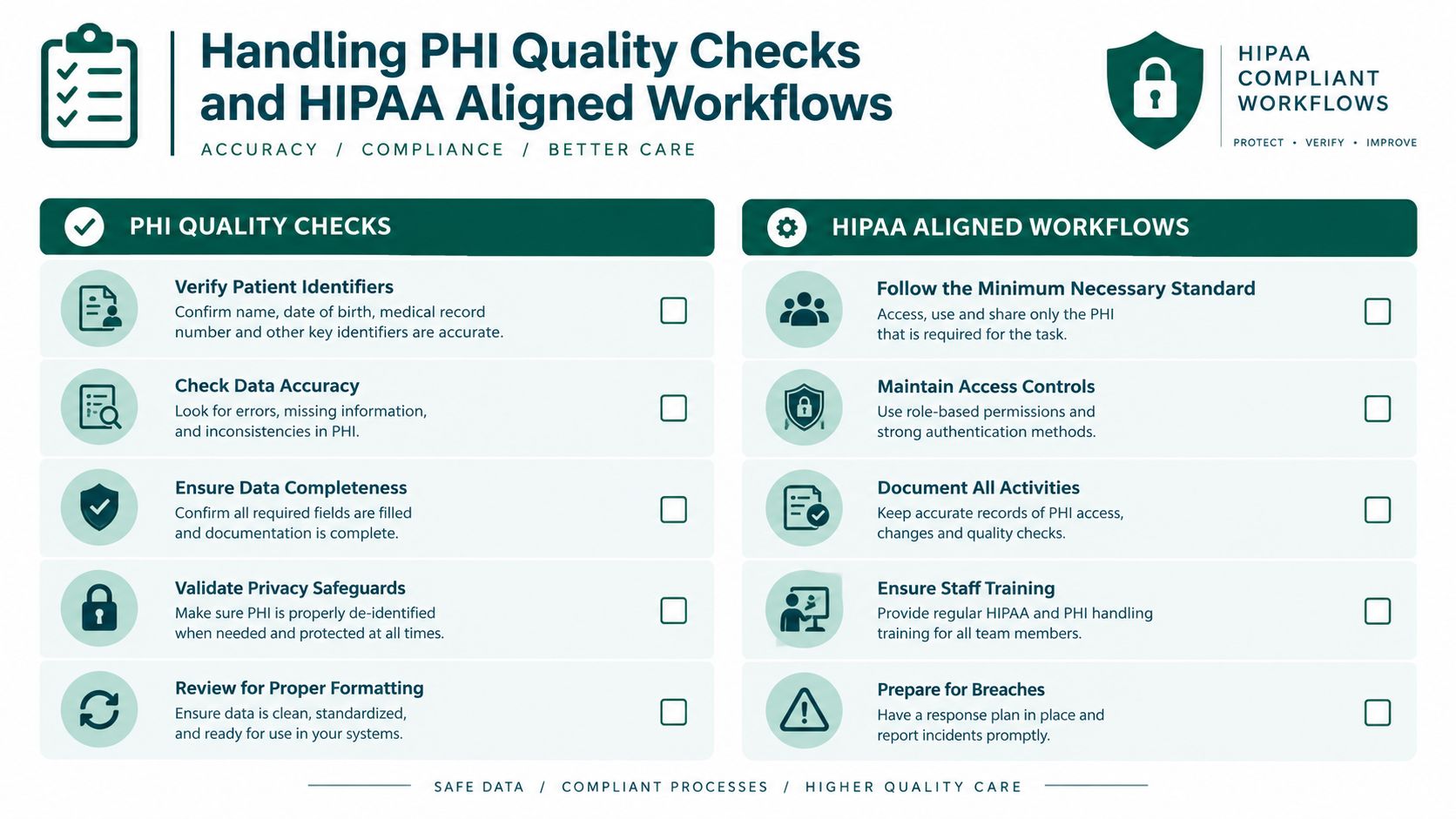
A transcription workflow only works if it protects protected health information and produces notes your practice can stand behind. Accuracy without privacy controls is a risk. Privacy controls without quality checks still leave you with a weak chart.
Why vendors and contractors need a BAA
If a transcription service receives, maintains, or transmits protected health information, HIPAA treats that vendor as a business associate. The required Business Associate Agreement must define permitted uses and disclosures, prohibit unauthorized reuse or disclosure, and require the business associate to follow the Privacy Rule when carrying out covered-entity obligations (HIPAA requirements for medical transcription services).
For managers, the practical takeaway is simple. If outside transcription support touches PHI, the relationship can't run on an informal contractor agreement alone. You need the right paper in place and the actual workflow has to match it.
What HIPAA-aligned handling looks like day to day
HIPAA sets the legal framework, but practices still have to turn that into ordinary operating steps. That usually includes secure access to dictation files, controlled EHR permissions, confidentiality agreements, and clear rules for where audio and drafts can be stored.
A practice evaluating phone-based dictation or call workflows may also find a technical overview such as this HIPAA compliant phone system guide useful for understanding how communication tools intersect with privacy expectations. The same principle applies to transcription: the platform matters, but so do user permissions and day-to-day behavior.
If you're building a remote support model, this broader guide to HIPAA-compliant virtual assistants for medical practices is a useful companion because the same access, confidentiality, and workflow issues come up across documentation and administrative roles.
A workable quality-check sequence
Privacy is only half the job. The other half is making sure the note is right before it reaches the chart.
A practical review sequence looks like this:
- Terminology verification: Check drug names, diagnoses, anatomy terms, and procedures against the dictated context.
- Inconsistency flagging: Pause when the report contains mismatched medications, incomplete statements, or unclear plan details.
- Template formatting: Align the report to the practice's note style, headings, and specialty conventions.
- Final review: Confirm readability, internal consistency, and correct placement before filing or provider signature.
Good transcription workflows don't treat proofreading as cosmetic. In healthcare, proofreading is part of risk control.
Manager checklist for evaluating the workflow
When you review an internal or outsourced transcription process, ask practical questions rather than broad ones.
- Access control: Who can open audio files, drafts, and final notes?
- Clarification path: How does the worker flag unclear dictation without delaying the queue indefinitely?
- Template discipline: Are note types standardized by specialty and provider preference?
- Software fluency: Can the worker use the EHR, document queue, and file naming conventions without constant help?
- Retention handling: Does the practice have a clear process for storage and disposal that matches its policies and obligations?
Requirements can vary by setting and contract structure, so practices should confirm specific obligations with qualified compliance or legal counsel. But as an operations matter, a defensible transcription process always combines secure handling with a visible review method.
Why the Role Is Shrinking and What That Means for Your Practice
A familiar practice scenario explains the shift. A physician dictates after clinic, the EHR produces a draft through speech recognition, and someone still has to clean up the note before it is safe to sign. The typing portion has gotten smaller. The review portion has not.
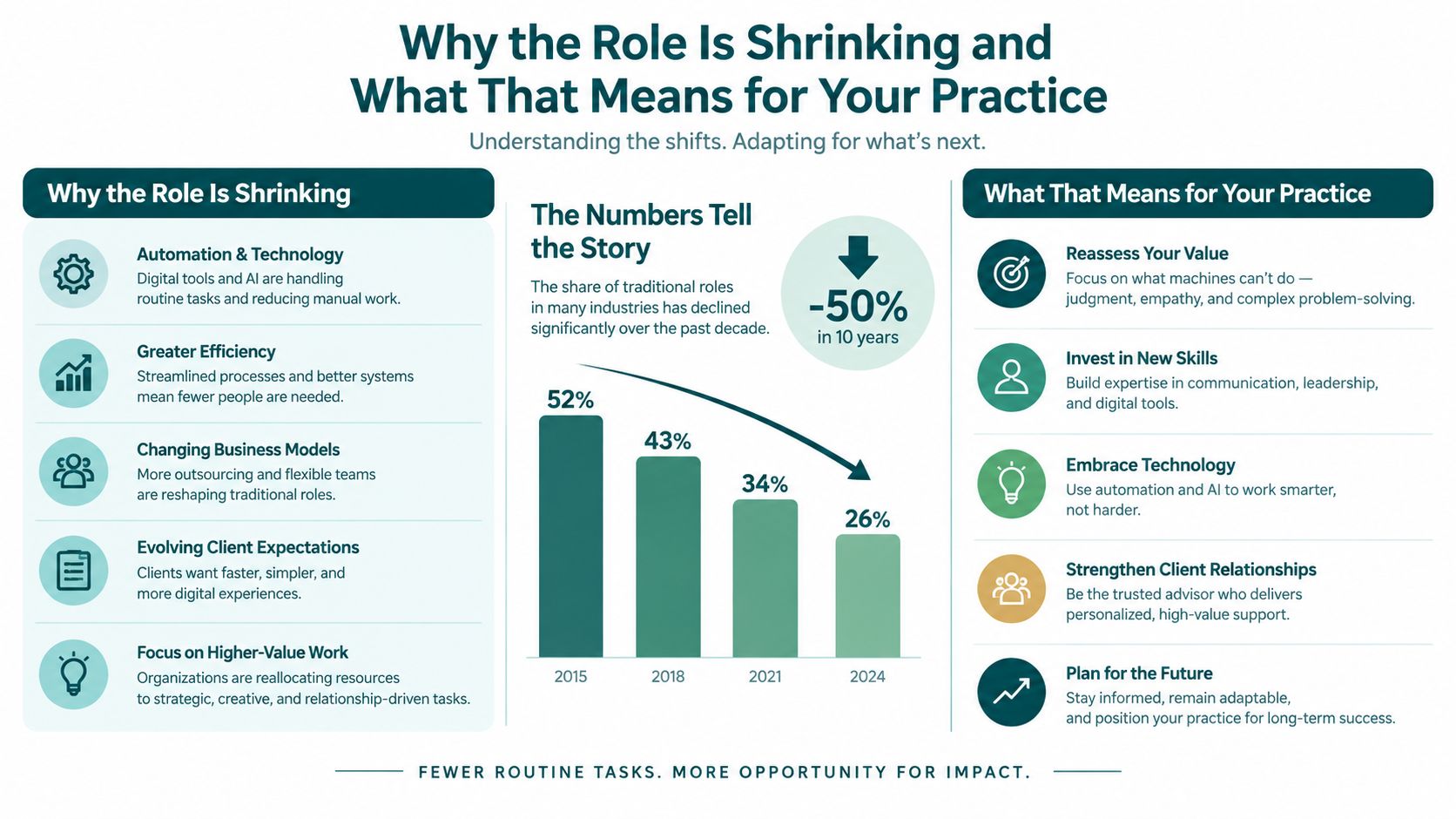
Medical transcription is no longer a broad growth occupation. It now sits in a narrower lane inside the documentation process. The U.S. Bureau of Labor Statistics projects employment of medical transcriptionists to decline 4% from 2025 to 2035, while still averaging about 6,200 openings per year because workers leave the occupation and need to be replaced. The same BLS outlook lists a median annual wage of $40,410 in May 2025 and notes that the occupation typically requires a postsecondary nondegree award (BLS occupational outlook for medical transcriptionists).
The long trend matters more than a single year
The decline becomes clearer when you compare older and newer employment counts. BLS occupational employment data recorded about 52,420 jobs in May 2023 and 41,550 jobs in May 2025 for medical transcriptionists (BLS occupational employment and wage statistics). Earlier BLS reporting, as noted earlier in the article, placed the occupation near 100,000 jobs in 1999. In plain terms, the field has contracted for years, not just during one hiring cycle.
Practice operations changed at the same time. EHR templates reduced the amount of free-form dictation. Speech recognition cut down on straight typing. Providers also split into different documentation habits. Some type directly into the chart, some dictate and edit, and some rely on live support during the visit.
That is why the old image of a transcriptionist, someone who mainly converts audio into text, no longer matches most clinics.
The work survives in a different form
The part of the role that is fading is routine text production. The part that remains is documentation quality control.
A good way to frame it is assembly line versus inspection line. Software now handles more of the assembly. Human reviewers still catch the defects that matter in healthcare, such as the wrong medication, an incomplete assessment, a specialty formatting problem, or a mismatch between the dictated plan and the final note.
In many practices, the remaining transcription work looks like this:
- Editing speech-generated drafts
- Standardizing note structure for the specialty and provider
- Checking for obvious inconsistencies before signature
- Routing reports into the correct EHR location or queue
This distinction matters for staffing. If your provider needs help documenting during the patient visit, a scribe usually fits better. If the provider dictates after the visit and the weak point is draft quality, a transcription-focused role can still solve a real problem.
What this means for practice managers
Do not treat "transcription" as a generic answer to documentation burden. Treat it as one tool in a shrinking but still useful category.
For a small specialty practice with predictable dictation patterns, a transcriptionist or transcription editor may still be a practical choice. For a busy primary care group trying to close notes the same day, the better answer is often scribing, direct EHR entry, or a hybrid setup where technology creates the first draft and a person reviews exceptions.
The management question is simpler than it sounds. Ask where the note breaks down. If the delay happens after dictation because drafts are messy, transcription support may help. If the delay happens during the encounter because the provider cannot document in real time, transcription will not fix the bottleneck.
That is the operational shift. Transcription has moved from a stand-alone production role to a narrower documentation-quality function. Practices that understand that difference usually make better staffing choices, set more realistic turnaround expectations, and avoid paying for the wrong kind of support.
The Takeaway
A medical transcriptionist takes dictated clinical information and turns it into an accurate, formatted, chart-ready record. The value isn't just in producing text. It's in listening carefully, correcting speech-recognition output, standardizing terminology, and catching problems before they become part of the permanent record.
For many practices, the decision is not whether transcription exists. It's whether transcription is the right solution for the specific documentation gap you have. If providers dictate after visits and need careful editing, transcription can still be useful. If providers need notes completed during the encounter, scribing is usually the better fit. If your challenge includes records flow, intake quality, or remote PHI handling, you may need a broader support model.
Start by looking at your actual workflow. Review where notes stall, who fixes errors, how quickly records must be finalized, and whether your privacy controls match the way audio and drafts move through the practice. That gives you a practical basis for deciding whether to staff for transcription, scribing, or a blended documentation process.
If you're evaluating remote documentation support, MedicalVirtual helps U.S. practices hire pre-vetted healthcare staff for roles such as virtual medical scribes, records support, and other HIPAA-aligned administrative functions. It's a useful option when your need goes beyond basic transcription and into day-to-day chart workflow, provider support, and U.S.-hours coverage.
Most medication prior authorizations don't stall because staff forgot to make one more phone call. They stall because the practice is running a fragmented process. That matters because a national pharmacy-claims analysis found that 65% of branded prescriptions processed through prior authorization were not resolved in one day and instead took a median of 6 days (national claims analysis). A separate 2026 report adds a harder truth: only 54% were ultimately approved, so a faster turnaround can still end in a denial rather than access (PubMed report on approval and denial outcomes).
If you want to know how to speed up prior authorization for medication, the short answer is this: build a tighter operating system, not just better paperwork. The practices that move medication PAs fastest usually do four things well. They verify benefits and payer rules before the prescription reaches the queue. They submit a complete packet the same day. They track every request against a clear payer clock. And they escalate stalled or high-risk cases early instead of waiting for the patient to call back upset.
That approach is especially important for specialty medications, oncology, behavioral health, rheumatology, neurology, and any practice where a refill delay can interrupt treatment. In one Medicare Part D study, adding a new prior authorization requirement for an established oral anticancer drug increased the odds of discontinuation within 120 days by 7.1 times and delayed the next refill by 9.7 days on average (Medicare Part D study). In operational terms, this is why speed has to mean fewer preventable delays, fewer incomplete packets, and fewer requests left sitting in a portal with no owner.
Why Medication Prior Authorizations Stall and What Faster Really Means
One detail matters more than the median turnaround. In the 2026 reporting on branded prescriptions that were initially rejected for prior authorization, one-quarter of denied claims were denied within 1 day, while another 19% were denied only after several days (report on PA resolution outcomes). That split is the clearest sign that medication PA speed is a system problem. Some requests fail fast because the first submission was misrouted, incomplete, or outside plan criteria. Others sit because no one is actively managing the clock.
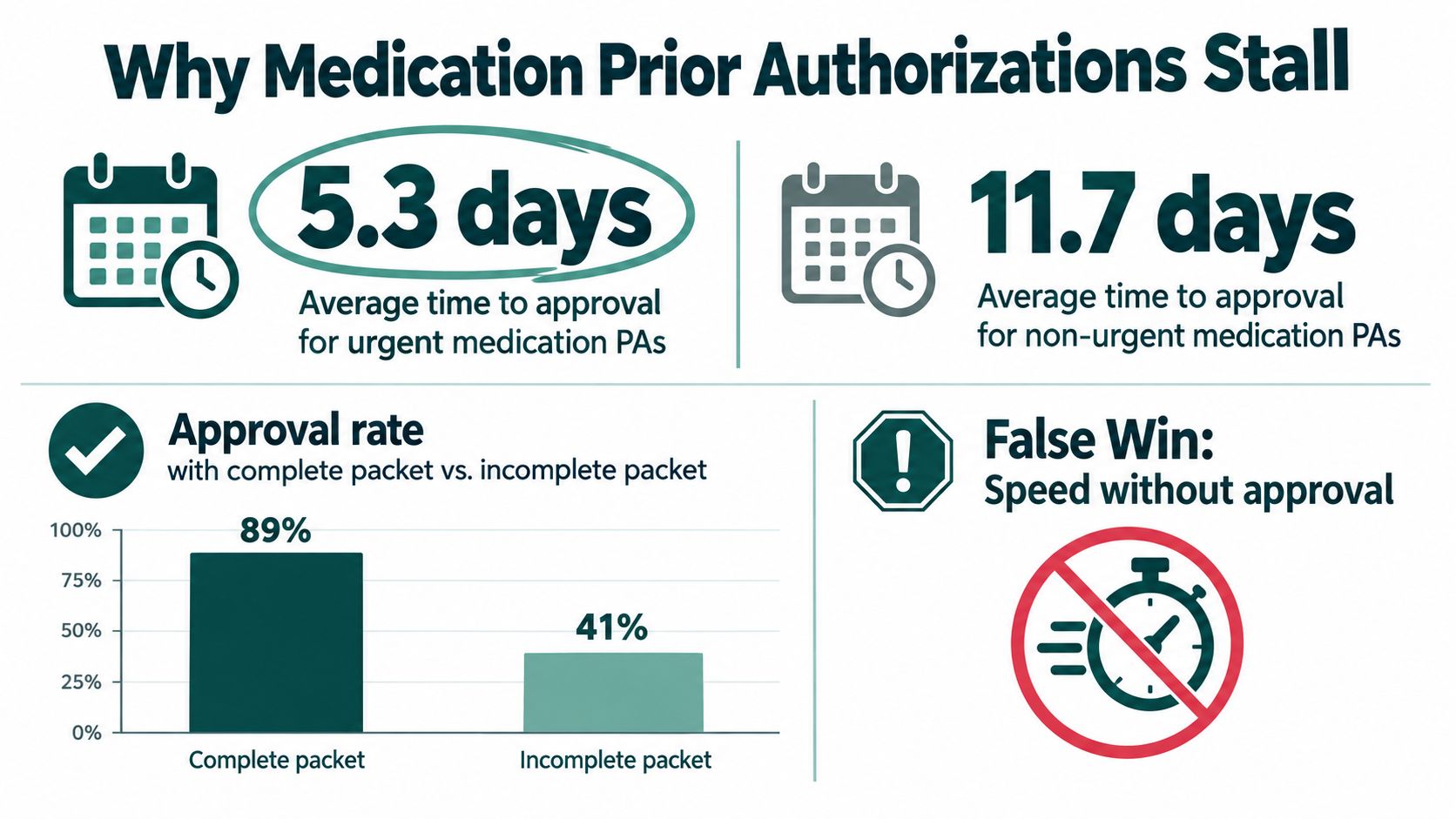
Speed isn't the same as access
A submitted PA is not the same as a progressing PA.
In practice, there are two very different failure patterns. The first is the fast denial. The drug is nonformulary, the wrong benefit was billed, step therapy was not addressed, or the note never established medical necessity in the payer's terms. The second is the long-tail case. The form was sent, but an attachment is missing, the request landed in the wrong portal queue, the payer asked for more information, or the case has no clear owner inside the practice.
That distinction changes how a team should define success. A high-volume clinic does not get better results by pushing every request out the door faster. It gets better results by preventing avoidable one-day denials and shortening the cases that would otherwise drift for a week with no intervention.
Practical rule: Measure clean first-pass approvals, days to decision by payer, and the share of requests that needed rework. Submission timestamp alone does not tell you much.
What a high-performing workflow actually looks like
The fastest PA teams I have seen do not rely on heroic follow-up. They build control points into the process so the request is less likely to fail early or disappear later.
That usually includes:
- Front-end triage: separate urgent starts, refill continuity cases, and high-cost specialty drugs from lower-risk routine requests so staff know what cannot wait.
- Routing discipline: confirm the correct benefit, payer form, portal, and specialty pharmacy path before submission so the case reaches the right queue the first time.
- Active aging: review open requests by age and next action, not just by date received.
- Escalation rules: set a trigger for payer follow-up, provider response, and urgent escalation before the request becomes a patient access problem.
This is basic operations work, but it is where turnaround improves. The same principle shows up in other queue-driven work. Cases stall when there is no owner, no deadline, and no next action. That is also why teams studying pipeline recovery pay attention to tools that Frida helps re-engage stalled pipelines. Medication PA queues need the same discipline. Every request needs an owner, a payer clock, and a defined escalation path.
Build a Complete Packet Before You Submit
The cleanest way to speed medication prior authorization is to prevent rework. A complete packet doesn't just help the payer decide faster. It keeps the request out of the correction loop where missing notes, wrong forms, or unclear rationale add days.
Practices that struggle here often have the same root problem: the prescription is sent, the PA team reacts later, and key information has to be chased down from the chart, the provider, or the patient. That sequence is backward. The packet should be built before submission, not assembled in pieces after the rejection arrives.
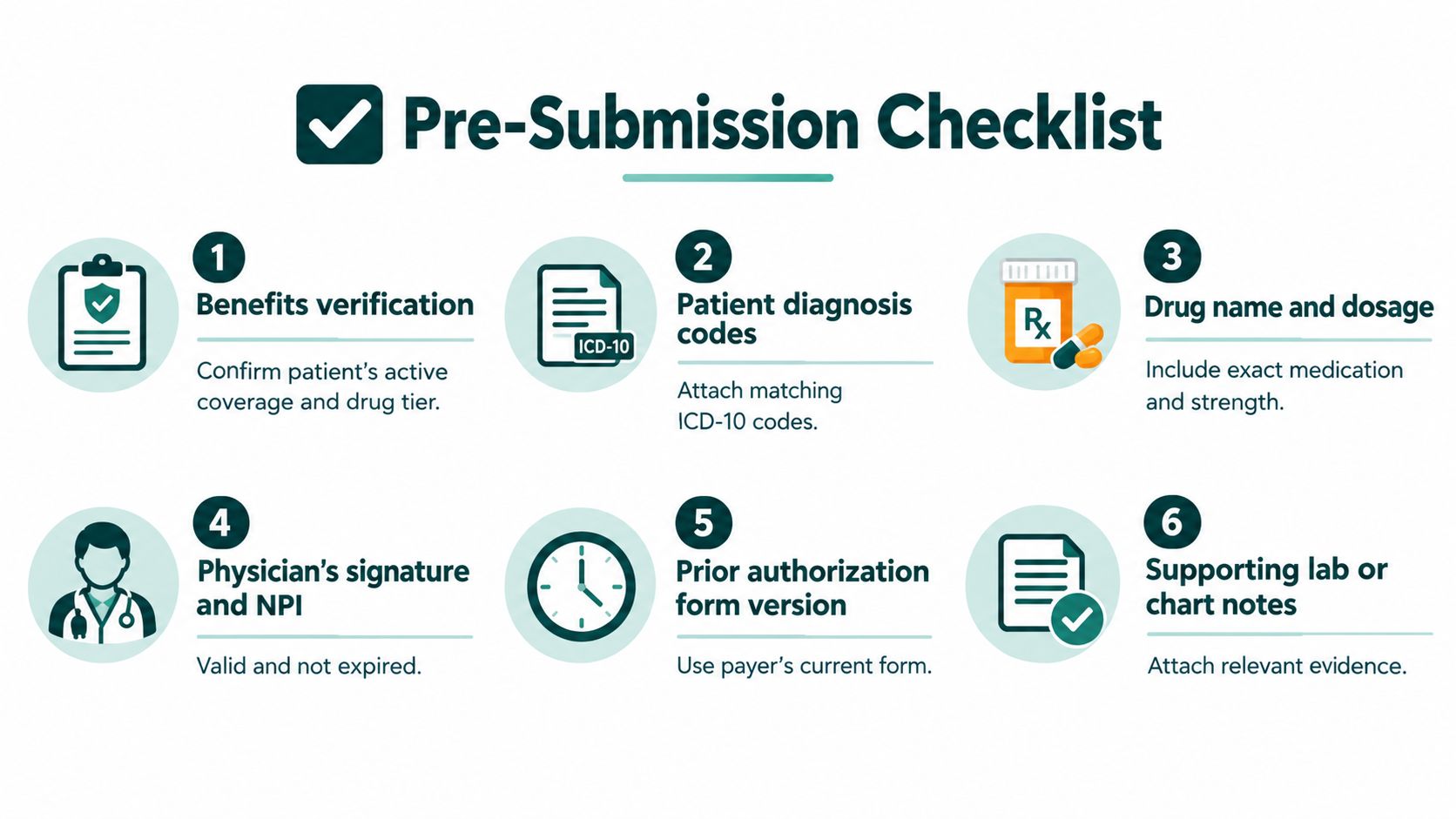
Start with benefit and formulary verification
Before anyone fills out a PA form, confirm the basics. Is the patient's pharmacy benefit active? Is the prescribed drug on formulary? Is there a preferred alternative, step requirement, specialty pharmacy restriction, or quantity limit? If you skip this step, staff may spend time building a perfect packet for the wrong channel or the wrong product configuration.
For example, a neurology clinic might receive a prescription order for a brand medication, but the patient's plan may require a specific generic trial first or may only cover the drug through a designated specialty pharmacy. Submitting without checking that first creates preventable denials that look clinical but are really operational.
Gather the clinical story in the format the payer expects
The strongest PA packets tell a short, organized story. They don't dump the chart into a portal and hope an analyst pieces it together.
Your standard packet should usually include:
- Patient and plan identifiers: full member details exactly as they appear on the card and in the portal.
- Medication details: drug name, strength, route, frequency, quantity, and intended duration.
- Diagnosis support: matching ICD-10 coding and chart documentation that clearly supports the prescribed use.
- Treatment history: prior therapies tried, therapy failures, adverse effects, contraindications, or reasons they weren't appropriate.
- Clinical evidence from the chart: relevant labs, imaging, progress notes, or specialist assessments when those directly support criteria.
- Prescriber details: correct NPI, signature requirements, and any plan-specific attestation language.
A rheumatology office, for instance, often needs treatment history presented in sequence. “Failed prior agents” is too vague. Staff should list what was tried, why it stopped, and whether the issue was lack of efficacy, intolerance, or contraindication. That distinction often matters.
In medication PAs, “complete” means the packet answers the payer's likely next question before the payer has to ask it.
Use payer-specific templates, not one generic checklist
A general checklist helps, but it won't replace payer-specific execution. One plan may require chart notes from a defined recent period. Another may focus heavily on step therapy history. A third may need documentation entered into an electronic PA workflow instead of attached as free-form notes.
That's why practices benefit from maintaining a simple internal reference by major payer and common drug class. It doesn't need to be elaborate. A spreadsheet or shared document can work if it's maintained. The point is to stop asking the same questions repeatedly.
Build a pre-submission checklist your staff can actually use
The best checklist is short enough to survive busy clinic days. If it's too long, people skip it. If it's too vague, it doesn't prevent errors.
A workable pre-submit review often includes:
- Coverage confirmed
- Correct payer or PBM channel identified
- Current form or portal selected
- Diagnosis and medication match chart support
- Treatment history documented clearly
- All required attachments included
- Provider signature and identifiers checked
- Urgency level marked correctly
Many managers discover they don't need more effort first. They need fewer handoffs. If the front desk starts the process, nursing adds notes later, and billing follows up after a rejection, nobody sees the whole packet. One accountable owner, even if others contribute inputs, usually works better.
Submit Cleanly and Follow Up on Day One
Once the packet is ready, execution matters. Practices lose time through the wrong submission channel, outdated forms, attachment errors, and passive follow-up. A strong packet can still stall if it lands in the wrong place or enters the queue without confirmation.
The operational standard should be simple: submit the same day the packet is complete, then verify receipt the same day whenever the payer workflow allows it.
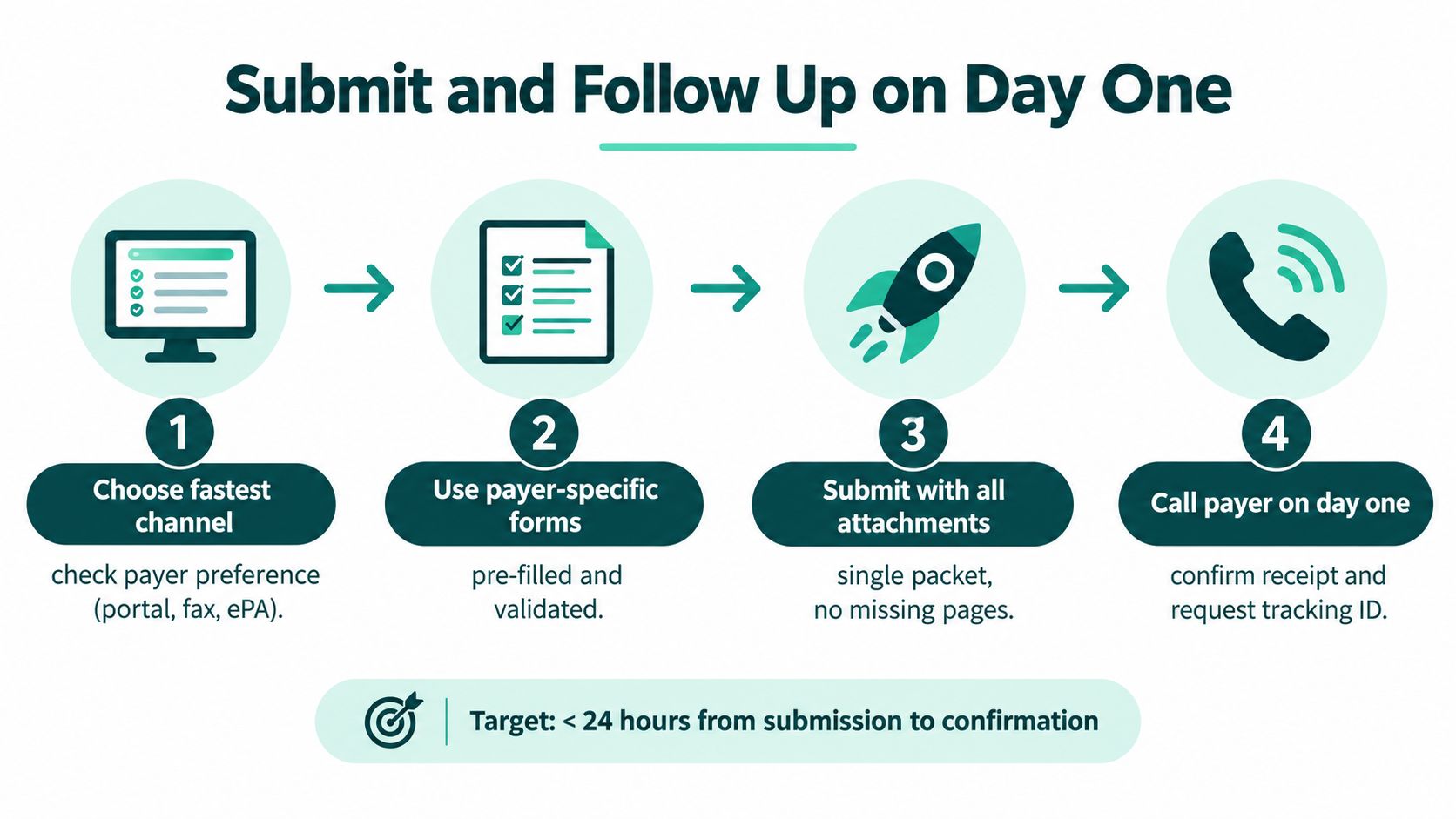
Pick the fastest valid channel for that payer
Not every payer processes requests the same way. Some move faster through a portal. Some still rely heavily on fax for certain medication classes. Some use an ePA tool but still require separate clinical attachments. Speed comes from using the payer's preferred intake method correctly, not from forcing every request through one standard route.
If your team handles medication PAs regularly, keep a channel guide by payer. Note where authorizations should go, what attachment formats are accepted, and whether a tracking number is generated immediately. For teams building or refining that function, a focused reference on insurance prior authorization workflows can help define the handoffs and ownership points that prevent duplicate work.
Write to criteria, not to the chart
One common mistake is sending a long narrative that never answers the plan's criteria. The payer analyst is usually looking for very specific items. Diagnosis, prior treatment history, contraindications, and rationale for this drug now. If those details are buried inside several pages of notes, the request slows down even when the information exists.
A better approach is a concise clinical summary that maps directly to likely review points. For example:
- diagnosis and relevant severity
- therapies already tried and result
- why formulary alternatives aren't appropriate
- what chart evidence is attached to support the request
That summary shouldn't replace chart notes. It should point the reviewer to the answer quickly.
Confirm receipt before the request ages unnecessarily
Practices often assume submission equals receipt. It doesn't. Faxes fail. Portal attachments don't always save correctly. Cases can sit as drafts, pend for missing information, or route to the wrong bucket.
A same-day follow-up process usually includes:
- Check for a tracking ID: If there isn't one, the request may not be in process.
- Verify attachment completeness: Confirm all pages or files are visible to the payer.
- Document the contact: Record the date, time, representative name when available, and any status detail in the EMR or tracking log.
- Resolve immediate defects: If a form is outdated or a field is missing, correct it the same day instead of letting the case sit.
A medication PA should never be “submitted and waiting” if nobody has confirmed the payer can actually see the full packet.
Fast denials often come from small preventable errors
Some of the quickest denials come from mechanics, not medicine. A box left unchecked. A missing signature. A mismatch between diagnosis wording and chart support. An urgency flag used incorrectly. Those are frustrating because they create the appearance of action without progress.
That's why I favor a one-page submission cover template for high-volume drug classes. It gives staff a final visual check before transmission. If your team can catch the obvious misses before the payer does, you keep more requests out of the fast-no category and reduce the time spent on avoidable resubmissions.
Track Every Request Against Payer Clocks and Escalate Early
Many practices know how to submit a PA. Far fewer know how to manage the queue once the request is in motion. That's where speed is won or lost. Medication prior authorization moves faster when every open request has an owner, an age, a payer clock, and a defined next step.
For medical items and services, CMS's Interoperability and Prior Authorization Final Rule requires impacted payers, beginning primarily in 2026, to send decisions within 72 hours for expedited requests and within 7 calendar days for standard requests (CMS final rule announcement). Even where a specific medication workflow isn't governed the same way, those timeframes are useful operating benchmarks for queue discipline.
Turn payer deadlines into an internal work rhythm
External deadlines only help if your internal process is tighter than the payer's. If your staff waits several days before checking status, you've already lost the advantage of any formal response clock.
For medication PAs, I recommend managing the queue in age buckets. New submissions, requests awaiting same-day confirmation, cases pending additional information, urgent requests approaching the expedited threshold, and standard requests nearing the outer limit should never sit together as one undifferentiated list.
A practical tracking log should include:
- Request type
- Submission date and time
- Urgency designation
- Payer or PBM
- Current status
- Owner
- Next follow-up date
- Escalation trigger
- Patient therapy risk note
If you manage Medicaid-heavy volume, this gets even more important. A CMS fact sheet for the 2026 proposal says state Medicaid fee-for-service programs, Medicaid managed care plans, and CHIP managed care entities would need to decide drug prior authorizations no later than 24 hours after receipt for prescription drugs (CMS drug prior authorization proposal fact sheet). Practices dealing with those plans should separate drug PAs from non-drug authorizations immediately at intake. Teams that need support with those plan-specific workflows often build a dedicated playbook for Medicaid prior authorization operations.
Use a decision matrix so staff know when to escalate
Without clear rules, staff either escalate too early and create noise or wait too long and let avoidable delays grow. The answer isn't more reminders. It's a small decision matrix everyone follows.
| Request Type | Payer Clock | Tracking Trigger | Next Action |
|---|---|---|---|
| Urgent medication PA | 72 hours for expedited requests under the CMS benchmark for impacted payers | No determination or meaningful update by the next business-day review | Call payer, verify status, request escalation, alert prescriber if therapy timing is at risk |
| Standard medication PA | 7 calendar days for standard requests under the CMS benchmark for impacted payers | No clear status movement after routine follow-up checkpoints | Confirm completeness, contact payer, resubmit only if intake failure is confirmed |
| Medicaid drug PA under the proposed 2026 framework | 24 hours after receipt for prescription drugs in the CMS proposal | No decision within the internal next-day review window | Escalate promptly, verify receipt time, and separate from non-drug queues |
| Request pended for additional information | Varies by payer | Any same-day deficiency notice | Send missing documentation immediately and confirm the case remains active |
| Likely denial based on formulary or step edits | Varies by payer | Early payer feedback suggests criteria mismatch | Route to prescriber for alternative therapy, appeal decision, or revised clinical rationale |
Escalate with purpose, not just volume
Calling repeatedly without a reason doesn't move many cases. Targeted escalation does. Staff should know the difference between a request that needs a status check, one that needs corrected documentation, and one that needs provider intervention for appeal or an alternative therapy discussion.
Queue rule: If a patient could run out of medication before the next routine follow-up point, the case isn't routine anymore.
This is also where managers should study why issues escalate in the first place. In any service queue, better trigger design and ownership can reduce escalation rates over time. The same lesson applies here. If your team is escalating the same drug-plan combinations every week, that's a sign to redesign the intake rules, not just work harder.
Avoid Common Bottlenecks With Staffing Technology and Workflow Governance
A lot of practice leaders assume technology will solve prior authorization delays if they just add ePA tools, payer portals, or AI-assisted review. Sometimes it helps. Sometimes it creates a cleaner-looking backlog. Medication PA speed depends less on whether the workflow is digital and more on whether someone is actively governing the queue.

Automation can help, but it can also hide delays
The cautionary example is already visible in recent reporting. A review of Medicare AI prior-authorization pilot records found cases that exceeded the promised turnaround, including one request unanswered for 83 days. The same reporting noted that about 30% of 1,276 direct prior authorization requests received in January were already 6 to 21 days old, and one vendor's average turnaround peaked at 8.97 days before improving to 0.51 days by week 11 (Medscape summary of pilot records).
That doesn't mean automation is a bad idea. It means automation without oversight can create a backlog that looks organized but still harms patients.
Median payer speed doesn't eliminate practice-side delays
KFF's summary of insurer metrics reported that the median time from submission to determination for standard requests was about 1 day for Medicare Advantage, Medicaid managed care, and the ACA Marketplace (KFF review of prior authorization metrics). That's a useful reminder that some plans are capable of moving quickly.
If your practice is still seeing long delays under those conditions, the bottleneck may be internal. Common examples include attachments uploaded to the wrong field, no one checking portal responses daily, front-desk staff handling PAs only between calls, or refill requests entering the queue too close to the patient's run-out date.
Assign the work based on volume and complexity
Not every practice needs a full-time prior authorization specialist. Some do. The deciding factors are usually medication mix, payer complexity, refill sensitivity, and how often providers prescribe drugs that require layered criteria review.
A dedicated specialist usually makes sense when:
- The practice handles specialty or high-cost medications regularly
- Refill continuity matters, such as oncology, rheumatology, neurology, endocrinology, or psychiatry
- Payer mix is broad, with multiple PBMs and Medicaid managed care plans
- Denials and resubmissions are recurring operational issues
- Providers and MAs are losing too much time chasing status instead of handling clinical work
Distributed staffing can work in lower-volume settings, but only if roles are explicit. Front desk can't absorb complex medication PAs as an extra task and still manage phones, check-in, and scheduling well.
Governance matters more than one more tool
Before you buy another software layer, tighten the operating rules. Technology should support a process that already has clear ownership and review points.
A practical governance model includes:
- One queue owner per request: even if multiple staff contribute documents
- Daily status review: not just when a patient calls
- Drug-class playbooks: common criteria and attachment requirements by payer
- Denial reason logging: so recurring defects become training targets
- Provider escalation rules: clear thresholds for peer-to-peer, appeal, or alternative therapy decisions
- Performance monitoring: turnaround, approval pattern by payer, rework causes, and open cases by age
If you're rethinking admin support more broadly, it helps to connect medication PA work with neighboring revenue-cycle functions rather than treating it as isolated back-office noise. That's one reason practice managers often review PA staffing alongside medical billing services and payer follow-up workflows. The handoffs between eligibility, PA, claim submission, and denial management are tighter than many teams realize.
For teams mapping that kind of redesign, a broader strategic workflow automation guide is useful because it treats automation as a governed process change, not a magic shortcut.
The Takeaway
Medication PA speed is an operating model issue. Teams that treat it that way close more gaps than teams that focus only on forms. Faster means fewer avoidable denials, fewer stalled renewals, and fewer patients reaching a run-out date because a request sat in the queue without a clear owner.
A practical closing test is simple:
If your delays come from missing chart support, inconsistent payer criteria checks, or staff sending work through the wrong channel, tighten the workflow you already have. If delays come from queue age, specialty drug complexity, high appeal volume, or daily follow-up work that your front desk or MA team cannot reliably absorb, assign a dedicated PA specialist.
Use these two questions to decide which path fits your practice:
- Are requests delayed because the team lacks a standard process, or because no one has enough protected time to run that process every day?
- Do fewer than a handful of high-cost or high-scrutiny drug classes drive a large share of your PA volume, rework, and payer calls?
If the answer to the first question is process, fix ownership, triage, and escalation rules before adding headcount. If the answer is capacity, or if a small set of branded and specialty medications creates repeated long-tail work, a dedicated specialist usually pays off through better follow-up discipline and fewer avoidable restarts.
That is the goal. Build a system that prevents fast denials and shortens the cases that would otherwise drift for days.
If your practice needs consistent help with medication prior authorizations, MedicalVirtual provides pre-vetted, HIPAA-aligned remote healthcare staff who can work inside your U.S. clinic hours on submission, tracking, and payer follow-up. You can learn more about their prior authorization and administrative staffing support at MedicalVirtual.
A medical records clerk maintains the accuracy, completeness, and controlled access of patient records across paper and EMR systems so care, billing, and compliance can keep moving. In the United States, this is a defined healthcare support role with 185,690 jobs, a mean annual wage of $53,690, and a median hourly wage of $23.45 according to the Bureau of Labor Statistics occupation profile for medical records specialists.
If you're managing a practice and wondering why schedules are full but the day still feels jammed, records workflow is often part of the answer. A provider can't start cleanly if referral notes aren't attached, billing can't defend a claim if documentation is missing, and staff can't respond to a patient request if nobody knows where the chart lives. That's where the records clerk matters. The role sits in the middle of chart integrity, release-of-information, and daily handoffs between the front desk, clinical team, and revenue cycle.
For practice owners and managers, the confusion usually comes from the title. Some teams hear "clerk" and think filing. In a modern practice, the job is much broader. It often includes scanning and indexing into the EMR, checking chart completeness, tracking record location, processing record requests, and making sure access stays controlled.
Introduction What a Medical Records Clerk Actually Does
A new manager usually notices this role when something goes wrong. The provider opens the next day's chart and the outside consult isn't there. Billing asks for a missing operative note. A patient requests records and the team isn't sure whether the authorization is complete. These aren't isolated annoyances. They're workflow bottlenecks.
A medical records clerk keeps that bottleneck from forming. In plain terms, this person manages the record so the right information is in the right chart, under the right patient, available to the right authorized person, at the right time. That sounds simple until you see how many handoffs sit underneath it.
In many practices, the clerk functions as a quiet throughput control point. They help pull together incoming documents, route them into the correct encounter, verify that chart elements are complete before storage or release, and retrieve records when clinicians, billing staff, or patients need them. When this work is done well, providers are more prepared, billing has cleaner support, and release-of-information requests don't turn into fire drills.
Practical rule: If your team regularly says "we can't find it," "it wasn't scanned," or "billing needs one more document," you don't have a filing problem. You have a records workflow problem.
What follows is the practical view most practice managers need. You'll see what the role means in a modern EMR environment, what the clerk does day to day, which skills matter most, how this role differs from adjacent jobs, and how it changes across specialties and practice sizes.
Understanding the Medical Records Clerk Role in Modern Practices
A modern practice can receive the same patient's information through four doors in one week: a portal message, a faxed consult note, a hospital discharge packet, and a signed request to send records out. If those items are filed late, attached to the wrong encounter, or released without the right review, the problem does not stay inside the chart. It slows visits, creates billing rework, and raises disclosure risk.
From paper storage to health information control
The role grew from paper chart storage, but the work now centers on controlling how information enters, lives in, and leaves the record. In practical terms, that means document capture, correct indexing, retrieval, and access control inside the EMR and any remaining paper workflow.
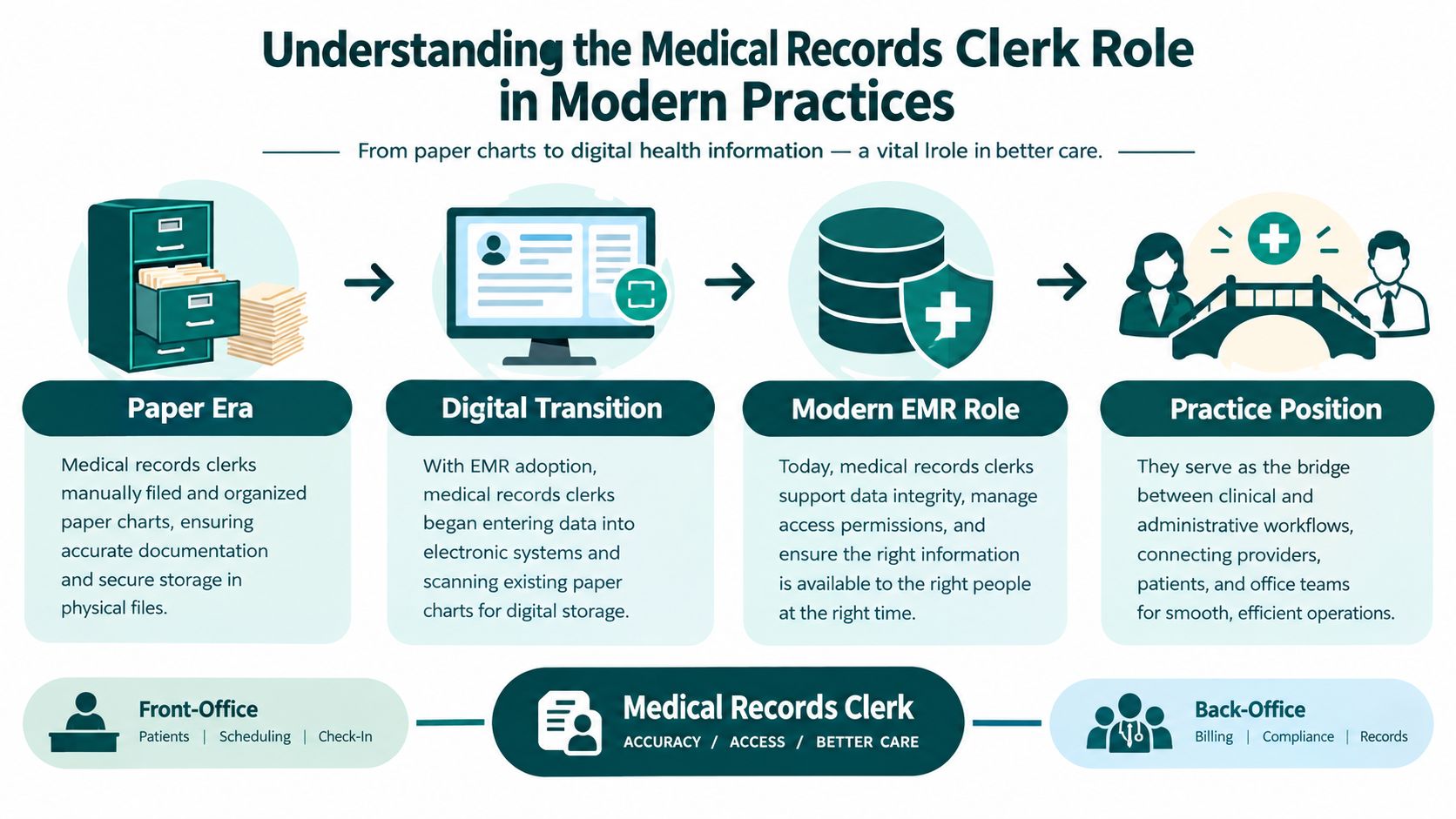
That shift matters because very few clinics are fully digital in a clean, orderly way. A family medicine office may still receive specialist notes by fax. An orthopedic group may scan outside imaging reports while also importing operative documentation electronically. A behavioral health practice may have stricter release rules layered onto routine chart handling. The clerk keeps those mixed inputs tied to the correct patient, date, and purpose.
Where the role sits in the practice
In operations terms, the medical records clerk often sits at a three-way junction:
- Clinical side: providers need complete charts, prior notes, labs, and referral material available before or during care.
- Administrative side: billing, audits, referrals, and patient service depend on fast, accurate retrieval.
- Compliance side: access, amendment requests, and disclosures have to be reviewed, limited, and documented correctly.
One records clerk job description used in behavioral health reflects that broader scope. It includes converting source documents into the EMR accurately, attaching incoming clinical data to the correct patient or encounter, and checking completeness before storage or release in the medical records clerk role description.
This is why the role should not be defined as filing support alone. The clerk is often the practice's throughput control point for chart integrity and release-of-information. If intake sends in a document, billing needs supporting records, or a patient asks for a copy of the chart, that request usually passes through the same control point.
When a chart is incomplete, the delay spreads into the visit, the claim, and the disclosure log.
Why the role changes by setting
The title stays the same, but the job can look very different from one practice to another. In a small primary care office, one person may handle scanning, indexing, record requests, and chart cleanup alongside front-desk support. In a larger multispecialty group, the clerk may work in a centralized records team with tighter task separation and higher daily volume.
Specialty also changes the risk points. Cardiology may depend on timely outside testing and hospital records. Surgery may depend on operative notes and pathology being attached to the right encounter. Behavioral health may place more attention on release review and disclosure tracking. As noted earlier in the BLS profile, pay varies widely across this occupation, which fits the fact that some employers use the role for basic document handling while others expect more complex health information work.
For a practice manager, the useful question is not "Do we need someone to file records?" It is "Who owns chart integrity and release control when information is coming in, being used, and going out all day?" In many practices, that owner is the medical records clerk.
Daily Duties and Core Responsibilities Explained
The workflow starts before the provider sees the patient
A medical records clerk usually works across the full record lifecycle, not one isolated task. In operational settings, duties may include pulling next-day charts, updating schedules for cancellations and no-shows, mailing and processing medical releases, and copying record elements needed by billing when claims lack support, as reflected in this clinic medical records clerk specification.
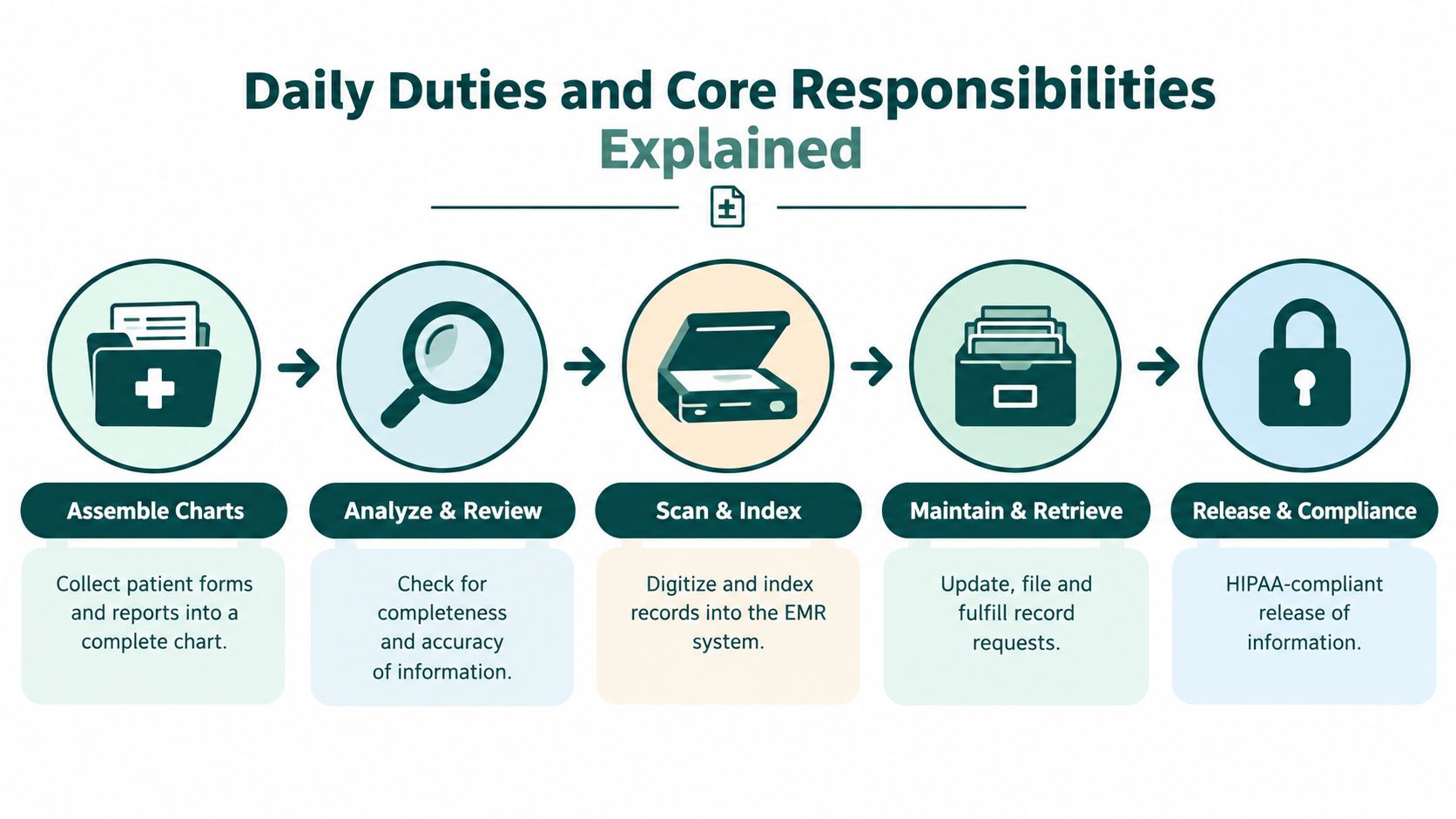
That means the day often starts with preparation, not filing. In a primary care clinic, the clerk may check tomorrow's schedule, confirm that outside lab reports have been attached, and make sure referral documents are visible in the EMR before the first patient arrives. In a specialty office, that prep may focus more on operative reports, imaging, or consult notes that support medical necessity.
What the clerk does during the record lifecycle
A practical breakdown looks like this:
- Assemble and review charts: collect documents from intake forms, faxes, portals, and prior visits, then check whether essential elements are present.
- Scan and index documents: upload paper or faxed items into the EMR and attach them to the correct patient and encounter.
- Check completeness and accuracy: confirm dates, patient identifiers, document type, and whether the record belongs in the chart at all.
- Maintain storage and retention flow: file, archive, or queue records according to the practice's process.
- Retrieve records quickly: respond to clinician requests, referral needs, billing support, and authorized external requests.
A county job specification describes the role more directly: medical records clerks commonly assemble, analyze, file, code, index, and cross-index records, check them for completeness and accuracy, and maintain controlled access to the chart set in ways that support audits, referrals, and patient requests in the medical records clerk job specification.
Why small errors create bigger operational problems
Records work is unforgiving because minor mistakes propagate. If a discharge summary is scanned under the wrong patient, the immediate issue looks clerical. The downstream effect may be much larger. A provider may miss context at follow-up, billing may not have support for a claim, or staff may release the wrong material in response to a request.
That's why records teams often become a hidden support layer for medical billing services. Billing can only defend documentation that the practice can retrieve. If your claim team keeps asking for chart support, the root cause may sit in scanning, indexing, or chart closure rather than in billing itself.
Operational cue: When denial work repeatedly starts with "please resend records" or "documentation not found," review records intake and indexing before you assume the billing team is the problem.
Release of information is part of the job, not an extra
Many managers separate filing from release-of-information, but in smaller practices they often live together. That includes validating authorization forms, locating the requested material, documenting the release, and making sure only the appropriate content leaves the practice.
A records clerk in a busy office might spend one hour scanning inbound documents, another pulling records for a provider, and another processing patient or third-party requests. In a high-volume specialty clinic, those requests may also include insurer support, legal requests routed through protocol, or chart copies needed for transfers of care. The common thread is controlled, traceable handling.
Essential Skills Compliance Knowledge and Tools
A strong records clerk works like the front desk for the chart itself. Every document that enters or leaves the record needs the right destination, the right timing, and the right controls. In a small primary care office, one person may handle scanning, chart pulls, and release requests in the same afternoon. In a larger specialty group, those tasks may be split across teams, but the clerk still sits at a key throughput point for chart integrity and release-of-information.
Accuracy skills that catch errors before they spread
Accuracy here means more than careful typing. It means noticing that John A. Smith and Jonathan Smith share a birth year but not a medical record number. It means catching that a referral note was scanned under the wrong date of service. It means seeing that a lab result belongs to the cardiology follow-up, not the annual physical.
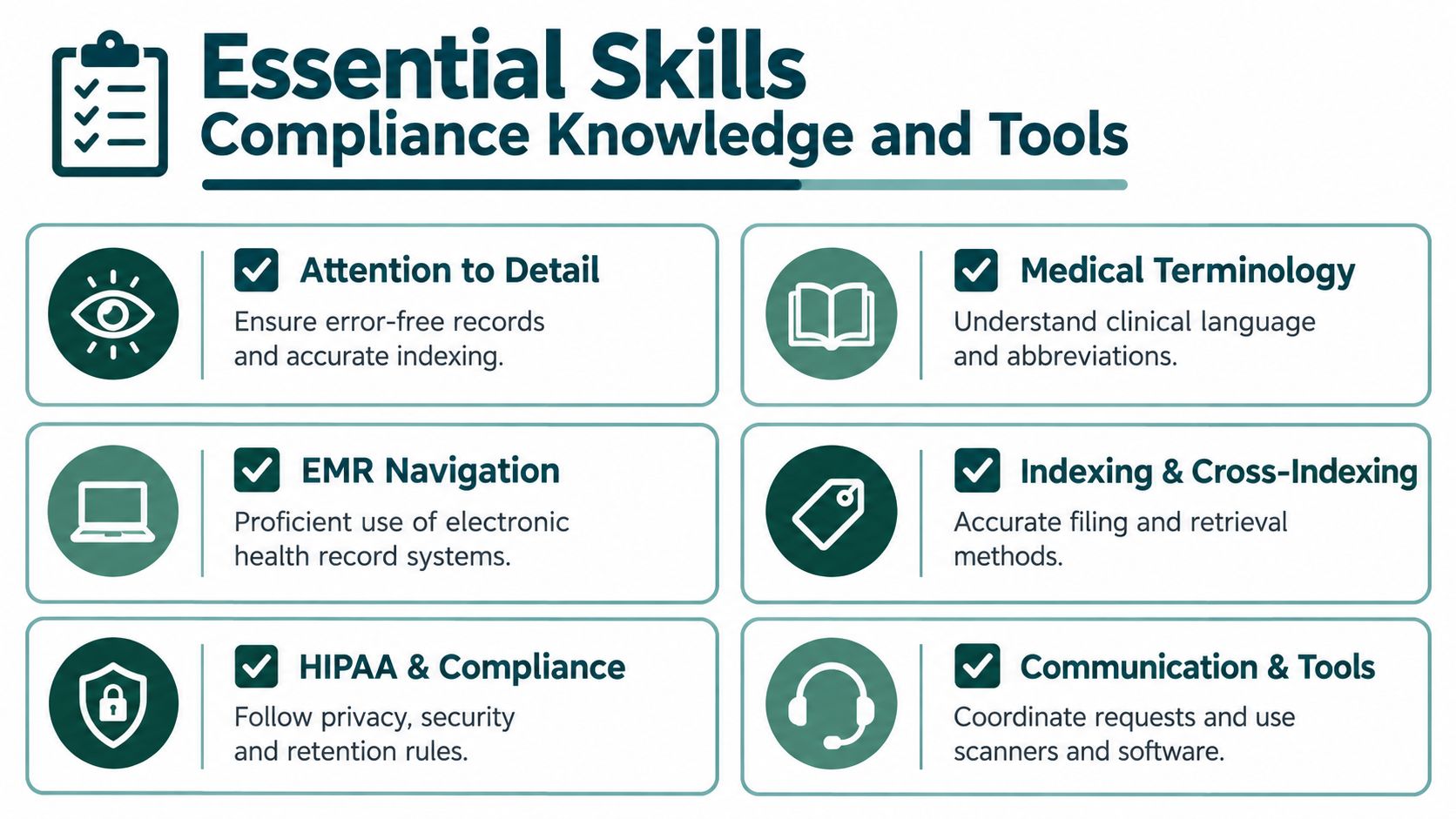
That kind of accuracy protects flow. Once a document is misfiled, the provider may miss it, the biller may not find support, and the release team may send the wrong pages. One indexing mistake can create work for three departments.
EMR skill matters for the same reason. A clerk needs to know where incoming records belong, how the practice names and tags documents, and how to retrieve material from current visits, older encounters, and archived charts. The exact system may be Athenahealth, eClinicalWorks, NextGen, Kareo, Dentrix, or a specialty platform. The practical question is always the same. Can this person place and retrieve the right document without slowing the rest of the office down?
Compliance knowledge shapes daily decisions
Privacy rules matter here because records staff handle protected health information all day. The HHS explanation of the HIPAA minimum necessary standard puts that into operational terms. Staff should access, use, and disclose only the information needed for the task, and routine requests should follow standard protocols.
For a manager, that usually turns into three workflow choices:
- Access design: Set EMR permissions around records duties instead of giving broad chart access by default.
- Release workflow: Use standard forms, identity checks, and routing rules for common request types.
- Documentation practice: Keep a clear record of what was released, to whom, and under what authorization or purpose.
Timing matters too. Under 45 CFR 164.524, a practice must act on a patient's request for their own records no later than 30 calendar days after receiving it. In practice, that means the clerk's work queue cannot depend on memory or casual follow-up. Requests need dates, owners, status tracking, and a review step before anything goes out.
Specialty changes the pressure points. In behavioral health, sensitivity around disclosure often makes validation and segmentation more important. In surgery or orthopedics, imaging reports, operative notes, and outside records can make chart assembly slower and retrieval more complex. In dental or small family medicine offices, the same person may be both the intake checkpoint and the release checkpoint, so process discipline matters even more.
Tools and safeguards that reduce rework
The usual toolkit includes scanners, fax queues, document naming rules, chart completion checklists, release logs, access logs, and secure transmission methods. These are not just office tools. They are controls that keep the record findable and defensible.
Remote support adds another layer. Managers need clear workstation rules, role-based permissions, secure file transfer, and a handoff process for exceptions. For the IT side of those decisions, Technovation LLC's guide for medical practices gives a useful overview of the infrastructure behind secure administrative work.
Some practices keep all records work on site. Others use remote support for scanning queues, indexing, chart prep, and records requests, with oversight built into the workflow. If you're evaluating that model, this guide to HIPAA-aligned virtual assistant workflows covers permissions, handoffs, and documentation controls for remote records support.
How a Medical Records Clerk Differs From Related Roles
Managers often hire the wrong role because the titles overlap. The cleaner question isn't "what's the official title?" It's "what problem needs an owner?" If your issue is record completeness, retrieval, and release, a medical records clerk is often the right anchor. If your issue is coding depth, denial management, or real-time note creation, another role may fit better.
Where confusion usually happens
A medical records clerk is typically responsible for the record's organization, controlled access, and availability. A medical biller is focused on claims, payer follow-up, and reimbursement support. A scribe documents visits in real time. A broader health information or records specialist may absorb some clerk duties but usually carries a wider or more technical scope.
That overlap is why practices sometimes combine tasks into one job. Smaller offices do this often. The risk is that the person ends up strong in one lane and weak in another. Someone who handles charges well may still struggle with release validation. Someone who scans accurately may not be the right person to manage payer denials all day.
Medical Records Clerk vs Related Roles
| Role | Primary Focus | Typical Tasks | When to Choose |
|---|---|---|---|
| Medical records clerk | Chart integrity and controlled access | Scanning, indexing, chart review, retrieval, release-of-information workflow, record tracking | Choose this role when your practice loses time to missing documents, chart prep gaps, or records requests |
| Medical records specialist or health information role | Broader health information management | More advanced review, indexing oversight, sometimes coding support, audit or reporting support | Choose this when record handling is more complex and the practice needs broader health information coverage |
| Medical biller | Revenue cycle execution | Charge entry, claim submission, denial follow-up, payment posting support, claim documentation requests | Choose this when the core problem is collections, claims, or payer rework |
| Medical scribe | Real-time visit documentation | Drafting notes during encounters, updating visit documentation for provider review | Choose this when providers need help closing notes during or immediately after visits |
| General medical virtual assistant | Mixed administrative support | Scheduling, phones, intake, reminders, basic records coordination depending on scope | Choose this when workload is spread across several admin functions rather than concentrated in records |
A broader explanation of mixed remote administrative roles appears in this guide to what a medical virtual assistant does and how practices hire one. For many practices, that model works best when the records function is clearly defined rather than left as a catch-all task.
A simple hiring lens
Use this decision test:
- If providers wait on documents, start with records coverage.
- If claims wait on documentation follow-up, you may need both records and billing support.
- If notes stay open, a scribe solves a different problem.
- If one admin person handles everything, define records ownership anyway so requests don't disappear into the front desk queue.
The point isn't title purity. It's operational ownership.
Real World Applications Across Specialties and Practice Sizes
Primary care and internal medicine
In primary care, the records clerk often feels like an extension of care coordination. The office receives outside consults, hospital discharge paperwork, imaging reports, school forms, and patient-submitted documents. If those items aren't indexed cleanly, the provider spends visit time hunting for context.

A practical primary care workflow often includes next-day chart prep, attaching referral notes to upcoming visits, and making sure records requests for continuity of care don't stall. In a solo office, the same person may also help at the front desk. In a larger group, records work usually benefits from tighter role boundaries because inbound document volume grows quickly.
Mental health and therapy practices
Mental health clinics usually have fewer external clinical artifacts than multispecialty medical groups, but privacy handling tends to feel more sensitive. Release-of-information requests may need especially careful review against the practice's own policies and legal guidance. Staff also need clear internal rules about who can retrieve and send what.
For remote support in this setting, access discipline matters more than broad flexibility. A smaller permission set, a defined release queue, and documented approval steps usually work better than letting everyone improvise. The clerk's value here is consistency. They reduce the chance that one urgent request gets handled in a way that doesn't match the rest of the practice.
Dental and specialty clinics
Dental, orthodontic, surgical, and other high-volume specialty settings often generate frequent imaging, referrals, and insurer-support paperwork. The clerk may spend less time on broad chart assembly and more time on tightly timed retrieval. A surgeon needs the prior imaging in place before consult. Billing needs the operative note when a claim is questioned. A referral partner needs specific records, not the whole chart.
Some specialty practices also still maintain hybrid paper and digital processes for consent forms, outside discs, or signed packets. That makes document control more physical. It can also raise disposal questions when equipment and storage media are retired. For practices reviewing that side of operations, Fulton County hospital e-waste management is a practical resource on handling obsolete electronic equipment in healthcare environments.
In specialty clinics, speed matters, but precision matters more. Sending the wrong subset of records creates more work than sending them a day late.
Solo practice versus multi-site groups
The role changes sharply with scale.
In a solo practice, the clerk may wear several hats. They might process records requests in the morning, scan intake forms at lunch, and retrieve old charts for billing in the afternoon. That can work if the volume is manageable and the owner defines a clear release process.
In a multi-site group, centralization becomes more useful. One person or team can own document naming rules, records request logging, retrieval standards, and chart prep for all sites. The more locations you add, the more dangerous informal habits become. One office labels scans one way, another uses a different document type, and retrieval quality falls fast.
A remote medical records specialist can help in either model when the handoffs are explicit. Coverage tends to work best when the practice specifies clinic hours, exact EMR tasks, approval points for releases, and which queue belongs to records versus front desk, referrals, billing, or prior authorization.
The Takeaway
If you're asking what is medical records clerk, the practical answer is this: it's the person or function that protects chart integrity and timely access so your practice can deliver care, support claims, and handle records requests without confusion. The role is much closer to information control than to old-fashioned filing.
That distinction matters when you're staffing. A practice with missing attachments, delayed chart prep, unclear release handling, or repeated document hunts doesn't just need "admin help." It needs someone to own records workflow from intake through retrieval and release. In smaller offices, that may be one cross-trained person. In larger or multi-site settings, it usually deserves a defined lane.
For next steps, review where your records process breaks. Look at incoming document attachment, chart prep before visits, release-of-information validation, and billing handoffs when support is missing. Once ownership is clear, you can decide whether that coverage belongs in-house, remote, or in a blended model built around your hours, EMR, and supervision structure.
If your practice needs that ownership but doesn't want to force records work into an already overloaded front desk role, MedicalVirtual provides pre-vetted remote healthcare staff who can support EMR document handling, records requests, and related administrative workflows during U.S. clinic hours. It's a practical option for practices that want defined records coverage with clear handoffs to providers, billing, and patient service teams.
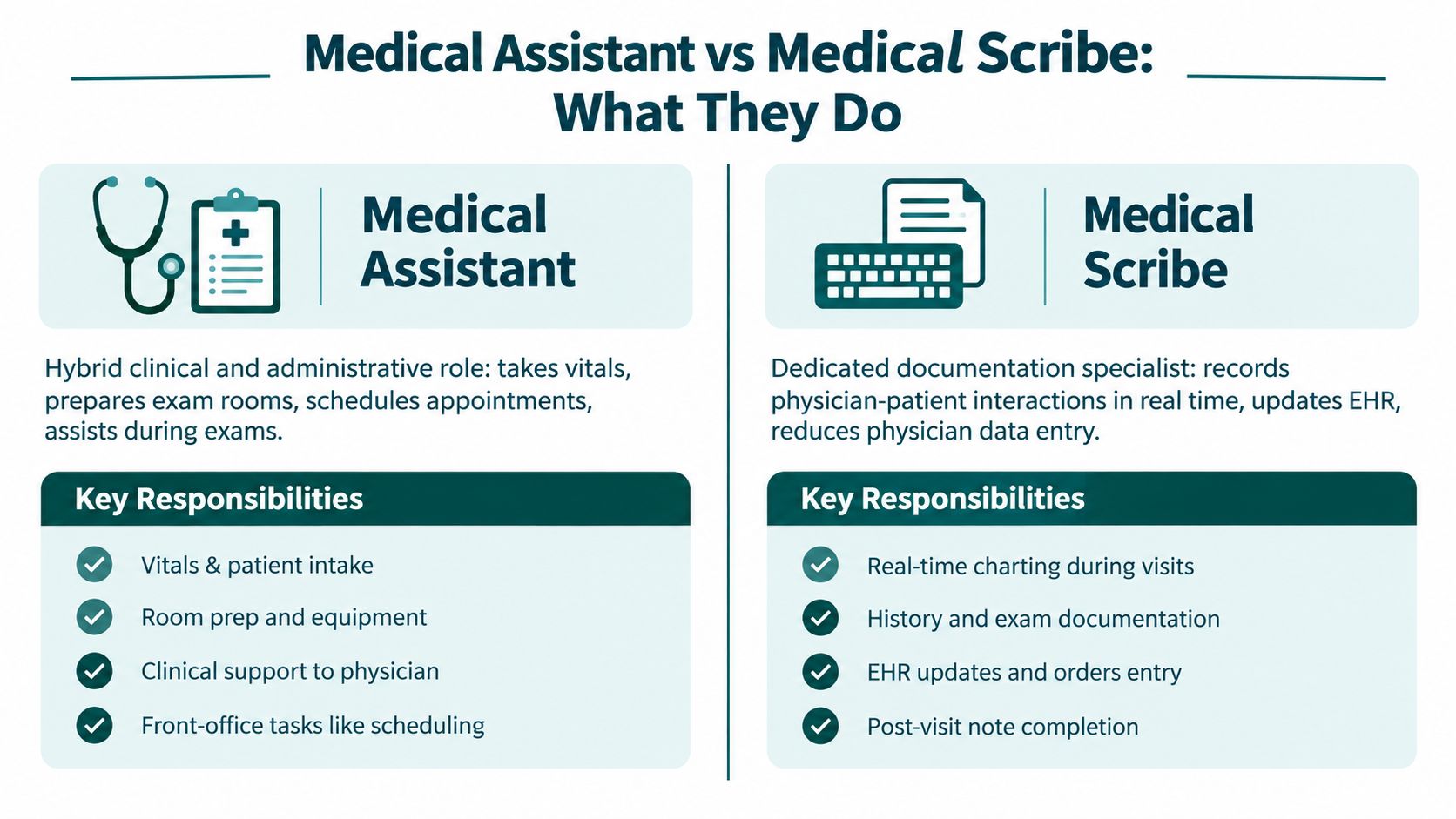
A provider stays late to finish charts while unanswered calls accumulate at the front desk. That situation is common, and it exposes why the medical assistant vs medical scribe decision can't be reduced to two job descriptions. A medical scribe primarily closes documentation gaps by recording the encounter in the EMR, while a medical assistant supports a much broader clinical-administrative workflow, including rooming, vital signs, scheduling, and procedure preparation.
The right choice depends on the bottleneck you need to remove first. If providers lose time to unfinished notes, a scribe is usually the more direct intervention. If patients wait, phones go unanswered, rooms turn slowly, or insurance work stalls, an assistant may produce wider operational relief. Hiring reliability also matters. The Bureau of Labor Statistics medical assistant outlook projects 12% employment growth from 2024 to 2034, about 109,700 openings per year, and 912,200 medical assistant jobs by 2034.
This guide compares duties, supervision, training, scope, documentation, billing impact, workflow fit, and staffing strategy. It also addresses hybrid roles and AI-assisted documentation, because many practices now need a dependable combination of coverage rather than a binary answer.
Introduction Why This Choice Matters Now
A provider finishes the last visit with several charts open, while the team still needs to room patients, answer calls, coordinate schedules, and keep procedures on time. Hiring a scribe may reduce unfinished documentation while leaving those operational tasks uncovered. Hiring a medical assistant may improve visit flow without removing enough of the provider's charting burden.
The distinction is practical. Scribes are documentation specialists, focused on real-time charting and note completion. Medical assistants are hybrid clinical-administrative staff, supporting patients, providers, rooms, schedules, and selected office processes under appropriate supervision.
The staffing decision should start with the bottleneck, then account for reliable hiring. A scribe fits a clinic where same-day note closure and after-hours charting constrain capacity. An assistant fits a practice that needs hands-on patient support and broader administrative coverage. Some clinics combine the roles, assigning documentation work to an assistant during selected visits. That model requires defined responsibilities, competency checks, and supervision.
Hiring availability can limit either plan. The 2025 State of the U.S. Health Care Workforce report reports 634,921 medical assistants nationally and estimates 112,300 annual openings over the decade. A May 2026 MGMA poll found 56% of practices said medical assistant hiring had worsened. Those conditions favor a workflow strategy rather than a fixed job-title choice. A hybrid assignment, or AI-assisted documentation paired with broader assistant coverage, may provide more dependable relief when a practice cannot staff a pure scribe or assistant model. Set task boundaries, verify competencies, and match the role to the work the clinic can consistently support.
What Each Role Actually Does in a Practice
The medical assistant supports the entire visit
A medical assistant works under physician or nurse supervision and combines patient-facing clinical support with administrative work. Depending on the practice and applicable state requirements, that can include preparing rooms, escorting patients, recording vital signs, updating histories, assisting with procedures, scheduling appointments, handling insurance-related tasks, and supporting documentation.
Consider a primary care visit. The assistant may review the schedule, prepare the exam room, bring the patient back, record vitals and medication information, alert the provider to the visit reason, assist with an examination, and arrange follow-up. In a specialty clinic, the assistant may prepare equipment, coordinate records, or support procedure setup. The role's value comes from moving several parts of the visit forward, not from one isolated task.
The AAMA position paper on medical assistant scope of practice notes that assistants can commonly perform both clinical and administrative work, including insurance claims and transcription of dictation. It also emphasizes that scope isn't uniformly defined across states, so a practice must validate delegation, supervision, and competency rather than assume that a task is permitted everywhere.
The medical scribe documents the encounter
A medical scribe follows the provider's encounter and enters information into the EMR in real time. The work can include recording the history, subjective and objective findings, physical examination details, laboratory results, diagnoses, treatment plans, prescriptions, follow-up instructions, and other provider-authenticated entries. The scribe supports documentation accuracy and workflow, but generally doesn't provide direct patient care.
A typical visit places the scribe beside the provider or in an approved remote workflow. The scribe listens, documents what the provider says and does, checks the note for completeness, and prepares it for provider review and signature. The provider remains responsible for reviewing and authenticating the clinical record.
Both roles handle protected health information, so access should be limited to assigned duties, documented through appropriate policies, and supported by training and agreements where required. A hybrid assistant/scribe role can work in some practices. The assistant may room the patient and prepare a procedure, then document during the encounter, but the practice must still separate clinical support from documentation responsibilities and define who may do what.
Operational rule: If a job description says “help with everything,” it isn't a workflow design. Write the task list, supervision rules, escalation path, and EMR permissions before recruiting.
Head to Head Comparison Across Key Criteria
The clearest way to compare the roles is to map them against the operational question you need answered. A practice that needs one person to absorb calls, room patients, and coordinate follow-up has a different requirement from a practice where the provider is clinically efficient but spends the evening finishing notes.
| Criteria | Medical Assistant | Medical Scribe |
|---|---|---|
| Primary responsibility | Clinical and administrative support across the patient visit | Real-time documentation and note workflow |
| Patient interaction | Direct and recurring, including intake and rooming | Limited, usually secondary to observing and documenting |
| EMR work | Updates histories, medications, schedules, and assigned clinical information | Captures provider findings, exam details, plans, and follow-up |
| Scope flexibility | Broader, but state and employer rules vary | Narrower and centered on documentation |
| Supervision needs | Clinical tasks require appropriate provider or nurse supervision | Provider review, authentication, and documentation oversight |
| Main provider-time effect | Reduces interruptions and helps visits move efficiently | Reduces in-visit and post-visit documentation time |
Primary responsibility and patient contact
The assistant interacts with the patient before, during, and after the provider encounter. That makes the role useful when intake is slow, exam rooms aren't turning over, or patients need help with scheduling and instructions.
The scribe's patient contact is usually limited. The scribe's attention remains on the provider's conversation and documentation requirements. That focus can be valuable in a complex visit where missing a physical examination finding or treatment instruction creates rework.
EMR work and scope flexibility
Both roles may work in the EMR, but they don't use it in the same way. An assistant may update demographic, medication, allergy, intake, scheduling, or other permitted information. A scribe records the provider's encounter content and prepares the note for review.
This distinction matters for access controls and accountability. The Medical Virtual Assistant role guide describes how administrative and documentation work can be separated by workflow, which is useful when a practice is deciding whether one person can safely cover multiple queues.
The provider-time test
A scribe earns its place by reducing documentation time. A medical assistant earns its place by reducing operational friction across the visit.
Measure the problem before choosing. Review unfinished notes, after-hours charting, rooming delays, call abandonment, referral work, eligibility queues, and follow-up gaps. If the dominant loss occurs inside the note, start with documentation support. If the loss occurs across the patient journey, start with the broader assistant role.
Training Certification and Scope of Practice Differences
Medical assistant preparation is broader
Medical assistant training typically covers anatomy, medical terminology, patient intake, vital signs, infection control, EMR use, administrative processes, and supervised clinical procedures. Certification may be preferred or required by an employer, but the exact expectations vary by position and jurisdiction.
The practice should hire against its actual workflow rather than a title alone. An assistant assigned to primary care rooming needs different demonstrated competencies from one supporting an oncology procedure clinic. Ask candidates to describe their experience with the specific EMR, intake process, equipment, referral workflow, and supervision model they will use.
Scope is the difficult part. State rules, employer policies, provider delegation, and demonstrated competency can all affect task allocation. A practice shouldn't assume that an assistant who performed a task elsewhere may perform it under the same conditions in another state or specialty.
Scribe preparation is narrower
Scribes usually need strong medical terminology, listening accuracy, typing or keyboard fluency, and familiarity with the practice's EMR. Their training is often employer-led and focused on templates, specialty vocabulary, provider preferences, note standards, and escalation rules.
The role expanded alongside EHR adoption because practices needed a way to reduce physician documentation burden and support same-day note closure. Current descriptions still emphasize visit documentation rather than direct care. A scribe should never independently diagnose, select treatment, or make clinical decisions because the person can use the chart.
Build competency checks into onboarding
A reliable onboarding process tests the work itself. Use supervised charting, sample encounter documentation, privacy scenarios, medication-list handling, and provider review before granting broader access. For assistants, add competency checks for each clinical or administrative task assigned by the practice.
The HIPAA guide for medical practices using virtual assistants is useful for separating legal obligations from recommended controls. HIPAA compliance isn't a badge or a generic certification. The practice remains responsible for its policies, access decisions, vendor agreements, training, monitoring, and state-specific requirements.
Specialty affects risk. A behavioral health group may prioritize precise documentation and privacy-sensitive communication. A procedural clinic may need an assistant who understands room preparation and patient flow. A multi-site organization should standardize core processes while allowing local rules and provider preferences to remain visible.
How Each Role Affects Documentation Billing and Revenue Cycle
Scribes move the documentation bottleneck
Scribing has a measurable effect on provider documentation time. In an outpatient study published through research on medical scribe efficiency, total physician documentation time fell from 7.6 ± 3.8 minutes per note without a scribe to 4.7 ± 2.9 minutes with a scribe. In-visit documentation time fell from 5.9 ± 3.1 minutes to 2.8 ± 2.2 minutes.
The same source reports that a pediatric primary care study found charting time per patient decreased by 3 minutes 28 seconds, while note finalization improved from 0.96 days to 0.26 days. Those figures don't guarantee the same outcome in your practice. They do show why a scribe is most relevant when providers lose time to charting, delayed note closure, or documentation completed after clinic hours.
A scribe doesn't replace provider review. The provider must still verify the note, orders, diagnoses, and treatment plan. Poorly trained scribes can create new work through inaccurate wording, missed details, or improper template use, so quality review should be part of the workflow from the beginning.
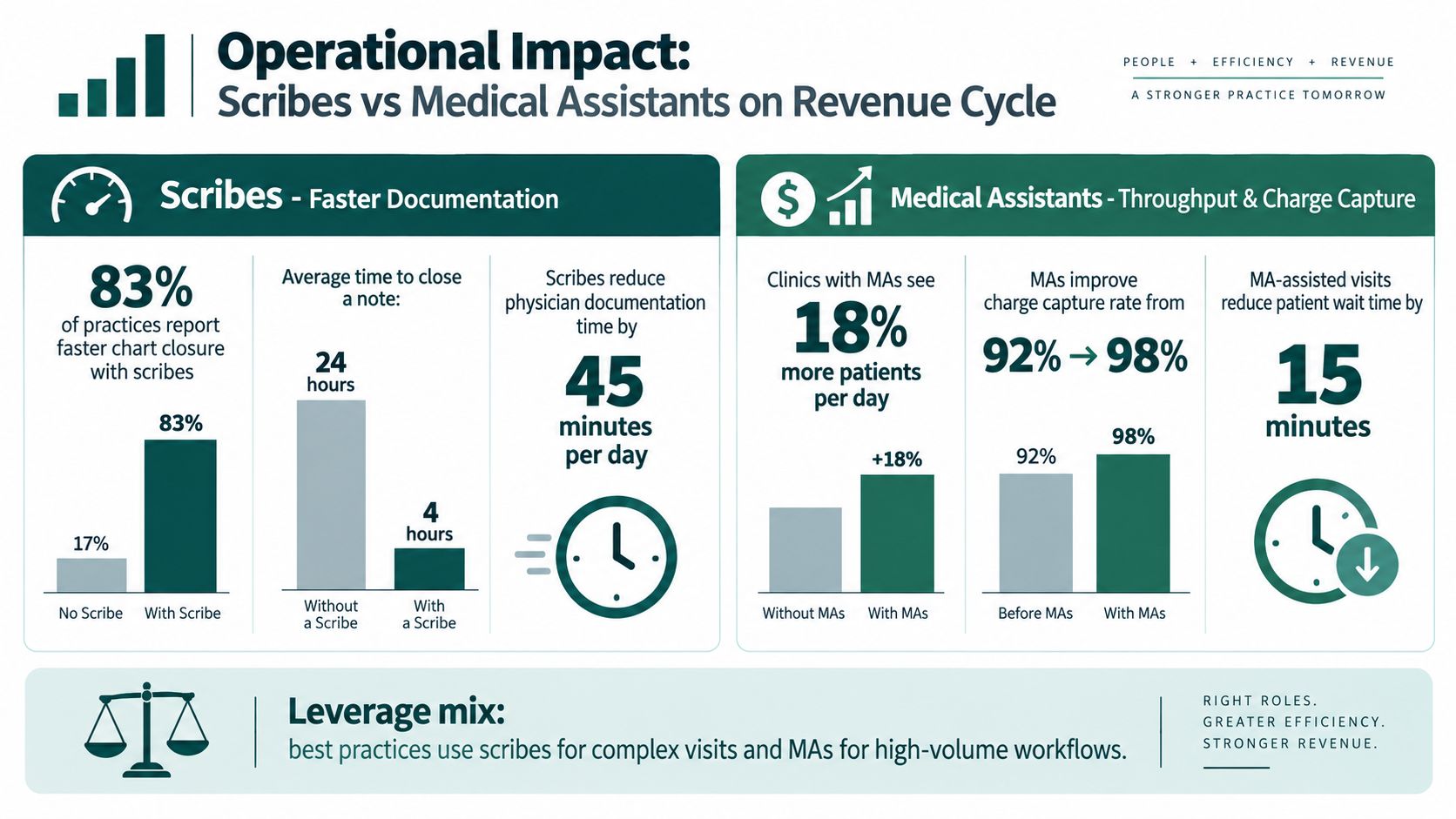
Assistants support front-end and visit throughput
Medical assistants affect revenue operations differently. They can help prepare patients, update information, coordinate follow-up, support insurance tasks, and reduce interruptions that cause rooming or scheduling delays. Depending on delegation and training, they may also support claims-related work, but the exact task boundary must be defined by the practice.
That contribution is indirect but broad. A clean intake supports accurate registration. Timely eligibility work can identify coverage issues before the visit. Reliable follow-up scheduling helps prevent unfinished administrative work from returning to the provider's queue. None of these activities should be described as a guaranteed revenue increase. Their value depends on execution, payer rules, staffing coverage, and the practice's existing process.
For managers reviewing the full cycle, this RCM guide for small practices provides useful context for connecting front-end work, claims processes, denials, and follow-up. If the main issue is billing execution rather than clinical rooming, a focused medical billing support service may fit better than either a general assistant or a scribe.
Match the hire to the queue
Audit the queue that consumes the most expensive time:
- Chart queue: Choose documentation support when providers spend substantial time completing notes.
- Rooming queue: Choose an assistant when patients wait for intake, vitals, or room preparation.
- Call queue: Choose an assistant or receptionist function when phones and scheduling are the constraint.
- Billing queue: Assign trained revenue-cycle staff when claims, denials, eligibility, or authorizations are stalled.
The mistake is hiring a scribe and expecting the person to solve front-desk overload, or hiring an assistant and expecting consistent real-time documentation without training and protected time.
Which Role Fits Your Practice by Specialty and Workflow
A role can look ideal on paper and still fail if the clinic cannot recruit, retain, and schedule that person consistently. With hiring scarcity persisting, prioritize the function you can staff reliably for the next year, then cover the other queue with virtual support, workflow changes, or AI-assisted tools. The practical question is which work must happen on site and which work can be completed safely elsewhere.

High-volume primary care
Primary care often has two competing pressure points. Providers may leave visits with unfinished notes, while staff manage calls, rooming, medication lists, referrals, and follow-up scheduling. If chart completion is delaying the next visit or extending the workday, a scribe may provide the more direct solution. If patients wait for intake, vitals, room readiness, or basic coordination, an assistant should take priority.
A hybrid arrangement can work when the assistant has protected documentation time and is not pulled into front-desk duties during the encounter. Without that boundary, one employee carries every queue and handles none of them consistently. Set coverage rules before hiring, including who handles interruptions and who owns unfinished work.
Specialty procedure clinics
Procedure-heavy practices generally need on-site clinical support first. Preparation, equipment, room turnover, patient instructions, and supervised clinical tasks affect whether the schedule stays on track. A scribe can help when providers produce detailed notes, but documentation support should not reduce attention to safe preparation or recovery procedures.
Define procedure-related duties in writing. The assistant's responsibilities must match provider supervision, state requirements, training, and clinic policy. Remote staff can handle records, authorizations, scheduling, and documentation preparation. They cannot perform hands-on clinical work from a distance.
Mental health groups
Behavioral health practices often face documentation pressure alongside portal messages, scheduling changes, forms, records requests, and continuity-of-care communication. A scribe can help the clinician remain focused during sessions. An administrative coordinator can manage appointment requests, forms, records, and follow-up messages.
Remote access requires role-based permissions, approved systems, written escalation rules, and a business associate agreement where applicable. Practices evaluating vendors can review cloud-based healthcare security solutions, then confirm their specific obligations with qualified compliance counsel.
Multi-site groups and AI-assisted workflows
A multi-site group may gain more from standardization than from adding the same role at every location. One site may need rooming coverage, another may need note completion, and a central team may handle scheduling, eligibility, authorizations, and records. A shared virtual function can cover selected administrative queues while local employees manage patient-facing work.
AI documentation tools offer another staffing option, but they do not replace clinical judgment, patient-facing support, or human review. A 2025 systematic review and 2026 multi-center research presentation describes reduced documentation burden and inbox workload, including 16 minutes saved in documentation time and 13 fewer minutes in the record per eight hours of patient care in a large 2026 study across five academic centers. Results varied by site. Define the queue first, select the tool for that queue, and assign a person to review its output.
The Takeaway
A medical scribe is usually the right first hire when providers lose time to real-time documentation, unfinished notes, and after-hours charting. A medical assistant is usually the better first hire when the practice needs rooming, vital signs, procedure preparation, scheduling, insurance support, and broader front-office coverage. The roles overlap in EMR use, but their operational purpose remains different.
Start with a short workflow audit. Identify where work waits, map each task to the correct role and supervision level, verify state-specific scope requirements, and define the quality checks before posting the job. If one hire can't cover the bottleneck, use a staged model, such as local clinical support paired with remote administrative coverage or a documentation tool with human review.
MedicalVirtual connects U.S. practices with pre-vetted LATAM healthcare professionals for U.S.-hours coverage across reception, scheduling, documentation, billing, authorization, and patient coordination. If your staffing plan needs targeted support rather than another broad job description, visit MedicalVirtual to review available role options.
A busy specialty clinic can look calm from the waiting room and still be buried in authorization work behind the scenes. The phone is ringing about a delayed MRI, the physician is asking whether a treatment can be scheduled this week, and someone has a payer portal open on another screen trying to find out why a request is still pending. That's where the pre authorization specialist earns the title.
The role is less about pushing paperwork and more about absorbing throughput friction so clinicians, schedulers, and front-desk staff don't have to keep stopping their day to chase payer decisions. In a system where physicians report an average of 43 prior authorizations per physician per week and 12 hours of staff-and-physician time spent on the work each week, the job has become a real operations function, not an occasional admin task (AMA survey summary). The same survey found 94% of physicians say prior authorization delays necessary care, 78% say it often or sometimes leads patients to abandon treatment, and 95% say it contributes to burnout (AMA survey summary).
A good specialist owns the request from intake to decision, keeps the queue moving, escalates when it stalls, and makes the rest of the practice look more organized than it feels on a hard week. A weak one becomes a human filing cabinet, copying status updates without clearing bottlenecks. The difference is workflow ownership, not just clerical speed.
What a Pre Authorization Specialist Actually Does
On a Wednesday afternoon, the prior auth lead in a busy orthopedic group is juggling three things at once. A peer-to-peer call is set for 2 p.m., a patient is on hold asking why the MRI isn't scheduled, and the provider just dropped a new order into the work queue with incomplete supporting notes. That is a normal day in this role, and it shows why the work sits at the center of access, scheduling, and patient communication.
A pre authorization specialist gathers the clinical documentation a payer expects, checks coverage rules, submits the request, tracks the response, and pushes the case forward if the payer asks for more information or denies it. The work often includes diagnosis coding confirmation, procedure code lookups, documentation cleanup, portal submission, and status follow-up. In many practices, the specialist also becomes the person who explains where the request stands to providers and patients without overpromising a timeline.
Practical rule: if the specialist is doing the work well, clinicians shouldn't have to interrupt clinic flow to chase a portal update or answer a basic coverage question.
What the role is not
It's not the same thing as billing, even though the two functions often touch the same claim lifecycle. It's not a medical assistant role, because the job isn't about rooming patients or taking vitals. It's also not a clinician role, because medical necessity decisions still belong with licensed providers and payer reviewers, not an admin handoff.
That distinction matters in hiring. A person who can submit forms quickly but can't recognize what's missing in the chart will still create delays. A person who knows the clinical context but doesn't own follow-up will leave cases sitting until a scheduler, nurse, or provider notices the gap.
For practices trying to standardize this function, a useful starting point is a clear policy that defines who collects notes, who submits, who checks status, and who tells the patient what happens next. If you're building that workflow around Medicaid-heavy cases, a focused Medicaid prior authorization support process can help you separate payer-specific variation from the core workflow.
The Submission-to-Decision Workflow Step by Step
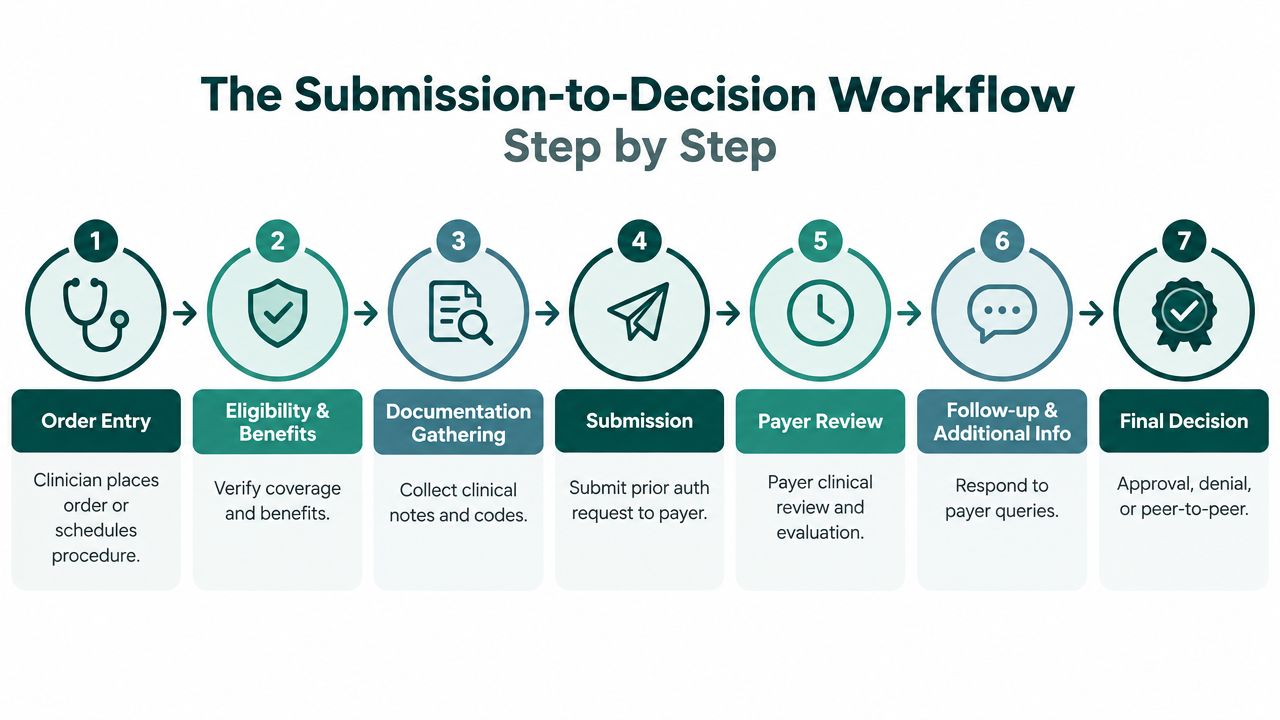
The cleanest authorization process starts before the payer ever sees the request. A clinician places the order, or a scheduler flags a procedure that will need approval, and the specialist checks eligibility and benefits first. If coverage doesn't match the service, you want to know that before the patient is scheduled, not after a slot has been reserved and the chart is already moving.
The handoffs that usually decide the speed
The next stop is documentation. The specialist pulls notes from the EMR, checks labs or imaging if the payer requires them, and packages the request in the format the payer portal or phone team expects. After submission, the work shifts to monitoring, because many requests don't fail at the moment of submission, they fail when nobody notices that the payer asked for one missing item.
Then comes the review cycle. If the payer needs a peer-to-peer, clarification, or appeal, the specialist sets that up and keeps the case visible until it resolves. The final handoff is back to scheduling and patient communication, and that's where good workflow often breaks down even when the approval itself is straightforward.
A useful way to think about the queue is simple:
- Order enters the workflow and is tagged for authorization.
- Coverage is verified before time is wasted on the wrong plan or benefit.
- Clinical documents are collected in payer-ready form.
- The request is submitted through portal or phone.
- The payer reviews it and may ask for more detail.
- The specialist responds to queries, escalates, or prepares an appeal.
- The decision returns to scheduling, billing, and the patient.
If you need a second operational lens, a focused insurance prior authorization workflow overview can help staff compare payer steps without turning every case into a custom project.
The weak points are usually familiar. Notes aren't complete, labs are missing, payer portals time out, callback windows are narrow, or denial reasons come back vague enough that a second submission is nearly inevitable. The specialist's job is to catch those problems early enough that they don't become service-date failures.
Metrics That Show Whether the Role Is Working
Volume counts can fool people. A team that submits more requests isn't necessarily doing better if those requests bounce back, age in a queue, or force more phone follow-up. The useful question is whether the role is reducing friction between the order and the decision.
The metrics that matter
| Metric | What It Tracks | Why It Matters |
|---|---|---|
| Average turnaround time | Time from order to final decision | Shows whether the queue is moving fast enough for scheduling and treatment planning |
| First-pass approval rate | Requests approved without rework | Reveals whether documentation quality matches payer expectations |
| Denial mix by reason code | Why requests get denied | Helps identify whether the issue is eligibility, documentation, coding, or medical necessity |
| Resubmission rate | How often a request must be sent again | Signals friction in the submission package and payer-specific rule gaps |
| Peer-to-peer frequency | How often a case needs live clinical discussion | Shows where clinical review is becoming the bottleneck |
| Aging of pending cases | How long requests sit unresolved | Flags silent backlog before it becomes a patient access problem |
A mid-sized practice doesn't need a perfect scorecard to get value from this. It needs a consistent one. If pending cases are clustering beyond a couple of days, staff will start working from memory instead of process, and that's where errors multiply.
Practical rule: if weekly submission volume is going up while approval quality is flat or worse, you've probably hired more motion, not more throughput.
How to read the numbers without fooling yourself
The danger is celebrating output while the backlog grows underneath it. A specialist can send many requests and still miss the cases that need a phone call, a resubmission, or a clinical attachment. For that reason, denial reasons and pending aging are often more useful than raw counts when a manager is deciding whether the role needs more support.
Tie the metrics to patient access signals too. If appointments are being rescheduled, procedures are slipping past intended service dates, or staff are telling patients “we're still waiting,” the authorization process is affecting care even when the portal says a request is technically in process.
Staffing Models for the Pre Authorization Function
The right staffing model depends on how your practice absorbs payer work today. Some offices need a person sitting inside the workflow with direct access to clinicians and the EMR. Others need coverage more than physical proximity. The mistake is choosing a model by habit instead of by case volume, payer mix, and how often staff already spend time on payer calls.
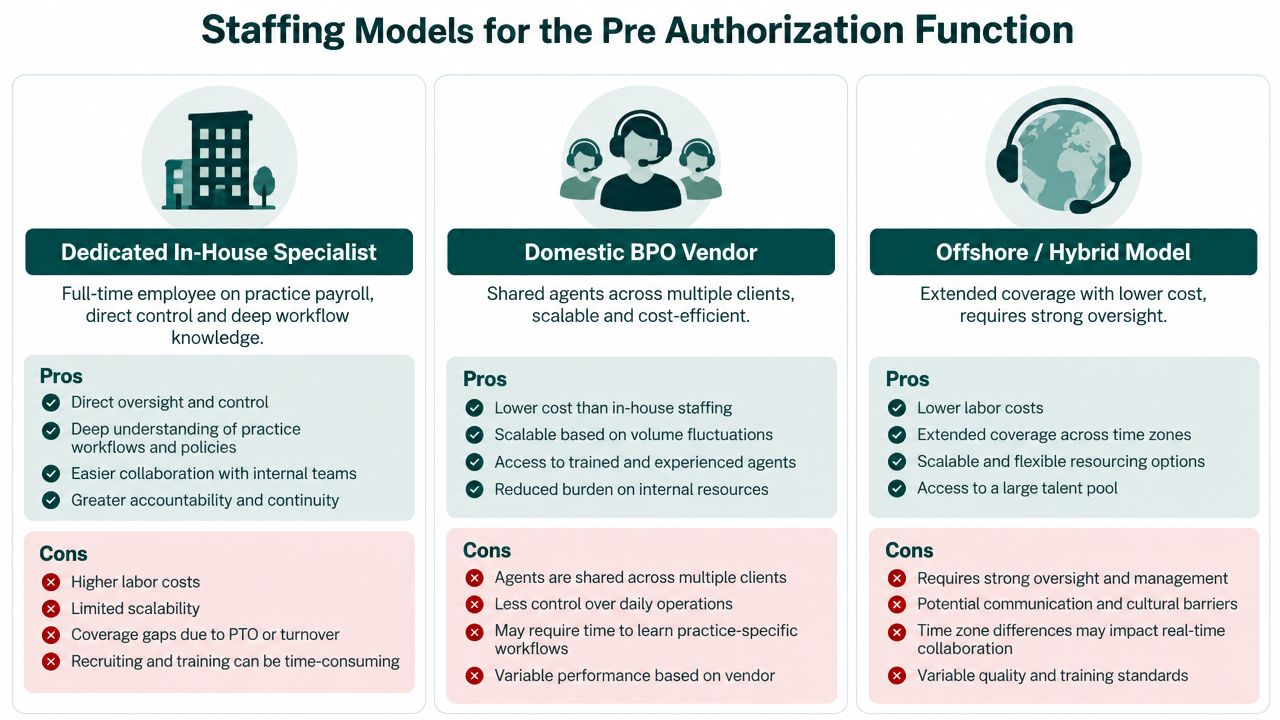
The three models in practice
A dedicated in-house specialist gives you the most context. The person learns your physicians, your common procedures, and the quirks of your payer mix, and escalation is fast because everyone is in the same building. The downside is single-point failure. If that person leaves, the queue can unravel quickly.
A domestic BPO vendor can spread coverage across multiple clients and absorb staffing spikes, which helps when volume is unpredictable. The trade-off is continuity. If the vendor rotates agents mid-case, payer knowledge gets fragmented and the clinic has to re-explain itself.
A remote LATAM-based specialist can work inside your systems during U.S. business hours and preserve the same-day rhythm many practices need. The main risk is time-zone overlap if your peer-to-peer calls or payer callbacks happen outside the coverage window. It works best when the practice has a clear handoff process and a manager who wants visibility without micromanaging.
What usually breaks
The failure pattern is rarely subtle. In-house models break when one skilled person quits and nobody else knows the payer-specific routines. Outsourced models break when handoffs are too generic and cases keep restarting with new faces. Remote models break when the team does not protect enough overlap for live escalation.
If your staff already spends a lot of time on payer calls, the right model is usually the one that removes the most interruptions from the clinicians' day, not the one that looks cheapest on paper. Case complexity, payer mix, and escalation speed matter more than the label on the staffing arrangement.
Hiring Profile and Onboarding Checklist
A strong hire for this role usually comes from medical billing, utilization review, or another authorization-heavy revenue cycle role. They need to be comfortable moving between payer portals, EMR records, and clinical notes without losing the thread. They also need the temperament to handle repeated denials or incomplete responses without getting sloppy.
For practices screening candidates, I'd look for three things first: payer portal fluency, comfort with CPT and ICD-10 lookups, and a history of clean documentation. If someone gets rattled every time a payer asks for another note, they'll slow the queue down even if they know the forms.
A good authorization hire doesn't just submit faster. They leave a cleaner audit trail for the rest of the team.
First 30 days that actually matter
Onboarding should be concrete, not abstract. Give the new hire EMR sandbox access, a payer-by-payer cheat sheet for submission quirks, and time to shadow live calls before they own anything important. They should also use one consistent standard for authorization numbers, reference IDs, and case notes so anyone in the practice can pick up the thread later.
HIPAA operating habits need to be routine, not aspirational. That means locked screens, no PHI in personal email, and credentialed portal logins only. For anything involving insurance verification flow, a clear how to verify insurance workflow helps new staff understand where coverage checks end and authorization work begins.
A simple first-month checklist works well:
- Week 1: EMR and payer portal training, plus documentation standards.
- Week 2: Shadow submissions and eligibility checks on live cases.
- Week 3: Handle active cases with supervision and case review.
- Week 4: Manage independent cases and review performance with the supervisor.
If week one goes badly, the issue is usually not speed. It's whether the person can follow the practice's documentation rhythm, remember payer-specific steps, and keep patient communication accurate under pressure.
Where Automation Helps and Where It Still Fails
Automation helps most when the task is structured and repeatable. Eligibility checks, formulary lookups, status polling, and auto-populating forms from EMR data all fit that pattern. Those are the parts of the work where a specialist should expect software to reduce manual clicks and cut duplicate data entry.
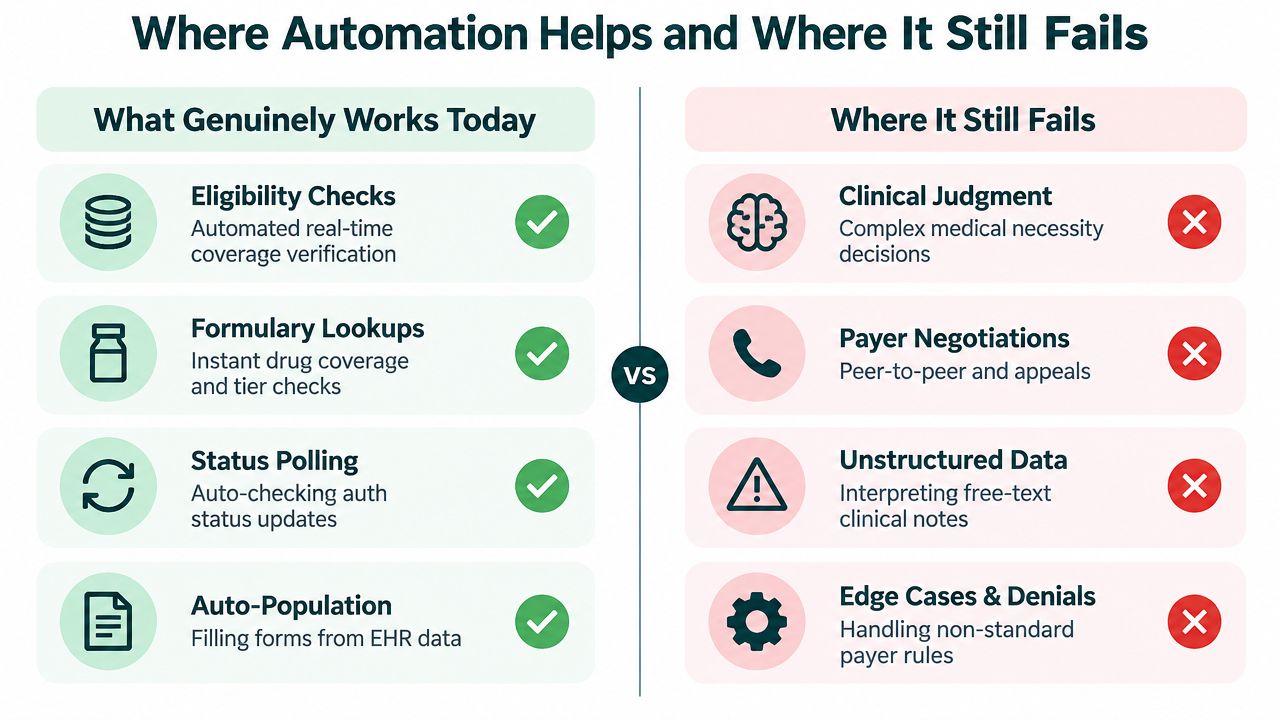
What still needs a human
The hard cases are the ones that need judgment. Medical necessity narratives, peer-to-peer preparation, retroactive authorizations, and payer exceptions still depend on someone who can read the chart, understand what the payer is asking for, and decide what to send next. Free-text clinical notes also remain a problem, because the payer may want a structured answer that the chart never presented in a neat field.
That's why “AI prior auth” should be evaluated carefully. In many cases, the technology shortens the front half of the workflow, but a human still has to absorb the last mile, especially when a payer wants clinical context rather than structured data. If a vendor can't show where the case re-enters human review, you may just be moving the queue instead of shrinking it.
A practical procurement question is whether the tool reduces resubmissions and follow-up calls, or changes who does them. If the answer is vague, the workflow probably will be too.
The Takeaway and Next Step for Practice Managers
The pre authorization specialist is not a back-office extra. The role is a throughput function that protects schedules, reduces avoidable clinician interruptions, and keeps treatment plans from stalling while everyone waits on a payer decision. Practices that treat authorization as isolated paperwork usually lose time to rework and callback loops, while practices that treat it as a measurable workflow have a better shot at steady turnaround and fewer avoidable denials.
The simplest decision framework is to ask three questions. How many auths are moving through the practice each week. How often do cases slip past the intended service date. And is denial trending reviewed weekly, or only after problems have already piled up. The answers tell you whether you need one in-house specialist, a layered team, or a remote-staffed hybrid model with tighter oversight.
Pull two weeks of authorization data, trace the handoffs, and identify the single biggest stall point before you hire or outsource anything. Once you know where the work slows down, staffing becomes a workflow decision instead of a guess.
If your practice needs a steady authorization workflow without adding more chaos to the front desk or nursing team, MedicalVirtual can help you evaluate the right remote support model for your payer mix and clinic hours. Their team places pre-vetted medical virtual assistants who can handle prior authorization, insurance verification, and related admin work inside your existing process, so you can focus on patient care instead of chasing payer callbacks.
A Tuesday morning at the front desk is usually where medical billing in the USA starts to go wrong. Someone swipes the wrong insurance card, the scheduler misses secondary coverage, the visit note gets coded before the diagnosis is fully confirmed, and the claim bounces back weeks later. By then, the problem isn't “just billing” anymore. It's a chain of avoidable handoff failures that slow cash, create patient confusion, and force your team into rework.
The practical answer is simple: medical billing is a connected revenue system, not a back-office task. It starts before the visit with eligibility and authorization checks, moves through documentation and coding, then ends only when payment is posted, reconciled, and followed up. That's why front-desk accuracy, coding specificity, denial management, and patient communication all belong in the same operating model.
For small and mid-sized practices, that shift matters. You don't need a giant billing department to run this well, but you do need clear ownership, clean workflows, and realistic expectations about where revenue leaks happen. The sections below break down the claims pipeline, payer mix, denials, compliance, staffing models, and the daily habits that move cash.
What Medical Billing in the USA Actually Means
A lot of practices still talk about billing as if it starts when the claim leaves the office. That's too late. By then, the front desk has already captured or missed coverage, the clinical team has already documented the visit, and the biller is left cleaning up problems that were created upstream.
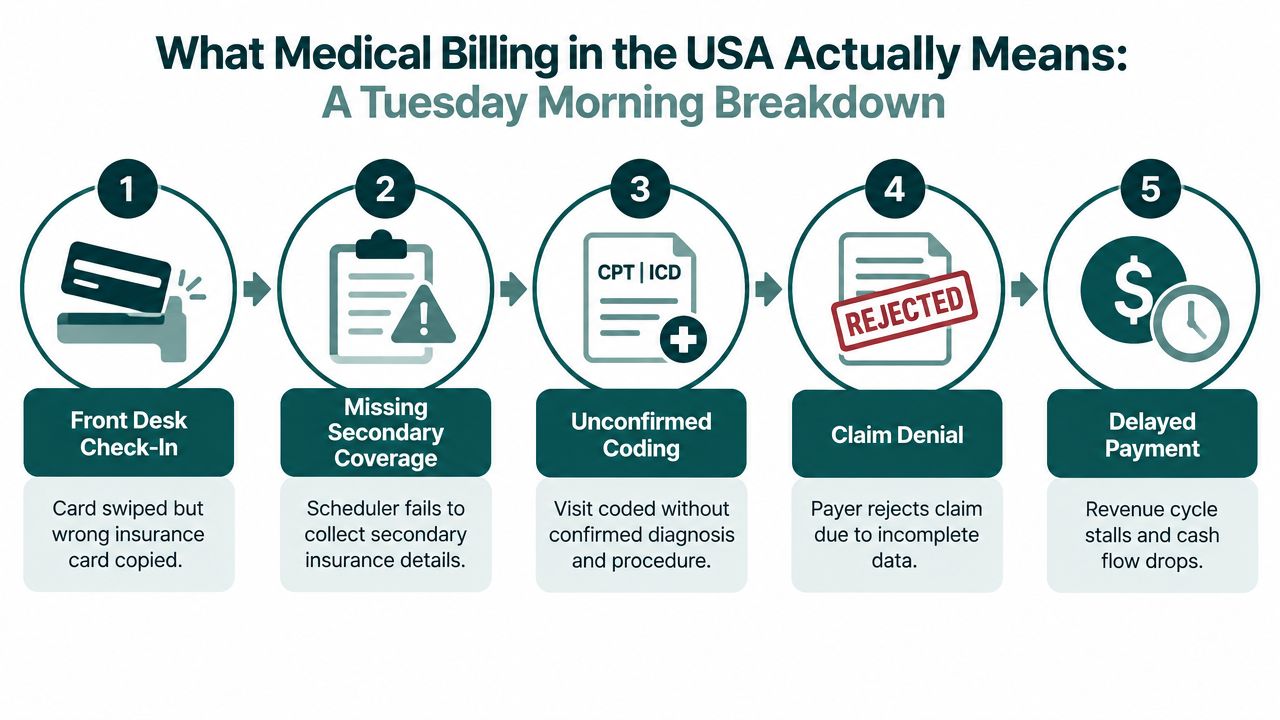
Billing begins before the patient is seen
In a functioning practice, billing starts at scheduling. Staff verify the patient's plan, check whether a referral or prior authorization is required, and confirm whether there's secondary coverage. If that doesn't happen, the visit may still be medically appropriate, but the claim can still be incomplete.
That's why the most valuable billing work often happens before the encounter, not after it. A clean front-end process gives the biller a better chance of producing a clean claim, and the payer a better chance of paying it without delay. It also reduces the need to re-contact patients later for information they should've been asked for at intake.
Billing is really three jobs at once
Operationally, billing has three core functions. First, it translates clinical work into code sets that payers understand. Second, it sends the claim through the right path, usually through a clearinghouse, with all required fields intact. Third, it follows the money until payment is posted and the account is closed.
That last part gets ignored too often. Posting an electronic remittance advice isn't the end of billing if the patient still has a balance, the payer underpaid, or the denial needs an appeal. In a practice that runs well, the billing team sits between the front desk, the clinicians, the coder, and collections, and everyone understands that a miss in one place becomes work in another.
Practical rule: if a claim keeps getting denied for the same reason, the fix is rarely “resubmit faster.” The fix is usually in registration, documentation, or authorization.
The easiest way to think about billing is as a measurable system. You can inspect eligibility accuracy, coding precision, clean-claim rates, denial reasons, days in A/R, and patient collection behavior. Once you treat it that way, you can improve it like any other operational process.
The Claims Pipeline From Check-In to Payment
The claims pipeline works best when each handoff has a named owner. In smaller practices, that may be one biller wearing several hats. In larger groups, it may involve schedulers, medical assistants, coders, billers, and a revenue-cycle lead. Either way, the order of operations matters more than the title on the badge.
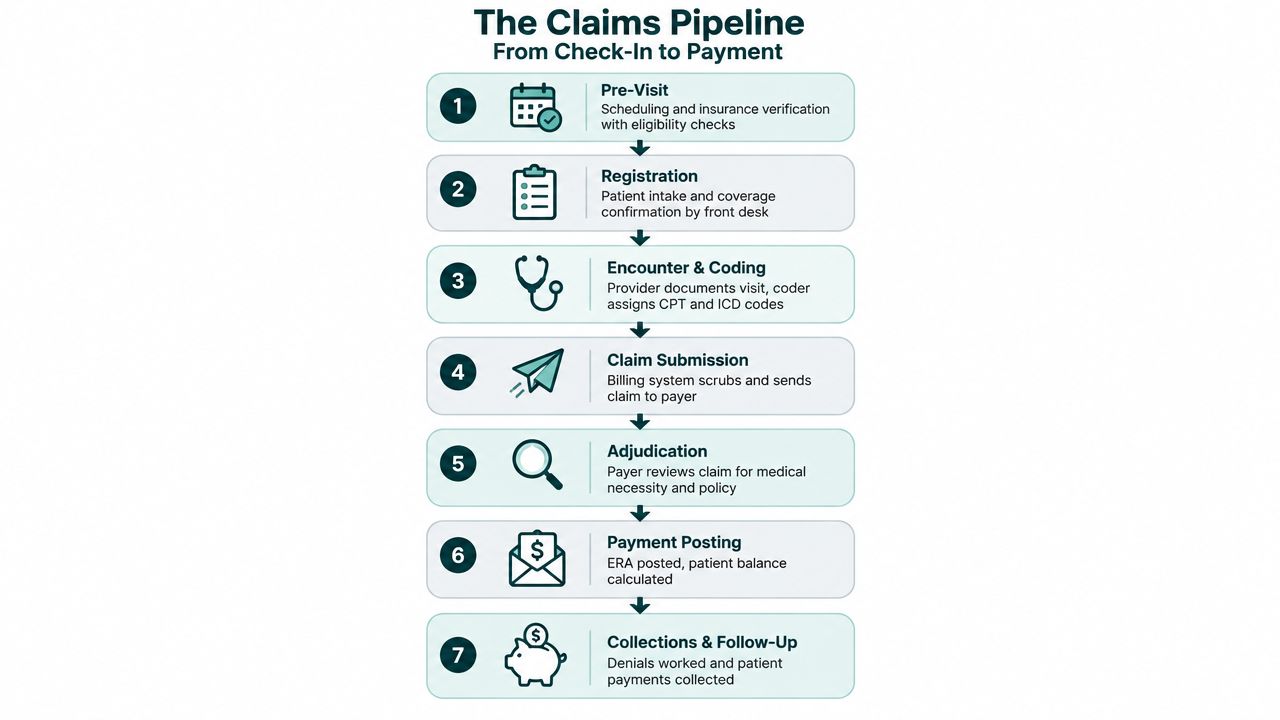
The first stage is pre-visit work. Scheduling should trigger eligibility checks, benefit confirmation, and prior authorization review when needed. This is also where staff catch coverage changes, deductible exposure, and whether the plan has special referral rules. If a practice skips this, it often learns about the problem only after the denial arrives.
The second stage is registration and check-in. Staff confirm identity, collect insurance cards, capture primary and secondary coverage, and obtain the patient's required forms and responsibility estimates. This is also the point where a good office sets expectations about copays and balance billing without sounding defensive or confusing the patient.
The third stage is documentation and coding. The provider's note has to support the CPT, ICD-10-CM, and HCPCS Level II codes selected. A coder or biller should review specificity, medical necessity, modifiers, and any obvious inconsistencies before the claim moves forward. When notes are vague, the biller can't ethically “make the claim fit.”
The fourth stage is charge capture and claim scrubbing. Charges are entered or pulled from the EHR, then checked against edits for missing fields, modifier issues, NPI mismatches, and other basic defects. A scrubber can catch a lot, but it can't fix a bad note or missing coverage.
The fifth stage is submission and adjudication. The claim is sent through the clearinghouse to the payer, and the payer reviews it against policy, medical necessity, and benefit rules. If the claim comes back clean, the remittance advice should be posted without delay.
The final stage is payment posting, reconciliation, and follow-up. If the payment doesn't match the expected amount, or the claim is denied, someone has to work the appeal, secondary claim, or patient balance. That's where the cycle closes, or stalls.
For insurance verification workflows, a practical reference is this guide to how to verify insurance for medical practices. It fits naturally at the front end, where so many avoidable denials begin.
Each stage protects the next one. When the earlier step is sloppy, the later step becomes expensive.
Who Pays the Bill and Why Payer Mix Matters
Payer mix isn't background noise. It shapes how fast money comes in, how much follow-up the office needs, and how much tolerance you have for denials and delayed payment. A practice with mostly commercial insurance behaves differently from one with a large Medicaid book, even if the visit volume looks similar on paper.
| Payer Category | Typical Reimbursement | Days to Payment | Denial Risk | Admin Burden |
|---|---|---|---|---|
| Commercial Insurance | Usually the fastest and often the highest contracted rate | Often faster than public programs | Moderate, but dependent on contract rules and prior auth | Moderate |
| Medicare | Predictable fee-schedule payment through CMS | Slower than commercial in many practices | Moderate to high when documentation is thin | Moderate to high |
| Medicaid | Usually lower reimbursement and state-specific rules | Often slower and less predictable | Higher because state rules vary | High |
| Self-Pay | No payer contract buffer | Depends on patient payment behavior | No payer denial, but high nonpayment risk | High |
Commercial plans are usually the most operationally forgiving, but they still create work. Prior authorization, network rules, and plan-specific edits can delay care if the office doesn't track them tightly. Practices with a heavy commercial mix can still get burned if they assume all commercial payers behave the same way.
Medicare is more predictable on the fee-schedule side, but coverage rules are strict. Denials often happen when documentation doesn't match the service, or when the practice doesn't align with local and national coverage policy. Medicaid is its own environment in every state, so the office needs local enrollment, authorization, and filing discipline.
Self-pay is where the emotional and operational pressure gets obvious. Patients often expect the office to explain the bill in plain English, even when the root problem was eligibility, coordination of benefits, or a benefit exclusion. That's why patient communication has to be built into the billing workflow, not treated as an afterthought.
If your practice is mostly commercial, you can usually support faster A/R turn if the rest of the workflow is stable. If you're Medicaid-heavy, you need tighter cost control, higher volume, and stronger front-end verification just to keep the same cash rhythm. Payer mix should drive staffing, software, and follow-up cadence, not sit in a spreadsheet nobody uses.
Why Claims Get Denied and What the Numbers Show
Denials are not random. They usually point back to a process defect that was present before the claim was submitted. If you map them correctly, they become a workflow improvement list instead of a monthly frustration report.
Denials usually start upstream
Eligibility and coverage problems tend to show up as front-end denials. Missing prior authorization, stale coverage, coordination of benefits gaps, and timely filing misses usually trace back to registration and scheduling. Coding-related denials often come from vague documentation, modifier misuse, unbundling, or a mismatch between the note and the code selected.
Credentialing and network issues are a separate category. If a provider isn't properly enrolled or the billing entity isn't aligned with the payer, the claim can fail even when the note is perfect. That's why billing teams need a tight loop with credentialing and provider onboarding.
Rule of thumb: if a denial repeats, treat it as a process signal, not an isolated claim problem.
In U.S. physician revenue cycle operations, a first-pass claim denial rate around 5% to 10% is commonly treated as the acceptable operating band, while published industry averages are often cited closer to 9% to 12%; best-performing organizations target under 5%. The operating lesson is clear, even if the exact number varies by specialty and payer mix. Small improvements in front-end eligibility, coding, and prior-authorization controls can reduce rework because many denials reflect upstream defects rather than payer whim. Medical denial benchmarks for physician practices
| Common Denial Reason | Origin Stage | Typical Fix |
|---|---|---|
| Eligibility not active | Pre-visit or registration | Verify coverage before the visit and recheck on arrival |
| Missing prior authorization | Scheduling or pre-service | Build authorization review into scheduling and referrals |
| Coding mismatch | Documentation and coding | Audit note specificity and code-to-diagnosis linkage |
| Modifier error | Charge capture or coding | Train staff on payer-specific modifier rules |
| Credentialing or network mismatch | Enrollment and contracting | Confirm provider and group status before billing |
| Timely filing miss | Back-end follow-up | Track filing deadlines and claim aging daily |
| Coordination of benefits gap | Registration and patient intake | Capture all active coverage and ask the right questions |
The practical fix is categorization. Denials should be grouped by reason code, origin stage, payer, and provider. Then they should be assigned back to the person or team that controls the upstream step. Resubmitting the same broken claim just wastes time and hides the root cause.
Recent industry coverage also points to a more complex denial environment, with payer audits and medical-necessity disputes becoming more visible. The point for a practice manager is not to chase every industry headline. It's to recognize that denial management now needs root-cause analysis, not just batch follow-up.
HIPAA, Business Associates, and Realistic Compliance
HIPAA compliance in billing is not about having fancy software or claiming that a vendor is “HIPAA certified.” It's about controlling how protected health information is used, disclosed, accessed, and safeguarded in everyday work. For billing teams, that matters because they handle eligibility data, claim content, patient balances, and payer communications.
A compliant Business Associate Agreement must spell out the permitted and required uses and disclosures of PHI, prohibit the business associate from using or disclosing PHI beyond what the contract or law allows, and require appropriate safeguards to prevent unauthorized use or disclosure. That's the baseline. If the agreement is vague, the practice is exposed before anyone even logs into the system. HHS sample business associate agreement provisions
The compliance question is not whether a practice can eliminate all risk. It can't. The question is whether the practice has reasonable safeguards, role-based access, documented training, and a response plan that gets used when something goes wrong. That is the standard most small and mid-sized practices can meet without drowning in bureaucracy.
What realistic compliance looks like
Good billing operations usually rely on a few habits that aren't glamorous but work. Staff should only see the minimum PHI they need for their role. Devices should be secured, email should be used carefully, and access logs should be reviewed often enough to spot obvious misuse. Training should happen before a new person starts handling PHI, then be refreshed on a regular basis.
A written incident response plan matters because accidents happen. If a vendor is breached or a file is sent to the wrong recipient, the office should know who investigates, who documents, who notifies, and who decides next steps. Under HIPAA, if a covered entity knows a business associate has materially breached the agreement, the covered entity must take reasonable steps to cure the breach or end the violation. If that fails and termination isn't feasible, the issue must be reported to HHS OCR. HHS guidance on covered entities and business associates
For practices using remote billing staff, a clear compliance stack helps. This practical guide to HIPAA-compliant virtual assistants is relevant because the billing team often needs the same access controls, PHI discipline, and BAAs as any other vendor relationship.
A missing BAA isn't a paperwork issue. It can turn a routine vendor into a compliance problem. The safer model is simple, documented, and boring, which is exactly what you want in billing.
How Practices of Different Sizes Run Billing
The right billing model depends on volume, specialty complexity, and how much management bandwidth you have. A solo primary care office does not need the same structure as a mid-sized multi-specialty group, and a growing practice can outgrow its billing setup long before it outgrows its clinical space.
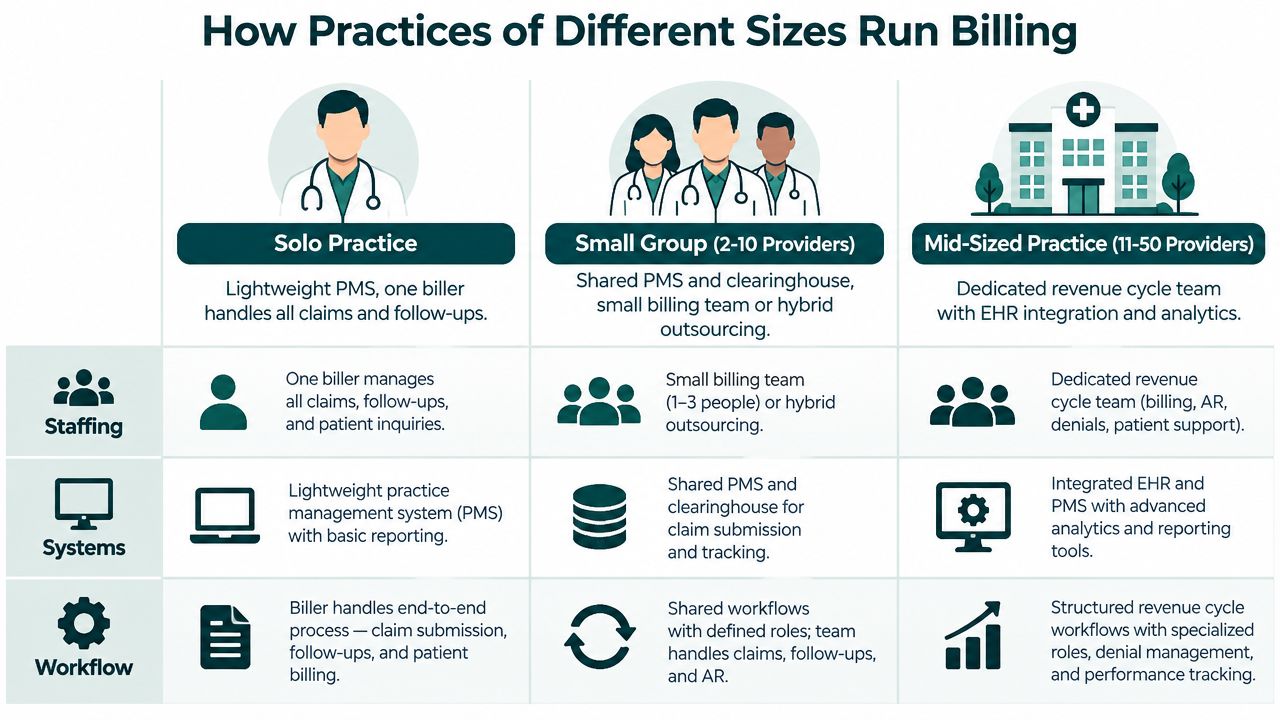
Solo and small group practices
Solo and small group offices usually lean on a lightweight practice management system, one in-house biller, or a small outsourced partner. That setup keeps fixed cost lower, which matters when visit volume is modest or uneven. The trade-off is usually depth, especially on denial follow-up and reporting.
That trade-off is manageable if the practice has simple payer patterns and a stable staff. It becomes risky when the provider mix expands, procedures get more complex, or the front desk starts missing key insurance details. At that point, the billing workload often shifts from “manageable” to “constant cleanup.”
Mid-sized practices
Mid-sized groups usually need more structure. They often combine an internal billing lead with remote staff, outsourced support, credentialing help, and more regular analytics. That extra layering gives the practice more control over denial patterns, A/R aging, and payer performance across providers or locations.
The downside is coordination. More people can mean more handoffs, and more handoffs can mean more room for gaps if responsibilities aren't written down. A mid-sized group needs clearer ownership than a small office, not just more software.
Choosing the model that fits
If you're evaluating in-house vs. outsourced billing, use a practical scorecard:
- Control: In-house gives you tighter day-to-day oversight, but it also puts more burden on your manager.
- Cost: Outsourcing can reduce fixed payroll pressure, but only if the vendor works denials and follows claims through.
- Scalability: Remote and outsourced teams usually scale faster than office-only staffing.
- Reporting: Better vendors usually give stronger analytics than a single overloaded biller can maintain.
- Continuity risk: A one-person billing department is fragile when that person is out sick, quits, or gets pulled into other tasks.
MedicalVirtual places pre-vetted LATAM billing support, including medical billing services, for practices that need flexible coverage without building a larger in-house team. That kind of model can work well when the office wants US-hours support and a narrower staffing commitment.
The right model is the one that matches your claim complexity and your tolerance for management overhead. Size matters, but workflow complexity matters more.
Best Practices That Move the Revenue Cycle
The fastest gains usually come from tightening a few basic controls, not from rethinking the whole department. A practice that fixes front-end verification, charge capture, denial ownership, and patient payment follow-up will usually feel the improvement before it sees a dramatic organizational change.
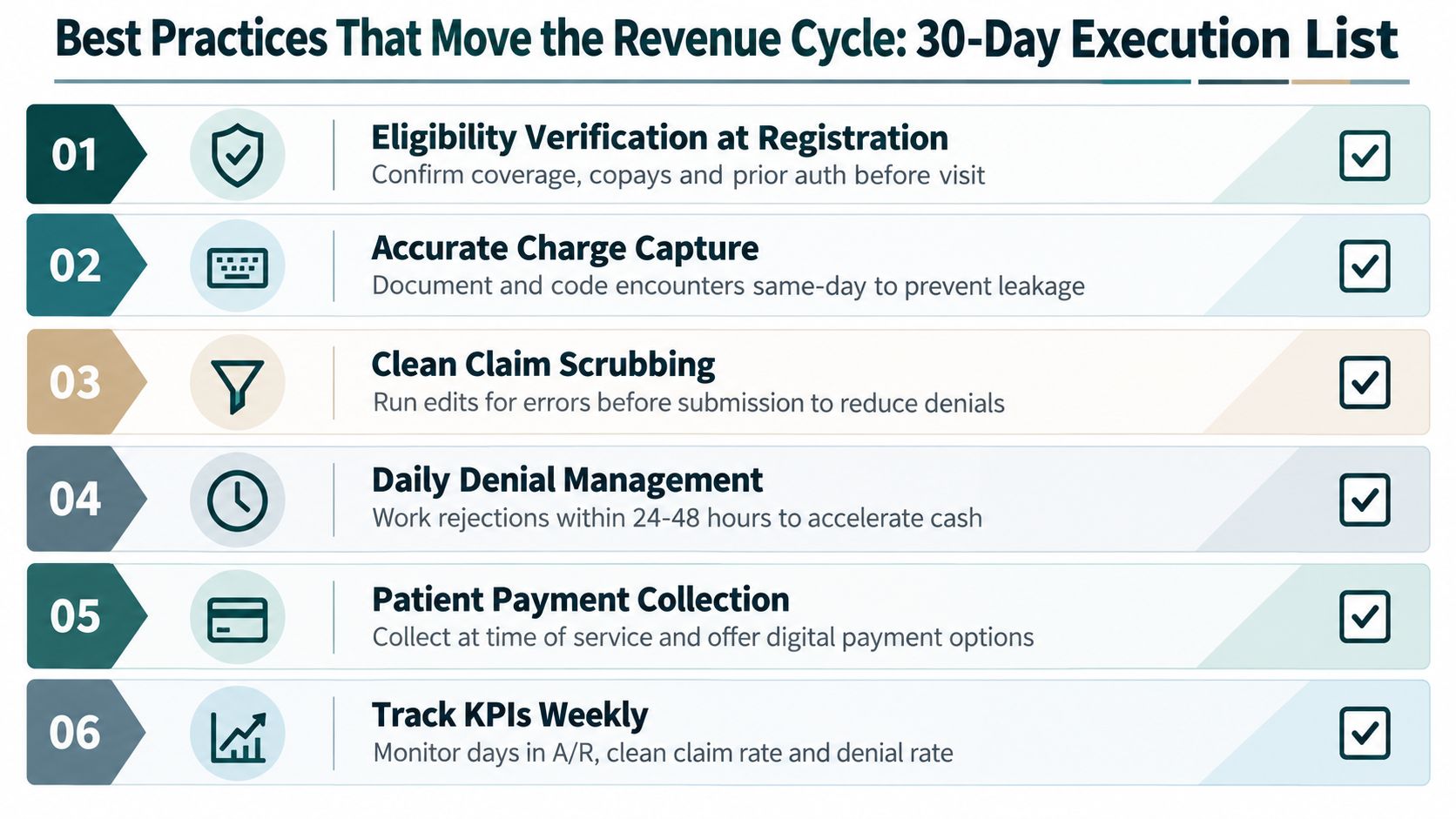
Start with the front desk and end with the patient
Eligibility verification belongs at registration, before the patient leaves the front desk. That means coverage details, copays, deductibles, and prior authorization flags are checked early enough to prevent surprise denials later. If the practice uses remote support for this, the role needs a script, a checklist, and clear escalation rules.
Accurate charge capture should happen the same day as the encounter whenever possible. The longer the gap between the visit and the charge entry, the more likely details get lost or simplified. Clean claim scrubbing should then catch obvious defects before submission, especially missing fields, modifier errors, and diagnosis linkage problems.
Put denials back where they started
A denial should be assigned to the stage that caused it. Registration issues go back to front office workflows. Coding issues go back to documentation or coder review. Payer-policy disputes go to the denial specialist or billing lead.
Daily denial work matters because delays make the claim harder to recover. Older A/R becomes harder to collect, and the team spends more time chasing information than resolving the issue. That's why weekly aging reviews and short follow-up cycles are more effective than waiting for month-end cleanup.
Useful operating habit: every denial code should have one owner, one fix, and one deadline.
Patient statements need the same discipline. They should be clear, itemized, and sent with multiple payment options, not buried in vague language that forces the patient to call the office for an explanation. The outreach sequence for unpaid balances should be defined in advance so staff aren't improvising with every case.
A practical 30-day execution list looks like this:
- Verify coverage at scheduling and check-in.
- Document and code encounters the same day.
- Run claims through payer-specific edits before submission.
- Work denials within a short, consistent follow-up cycle.
- Post patient payments promptly and reconcile balances.
- Review days in A/R, denial reasons, and clean-claim performance weekly.
One peer-reviewed review found that reminder calls decreased no-show rates by an average of 19%, and another study found automated calls performed worse than personal reminder calls in one setting, which shows workflow design matters even in appointment management. Peer-reviewed review of reminder call effectiveness The billing lesson is the same one front desks learn the hard way, consistency beats guesswork.
The Takeaway
Medical Billing in the USA works best when you treat it as one continuous system, not a stack of disconnected tasks. Front-end accuracy drives coding accuracy, coding accuracy drives cleaner claims, and cleaner claims drive more predictable cash flow. When compliance, staffing, and payer follow-up are built into the same workflow, the practice spends less time rescuing revenue and more time protecting it.
The core metrics don't change much across practice sizes. Days in A/R, first-pass resolution, denial rate by reason, and net collection behavior tell you whether the system is healthy or leaking. The right staffing model depends on volume, specialty complexity, and internal capacity, and remote billing support is one workable option when you need flexibility without hiring a full in-house team.
If your practice needs help with front-end verification, billing follow-up, or denial work, MedicalVirtual places pre-vetted remote support for U.S. clinics and can align that help to your hours and workflow. Visit MedicalVirtual to see how billing, intake, and administrative support can fit into a cleaner revenue cycle.
Chronic pain ICD 10 coding centers on G89.2, and CMS guidance does not set a fixed time threshold for when pain becomes chronic. The right code depends on what the provider documents about etiology, pain type, and whether the encounter is for the pain itself or for the underlying condition.
That's the part that trips up a lot of practices. The note says “chronic pain,” the diagnosis list looks close enough, and then the claim comes back because the code choice didn't match the documentation trail. When that happens, you're not just fixing reimbursement, you're cleaning up a record that has to stand up to audit, continuity of care, and payer review.
For practice managers, coders, and billing teams, chronic pain coding works best as a quick-lookup decision process, not a guess. The G89 family gives you the pain characterization, while the underlying diagnosis preserves the cause when it's known. In the sections below, you'll get a practical reference for the chronic pain codes in the G89 family, how they relate to site-specific pain codes, and what documentation makes each choice defensible in day-to-day billing.
Introduction to Chronic Pain ICD 10 Coding for Medical Practices
A common front-office and billing problem starts with a chart that says “follow-up for chronic pain,” but not much else. The provider knows the pain is ongoing, the patient has a history behind it, and the visit clearly is not about a one-day flare. What matters next is whether the note supports G89.2, a more specific chronic pain code, or the code for the underlying condition.
CMS guidance is clear on the core rule. There is no fixed time frame that automatically defines chronic pain, and provider documentation controls the code choice. That is why the CMS ICD-10-CM Official Guidelines matter here, while the annual update process is reflected in the FY 2025 ICD-10-CM guidelines. Chronicity is not guessed from the calendar. It has to be supported by the note, the diagnosis, and the treatment context.
Practical rule: if the chart does not explain the pain well enough for someone else to understand the cause and intent of treatment, the claim is usually fragile.
For practice managers and coding leads, this section works as a quick-reference starting point. Review the documentation first, then decide whether the pain should be captured with the G89 family or with the site-specific diagnosis that explains the complaint. In busy offices, a documented medical billing services workflow can catch missing pain linkage before submission, which helps keep claims audit-ready and reduces avoidable denials.
How the ICD 10 System Organizes Pain Codes
A clean pain claim starts with the chart, not the code book. ICD-10-CM organizes pain by function, so one code may identify the pain pattern, another may identify the site, and a third may identify the condition driving the visit. For chronic pain workups, that structure matters because the pain code often belongs beside the diagnosis code, not in place of it. A diagram illustrating the hierarchical structure of the ICD-10 system for classifying pain codes.
G89 is the pain family in Chapter 6. It is used when the record needs to show that pain itself is part of the clinical picture, especially when the provider documents a chronic, postprocedural, or syndrome-based pain state. Site-specific codes in other chapters still matter, because they tell you where the pain is, such as the back, a joint, or a broader musculoskeletal region. They do not always tell you whether the pain is chronic or how it relates to treatment.
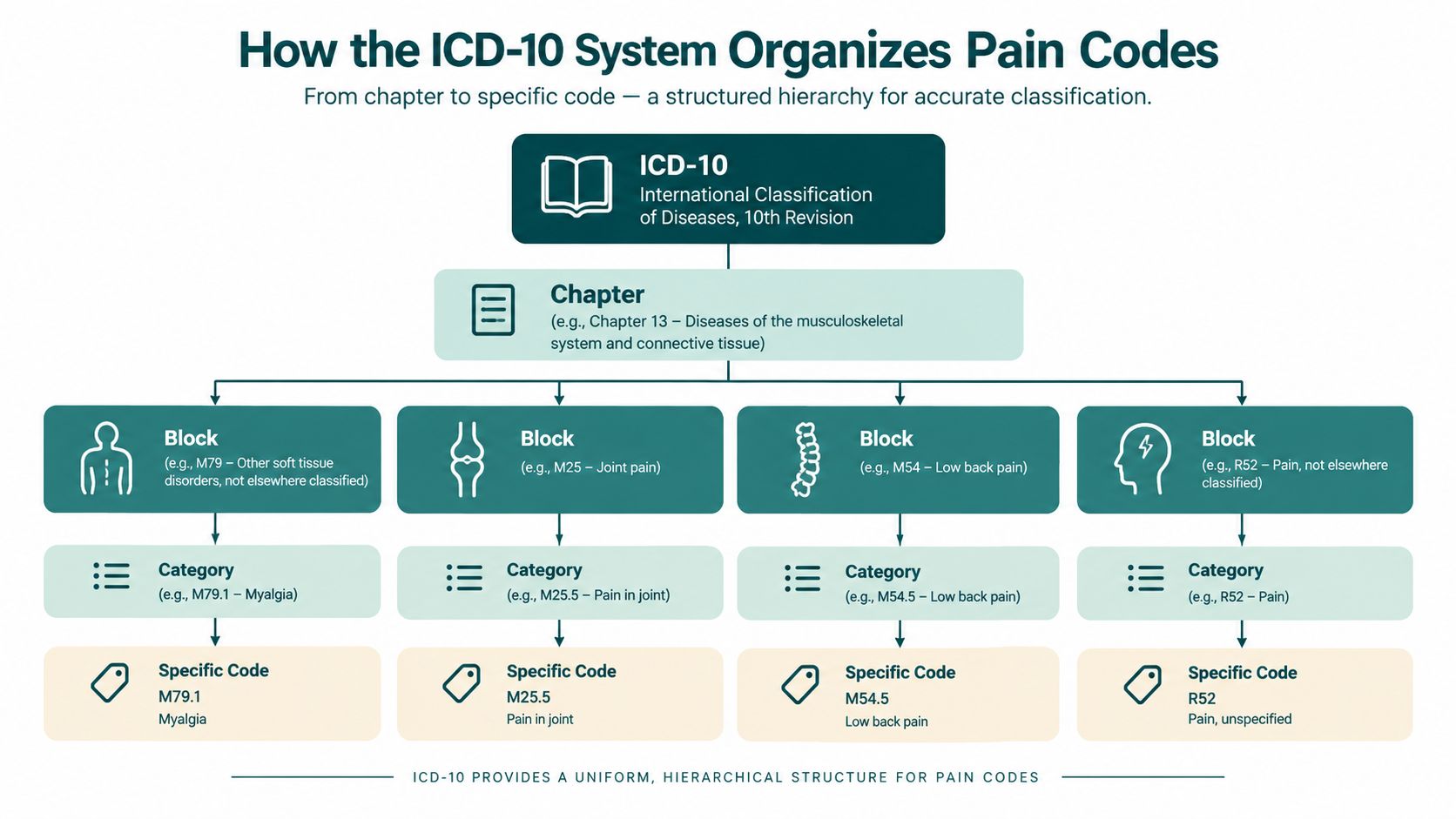
General pain codes and characterization codes
For coding teams, G89 acts as a characterization layer. A note may document lumbar stenosis, neuropathy, or a post-surgical pain state, and G89 clarifies that pain is part of the encounter description. The disease code explains the underlying condition. The pain code explains the symptom pattern that the provider is treating.
That distinction matters in audits and claim review. If the chart gives enough detail to tie the pain to an etiology, the code set should reflect that relationship. If the chart is vague, code only what the documentation supports and avoid forcing a chronic label that the note does not justify.
Chronic, acute, postprocedural, and syndrome-based pain
These categories are separate for a reason. Chronic pain, acute pain, postprocedural pain, and chronic pain syndrome do different jobs in the record, and payer review depends on the difference. A provider who documents postprocedural pain, trauma-related pain, neoplasm-related pain, or chronic pain syndrome has already given the coder the direction needed for the code choice.
The practical test is simple. Acute pain describes a current pain state that is not documented as longstanding. Postprocedural codes connect pain to a procedure. Chronic pain codes fit persistent pain when the provider states it that way. Chronic pain syndrome is broader than a symptom label, so it should be coded only when the record supports that syndrome-level diagnosis.
The coder's job is to translate the provider's documented meaning into the correct code set, then make sure the rest of the record supports it.
Complete Reference to Chronic Pain ICD 10 Codes in the G89 Family
Keep the G89 entries in view while reading the note. Once the provider states the pain type or the cause, the code choice usually becomes much clearer. If the chart supports a specific etiology, code to that level instead of stopping at a broad chronic pain label. The CMS FY 2026 ICD-10-CM coding guidelines support that approach when the documentation names the source, such as trauma, post-thoracotomy pain, other postprocedural pain, neoplasm-related pain, or chronic pain syndrome.
The code family and what each one signals
G89.21 is for chronic pain due to trauma. Use it when the provider ties persistent pain to an injury history, such as a prior fracture, accident, or other traumatic event. A clean note may say “chronic pain secondary to old motor vehicle accident,” which gives the coder enough direction to avoid a generic pain code.
G89.22 is for chronic post-thoracotomy pain. The code is narrow by design. If a thoracic surgery note documents ongoing pain after thoracotomy, the code should reflect that exact context rather than slipping into a broader chronic pain entry.
G89.28 covers other chronic postprocedural pain. Use it when the chart clearly connects pain to a procedure but does not fit the more specific thoracotomy category. A post-op note that documents persistent pain after surgery, with the procedure named, is the kind of record this code was built for.
G89.29 is other chronic pain. It works as the fallback when pain is clearly chronic but the cause is not documented with enough specificity for a more targeted code. It should not become the default just because it is convenient. If the etiology is in the note, code the etiology-supported option instead.
G89.3 is neoplasm-related pain. Oncology documentation should support this code when pain is related to malignancy or the treatment context. The key question is whether the provider has linked the pain to the neoplasm. If they have, the code should mirror that linkage.
G89.4 is chronic pain syndrome. This is more than “pain that has lasted a long time.” The term implies a syndrome-based condition, often with broader functional or psychosocial features, so the chart needs to support that level of specificity. Routine chronic pain should not be pushed into chronic pain syndrome without clear provider documentation.
Quick reference table
| ICD-10 Code | Descriptor | When to Use | Example Documentation |
|---|---|---|---|
| G89.21 | Chronic pain due to trauma | Pain clearly linked to prior trauma | “Chronic left shoulder pain after prior fall.” |
| G89.22 | Chronic post-thoracotomy pain | Persistent pain after thoracotomy | “Ongoing pain following thoracotomy.” |
| G89.28 | Other chronic postprocedural pain | Chronic pain after a documented procedure | “Persistent pain after lumbar surgery.” |
| G89.29 | Other chronic pain | Chronic pain without a more specific documented cause | “Chronic pain, cause not otherwise specified.” |
| G89.3 | Neoplasm-related pain | Pain tied to cancer or malignancy context | “Pain related to metastatic disease.” |
| G89.4 | Chronic pain syndrome | Provider documents a syndrome-level pain condition | “Chronic pain syndrome with functional limitation.” |
What to avoid in routine chart review
Do not use G89.29 just because it feels safe. If the provider wrote trauma, surgery, cancer, or another defined source, the chart should point you to a more precise code. Do not assign chronic pain syndrome unless the documentation really supports a syndrome-level diagnosis. And do not leave the record vague if a better diagnosis is already sitting in the encounter note.
Chronic Pain Versus Site Specific and Acute Pain Coding
The fastest way to miscode a pain encounter is to treat every pain complaint the same way. A patient can have back pain, joint pain, or generalized pain and still need different coding depending on whether the pain is acute, chronic, postprocedural, or linked to another diagnosis. The code choice changes because the documentation changes, not because the symptom name sounds similar.
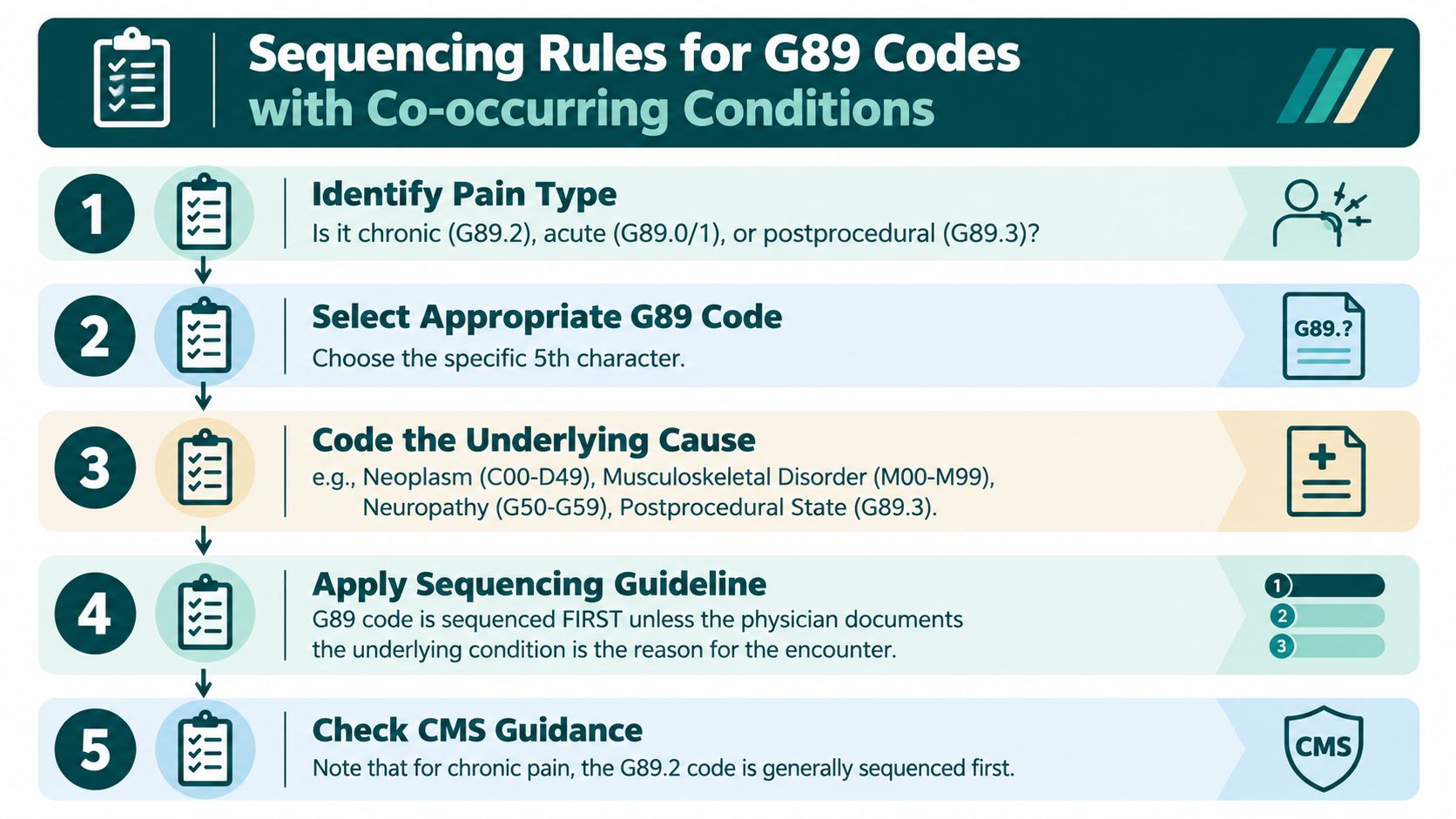
When a site-specific code is enough
If the provider documents a pain location and does not describe the pain as chronic or tied to a broader pain syndrome, a site-specific code may be enough. That's often the case in straightforward musculoskeletal visits where the diagnosis is the joint, region, or spine condition itself. In those charts, adding a chronic pain code without support can muddy the claim instead of helping it.
A coder should ask a simple question. Is the encounter about the pain symptom, or about the disease causing the pain? If the answer is the disease, the disease code usually deserves primary attention. If the answer is the pain state itself, the G89 family may carry more weight.
When chronic pain coding belongs in the chart
Chronic pain coding belongs when the provider documents persistent pain as a clinical issue that needs active management. That could appear in primary care, orthopedics, pain management, oncology, or post-op follow-up. The point is not specialty. The point is whether the note supports the chronic pain designation and connects it to a documented context.
A chart that says “chronic low back pain due to degenerative disc disease” is different from a chart that says “back pain.” The first gives the coder a pathway. The second may only support a symptom or site code, depending on the rest of the record.
How acute and chronic entries differ in real workflow
Acute pain codes and chronic pain codes do not belong in the same bucket. CMS keeps those distinctions because the clinical meaning is different and sequencing can change claim handling. If the provider is treating an acute flare, the acute code family may fit better. If the patient is being followed for longstanding pain, the chronic code family is usually more accurate.
The mistake I see most often is not technical. It's a documentation mismatch, where the note reads one way and the code choice tells a different story.
A simple comparison you can use at review time
- If the note names a body part only, confirm whether the body-part code alone is enough.
- If the note names a chronic condition, look for the underlying diagnosis first.
- If the note names a chronic pain state, check whether the G89 chronic code fits better than a symptom code.
- If the note names cancer or a procedure, look for the pain code that matches that cause.
- If the note is vague, ask for clarification before the claim goes out.
Sequencing Rules and Common Co Codes for Chronic Pain
A chronic pain claim usually turns on sequencing, because the code order needs to match the reason for the encounter. When the cause is known, the pain code and the underlying diagnosis belong together. The pain code shows the pain state, and the primary disease code preserves the condition driving it. That is the order auditors expect to see.
How the underlying condition changes the claim
A provider can document chronic pain and still treat the underlying disease as the main reason for the visit. In that setting, the disease diagnosis may lead. If the visit is focused on pain management, the chronic pain code may be listed first when the note supports that choice. The deciding factor is the encounter focus, not routine.
The causal condition often comes from different specialties. Oncology notes may link pain to neoplasm. Orthopedic and primary care notes often connect pain to musculoskeletal disease. Neuropathy-related pain may point to nerve disorders. Postprocedural pain needs the procedure state clearly documented so the code choice is defensible.
Co-code patterns that help keep claims clean
- Neoplasm-related pain: pair G89.3 with the cancer diagnosis when the provider links the pain to malignancy.
- Trauma-related pain: pair G89.21 with the injury history or residual condition when documented.
- Postprocedural pain: pair G89.28 with the procedure or postprocedural state when the note supports it.
- Chronic pain syndrome: pair G89.4 only when the syndrome-level documentation is in the chart.
- Other chronic pain: use G89.29 when the pain is chronic but the etiology is still undocumented or nonspecific.
Billing teams should look for one clear causal chain. If the note supports it, the code set should reflect it. If it does not, the claim is harder to defend when a payer reviews medical necessity.
EMR prompts that prevent missing linkage
Templates can help without forcing providers to write more than needed. A strong chronic pain template asks for the cause, the pain location, how long the provider says it has been present, and whether pain is the reason for today's visit. It can also prompt the provider to state whether the pain is postprocedural, trauma-related, or cancer-related when that is clinically true.
For busy practices, structured scribing and billing review reduce back-and-forth after the encounter. A workflow that keeps the pain description, cause, and treatment plan in the same record makes coding easier to defend later. That is also where a HIPAA-compliant virtual assistant workflow guide can help practices that want remote support tied to documentation and billing.
Documentation Pointers That Support Accurate Chronic Pain Coding
Auditors don't want creativity, they want a chart that says what the provider meant. For chronic pain, the note has to support the diagnosis, the reason for the visit, and the relationship between pain and the underlying condition when one is known. If the provider never documents that relationship, the coder shouldn't manufacture it.
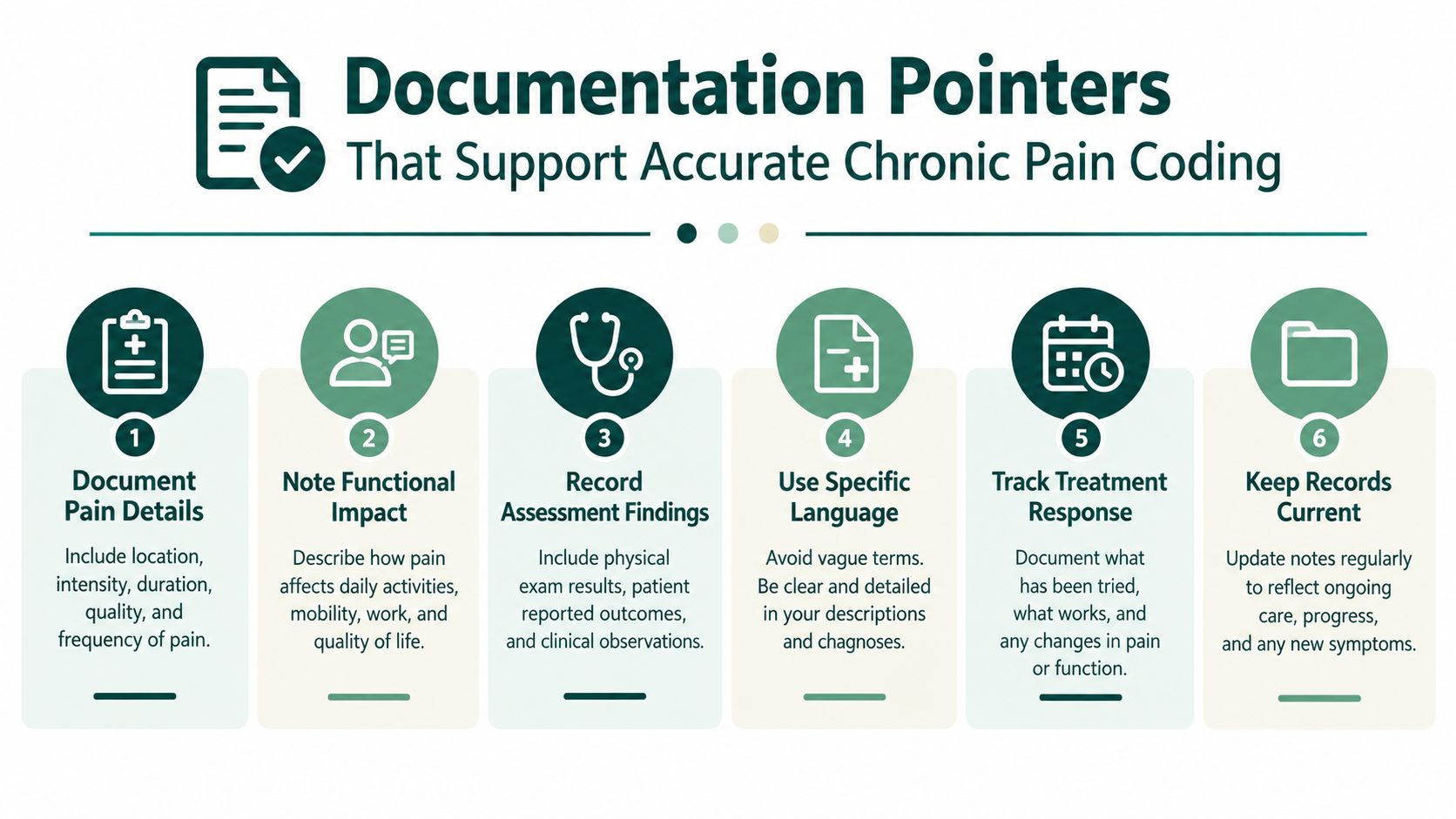
What the note should contain
A defensible pain note usually includes the following:
- Etiology: the provider identifies the cause when known, such as trauma, procedure, neoplasm, or another underlying condition.
- Location: the note identifies where the pain is most prominent or how it presents clinically.
- Severity: the provider describes the level of pain in words or with a pain scale if that's part of the encounter.
- Duration: the chart reflects the provider's description of the pain as chronic, persistent, longstanding, or otherwise ongoing.
- Functional impact: the note describes how the pain affects movement, sleep, daily activity, or work.
- Treatment plan: the provider states what's being done, whether that's medication review, imaging, referral, therapy, or follow-up.
Those elements don't need to be wordy, but they do need to be present somewhere in the encounter. A short, clear note is usually stronger than a long note that never pins down the diagnosis. If the provider is treating multiple issues, the pain-related language should still be easy to find.
What coders can't infer
Coders can't decide that pain is chronic just because the patient has been seen before. They can't assume syndrome language just because the case is complex. They can't pull a cause out of thin air when the provider didn't document one. That boundary matters in audit work, because coding is translation, not interpretation beyond the record.
If the chart doesn't support the wording, the code doesn't support the claim.
How remote documentation support fits the workflow
Many practices use virtual medical scribes or administrative support to keep notes tighter on the same day the visit happens. That kind of support is useful when it helps capture the provider's words accurately, prompt missing pain details, and get the chart closed before memory fades. It can also help patient intake staff gather prior records so the current provider can verify whether the pain history is chronic and continuous.
The main benefit is not speed for its own sake. It's consistency. A clean note reduces coding questions, shortens billing follow-up, and gives the payer a better record if the claim is reviewed. For practices exploring remote help, the key is to keep the assistant role within documentation and administrative boundaries, not clinical decision-making.
Common Coding Errors Denials and How to Prevent Them
Most chronic pain denials don't come from obscure coding theory. They come from avoidable workflow mistakes. The claim either uses a vague code when the chart supported something more specific, or it sequences the diagnosis in a way that doesn't match the encounter focus. Sometimes the problem is older guidance still sitting in a template after the documentation standard has already moved on.
The errors that show up most often
- Using an unspecified pain code when the note gives a specific cause. If the provider documented trauma, postprocedural pain, or neoplasm-related pain, the chart should usually reflect that specificity.
- Missing the link between chronic pain and the underlying condition. The note may mention both, but the claim doesn't show how they relate.
- Sequencing the codes backwards. The primary diagnosis doesn't always belong to the pain code, especially when the visit is centered on the underlying disease.
- Using chronic pain syndrome without support. That label can attract scrutiny if the record only shows ordinary chronic pain.
- Relying on an outdated template. Pain language that once passed review may no longer match current documentation habits.
A pre-billing checkpoint helps here. Billing assistants and insurance verification staff can compare the assessment, the linked diagnoses, and the plan before claim submission. That review is especially useful when multiple pain sources appear in one note or when the visit blends disease management with symptom control.
A practical claim review workflow
- Check the provider's exact wording. Don't rely on the problem list alone.
- Verify the etiology. If one is documented, make sure the diagnosis reflects it.
- Confirm sequencing. Ask whether the encounter is for pain management or for the underlying condition.
- Look for syndrome language. Only use it when the record supports it.
- Match the claim to the note. If the narrative and the diagnosis list disagree, fix it before submission.
Daily denial work matters because chronic pain claims often reappear in the same patterns. If your team resolves the documentation issue early, you're less likely to let the account drift into avoidable follow-up. For practices that also need support with utilization review and payer submissions, a prior authorization and insurance follow-up workflow can help keep pain-related claims moving without losing the documentation thread.
The Takeaway
Chronic pain ICD 10 coding works best as a documentation-led decision, not a memory test. G89.2 is the chronic pain family to watch, but the right code still depends on what the provider documented, trauma, a procedure, cancer, a syndrome, or no clear cause. CMS guidance keeps those distinctions in play, and code-set updates continue to reinforce them.
For practice managers and billing leads, the next step is a cleaner note-to-claim workflow. Update templates so they prompt for cause, duration, location, severity, and treatment plan. Train providers to state the pain relationship clearly. Then have billing or remote support review the linkage before the claim goes out.
A pre-billing check also helps when chronic pain overlaps with disease management or symptom control in the same visit. That review catches mismatched diagnoses early, before the chart turns into a denial.
If your team wants help keeping notes, billing, and follow-up cleaner, MedicalVirtual can support U.S. practices with pre-vetted remote staff who understand clinic workflows. Their services can include documentation support, billing assistance, and prior authorization help, which can keep chronic pain charting more audit-ready without adding in-house overhead.
The ugly little truth about medical billing services is that they're usually judged when the practice is already bleeding cash. Full schedule, phones ringing, charts moving, and still the money shows up late, incomplete, or not at all. That's not a “billing problem.” That's a revenue problem wearing a headset and a polite smile.
KFF's 2024 insurer data says HealthCare.gov carriers received about 496 million claims, and roughly 85 million in-network claims were denied, which works out to an average 19% in-network denial rate and 37% out-of-network denial rate. In plain English, nearly 1 in 5 in-network claims needed follow-up, correction, appeal, or write-off, so billing isn't back-office paperwork, it's the part of the machine that decides whether work becomes cash (KFF denial data summary). If your team is busy but your cash is slow, you don't have a production problem. You have a claims-control problem.
That's why I'm blunt about this: the right billing support isn't about “sending claims.” It's about preventing avoidable denials, catching payer nonsense early, and getting paid before your AR turns into a museum exhibit. We'll get practical fast, because nobody needs another fluffy brochure about “streamlining workflows” while the overdue balances keep growing.
Introduction Why Your Billing Feels Broken Even When You Are Busy
A lot of practices live in this weird limbo where everyone looks slammed, yet collections still trail the work. The front desk is busy, the clinical team is backed up, and the billing inbox is full enough to qualify as a hazardous material site. Busy does not equal healthy.
The core issue is that billing is usually treated like a cleanup crew instead of what it is, the cash conversion engine. When claims slip, get denied, or age out, the practice doesn't just lose time, it loses power. A clean claim gets paid. A sloppy one gets stuck, and then somebody in your office gets to spend their afternoon chasing a payer who apparently enjoys making simple things weird.
The scale matters. KFF's 2024 insurer data showed wide variation, with in-network denial rates ranging from 3% to 36% across insurers and states, which is exactly why one-size-fits-all billing is a joke that keeps costing money (KFF denial data summary). Payer-specific workflows, documentation discipline, and follow-up rules aren't optional extras, they're how you keep cash moving.
So here's the promise. By the end, you'll know what medical billing services do, what they should cost, how to judge whether they're working, and when outsourcing beats suffering heroically in-house. If you've ever wondered whether your billing is merely annoying or broken, you're in the right place.
How Medical Billing Services Actually Work From Charge to Cash
Think of the revenue cycle like an airport baggage system. The bag leaves the plane, gets scanned, routed, checked, re-routed, and hopefully lands on the right carousel. When it works, nobody notices. When it breaks, everyone is standing around annoyed and asking who touched the bag.
From the visit to the claim
It starts with charge entry and coding review. Someone has to make sure the visit, procedure, diagnosis, modifiers, and payer rules line up before anything leaves the building. That's where good billing support earns its keep, because a claim that's coded badly is already half-denied.
Then comes claim scrubbing and submission. Scrubbing is just a fancy word for catching obvious mistakes before the payer does. Wrong member data, missing modifiers, mismatched diagnosis linkage, expired authorization, bad place-of-service, all the usual gremlins get filtered here. If your scrubber is weak, you're basically paying staff to mail problems.
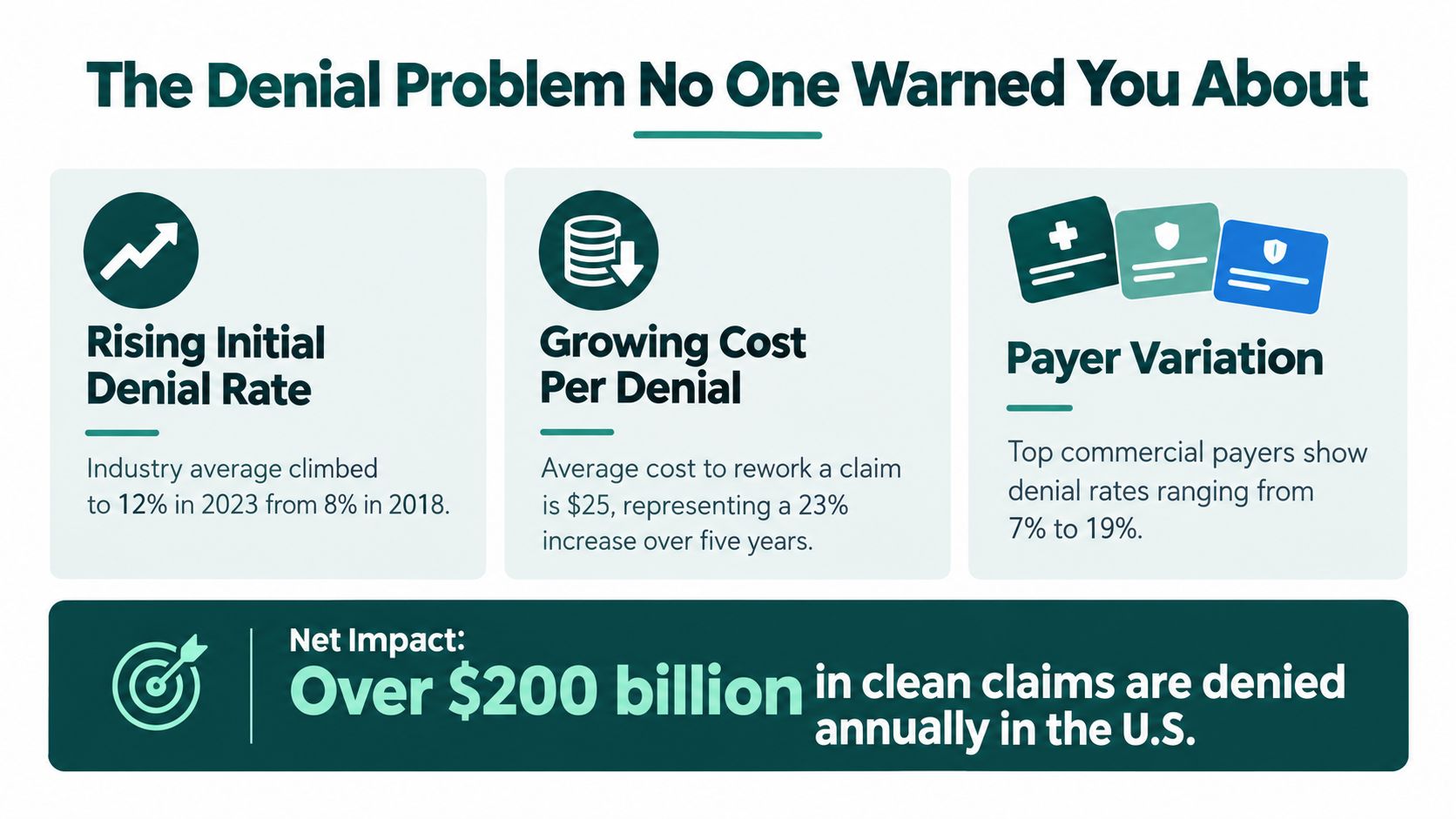
Your insurance verification process matters earlier than many expect, because bad eligibility work turns into claim drama later. A solid verification workflow is worth studying at the front end, and this practical guide to insurance verification is a useful reference if your check-in process keeps tripping over the same insurance issues.
Practical rule: if the front-end data is weak, the back-end billing team spends its life cleaning up messes that should never have been created.
From payment posting to patient balance
Once the payer sends money or a denial, the next step is payment posting. That's not just bookkeeping. It's where contract variances, underpayments, and weird payer behavior show up if anyone is looking. After that comes denial management, appeal prep, payer follow-up, and finally patient statements.
The point is simple. Clean claims move quickly, denials move slowly, and unresolved claims age into cash flow pain. When billing services are doing their job, they're not just processing transactions. They're protecting the practice from avoidable leakage, one payer rule at a time.
The Denial Problem No One Warned You About
Denials aren't just more common. They're more expensive, more selective, and more irritating in all the wrong places. The old school view was that denials were mostly a volume problem. Not anymore. Now the smart money is on margin impact per denial, because a low-value denial that gets fixed in 20 minutes is not the same beast as a high-dollar denial tied to prior auth, medical necessity, or a payer that likes moving the goalposts for sport.
HFMA reported initial claim denials climbed to nearly 12% in 2024, up 2.4% year over year, while industry reporting tied to Optum put the all-payer denial rate at about 12% in 2023, up from 9% in 2016 (industry reporting on denial trends). That's not random noise. That's a slow grind toward more operational friction, more staff time, and more revenue at risk. The same reporting estimated about $262 billion in U.S. medical claims were initially denied out of roughly $3 trillion submitted annually, which is a giant pile of avoidable chaos if your workflow is sloppy.
Not all denials deserve equal attention
The common mistake is treating every denial like it deserves the same amount of oxygen. It doesn't. Medical necessity, prior authorization, and payer-specific policy mismatches tend to hit margin harder than routine data fixes because they consume more staff time and often sit closer to the payer's decision layer.
That's why the best billing teams don't just count denials. They sort them by payer, by category, and by expected recovery value. If a payer has a habit of denying the same service line, the answer is not more heroic follow-up. It's a better workflow, tighter documentation, and a smarter front-end gate.
The same logic applies to follow-up timing. Prior auth delays don't just irritate staff, they create claim aging and abandonment risk. The point isn't to “work harder.” It's to work the denials that move the margin needle.
Useful filter: if a denial category keeps showing up and the dollar value is real, fix the upstream workflow first. Chasing the same broken claim format again and again is billing theater.
If you want a decent mental model, use this: raw denial count tells you how noisy the room is. Payer-specific dollar exposure tells you where the fire is.
For a clean operational overview of prior authorization bottlenecks, the practical breakdown at insurance prior authorization is worth a look if your denials keep starting with “authorization not on file.”
Pricing Models for Medical Billing Services and What You Really Pay
Pricing is where a lot of practices get seduced by a pretty number and then discover the quote left out the annoying stuff. Cheap billing can be very expensive if it lets denials age, underpayments slip, and filing deadlines pass. The core question isn't “What's the lowest fee?” It's “What's the total cost of bad collections?”
| Medical Billing Pricing Models Compared | How It Works | Best For | Watch Out For |
|---|---|---|---|
| Percentage of collections | The vendor takes a cut of what gets collected | Practices that want aligned incentives and variable cost | Can quietly tax growth if the vendor's scope is vague |
| Flat fee per claim | You pay for each claim processed | High-volume, predictable claim flow | Can reward volume over quality if denial work isn't included |
| Flat monthly fee | One set monthly invoice for an agreed scope | Practices that want budget certainty | Scope creep, hidden add-ons, weak denial support |
| Hybrid or staffing-based model | A mix of service fee and dedicated support time | Practices needing coverage, control, and flexibility | Contract terms can get muddy fast if deliverables aren't explicit |
What good proposals actually include
A decent proposal should spell out claim submission, payment posting, denial follow-up, appeals, patient statements, timely filing support, and reporting. If those items are buried under vague language, you're not buying billing. You're buying surprises in monthly installments.
The best fit depends on practice size and claim complexity. A small office with one payer mix and simple workflows might prefer predictable monthly pricing. A busier multi-provider group often needs a model that keeps incentives aligned with collections, not just claim volume. If the vendor gets paid the same whether they fix denials or shrug at them, guess which behavior you'll get more of.
My rule: if a billing proposal doesn't clearly state who owns denial follow-up and timely filing tracking, keep your wallet in your pocket. Vague billing contracts are how practices end up mortgaging their patience and their margins.
Five KPIs That Tell You If Billing Is Working
You don't need forty dashboards. You need five numbers that tell you whether cash is flowing or leaking. Everything else is decorative. Nice to look at, not useful in a fight.
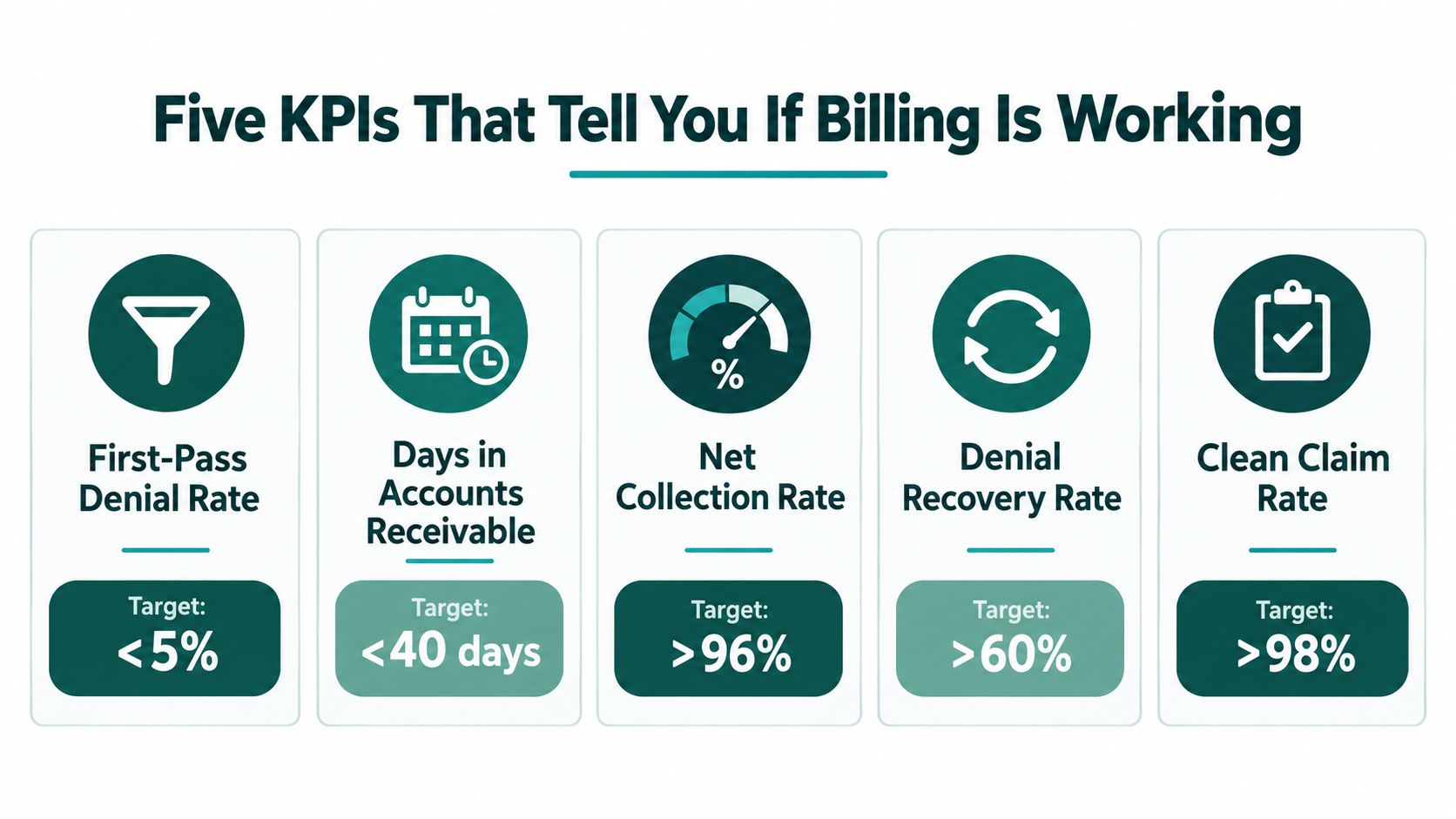
The five that matter
First-pass denial rate tells you how many claims get kicked on the first go. A large U.S. physician-practice benchmark sits around 8% for first-submission denial rate, while broader reporting places initial denial rates around 11.8% to 12%, and private-payer initial denial rates near 15% (benchmark reporting). If you're consistently in the double digits, don't brag about follow-up heroics. Fix the front end.
Days in AR tells you how long your money is sitting in the waiting room. Net collection rate tells you how much of your allowable revenue makes it back. Denial recovery rate shows whether appeals are working or just producing more emails. Clean claim rate tells you whether your submission process is doing its job.
The smart move is to review these weekly, not monthly, in a short huddle. If first-pass denial rate is ugly, registration and coding need attention. If days in AR are bloated, follow-up cadence is too slow or payer queues are poorly managed. If clean claim rate is strong but net collections are weak, you've probably got underpayments or write-off leakage hiding in plain sight.
Claim filing deadlines also make speed essential. Payer limits often range from 90 days to one year from date of service, and can be as short as 15 to 30 days, so “we'll get to it next week” can turn into a write-off before anyone notices (AAFP on filing deadlines). That's why the best billing teams work like adults with a stopwatch, not philosophers with a backlog.
Quick operating rhythm: check the five KPIs every Monday, split denials by payer and reason, and assign follow-up the same day. If a metric is ugly on Friday and untouched by Wednesday, you don't have a dashboard. You have a museum exhibit.
Outsource vs In House How to Make the Right Call
People get weirdly sentimental about their office setup. “We've always done it in-house.” Great. And some practices have also always used fax machines, which doesn't make them wise. The right choice is not ideological. It's operational.
A business associate under HIPAA is any non-workforce person or entity performing functions or services for a covered entity that involve access to PHI, and HIPAA requires a written business associate contract with specific safeguards and obligations (HHS business associate guidance). That means any outside billing help has to be contractually clean, not just convenient.
In-house, outsourced, or hybrid
In-house gives you control and immediate proximity to the front desk, but it also gives you payroll, turnover risk, training time, and coverage gaps. If your best biller goes on vacation and the claims stop moving, that's not resilience. That's a single point of failure in scrubs.
Outsourced works when you need scale, payer expertise, and steady follow-up without adding internal headcount. It's especially useful when prior auth delays, denial volume, or labor shortages are chewing up your admin team. The tradeoff is that you need tighter vendor governance, stronger reporting, and a clear contract.
Hybrid is usually the least romantic but most practical choice. Keep key oversight in-house, outsource the grinding work, and let the outside team handle submission, denials, payer follow-up, and patient billing support. That way you're not trying to build a billing empire with three overworked humans and a whiteboard.
If you're evaluating staffing help alongside billing support, a medical virtual assistant can cover billing-adjacent tasks like eligibility verification, claim submission, denial management, payment posting, and patient billing while working client clinic hours inside EMR and phone systems. One factual option in that category is MedicalVirtual, which places pre-vetted personnel for healthcare practices and includes placement and compliance support.
The decision rule I'd use
- Choose in-house if you have stable staff, low complexity, and someone owns the metrics.
- Choose outsourced if denials, follow-up delays, or staffing churn are already hurting cash.
- Choose hybrid if you want control at the top and help on the repetitive grind underneath.
If your team is spending half its day on payer queues and the other half apologizing for unanswered calls, the “do everything ourselves” model is already costing you more than a smarter setup.
For practices comparing staffing support options, the practical hiring and role breakdown in what a medical virtual assistant does is a useful reference when you're deciding what to keep internal and what to offload.
Your Next Move A Practical Checklist Before You Decide
Start with the boring stuff, because the boring stuff is where the money leaks. Pull your timely filing rules and make sure someone is watching them. Then look at your five KPIs side by side, not in isolated little silos where bad news goes to hide.
Next, sort denials by payer and reason, then ask the ugly question, which ones are hurting margin the most. A low-volume, high-dollar denial category deserves more attention than a noisy pile of cheap rejections. That's the difference between billing work and revenue management.
Then pressure-test staffing. If one person leaving can derail your billing, your model is too fragile. If prior auth, claim submission, and payer follow-up are all living in the same exhausted inbox, you already know the answer.
My blunt recommendation: fix the front-end defects first, then decide whether your current team can keep up with the follow-through. If they can't, bring in help before the backlog starts eating another quarter. Practices don't usually lose money in one big dramatic blow. They lose it in a hundred tiny delays, and then wonder why the bank account looks offended.
If your billing feels stuck in follow-up purgatory, MedicalVirtual can take some of the load off with HIPAA-aligned staffing for eligibility checks, denial work, patient billing, prior auth, and related admin tasks. Visit MedicalVirtual to see how a clinic-hours assistant model fits this kind of work without forcing a wholesale rebuild of your process.
The front desk never gets a clean run. The phone rings while someone is checking in a patient, voicemail fills up, and a second line starts blinking like it has a grudge. Then a provider wants the schedule tightened, a patient wants to move tomorrow's visit, and your best receptionist is somehow expected to be in three places at once. That's the mess virtual medical reception is built to clean up, and it is more than “someone answering the phone from somewhere else.”
The core issue is not whether the phone is annoying. It is whether missed calls, slow callbacks, and sloppy handoffs are draining appointments from your calendar while staff spend the day chasing rings. A large patient-access benchmark found that practices using self-scheduling cut inbound scheduling calls by 60% and that the average practice receives 53 scheduling-related calls per provider per day, with each call taking about 4.2 minutes of staff time, or roughly 3.7 hours of labor per provider devoted to booking and confirming visits (patient self-scheduling benchmark). That is not a minor admin headache. That is schedule leakage.

Phone access also tells you what patients need. An analysis of 29 million+ patient calls found that appointment scheduling is the single largest reason people call, making up 25.7% of all calls, with 9.5% after hours and only 0.5% between midnight and 5 a.m. (patient call patterns analysis). Translation, most of your call load is a clinic-hours problem, not an overnight problem.
Practical rule: If your coverage plan starts with after-hours overflow but ignores daytime call volume, you are patching the small fire and leaving the warehouse door open.
Clinic-hours coverage wins because it protects the money in motion. It keeps calls from going unanswered, keeps patients from drifting to the next available clinic, and keeps your schedule from leaking out one missed handoff at a time. Generic overnight answering does none of that.
What Virtual Medical Reception Really Means
A virtual medical receptionist is not just a message taker with a headset and a nicer logo. It's a remote front-desk operator who works inside your systems, follows your scripts, and handles the parts of reception that move the schedule. That means inbound and outbound calls, appointment booking, confirmations, recall work, routing messages, and basic patient follow-up.
A generic answering service is the old-school version of this category. It takes a message, maybe transfers a call, and then sends the problem back to your team. Useful? Sure. Complete? Not even close.
The three versions people confuse
A clinic can buy one of three things and call all of them “virtual reception,” which is how this market gets messy fast.
- Dedicated virtual receptionist: a trained extension of your front desk team, working your workflows and your hours.
- Generic answering service: message capture only, with little or no system access.
- After-hours overflow: a partial safety net for evenings and weekends, not a real daytime front desk replacement.
The useful mental model is simple. If the person answering can't schedule, confirm, reschedule, or log into the tools your staff already use, then you've bought a voicemail filter with better manners.
What it should actually do
A real setup handles routine admin and escalates anything clinical. It should know when to book, when to route, and when to stop pretending it's a nurse. That boundary matters, because administrative work can be standardized while clinical judgment can't.
The best version feels boring in the right way. Calls get answered. Notes show up where they belong. Staff stop redoing work that was already captured on the first touch. That's the point.
If you want a simple analogy, think of it as a remote receptionist who has the keys to your calendar, not a stranger standing outside the building scribbling names on a napkin.
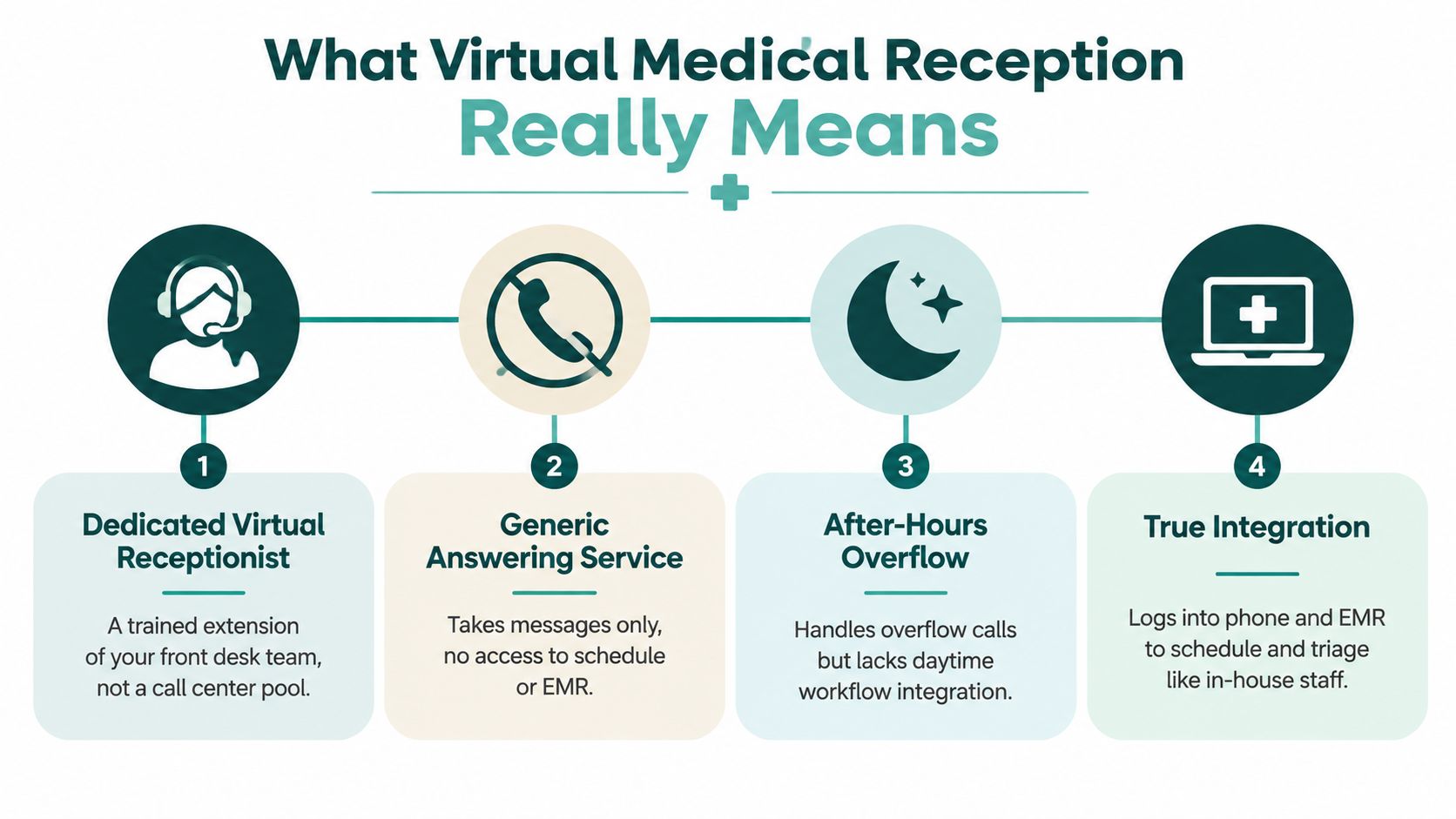
How Phone and EMR Integration Works in Practice
The magic isn't “AI” or “remote.” The magic is system access. If your virtual receptionist can't see the calendar and write into the EMR, you're just paying somebody to create more work for Monday morning.
The workflow that actually matters
A proper setup starts when your practice forwards calls to the virtual receptionist. From there, the receptionist logs into the phone system and EMR with permission that matches the task, then works the request in real time. Appointments get booked, moved, or confirmed inside the schedule, not copied into a sticky-note graveyard.
Patient verification happens in the same flow. Demographics get checked, insurance details get updated, and the handoff lands in the chart while the caller is still on the line. That's the difference between embedded staffing and disconnected call center theater.
What a good handoff looks like
A clean handoff should answer three questions before your staff ever touches the request:
- Who called?
- What do they need?
- What already happened?
If the virtual receptionist captures the call, books the visit, and leaves a clear note, your team is starting from context instead of from zero. That's the whole game.
A bad handoff creates a second task for your staff. A good handoff deletes one.
Bilingual coverage fits naturally here, too. In a real clinic, language access isn't a bonus feature, it's basic operations. The point is to let patients speak in the language they're most comfortable with while the front desk still gets structured, usable data on the back end.
The compliance piece is not optional, and it's not sexy. If the person or platform touches patient information, the arrangement needs the right safeguards. HHS says a business associate agreement is required when a covered entity uses a business associate, and that written contract has to define permitted PHI uses and disclosures, require safeguards, require breach reporting, ensure subcontractors follow the same restrictions, and allow termination for material violations (HHS BAA provisions). If a vendor gets vague on that point, keep walking.
For a deeper compliance checklist, see this practical HIPAA guide for medical practices.
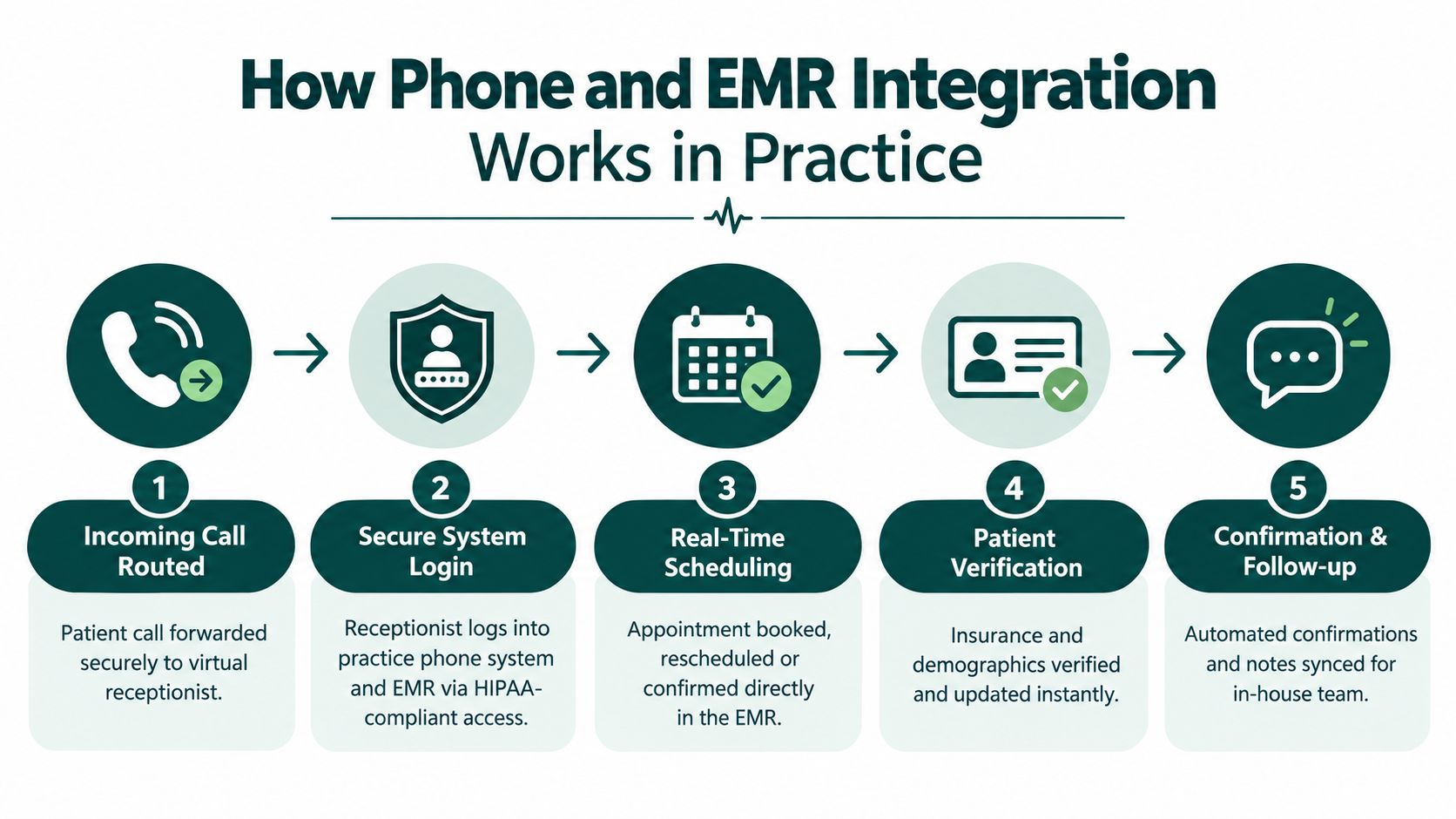
Why Clinic Hours Coverage Beats After Hours Only
Most patient calls do not show up as a midnight emergency. They show up while your staff is already busy running the clinic. That matters, because scheduling drives a big share of call traffic, while after-hours calls are the smaller slice. patient call patterns analysis shows the point clearly: the pressure sits inside business hours.
So why do so many practices buy after-hours-only coverage and call it a plan? Because it sounds neat. It leaves money on the table.
The day shift is where the money is
Clinic-hours reception catches patients when they are trying to book, reschedule, confirm, or ask a question before they give up and move on. That is where missed calls become abandoned calls, and abandoned calls become empty slots. If your front desk is thin during the day, you are protecting the quietest part of the schedule and exposing the busiest one.
Cover your own time zone first. That is the practical move. You do not need a night-only answering setup if the bottleneck hits at 10:15 a.m. on Tuesday.
What full-day coverage should look like
Full coverage does not mean someone answers only some of the time. It means calls get handled consistently while patients expect the office to be live. That includes new bookings, same-day reschedules, referral questions, reminder calls, and message triage during clinic hours.
A strong setup also keeps the desk from turning into a callback factory. Every unanswered call creates another task, and every task creates another chance for the patient to drift away. That is not theory. That is friction doing its job.
| Where Patient Calls Actually Happen | Share of Volume | Implication for Reception Coverage |
|---|---|---|
| Appointment scheduling | 25.7% | Needs live coverage during clinic hours |
| After-hours calls | 9.5% | Helpful as backup, not the main event |
| Midnight to 5 a.m. | 0.5% | Rare edge case, not the core staffing problem |
The blunt recommendation is simple. Start with clinic-hours coverage in your own time zone, then add after-hours support if your call logs justify it. Otherwise you are paying for the quiet part of the week while the loud part keeps winning.
Human AI and Hybrid Reception Compared Without the Hype
A front desk does not fail in theory. It fails on the ugly calls. The patient is upset, the instructions are unclear, or the request sits halfway between scheduling and triage. That is where the model matters.
Human reception still wins where nuance matters
Live staff handle messy conversations better. They hear the panic, ask the follow-up, move the visit, and keep the patient on the line. That matters because live outreach pays off. In a randomized study of 13,505 appointments, clinic staff calls three days before the visit produced a 13.6% no-show rate, versus 17.3% with automated reminders and 23.1% with no reminder (randomized outpatient study00108-7/fulltext)). A receptionist who solves the problem during the call is doing revenue work, not admin theater.
AI is fast, but fast is not the same as complete
AI answering is strong on repetitive calls and predictable workflows. It picks up instantly, routes cleanly, and skips hold music. Good. Useful. Still limited.
The trouble starts when the call gets messy or touches anything that feels even slightly clinical. Then the bot sounds confident and wrong, which is a terrible combination. Trust, disclosure, and logging matter more as virtual reception moves closer to triage-like work, especially in multilingual or AI-assisted setups. The technology can do more. That does not mean every task should be handed over.
Hybrid is usually the grown-up choice
Hybrid setups make the most business sense. AI handles routine FAQs, overflow, and after-hours capture. Humans handle live scheduling, sensitive calls, and anything that needs judgment. That split keeps the machine on the boring work and puts staff on the calls that require a pulse.
My bias: if your phones are messy and your patients are real humans, hybrid beats pure automation more often than the vendor deck admits.
For practices that want the human side of that mix, one option is MedicalVirtual. It places live assistants on US clinic hours inside the practice's EMR and phone systems. That is not magic. It is staffing. And if the problem is call abandonment, schedule leakage, and missed revenue during the day, staffed coverage beats a generic after-hours line every time.
Operational Benefits You Can Measure From Fewer No Shows to Faster Schedules
A good virtual reception setup disappears into the workflow. Calls get handled. Charts get updated. The schedule stops leaking like a cracked bucket. That is the whole point.
Live follow-up beats generic nudges
Reminder mechanics matter, but they do not do the whole job. In a pragmatic randomized study of primary care visits, one additional text message reduced no-shows from 9.1% to 8.4% and same-day cancellations from 6% to 5.6% (primary care text reminder study). In mental health visits, an extra text cut no-shows from 11.1% to 9.9%. Useful. Not enough on its own.
Reception has to do more than send reminders. It should confirm visits, reschedule open spots, and fill cancellations before a chair sits empty. One-way reminders are fine. Two-way recovery is better. Pair confirmations with upstream eligibility checks described in how to verify insurance before the visit, and you cut down on avoidable churn before the day even starts.
What improves when reception works
A working setup shows up in the numbers and in the mood at the front desk:
- Fewer voicemail queues: calls are handled before they stack up.
- Cleaner schedule utilization: empty slots get refilled faster.
- Less staff rework: notes land in the system the first time.
- Better patient retention: callers who get through are less likely to vanish.
- Quicker message triage: urgent items stop hiding in a pile of routine noise.
The live-staff piece matters most during clinic hours. A receptionist who can confirm, reschedule, and handle exceptions in real time protects revenue and keeps patients from drifting to the next open appointment. After-hours answering alone does not do that. It catches messages. It does not save today's schedule.
Do the math on your own calls. A smooth calendar is usually just a calendar where someone answered early enough to save it.
The point is simple. Make the work visible, routable, and recoverable before the patient moves on.
Choosing and Launching Your Virtual Reception Setup
A bad rollout starts with the wrong question. Practices ask whether to buy AI. The better question is blunt: where are calls dropping, where are patients waiting too long, and where is the schedule leaking revenue? If you cannot answer that, you are shopping by instinct, and instinct does not fill chairs.
Start with the unglamorous checks. They save headaches later.
- HIPAA and BAA: get the agreement signed before any patient information moves.
- EHR and phone compatibility: confirm the system writes into the tools your team already uses.
- Specialty fit: primary care, dental, and mental health do not run the same way.
- Coverage hours: choose clinic-hours staffing, after-hours backup, or both.
- Pricing clarity: know what is included, what costs extra, and who owns the cleanup if the workflow changes.
For role scope, costs and hiring steps, see what a medical virtual assistant does, costs and how to hire.
I trust a five-stage screening process: background check, role-specific skills testing, spoken and written English assessment, HIPAA training before start with annual refreshers, and a final placement interview. That is not fancy. It is basic control.
Onboarding should feel controlled, not heroic
Start with role scoping, not a live fire drill. The vendor or staffing partner should shape the workflow around your specialty, software stack, and hours. Then ask for a human-curated shortlist, candidate interviews, and re-matching support if the fit is wrong.
That last part matters. A front desk role is too visible for guesswork. If the person or platform cannot handle your actual call mix, you need a clean exit and a better match, not a month of polite frustration.
The practical move is clear. Put clinic-hours human coverage first. It catches calls while patients are actively booking, rescheduling, and deciding whether to stay with your practice. Generic after-hours answering does less. It takes messages. It does not recover today's schedule.
Use automation where it removes repetition. Keep humans where judgment, tone, and speed protect revenue and retention. That is the setup worth running.
You've got a Medicaid request sitting in the void, the front desk is staring at a fax queue like it owes them money, and someone in the building is asking whether the MRI is approved yet. Meanwhile, the patient is still waiting, the doctor is still asking, and your staff is still toggling between portal tabs, phone calls, and sticky notes like it's 2009. That's medicaid prior authorization in real life, not as a neat policy concept, but as a daily little chaos machine.
The annoying part is that the problem usually isn't one thing. It's not just “the payer is slow.” It's rules that change by state, plan, and service category, plus clocks that pause, requests that come back for more documentation, and denials that don't always make much sense to the people living inside them. The fix isn't more heroics. It's a better operating system.
Introduction Why Medicaid Prior Authorization Feels So Unpredictable
A clinic can do everything “right” and still get stuck. The order is valid, the diagnosis makes sense, the patient is eligible, and the request is still pending because the payer wants one more note, one more attachment, or one more piece of proof that somebody already faxed twice. That's why medicaid prior authorization feels less like a checklist and more like a maze with different floor plans in every state.
Here's the part people miss. Medicaid prior authorization isn't one universal rulebook. It's a mix of state policy, managed care plan rules, and service-specific requirements that can shift under your feet depending on what you're asking for and who's paying for it. GAO found that Medicaid managed care plans' prior authorization policies aren't consistently standardized across services, and that state oversight can be limited, especially for children's EPSDT services, which is exactly the sort of thing that turns “simple auth” into a three-day scavenger hunt GAO report.
Practical rule: if you treat every Medicaid request like it follows the same playbook, the payer will happily teach you otherwise.
There's a better way to think about it. Treat the process like a state-and-plan-specific operating system with clocks, extensions, and payer behavior variance baked in. That mindset changes everything. You stop guessing. You start checking rules first, collecting the right proof before submission, and building a track-and-escalate rhythm that doesn't chew up your staff.
The other big shift is visibility. Medicaid prior authorization is getting dragged out of the fax era and into something closer to a machine-readable workflow. The 2024 CMS interoperability rule requires a standards-based HL7 FHIR Prior Authorization API for Medicaid managed care plans and state Medicaid agencies, and CMS says decisions must move within 72 hours for expedited requests and 7 calendar days for standard requests beginning in 2026 CMS final rule fact sheet. That doesn't make the work painless. It just makes it measurable, which is a huge upgrade if you've ever tried to chase a missing status update by phone.
How Medicaid Prior Authorization Works
An MRI order lands on the desk, and the clock starts. In Medicaid, that order might be reviewed by a state Medicaid agency, a managed care organization, or a fee-for-service program, depending on how that state has set up the service. Same request, different operator. That is why one clinic gets a quick yes and another gets stuck in paperwork limbo.
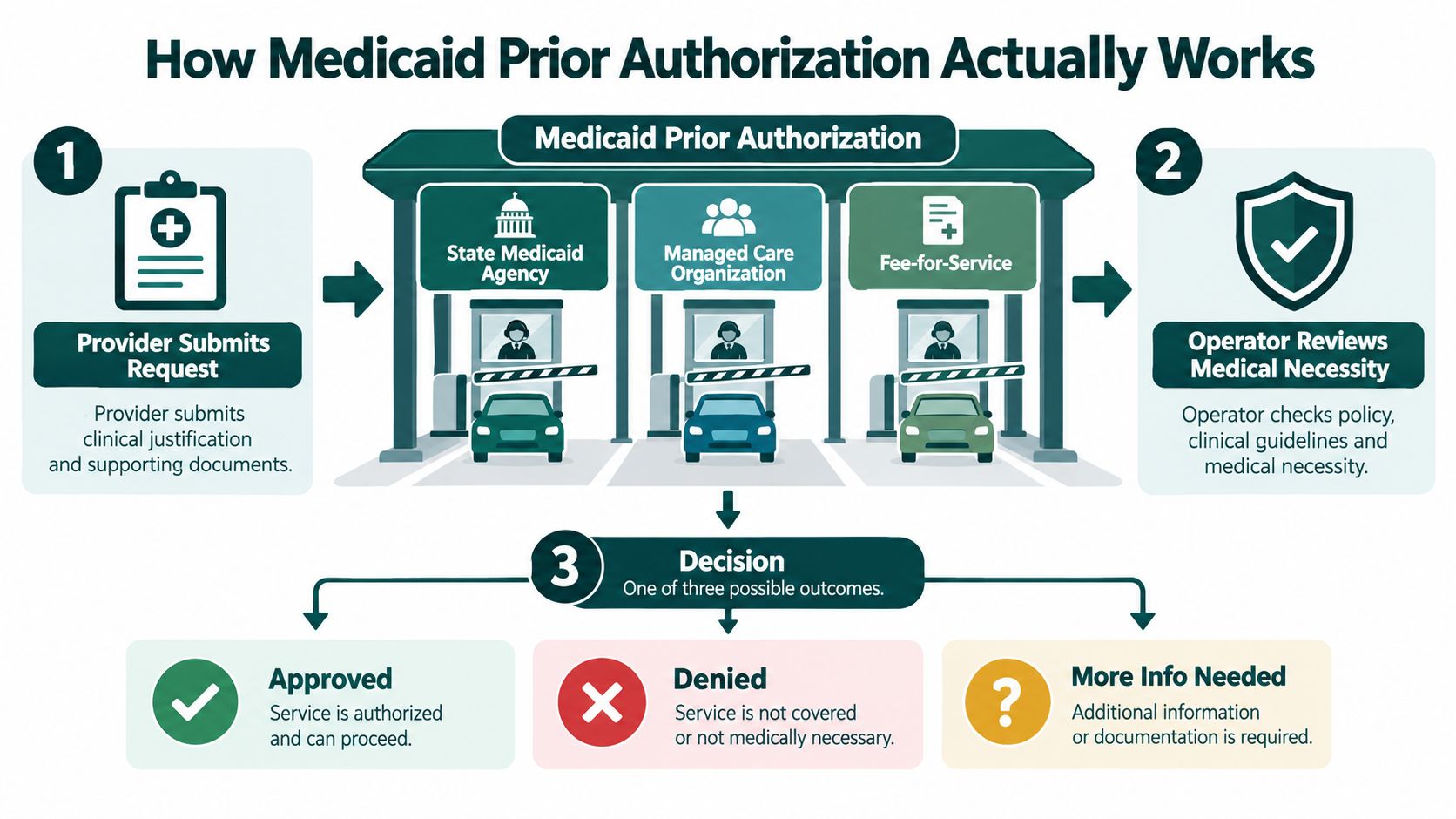
The workflow itself is plain enough. A provider submits the request, the payer checks medical necessity and whether the request fits policy, then the payer sends back approved, denied, or needs more information. The trap is usually not the clinical case. It is the packet. A strong reason with a missing attachment still sits untouched.
The Three Basic Request Types
Standard requests are the routine ones. They still need clean documentation, the right code or service description, and a submission that does not force the reviewer to hunt for basics. CMS says impacted payers must decide standard requests within 7 calendar days beginning January 1, 2026, and can extend that by up to 14 days when more information is needed CMS press release.
Expedited requests are for urgent situations. CMS sets a 72-hour benchmark for those decisions beginning in 2026 CMS final rule fact sheet. Fast on paper, slower in real life if the request goes in half-built.
Urgent does not mean exempt from cleanup. If the payer has to search for missing details, the request can still stall.
Approvals are not always clean wins. You may get a partial denial, which means part of the request passed and part did not. That is not a yes. It is a split decision that leaves the team deciding whether to appeal, resubmit, or revise the order.
The point is to manage the chain, not just the end result. Intake, submission, review, decision, appeal. If your team knows where the request sits, who owns the next move, and when the clock expires, you are already ahead of the usual Medicaid mess.
Why Requirements Change by State Plan and Service Category
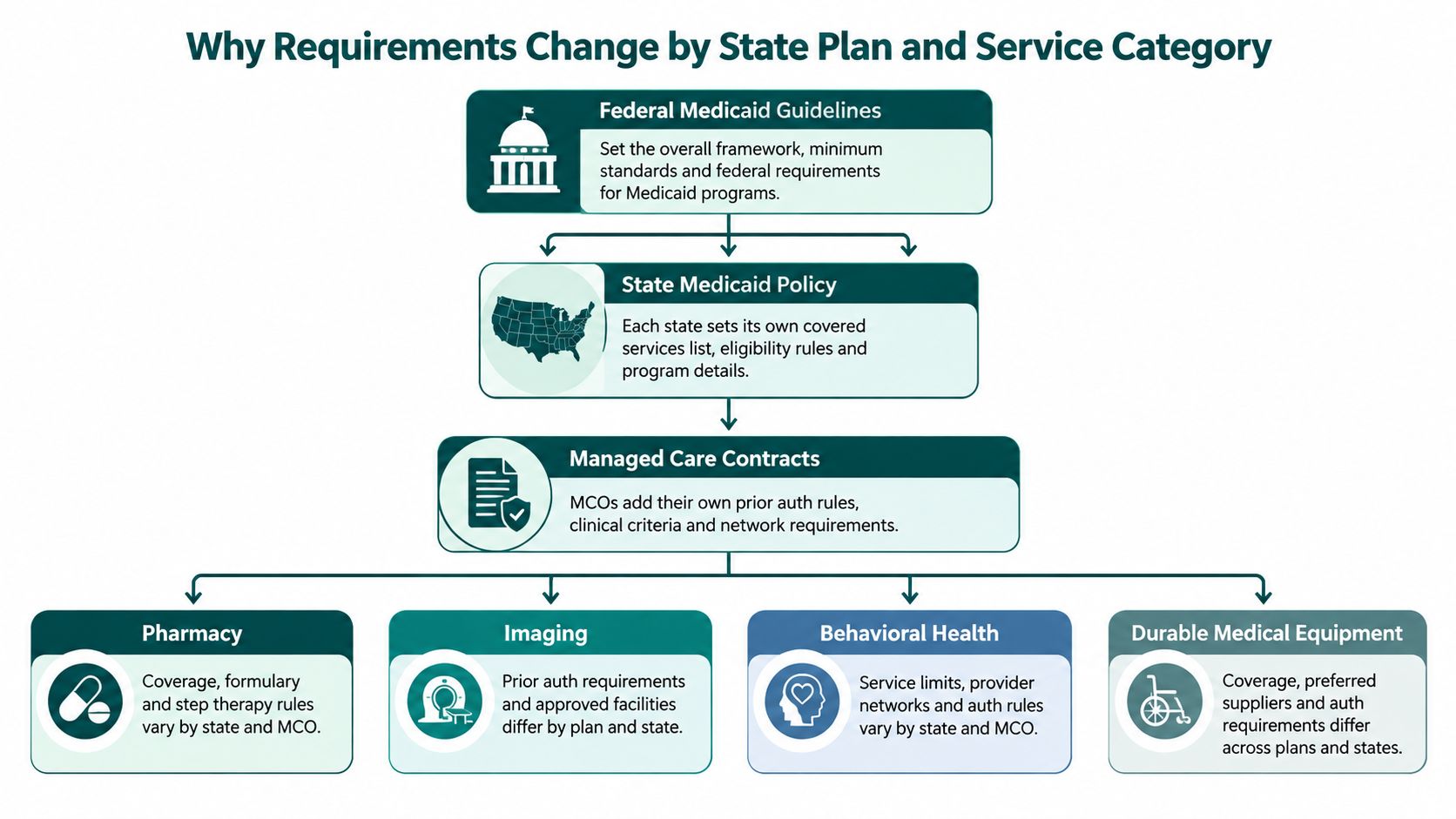
A Medicaid auth request can sail through one plan and stall in another because the rules change at several layers at once. Federal Medicaid rules set the outer frame, state policy decides what gets covered and how closely it is watched, managed care contracts add their own prior auth rules, and each service category brings its own quirks. One checklist will not survive that kind of setup.
The oversight gap is real. Reviewers found that some plans used prior authorization for services without clear state direction, and oversight was uneven, especially for children's EPSDT services. A generic template cannot solve that. You need payer-specific logic, and sometimes state-specific logic too, or the request sits in limbo while staff guess which rulebook is in charge.
Where Variation Bites Hardest
Imaging, procedures, behavioral health, pharmacy, and durable medical equipment tend to get the most scrutiny because they are easier to delay, question, or deny. The proof points are not identical across states or plans, so the same chart note may work in one place and fail in another. The practical move is to check the state Medicaid manual and the plan's prior auth policy before anyone submits. That is not glamorous work, but neither is reworking the same request three times.
Operator's note: if your staff cannot identify the governing rulebook in under a minute, your process is too loose.
Denial behavior changes too, and the patterns are not subtle. In a U.S. HHS Office of Inspector General review, Medicaid managed care plans submitted more than 17 million prior authorization requests and denied or partially denied over 2.2 million, for an overall denial rate of 12.5%, or about 1 in 8 requests. Among the 115 managed care organizations examined, 12 had denial rates above 25% OIG review summary. That is payer behavior with real operational consequences.
Build the process like a rules engine, not a guessing game. Match the payer, the service category, and the state before the request leaves your desk, and the waiting room gets a little less expensive.
What Usually Needs Authorization and What Payers Want to See
Some requests practically announce themselves. Imaging. Specialty drugs. Durable medical equipment. Procedures with expensive downstream risk. Behavioral health services in certain setups. None of those categories are mysterious, but each one tends to demand a different proof pattern, and that's where practices get tripped up.
Here's the trick. Don't collect documents because “they might want it.” Collect them because the service category almost always needs them. If you're asking for imaging, the payer usually wants to see why conservative care wasn't enough. If you're asking for a specialty drug, the payer often wants diagnosis specificity, prior therapy history, and supporting clinical detail. If you're asking for durable medical equipment, the request usually needs clear functional justification and the chart note to match.
Common Medicaid Services and Typical Documentation Triggers
| Service Category | Typical Documentation Triggers | Common Pitfall to Avoid |
|---|---|---|
| Imaging | Recent exam findings, conservative treatment history, symptom progression, clinical rationale | Sending the order without enough history to justify why the scan is needed now |
| Procedures | Diagnosis specificity, failed conservative management, specialist notes | Vague coding that doesn't line up with the clinical story |
| Durable Medical Equipment | Functional limitation, diagnosis support, chart notes showing medical necessity | Treating the DME request like a generic supply order |
| Specialty Drugs | Prior therapy history, labs, diagnosis detail, protocol match | Missing one document and forcing the payer to ask for a second round |
| Behavioral Health | Diagnosis, treatment plan, level-of-care rationale, progress notes | Submitting a thin packet that doesn't show why this setting or service is needed |
The cleanest submissions start before the form is filled out. If intake staff can spot the service category early, they can gather the right packet before the clock starts ticking. That's the difference between a request that glides and a request that boomerangs.
One practical move helps a lot here. Create a one-page cheat sheet by service type for your team, then keep it tied to the payer rules your clinic sees. If you want a broader admin workflow for this kind of front-end tasking, the process used for insurance prior authorization handling is a useful model for organizing the work without turning your staff into full-time packet archaeologists.
Documentation That Gets to Yes on the First Submission
Clean documentation isn't about volume. It's about matching the payer's logic so the reviewer can say yes without playing twenty questions. If your submission packet feels scattered, the payer will make you pay for the mess in time.
The goal is to make the request look inevitable. Eligibility checked, benefits confirmed, codes linked correctly, clinical history attached, and the medical necessity story written in plain English. That's the boring version of excellence, and boring wins a lot in prior auth.
Build the Packet Like a Reviewer Will Read It Fast
Start with eligibility and benefits verification. If the patient's coverage, product, or service category isn't confirmed before submission, you're gambling with staff time. Then make sure the CPT/HCPCS and ICD linkage matches the service and diagnosis. A beautiful note won't save a mismatched code pair.
Next, attach the evidence that tells the story. That usually means prior conservative care, relevant notes, labs, imaging, and any specialist documentation that supports the request. Keep the clinical rationale short, specific, and aligned to the payer's own criteria language where possible. You're not writing a novel. You're writing a clean yes.
Make the Workflow Hard to Mess Up
Practical rule: if your team has to remember five places to look for one auth packet, you've already built too much friction.
A strong submission workflow usually includes:
- Eligibility First: Confirm active Medicaid coverage and benefits before you touch the form.
- Code Matching: Make sure procedure codes and diagnosis codes tell the same story.
- Chart Support: Pull the exact notes, labs, or images that prove necessity.
- Document Naming: Use file names that a human reviewer can follow without squinting.
- Signature Check: Confirm the right clinician signed the right form before sending anything out.
EMR templates help, but only if they reduce hunting. If they create more fields than your staff can keep straight, they're just fancy clutter. I'd rather have a simple, repeatable packet than a “smart” template that makes everybody click through six screens and three sighs.
A useful side effect of cleaner documentation is fewer extension requests. That matters because a request that gets paused for missing records is still a request that's not helping the patient. Keep the packet tight, and resubmission becomes the exception instead of the business model.
Tracking Escalation and Beating the Clock Without Burning Out Staff
The biggest issue usually arises after submission. A packet goes out, then it sits in limbo because nobody owns the next move. That is how Medicaid prior authorization turns into a pile of open tabs and tired people.
The clock is only half the story. Medicaid managed care plans have long used different review windows, and the newer federal framework, noted earlier, tightens the standard timeline while still leaving room for an extension when more documentation is needed KFF summary. So a request can look manageable on paper and still drag in real life. That is why you need an operating rhythm, not optimism.
Run a Visible Status Queue
Every request needs a plain status that the whole team can read without decoding it. Submitted. Pending review. Additional info requested. Resubmitted. Approved. Denied. Appealed. Anything fancier just hides the problem.
Ownership matters too. One person should own the next action, even if another person gathers the records. If the plan is “someone will call back,” you do not have a plan. You have a shrug.
Track the request the way a good dispatcher tracks a busy route, one clear handoff at a time. Put the next move in the queue before the current step goes stale. That keeps the work from living in one staffer's inbox, which is where good intentions go to die.
The newer CMS interoperability rule makes this even more operational, because prior auth data has to be exposed in ways that are easier to audit and move between systems, as noted earlier in the rule discussion. That matters because status chasing should not depend on who is most patient on hold.
If the request lives only in one person's inbox, it does not really exist.
For clinics that want fewer phone loops, build three things into the workflow from the start, a follow-up cadence, escalation triggers, and appeal-ready documentation. A team that already knows what will be appealed before the denial lands does not scramble nearly as much. For staffing design around this kind of front-office coverage, the logic is similar to a virtual medical receptionist role, except here the payoff is fewer dead requests and less administrative scavenger hunting.
The best teams do not chase every auth in a panic. They track the clock, assign the next move, and escalate before the request ages out.
Putting It All Together and Choosing How to Staff It
The clinics that handle Medicaid prior authorization well usually do three things consistently. They know the payer rules before they submit. They send clean packets the first time. They run a disciplined track-and-escalate rhythm instead of trusting optimism and voicemail. That combination beats frantic multitasking every time.
Visibility is about to get a lot better, whether people are ready or not. CMS requires Medicaid managed care plans to publicly report prior authorization metrics, including approvals, denials, appeals, and turnaround times, with reporting beginning in 2026 and submissions due by March 31 MACPAC summary. CMS's metrics framework also requires reporting the percentage approved and the percentage denied in the calendar year, which turns auth from a hidden headache into a measurable performance problem CMS metrics overview.
Decide Whether to Train, Specialize, or Outsource
Small practices can absolutely upskill front-desk or billing staff to handle basic auth work, especially when volume is modest and the service mix is predictable. The catch is consistency. If the same person is also answering phones, verifying insurance, and calming down patients, prior auth becomes the task that gets pushed into the cracks.
Larger clinics or busier specialty groups usually need a dedicated specialist. That's not luxury. That's triage. Once requests start varying by state, plan, and service category, the work needs somebody who lives in the details and doesn't have to relearn the game every Monday.
If you're comparing staffing models, the math is usually less about headcount and more about owning the workflow end to end. A dedicated operator inside the EMR and phone system can keep requests moving, especially when the rules keep changing and the payer behavior isn't even across the board. If you're evaluating that option, this overview of what a medical virtual assistant does is a sensible place to start thinking through the work.
The goal isn't to become a prior auth fan club. It's to stop care from stalling because no one owns the boring middle. Build the rules, tighten the packet, track the clock, and make the process visible. That's how you turn Medicaid prior authorization from a daily nuisance into a managed operation.
If you want a team that can keep prior authorizations moving without turning your staff into full-time fax wranglers, MedicalVirtual can help. They place experienced remote support inside your clinic workflow so requests get submitted, tracked, and escalated before they rot in the queue. Visit MedicalVirtual and see how a steadier operating model can take some of the Medicaid auth chaos off your plate.