
At the end of a busy clinic day, the provider has finished seeing patients but still has a queue of unsigned charts. The practice manager sees the backlog growing, while the clinician stays at the keyboard, reconstructing conversations that happened hours earlier. A remote medical scribe can reduce that burden by capturing encounter details, organizing them in the EHR, and preparing documentation for clinician review from a secure off-site location. The role can improve timeliness and give providers more attention for patients, but it isn't a shortcut around clinical accountability, privacy obligations, or quality control.
The right decision depends on how your practice works. Real-time and asynchronous models create different trade-offs. Specialty, encounter complexity, patient consent, EMR permissions, connectivity, review habits, and staffing coverage all affect the outcome. The strongest implementations measure more than note closure speed. They track factual accuracy, correction patterns, after-hours work, access activity, and the effect on downstream billing and care coordination.
Understanding the Remote Medical Scribe Role
The provider finishes the final appointment, opens the chart queue, and finds several notes still waiting. A remote medical scribe could have listened to the encounters through an approved connection, entered the relevant history and findings into the correct template, and prepared each draft while the visit was still fresh. The clinician would still need to review, correct, and authenticate every note, but the work would shift from rebuilding the encounter to verifying it.
A remote medical scribe is a documentation specialist who works outside the clinic while supporting a provider inside the EHR. Unlike a transcriptionist who may convert dictated audio into text after the fact, a scribe can follow the encounter in real time, organize information into a SOAP note or specialty template, review relevant chart material, and coordinate permitted documentation tasks with the care team. The exact scope must be defined by the practice.

What the role includes
A capable scribe may prepare the history of present illness, review prior information, place content in the appropriate note fields, and capture the clinician's documented assessment and plan. Depending on practice policy, the scribe may also integrate laboratory results, prepare information for clinician-directed orders, or help coordinate follow-up documentation. These tasks make the role more than keyboard support, but they don't transfer clinical judgment.
The licensed provider remains responsible for the medical record. A scribe must not diagnose independently, select treatment, authenticate the provider's note, or make an uncertain statement sound definitive. Every draft needs clinician sign-off before closure, with a clear escalation path when the scribe can't determine whether a detail is accurate or belongs in the current encounter.
How the role fits into daily operations
Remote access can reduce the physical constraints of an in-room scribe, but it introduces workflow dependencies. The clinic needs reliable audio or video, a private workspace, role-based EHR access, clear patient disclosure procedures, and templates that reflect how the provider documents. A scribe trained only in medical terminology may still struggle if they don't understand the specialty's note architecture or the practice's rules for pending orders and corrections.
A practical role description should specify what the scribe may view, enter, edit, or prepare. The medical scribe role overview can help managers distinguish documentation support from broader administrative work when defining responsibilities.
Practical rule: If a task could change clinical meaning, the provider must own the decision and the final review.
Real-Time Versus Asynchronous Scribing Models
The choice between real-time and asynchronous scribing isn't a minor scheduling preference. It determines when the scribe receives information, how much context they can capture, how quickly the provider can review the note, and where errors are most likely to appear.
A real-time scribe follows the encounter as it happens through an approved audio or video connection and enters documentation during the visit. This model works well when the provider wants the note substantially prepared before moving to the next patient, when the encounter includes a complex history, or when the provider benefits from immediate clarification through an established workflow.
An asynchronous scribe works from a recording, dictated summary, rough notes, or other approved source after the encounter. This approach can fit providers who prefer uninterrupted conversations, practices with variable appointment timing, or teams that can tolerate a later review cycle. It also depends heavily on recording quality, patient disclosure and consent procedures where applicable, and the completeness of the source material.
| Feature | Real-Time Scribe | Asynchronous Scribe |
|---|---|---|
| Documentation timing | Entered during the encounter | Prepared after the encounter |
| Provider interaction | Scribe follows the live visit | Provider supplies or authorizes the source material |
| Best fit | Complex histories, immediate review, tightly scheduled clinics | Flexible coverage, provider preference, less interruption |
| Main operational risk | Connectivity gaps or missed live details | Incomplete recording, delayed context, and memory gaps |
| Review pattern | Provider can review near the end of the visit | Provider reviews after the draft is completed |
| Staffing requirement | Coverage must match appointment hours | Work can be scheduled around approved recordings or notes |
| Patient experience | Requires clear explanation of remote participation | Requires clear explanation of recording or post-visit processing |
Choosing by specialty and encounter type
Primary care often benefits from real-time support because visits may move between chronic conditions, medication questions, preventive care, and follow-up planning. A remote scribe who understands the provider's preferred structure can keep those threads separated. Mental-health practices need a more careful assessment because sensitive conversations may be affected by another participant or by recording. Patient disclosure, consent, privacy, and the option to proceed without the scribe should be built into the workflow.
Specialties with procedures, frequent laterality references, measurements, or rapidly changing orders need a high review threshold under either model. A delayed draft may work for a straightforward follow-up, while a live scribe may be preferable when the provider needs documentation to keep pace with a complex encounter. Neither model is automatically more accurate. The practice should test representative visits and measure corrections, omissions, and review time.
Supporting the audio workflow
If your asynchronous process relies on recordings, don't assume any audio-to-text service is suitable for protected health information. A general explanation of audio-to-text workflows for podcasters may clarify the distinction between converting sound into text and operating a governed medical-documentation process. Your healthcare workflow still needs approved systems, defined retention, access controls, and clinician review.
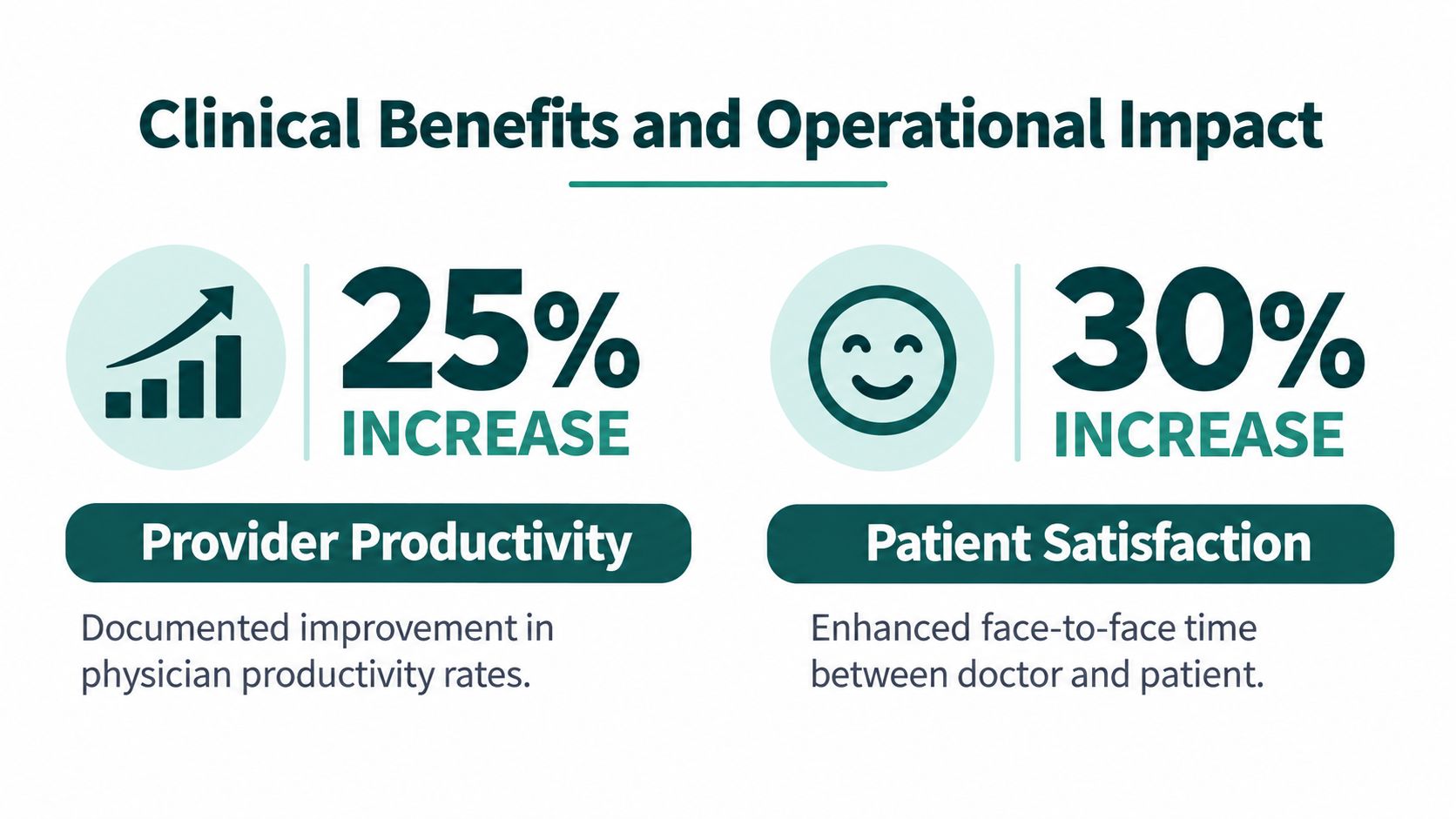
Clinical Benefits and Operational Impact
The value of a remote medical scribe should be judged through operational measures, not broad promises. Research supports meaningful documentation relief in some settings, but results vary by clinician, specialty, and workflow.
In a 2021 ophthalmology study, physicians spent an average of 4.7 minutes on total documentation for scribed visits, compared with 7.6 minutes without a scribe, a reduction of 2.9 minutes, or approximately 38% (study details). Documentation during the visit fell from 5.9 to 2.8 minutes, while post-visit documentation changed from 1.7 to 1.9 minutes. The study included seven physicians and also found that scribed visits were associated with a 2.9-minute increase in total office-visit length. Average chart-closure time decreased from 10.5 hours to 9.15 hours.
Those results show why implementation details matter. The scribe moved work into the encounter, but post-visit documentation didn't improve for every clinician. Three of the seven physicians spent more time on after-visit documentation with a scribe. A practice shouldn't assume that a shorter live documentation period automatically produces a shorter total workflow.
After-hours work deserves its own metric
A 12-month crossover study followed 18 primary-care physicians across two facilities. During scribed periods, physicians were substantially more likely to report less than one hour of weekday after-hours EHR work, with an adjusted odds ratio of 18.0, and less than one hour of weekend after-hours EHR work, with an adjusted odds ratio of 8.7 (primary-care study). Encounter documentation was also more likely to be completed by the end of the next business day, with an adjusted odds ratio of 2.8.
The study reported a 77.2-minute reduction in physician documentation time per clinic unit, although that estimate didn't reach conventional statistical significance. Researchers also found significant improvements in productivity, job satisfaction, and face-to-face interaction with patients. For managers, the lesson is practical: measure after-hours EHR minutes, next-day completion, clinician experience, productivity, and patient interaction together.
Human scribes and ambient AI
Ambient AI can draft notes without assigning a human to every encounter. In a 2025 JAMA Network Open quality-improvement study, ambient AI use was associated with a 20.4% reduction in documentation time per appointment, an increase in same-day note closure from 66.2% to 72.4%, and a 30.0% reduction in after-hours work (JAMA Network Open study). A separate comparative study found that human scribes reduced attending documentation time by 3.3 minutes per note, compared with 1.6 minutes for ambient AI scribes. Neither approach increased work relative value units per shift hour.
That last finding matters. Faster documentation doesn't necessarily create greater clinical throughput. Human support may be more useful when the encounter requires clarification, recognition of ambiguity, specialty terminology, multilingual awareness, or coordination around orders and referrals. AI may fit predictable documentation patterns, while a hybrid model can use automation for drafting and a human for review or workflow intervention. The right comparison is not just speed. It includes clinical completeness, correction burden, patient comfort, integration effort, and accountability.
For automated appointment workflows, managers may also review resources on how to automate appointment setting with AI, while keeping scheduling automation separate from clinical documentation permissions.
HIPAA Compliance and Risk Management
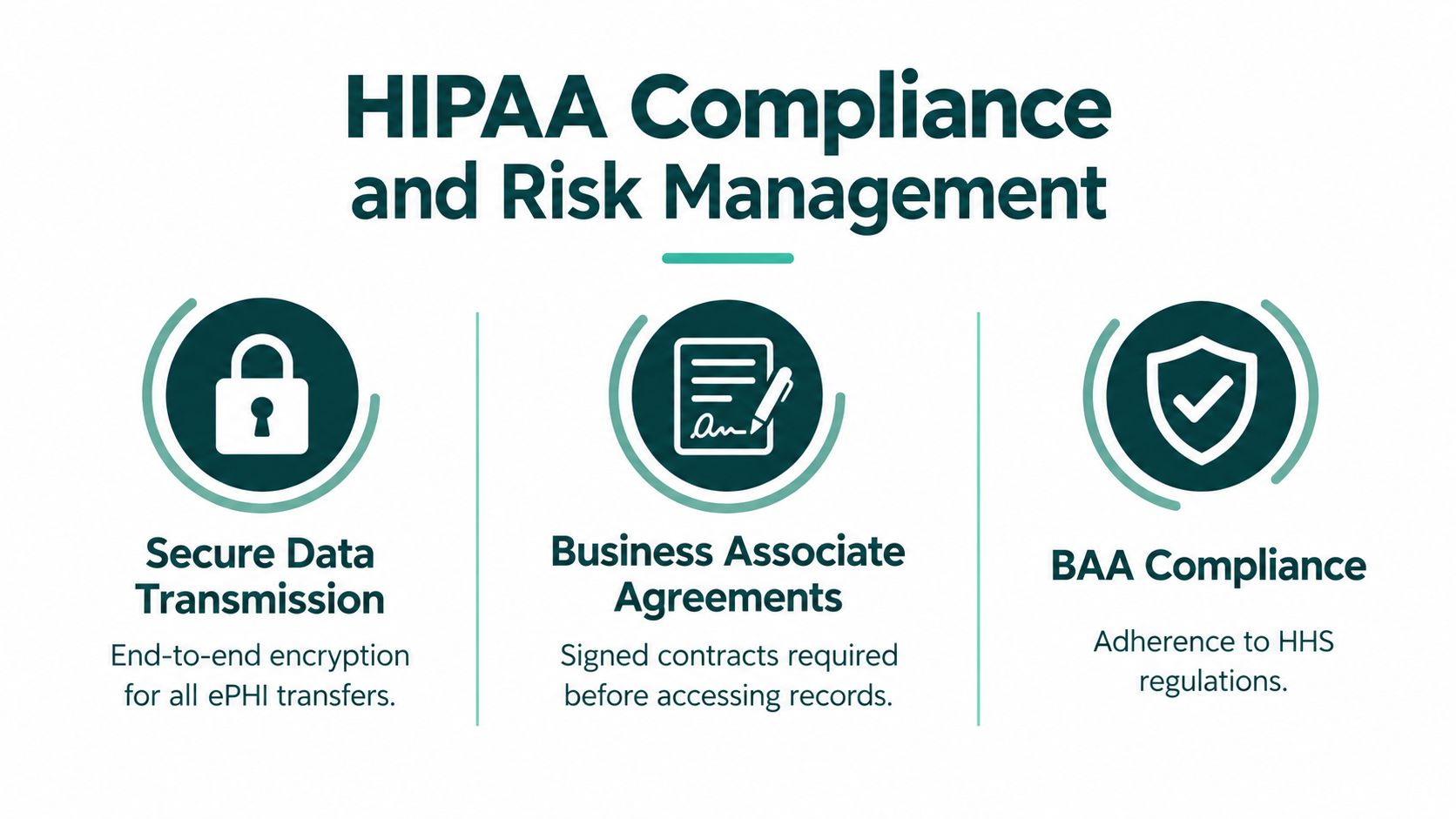
A remote medical scribe handles electronic protected health information outside the clinic's physical walls, so access governance must be designed before the first chart is opened. HIPAA doesn't require a practice to use one particular technology, but it does require a risk-based security program and appropriate safeguards.
When a remote scribe or staffing company creates, receives, maintains, or transmits ePHI for a medical practice, the practice must obtain satisfactory assurances that the business associate will safeguard that information. HHS explains that those assurances must be documented in a Business Associate Agreement, or BAA, and that the agreement must address Security Rule compliance, incident and breach reporting, and appropriate obligations for relevant subcontractors (HHS HIPAA guidance). A confidentiality form alone isn't a substitute when the worker or organization routinely handles patient information.
Build the contractual chain
The BAA should identify permitted uses and disclosures, security responsibilities, incident notification procedures, subcontractor controls, and what happens to PHI when the relationship ends. HHS also explains that a BAA should require the business associate to return or destroy PHI at termination where feasible. Check every organization that can access the work environment, including an employer, staffing intermediary, technology provider, or subcontractor.
CMS guidance makes the accountability issue clear. When a covered entity uses a business associate for part of a transaction, it must require the business associate and applicable agents or subcontractors to comply with relevant HIPAA requirements, and the covered entity can remain responsible for a business associate's noncompliance with applicable Administrative Simplification requirements (CMS business associate guidance). Assign ownership inside the practice for access provisioning, training records, note-quality review, incident escalation, and credential termination.
Apply least privilege in practice
HHS recommends beginning with a documented risk analysis of remote-access vulnerabilities, followed by safeguards, policies, procedures, and workforce security training proportionate to those risks (HHS remote-use guidance). In practice, that usually means:
- Limit permissions: Give the scribe only the EHR modules and note fields needed for assigned duties.
- Use unique accounts: Never permit shared credentials or informal login handoffs.
- Strengthen authentication: Use multifactor authentication where available, session timeout, and secure communications.
- Control local data: Prohibit uncontrolled downloads, screenshots, personal storage, and unauthorized recordings.
- Review activity: Monitor EHR audit logs, investigate unusual access, and revoke credentials promptly during role changes or termination.
- Train and test: Document HIPAA training, recurring workforce training, incident response, and sanctions for violations.
A compliant workflow still needs human judgment. The provider must review the note, and the practice must be able to show who accessed the chart, what permissions they had, how corrections were handled, and what happened when a problem was reported. Practices should confirm their obligations with qualified compliance counsel because arrangements and state requirements can vary. A vendor describing a service as a HIPAA documentation solution doesn't replace your own risk analysis, contract review, and oversight.
Integrating Scribes with Your EMR Workflow
An EHR doesn't become scribe-ready merely because it has a login screen. The practice needs a defined path from encounter preparation to draft creation, clinician review, authentication, correction, and audit.
Start with the note architecture. Build specialty-specific templates around how providers reason and document, not around every field the software makes available. A primary-care template may separate chronic-condition management from preventive care, while an ophthalmology workflow may require careful laterality and measurement capture. A mental-health template may need different privacy and disclosure procedures from a routine medical follow-up.
Design permissions around responsibility
The scribe should be able to complete permitted documentation tasks without gaining unnecessary control over orders, diagnoses, results, billing, or record release. Role-based permissions should reflect the job description, and the practice should document which fields the scribe may draft, which tasks require provider direction, and which actions are prohibited.
The review loop should be visible rather than assumed. The clinician checks the draft against the encounter, corrects omissions or incorrect attribution, verifies medications and orders, and signs the final note. Audit logs can show access and activity, but they won't prove that a clinically important detail was accurate. That's why note sampling and correction tracking belong beside technical monitoring.
Measure quality beyond closure
A same-day signed note is useful, but it isn't a complete quality measure. Build a dashboard that separates speed from fidelity:
- Timeliness: Same-day note-closure rate, unsigned-note aging, and next-business-day completion.
- Provider burden: After-hours documentation minutes and time spent reviewing or repairing drafts.
- Documentation quality: Sampled completeness, factual fidelity, addenda, and correction frequency.
- Downstream effects: Coding queries, rejected claims, referral delays, order corrections, and patient complaints.
- Security control: Training completion, access-review cadence, anomalous-login alerts, chart-audit results, and privacy incidents.
Track whether an error began with the scribe's capture, the template, a system limitation, or the clinician's final review. If a provider routinely rewrites every note, the problem may be poor role design rather than poor typing. If corrections concentrate in one visit type, update the template or training instead of treating the pattern as an individual failure.
Quality control: A polished note can still be incomplete. Audit clinical meaning, not grammar alone.
Calculating ROI and Staffing Costs
A remote medical scribe can be financially sensible when it reduces provider after-hours work, supports timely chart completion, or lets the practice use clinician time more effectively. The business case becomes weak when managers compare an hourly quote only with a wage and ignore supervision, correction work, security, software, and coverage.
The Bureau of Labor Statistics reported a median annual wage of $51,140, or $24.59 per hour, for U.S. medical records specialists in May 2025 (BLS occupational data). That figure is a useful comparison point, not a direct price benchmark for a medical scribe. The category includes broader health-information and records work, and an employee's wage is only one component of total staffing cost.
Use a fully loaded comparison
Include payroll taxes, benefits, recruiting, training, supervision, turnover, equipment, software access, compliance work, and the manager or provider time required to correct documentation. For an outsourced arrangement, include the service fee, onboarding time, account administration, and any required integration or support costs. Then compare the total with measurable output.
Useful output measures include encounters documented, same-day notes closed, correction rate, provider after-hours minutes, chart turnaround, and any verified effect on patient throughput. Don't assign financial value to every improvement unless your accounting method supports it. A reduction in after-hours work may improve retention and clinician experience without appearing immediately as revenue.
Financial discipline: Compare fully loaded cost per productive hour with documented output, not advertised availability.
Build a baseline before hiring. Review current chart aging, after-hours EHR work, review time, and correction patterns by provider and visit type. Run a limited pilot, then compare like with like. A practice can use the remote staffing pricing information as one input, but it should still calculate its own total cost and expected workload.
Hiring and Implementing a Remote Scribe
Begin with a defined scope, not a generic “medical scribe” title. Specify specialty, visit types, EHR, working hours, documentation fields, prohibited tasks, escalation rules, and the quality measures that determine whether the arrangement continues.
Use a five-stage vetting process:
- Screen identity and background. Confirm work history and complete appropriate background checks.
- Test role skills. Assess EMR navigation, medical terminology, documentation accuracy, and specialty-specific judgment boundaries.
- Assess communication. Review spoken and written English, listening accuracy, and ability to escalate uncertainty.
- Verify privacy preparation. Complete HIPAA training before access and document recurring training requirements.
- Conduct the final interview. Let the provider and manager test workflow fit, availability, and response to correction.
Onboarding should begin with a limited group of providers and representative encounters. Configure unique accounts, least-privilege permissions, templates, patient disclosure procedures, downtime instructions, and a direct escalation channel. Review early notes closely, track corrections and access activity, and use a defined trial period before expanding coverage.
If you're evaluating remote healthcare staffing beyond documentation, the medical talent placement process can help clarify how role-specific screening differs from a general administrative hire.
The Takeaway
A remote medical scribe can reduce chart backlog, support closer-to-encounter documentation, and give providers more attention for patients. The evidence also shows variation, so practices shouldn't treat a scribe as an automatic productivity solution.
Success depends on governance. Use a BAA where required, limit EHR access, train the workforce, require clinician sign-off, and measure both speed and quality. Track corrections, omissions, after-hours work, unsigned-note aging, downstream errors, and privacy incidents before deciding whether to expand.
MedicalVirtual connects U.S. medical practices with pre-vetted Latin American healthcare talent for remote documentation and related administrative workflows. Visit MedicalVirtual to explore candidates aligned with your specialty, EMR, working hours, and compliance requirements.
A patient calls at 8:12 a.m. to book an appointment, another patient is waiting at check-in, and a provider needs a message routed before the next visit. If the receptionist's only documented responsibility is “answer the phone,” the practice has already underdefined the job. The result is usually inconsistent scheduling, incomplete intake, avoidable transfers, and a queue that becomes hardest to manage during the busiest part of the day.
Medical office receptionists are patient-access coordinators, not just greeters or switchboard operators. They connect patients with appointments, clinicians, records, insurance workflows, and follow-up tasks. The strongest teams measure their work through access and accuracy signals, including answer speed, abandoned calls, scheduling errors, message-routing quality, and unresolved queues.
This guide explains the actual duties of medical office receptionists, how the daily workflow fits together, which metrics matter, how specialty changes the role, what skills to hire for, and where remote or hybrid coverage requires stronger controls.
What Medical Office Receptionists Actually Do
The U.S. Bureau of Labor Statistics generally places medical office receptionists within the broader occupational category of medical secretaries and administrative assistants, SOC 43-6013. That workforce held approximately 979,000 jobs in 2025, and the occupation is distinct from other secretarial roles because it requires knowledge of medical terminology, medical records, coding, and hospital, clinic, or laboratory procedures. The BLS occupational profile for medical secretaries and administrative assistants also describes work that extends beyond greeting patients.
A receptionist may transcribe dictation, prepare physician reports, take basic medical histories, arrange hospital admissions, process insurance payments, and coordinate information between patients, clinicians, and payers. BLS data listed for the occupation projects growth from roughly 979,000 jobs to 1,026,100, or about 4.8%, with approximately 47,100 openings or employment opportunities associated with the occupation. That scale shows why front-office medical administration deserves a defined operating model rather than a generic clerical job description.
The operational scope of the role
The Department of Labor's O*NET task profile includes answering and routing calls, greeting visitors, scheduling and confirming consultations or diagnostic appointments, completing insurance or claim forms, transmitting records, maintaining files, routing laboratory results, and interviewing patients for intake or insurance information. It also includes scheduling laboratory work or X-rays, recording charts and correspondence in computer systems, handling billing or collection records, and providing emergency instructions to callers when appropriate.
Those tasks place the receptionist at the intersection of four workflows:
- Patient access: Booking, confirming, rescheduling, recalling, and waitlist management.
- Information routing: Recording messages, sending records, routing results, and directing requests to the right queue.
- Documentation support: Updating demographics, maintaining files, and entering information into the practice-management system or EMR.
- Revenue-cycle support: Collecting insurance information, processing payments, and maintaining billing or collection records.
The medical virtual assistant role overview is useful when translating these responsibilities into distinct administrative positions, such as reception, patient intake, insurance verification, or billing support.
| Functional Area | Representative Tasks | Performance Signal |
|---|---|---|
| Patient access | Answer calls, schedule visits, confirm appointments, manage recalls | Fewer abandoned requests and scheduling errors |
| Intake and registration | Verify identity, update demographics, collect required information | Complete and accurate registration |
| Records and messages | Route records, laboratory information, and patient messages | Correct destination and documented handoff |
| Insurance and payments | Collect payer details, process payments, support claim forms | Fewer missing details and avoidable rework |
| Office coordination | Maintain files, communicate delays, support check-in and check-out | Smoother patient flow and fewer unresolved tasks |
Practical rule: Write the job description around decisions, handoffs, and outputs. “Answers the phone” is a task. “Routes each request to the correct administrative or clinical queue” is an operating responsibility.
Treating the position as a check-the-box front-desk role leaves important work unowned. A receptionist who books the wrong appointment type can create clinical schedule problems. A receptionist who records an incomplete message can force a patient to call again. A receptionist who fails to capture insurance information can move a preventable problem from scheduling to check-in or billing.
The Daily Workflow From First Call to End of Day
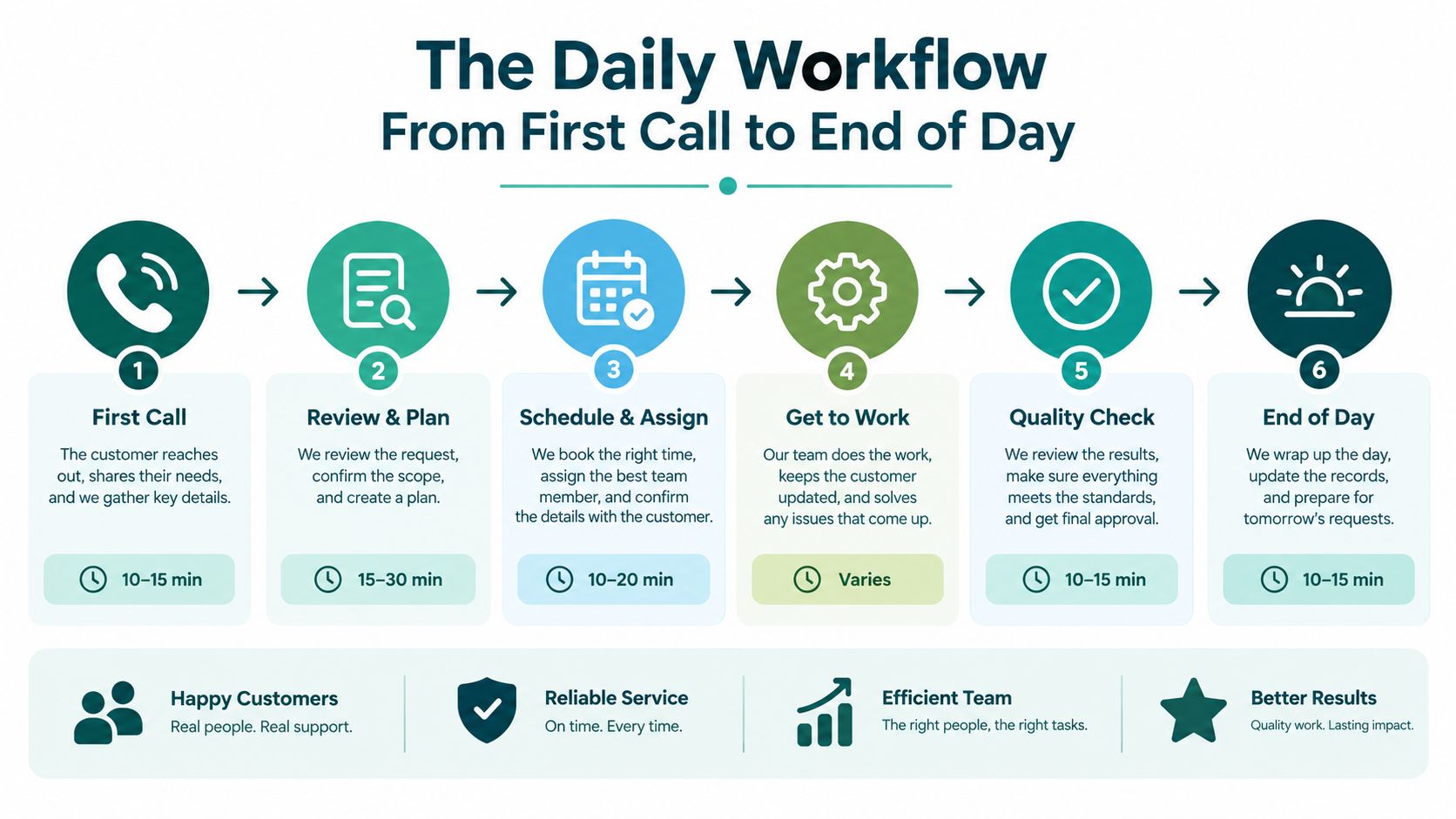
A medical office receptionist's day is a continuous sequence, not a collection of unrelated duties. The first call can create work that continues through scheduling, pre-visit preparation, check-in, provider communication, check-out, and end-of-day reconciliation.
Start with controlled call intake
The receptionist first identifies the patient, confirms the purpose of the contact, and determines whether the request belongs in scheduling, records, billing, a portal workflow, or a clinical message queue. This isn't a diagnosis step. It's an administrative navigation step governed by the practice's approved questions and escalation rules.
A useful intake record captures the reason for contact, preferred clinician, visit type, referral or insurance status when relevant, and any information needed for a licensed team member to review the message. Practices that need to refine how calls move between teams can use guidance on best practices for call routing, then adapt the approach to their phone system and clinical protocols.
Move from booking to pre-visit preparation
Scheduling requires more than finding an open slot. The receptionist matches the request to the correct appointment type, clinician, duration, location, and payer or referral requirements. Confirmation work then checks that the patient understands the appointment details and has completed the forms, records, or preparation instructions required by the practice.
Primary care may require a reason-for-visit category and updated insurance information. Dental practices may need procedure-specific scheduling. Therapy clinics may need the correct provider, service type, and communication preferences. A generic calendar process creates errors because the appointment slot doesn't contain enough context to support the visit.
Manage the visit and close the loop
At check-in, the receptionist verifies identity, confirms registration details, records arrival, and communicates delays through the practice's process. During the visit, the front desk may route messages, respond to calls, coordinate records, or adjust the schedule when a provider runs late. At check-out, the receptionist confirms follow-up instructions as directed by the clinical team, schedules the next administrative appointment, and handles authorized payment or billing steps.
The end of the day is where small practices often lose chart completeness and revenue-cycle momentum. Open encounters, unreturned messages, unsigned forms, missed payments, unprocessed records requests, and unfilled cancellation slots should be visible before the team leaves. A short reconciliation checklist is more reliable than relying on memory.
- Queue review: Identify unanswered calls, unresolved messages, and callbacks.
- Schedule review: Confirm cancellations, reschedules, waitlist opportunities, and next-day gaps.
- Documentation review: Check that registration updates, forms, and handoffs are recorded.
- Payment review: Reconcile authorized collections and flag missing billing information.
- Handoff review: Assign anything requiring clinical or managerial action to a named person.
Lunch-hour call surges and late-afternoon rescheduling shouldn't be treated as surprises. They should shape coverage plans and handoff expectations.
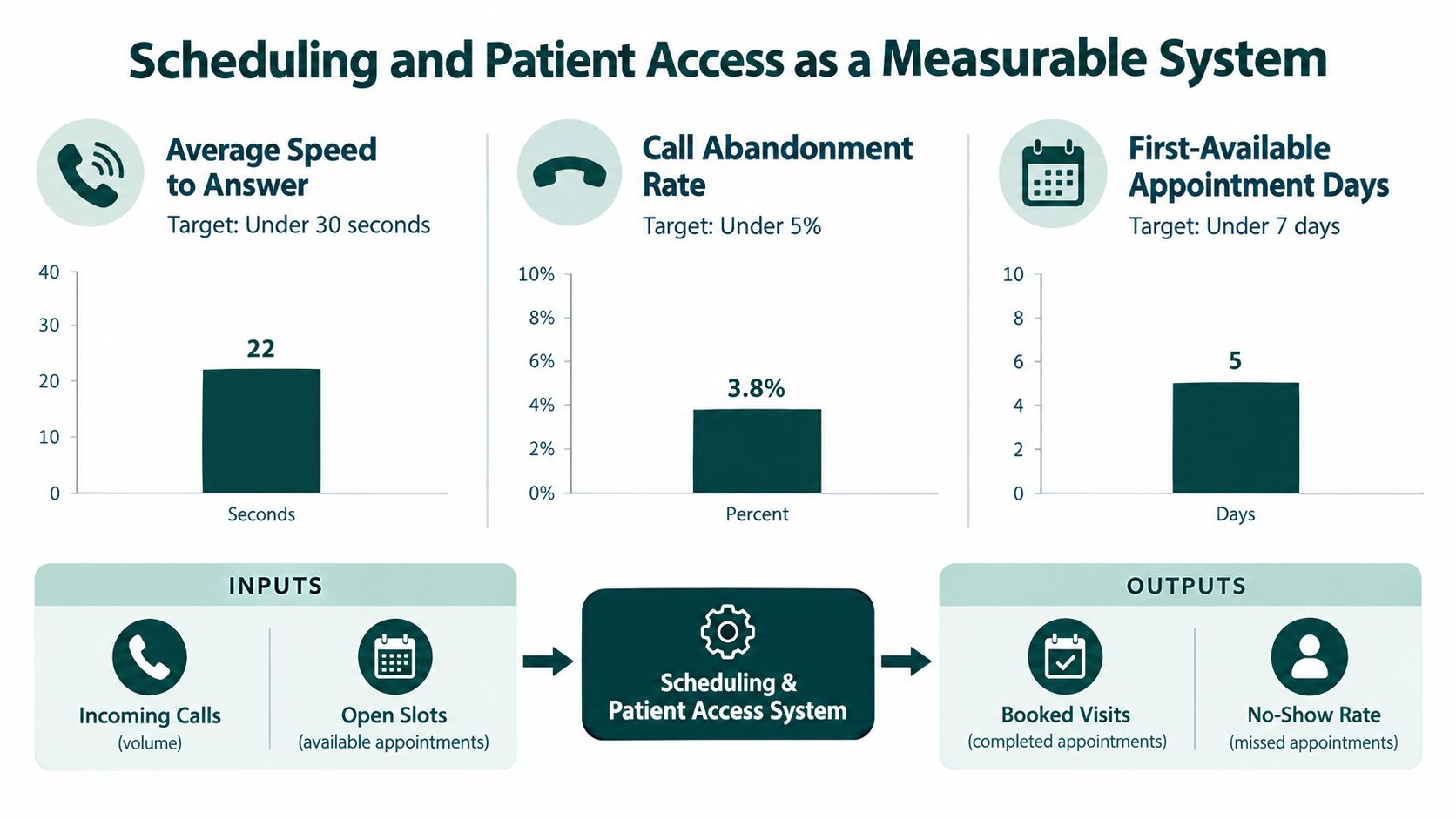
Scheduling and Patient Access as a Measurable System
A practice can have polite receptionists and still provide poor access. The more useful question is whether patients can reach the right function, receive an accurate appointment, and get a timely response without repeating the same request.
A cross-case study of six high-performing Veterans Health Administration primary-care sites examined facilities with a time to the third-next-available appointment of six days or less, compared with a national average of 10 days, despite at least 5% enrollment growth. The study of telephone access and primary-care operations examined dedicated telephone capabilities for appointment scheduling, daytime nurse triage, telephone operating services, and pharmacy calls. Its operational lesson is clear: separating call purposes can work better than forcing every request into one general queue.
Use queue signals instead of daily averages
Daily call totals hide the periods that determine patient experience. A practice should examine calls offered, answer speed, abandonment, transfer rate, first-contact resolution, scheduling conversion, message error rate, and callback time by hour and weekday. Staffing against the busiest 15- or 30-minute intervals, rather than the daily average, gives managers a more realistic view of coverage needs.
The cause-and-effect pattern is predictable. Queue growth increases waiting and abandonment. Abandoned calls produce delayed scheduling or repeat calls. Repeat calls consume more receptionist capacity, which can increase congestion again. A dedicated receptionist during U.S. practice hours can interrupt that cycle by handling routine calls, bookings, confirmations, recalls, waitlists, and defined message escalation.
Measure the work that patients experience: An answer isn't a successful interaction if the appointment type is wrong, the message goes to the wrong queue, or the patient has to call again.
Digital scheduling doesn't remove the need for access coordination. One survey reported that 81% of surveyed U.S. patients wanted to schedule from home or a mobile device, while 55% of providers believed patients were unsure how to use self-scheduling and 37% identified patient education on digital tools as a major challenge. Those figures appear in coverage of patient and provider views on healthcare access. A separate survey of scheduling organizations found that most had adopted some form of self-scheduling, while the majority booked fewer than one-third of appointments through those tools.
Self-service works for straightforward requests. It struggles with new patients who aren't sure which visit type they need, referrals, payer restrictions, language needs, accessibility concerns, and symptoms that require protocol-based escalation. A receptionist becomes the human safety net around automation, not a redundant phone operator. Managers building a broader process can use an appointment setting playbook for 2026 as a planning reference, then define local metrics and escalation rules.
How the Role Changes by Medical Specialty
A receptionist trained for primary care won't automatically be ready for dental, behavioral health, veterinary, or optometry workflows. The communication skills transfer, but the scheduling logic, records, payer questions, and escalation patterns change materially.
Specialty-specific priorities
Primary care and internal medicine depend on controlled intake and accurate routing. The receptionist may need to distinguish a routine physical, follow-up, medication-related message, preventive visit, or symptom concern without diagnosing. Approved scripts should collect standardized information and route clinical questions to nurses or providers. The primary care and internal medicine staffing overview can help managers separate patient access work from clinical ownership.
Dental and orthodontic practices often place greater emphasis on procedure-specific scheduling, insurance verification, treatment-plan coordination, and missed-appointment recovery. A receptionist who books a procedure into an unsuitable slot can disrupt both chair utilization and the patient's expectations. Interview exercises should test how candidates confirm the service needed without promising coverage or clinical outcomes.
Mental health and therapy clinics require careful handling of privacy, provider matching, recurring appointments, cancellations, and communication tone. Patients may be especially sensitive to delays or unclear messages. The receptionist should know when to follow a crisis or urgent-contact protocol, but shouldn't interpret symptoms or make independent clinical decisions.
Veterinary practices combine client communication with species-aware intake. The receptionist may need to capture the animal's species, reason for visit, urgency indicators defined by the clinic, and owner contact details. A general medical scheduling script can fail because it doesn't ask the information the veterinarian needs.
Optometry, med-spa, and physical therapy settings may involve provider-specific services, equipment or procedure timing, referral requirements, recurring visits, and retail or elective-service questions. These practices still need careful boundaries around clinical questions, especially when patients ask whether a symptom or treatment is appropriate.
| Specialty | Top Receptionist Priorities | Common Failure Mode | Useful Interview Question |
|---|---|---|---|
| Primary care | Reason-for-visit intake, routing, preventive and follow-up scheduling | Treating symptom questions as ordinary booking | “How would you document and escalate a patient message you cannot answer?” |
| Dental and orthodontic | Procedure matching, insurance information, chair scheduling | Booking the wrong service or duration | “What would you confirm before scheduling a new treatment visit?” |
| Mental health and therapy | Provider matching, recurring visits, privacy-sensitive communication | Casual handling of sensitive messages or cancellations | “How would you respond when a patient asks for clinical guidance?” |
| Veterinary | Species-aware intake, urgency routing, owner communication | Using a human-clinic script that misses relevant details | “Which details would you collect before routing an urgent animal-care call?” |
| Optometry and med-spa | Service matching, provider calendars, referral or preparation details | Promising eligibility, results, or treatment suitability | “How do you explain administrative next steps without giving clinical advice?” |
A generic rubric that tests only phone manners will miss these differences. Specialty training should include sample calls, appointment-type exercises, message categorization, and realistic handoff drills.
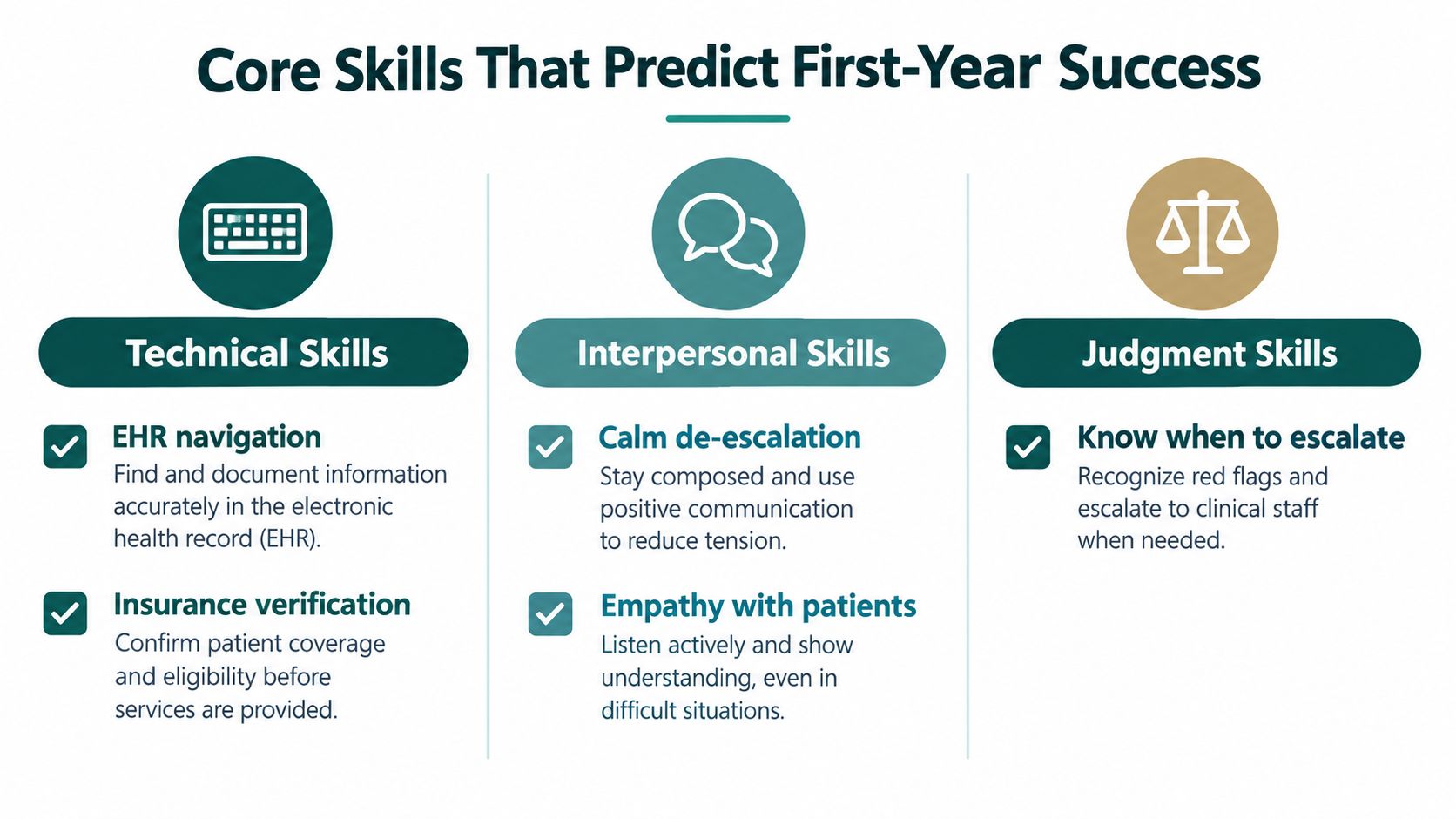
Core Skills That Predict First-Year Success
The strongest medical office receptionists combine technical fluency with judgment. A candidate may be friendly and organized yet still create problems if they can't identify the correct appointment type, document a message clearly, or stop before answering a clinical question outside their role.
Technical skills that support accurate work
EMR and practice-management navigation can be taught, but candidates should demonstrate comfort learning structured systems. The practical test isn't whether someone knows a particular platform. It's whether they can locate the right chart, verify identity, enter information in the correct field, select the correct message category, and avoid copying sensitive information into an inappropriate channel.
Payer-aware scheduling and basic insurance verification also matter. Receptionists don't need to make coverage promises, but they should know which information to collect, when a referral or authorization question requires another team, and how to document an unresolved issue. Written communication should be concise enough for a nurse, provider, or billing specialist to act without calling the patient again.
Judgment and communication under pressure
The harder skills to coach are escalation discipline, calm tone, scope awareness, and consistent documentation. A receptionist may face an angry patient, a delayed provider, a full schedule, and an uncertain message at the same time. The correct response isn't to improvise a medical answer or make an unsupported promise. It's to use the approved script, capture the required facts, and hand the issue to the designated person.
A practical hiring scorecard can use five categories:
- System navigation: Completes a sample registration or scheduling task accurately.
- Access judgment: Chooses the correct administrative queue for several call scenarios.
- Communication: Explains next steps clearly in writing and by phone.
- De-escalation: Maintains a respectful tone while setting realistic boundaries.
- Privacy awareness: Verifies identity, limits disclosure, and protects screens and messages.
Don't evaluate candidates by saying they are “HIPAA certified.” HHS doesn't recognize an official HIPAA certification. Instead, assess whether the person has received relevant training, understands the practice's procedures, can protect patient information, and knows when to ask for help. The broader medical administrative skills overview can help managers turn those requirements into an onboarding plan.
Training should start with scripts and supervised practice, then move to sampled-call review. Measure protocol adherence, documentation completeness, correct escalation, and privacy controls. Speed matters, but fast inaccurate work creates rework that the rest of the practice must absorb.
Remote and Hybrid Receptionist Coverage
Remote coverage works best when the practice treats location as a staffing choice, not as a substitute for workflow design. Call handling, appointment booking, confirmations, recalls, waitlist work, records requests, and some insurance verification can transfer cleanly when the remote receptionist has defined access and clear ownership.
The difficult work involves ambiguity. Symptom-related calls, medication questions, abnormal insurance findings, unclear appointment requests, and messages that could be interpreted as urgent require structured categories and named clinical escalation paths. A remote receptionist shouldn't diagnose, interpret test results, change medications, or determine clinical urgency outside approved rules.

The compliance and contract layer
A remote receptionist who creates, receives, maintains, or transmits electronic protected health information on behalf of a practice is generally a HIPAA business associate. Before access is granted, the practice must obtain satisfactory written assurances that the business associate will safeguard the information. HHS explains the required elements in its Business Associate Agreement guidance, including permitted uses, safeguards, subcontractors, and security-incident reporting.
A confidentiality agreement alone isn't a replacement for a HIPAA-compliant BAA. The agreement and internal procedures should define permitted tasks, access levels, escalation thresholds, documentation expectations, and who owns clinical review. Practices should also verify the controls used by cloud systems, phone platforms, messaging tools, and any subcontractors handling protected information.
HHS states that cloud services and mobile devices can be used to access electronic protected health information when appropriate physical, administrative, and technical safeguards are in place and relevant service providers have BAAs when they handle ePHI. The HHS business associate FAQ supports that distinction. Remote work isn't automatically prohibited, but it isn't automatically safe either.
Design the operating controls
A practical remote or hybrid model should document:
- Allowed systems: List the phone, scheduling, EMR, billing, records, and messaging tools the worker may use.
- Access boundaries: Grant role-based permissions and remove access that isn't needed for the job.
- Workspace standards: Require a private workspace, protected screens, controlled printing, and secure device practices.
- Audit trails: Review selected calls, messages, appointment changes, and access logs.
- Downtime procedures: Define what happens when the EMR, phone system, or internet connection is unavailable.
- Escalation ownership: Name the nurse, provider, manager, or billing lead responsible for each exception category.
On-site coverage still makes sense when the job includes physical documents, cash handling, walk-in volume, or tasks that depend on immediate room coordination. Hybrid coverage can fit practices where a local employee manages check-in and physical needs while remote staff handle calls, scheduling, reminders, records, or insurance work. The right model follows the workflow and control requirements, not a blanket assumption that remote staffing is always cheaper or always better.
The Takeaway
Medical office receptionists should be managed as patient-access coordinators whose work affects scheduling, records, communication, and basic revenue-cycle processes. The strongest practices define specialty-specific duties, measure queue and scheduling performance, and train staff to separate administrative navigation from clinical judgment.
In the first 30 days, document the call and message queues, measure performance by the busiest time intervals, and create scripts for common appointment and escalation scenarios. Then audit a sample of interactions for identity verification, appointment accuracy, documentation completeness, privacy, and correct handoff. Remote coverage can work when the practice has clear role boundaries, appropriate BAAs, controlled access, and metrics that show whether patients are reaching the right service.
MedicalVirtual offers U.S. medical practices pre-vetted LATAM healthcare talent for virtual receptionist, patient coordination, insurance verification, billing support, and related administrative roles, with coverage aligned to practice hours. If you're evaluating remote front-desk staffing, visit MedicalVirtual to review role options and discuss a practical coverage model.
A small practice can have a full schedule and still face a thin bank balance. Monday starts with rejected claims in the billing queue, authorization requests waiting for payer responses, patient statements that need clarification, and a front-desk employee answering calls while trying to verify benefits. The physician sees the operational cost later, when clinical staff stay after hours to resolve issues that should have been handled before submission.
Medical billing services for small practices can help, but only when they address the work behind the claim. Electronic submission alone isn't a revenue-cycle strategy. The useful question is whether a service prevents avoidable denials, follows unpaid claims, tracks prior authorizations, protects protected health information, and gives managers reliable performance data.
The right arrangement might be an internal biller, a full-service billing company, a virtual billing assistant, or a hybrid team. This guide compares those options through the economics of denial prevention, the capacity cost of authorizations, practical HIPAA safeguards, and a phased implementation plan.
Why Small Practices Rethink Medical Billing
A typical Monday exposes the weakness in a fragile billing process. The front desk discovers that a patient's coverage changed, a claim from the previous week was rejected for missing information, and a procedure scheduled later in the month still lacks authorization. The practice manager has to decide which problem deserves attention first, while the provider is waiting for charts to close and patients are calling about balances they don't understand.
That pressure isn't caused by claim submission alone. A complete revenue-cycle workflow includes accurate charge capture, eligibility and benefit verification, authorization documentation, payer-status monitoring, denial correction, payment posting, accounts-receivable follow-up, and patient communication. When one person handles several of those jobs, routine interruptions can push high-value follow-up into the next day, then the next week.

The bottleneck is usually exception work
CAQH's 2024 Index report estimated approximately $90 billion in annual spending across tracked medical and dental administrative processes. In medical administration, eligibility and benefit verification represented 51% of total spending, claim submission 23%, and claim-status inquiries 15%.
Those figures explain why outsourcing billing is rarely just about transmitting claims. A manual eligibility check costs providers approximately $8.57, compared with $4.46 through a payer portal and $2.00 through a fully electronic transaction, according to the same CAQH report. Moving from manual work to a fully electronic check creates a potential saving of $6.57 per verification, but only if someone still manages exceptions, documents the result, and acts when coverage or authorization requirements are unclear.
Practical rule: Choose billing support for the work it completes after the software raises a problem, not for the software access it advertises.
Protecting clinical capacity
Remote support can be useful when it gives repetitive administrative tasks a defined owner. A billing specialist may manage charge entry and claim status, while an insurance verification specialist confirms benefits before the appointment. A prior-authorization coordinator can track requests by payer, submission date, required records, decision deadline, and appeal stage.
That division reduces the number of revenue-cycle decisions competing with patient care. It also makes accountability visible. Instead of asking whether “billing is being handled,” a manager can ask which claims are approaching a deadline, which denials lack a root-cause code, and which authorizations have exceeded the practice's expected turnaround.
How Medical Billing Services Actually Work
Medical billing support works best as a sequence of controlled handoffs. The practice supplies accurate clinical and demographic information, the billing team checks the claim against payer requirements, and a designated owner follows the transaction until payment, correction, appeal, or patient responsibility is resolved.
CAQH reported that medical claim submission had reached approximately 98% fully electronic adoption in the 2023 measurement period, while eligibility and benefit verification reached 96% fully electronic adoption, according to national healthcare automation benchmarking. High electronic adoption hasn't removed labor. Staff still enter charges accurately, interpret payer responses, correct rejected claims, monitor unpaid accounts, and resolve documentation problems.
Five operational stages
Charge entry starts with visit details, procedures, diagnoses, modifiers, payer selection, and required documentation. Missing or inconsistent information at this point can create a downstream denial that takes longer to correct than the original entry would have taken.
Claim submission sends the completed claim through the practice-management system or clearinghouse. CAQH found that providers spend an average of 10 to 12 minutes submitting a claim manually, while electronic submission saves about six minutes, or approximately $3 per submission, as described in its provider specialty issue brief. Electronic transmission lowers transaction effort, but it doesn't repair inaccurate demographics, eligibility, coding, payer selection, or missing attachments.
Payer follow-up identifies claims that were received but haven't been paid, adjudicated, or clearly explained. For Medicare claims, CMS generally requires a clean claim to be paid or denied within 30 days of contractor receipt. CMS also identifies waiting periods of 13 days for electronic claims and 26 days for paper claims in its claims-processing guidance. These are processing ceilings, not payment guarantees, and non-clean claims may require correction and resubmission.
Denial management separates front-end errors, payer-processing issues, and patient balances. Each denial should have a root-cause code, owner, correction date, resubmission date, and appeal deadline. A queue that only shows “denied” doesn't tell a manager whether the practice needs better eligibility checks, documentation, coding review, or payer escalation.
Patient statements require accurate posting, understandable explanations, and a clear route for questions. Patient-facing billing support should know when to explain a balance, when to route a clinical question, and when not to speculate about coverage.
For practices that need to connect billing activity with broader financial operations, bookkeeping for healthcare providers can help separate revenue-cycle reporting from general bookkeeping. The distinction matters because a billing queue can show work completed while the practice's financial records still fail to explain timing, write-offs, or outstanding balances.
Metrics that reveal useful work
MGMA identifies claims denial rates, denial write-offs, days in accounts receivable, and aging buckets of 0–30, 31–60, 61–90, 91–120, and 120+ days as core practice KPIs in its practice-operations benchmarking guidance. A service should report these measures consistently, ideally by payer and denial category.
The operational scorecard should include:
- First-pass acceptance: How often claims clear initial processing without correction.
- Denial write-off dollars: The financial value of denials the practice doesn't recover.
- Corrected-claim turnaround: How quickly staff fix and resubmit preventable errors.
- A/R aging: Whether balances are concentrating in older buckets.
- Claim-status activity: Whether staff follow up before unresolved claims become harder to collect.
Service Models for Small Practices
The right model depends on who owns daily decisions. A practice can keep billing entirely internal, contract with a traditional revenue-cycle company, assign defined work to a virtual medical billing assistant, or combine internal coding with external claim and denial support.
Small-Practice Billing Support Models Compared
| Model | Who Manages Daily Work | Supervision Required | Best Fit When |
|---|---|---|---|
| Internal billing team | Practice manager or internal billing lead | Direct supervision, coverage planning, training, and reporting | The practice has stable staffing, clear workflows, and enough management capacity to maintain performance |
| Full-service outsourced billing company | Vendor account team, usually under a service agreement | Vendor oversight, reporting review, escalation meetings, and contract monitoring | The practice wants broader revenue-cycle coverage and doesn't want to recruit or maintain a complete billing function |
| Virtual medical billing assistant | Practice-designated manager with a remote specialist completing assigned tasks | Frequent workflow coordination, access controls, quality review, and documented escalation rules | The practice needs flexible daily support for charge entry, payer follow-up, denials, or statements |
| Hybrid arrangement | Internal staff retain selected functions, external support handles defined revenue-cycle queues | Clear handoff rules and shared KPI ownership | The practice has coding or clinical knowledge internally but needs more capacity for follow-up and exception work |
Internal billing
Internal control can be valuable when the practice has experienced staff and can provide backup coverage. The trade-off is concentration risk. If one employee understands the payer portals, denial history, authorization rules, and patient-balance process, the practice may lose continuity when that person is absent or leaves.
Internal staff also require ongoing training, performance management, and system administration. A low apparent payroll cost can obscure the manager's time spent reviewing queues, covering vacancies, and reconstructing undocumented processes.
Full-service outsourcing
A billing company may cover a wider scope, including charge entry, claims, payment posting, denials, appeals, and reporting. This reduces the need to build every capability internally, but it can create handoff risk if the vendor doesn't understand the practice's specialty, documentation habits, or patient communication standards.
Ask for a written scope. A vendor that submits claims but excludes authorization follow-up, appeals, patient balances, or credentialing isn't offering the same service as a partner that manages those functions.
Virtual and hybrid support
A virtual assistant can fit a practice that needs a defined person in the daily workflow rather than a distant queue. The practice retains closer control over priorities, but it must provide training, system access, quality review, and escalation instructions. Hybrid arrangements often work when clinicians or internal coders own charge accuracy while external staff manage eligibility, payer status, denials, and patient statements.
Before comparing monthly fees, review billing support pricing information against the actual scope, supervision burden, coverage expectations, and reporting included. A cheaper arrangement may shift work back to the practice instead of removing it.
The Hidden Economics of Denials and Authorizations
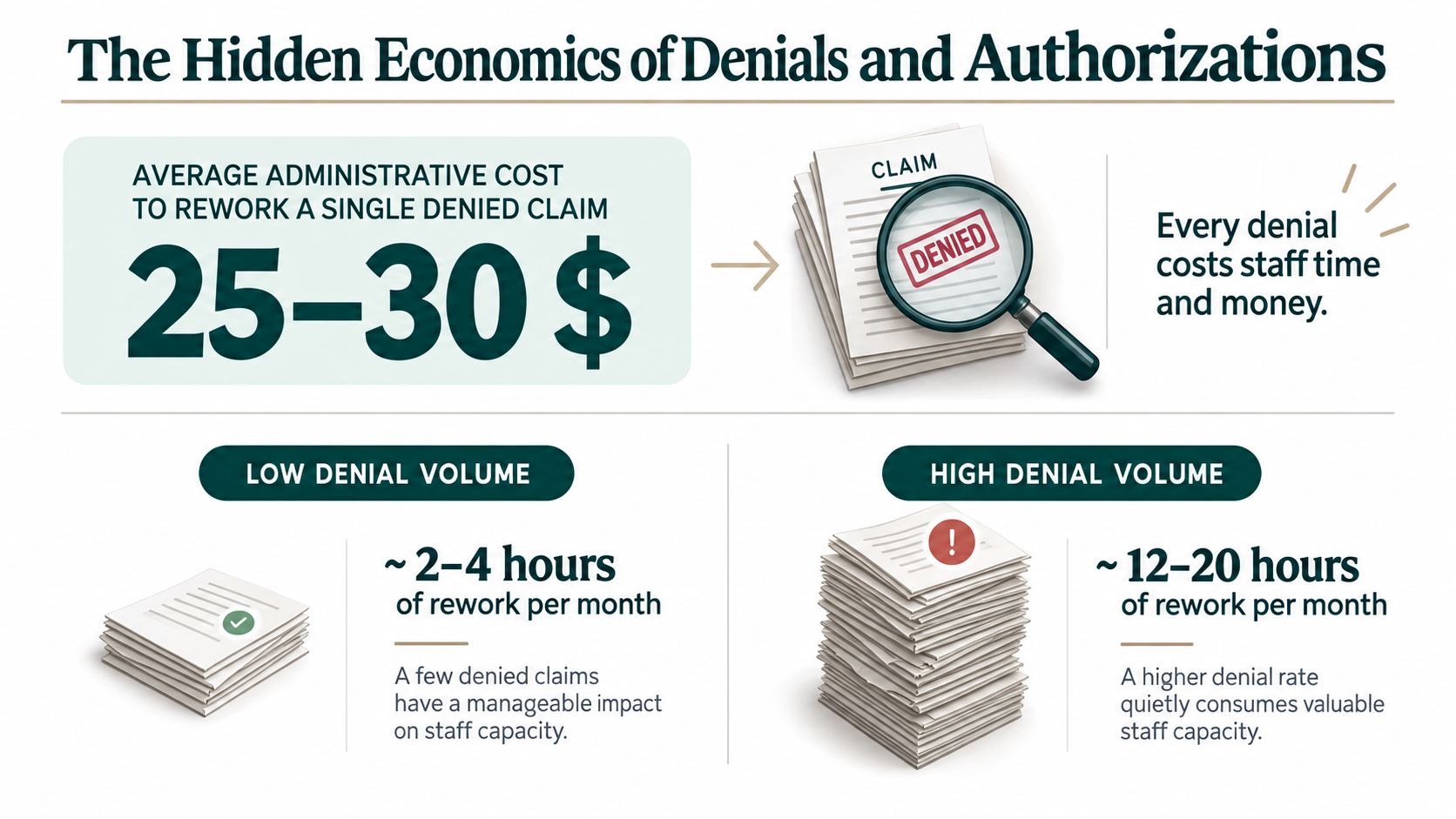
A practice can pay a monthly billing fee and still lose money if preventable denials continue, staff spend hours on rework, and authorizations delay treatment or charge capture. Evaluate a service by the losses it prevents, not only by the dollars it reports collecting.
A CMS payment delays and denials letter cites evidence that nearly 15% of private-payer claims are initially denied, while almost 70% of those denials are eventually overturned and paid. It also reports an average cost of $57.23 to fight a private-insurance denial and $80.16 for a Medicare Advantage denial. These figures will not match every practice, but they establish the financial trade-off: recoverable revenue requires labor, follow-up, and time.
Prevention versus recovery
A workflow focused on resubmitting rejected claims may produce visible activity while the original error keeps recurring. Prevention-oriented work checks eligibility, confirms demographic data, validates authorization details, reviews required documentation, and sends denial patterns back to the front desk and clinical team. Practices can also review insurance verification services when eligibility checks are consuming staff capacity before visits.
Prevention does not replace appeals. Some denials involve clinical interpretation or payer policy and require medical records, reconsideration, or formal appeal. Separate preventable denials, such as eligibility, missing data, authorization, or coding errors, from disputes that require specialized recovery.
A practical break-even model compares:
- Recoverable dollars by payer and denial category.
- Appeal success rate and average time to payment.
- Staff time per correction or appeal.
- Clearinghouse, portal, or mailing costs.
- The opportunity cost of delaying other revenue-cycle work.
- The monthly fee for prevention, recovery, or both.
The result may favor a higher-cost workflow if it prevents the same errors before submission. It may also show that low-value denials do not justify unlimited staff time. The decision depends on claim value, recovery likelihood, filing deadline, and the work required.
Prior authorization is a capacity problem
The American Medical Association's prior-authorization survey reported that physicians complete an average of 43 prior authorizations per week, while 27% said requests are often or always denied. An earlier AMA survey found that physicians and staff spent an average of 16.4 hours per week on prior-authorization work, equivalent to nearly 853 hours annually, and 26% reported waiting at least three business days for decisions.
That workload can delay treatment, reschedule visits, and postpone charge capture. A dedicated authorization workflow records the payer, request date, required clinical documentation, reference number, status, decision deadline, and appeal stage. It should separate routine renewals from complex imaging, procedures, specialty medications, and behavioral-health requests.
A monthly dashboard should track authorization volume per provider, first-pass approval rate, median turnaround time, requests exceeding payer timelines, and preventable denial reasons. The operational test is simple: can the practice identify stalled requests early enough to protect patient access and revenue?
HIPAA Basics for Remote Billing Support
A remote billing worker who handles protected health information on behalf of a medical practice generally falls within HIPAA's business-associate framework. HHS identifies claims processing, billing, practice management, data analysis, utilization review, and benefit management as business-associate functions in its business-associate guidance.
The practice should execute a written business-associate agreement before granting access to electronic protected health information. The agreement should define permitted uses, safeguards, incident reporting, assistance with applicable HIPAA obligations, and responsibilities for subcontractors. A marketing label isn't enough. HHS doesn't recognize an official “HIPAA certified” status for a person or service.
A practical access review
Before remote work begins, verify the following:
System boundaries: List the EHR, practice-management system, payer portals, phone platform, email environment, and document-storage tools the worker will use. Give access only to systems required for assigned duties.
Workforce controls: Confirm confidentiality commitments, HIPAA training, role-specific training, and a named supervisor who reviews work. Training should cover minimum-necessary access, screen privacy, password handling, suspicious messages, and escalation.
Incident response: Put reporting expectations in writing. The worker should know whom to contact, what information to preserve, and how quickly to report a suspected disclosure or compromised account.
Subcontractor visibility: Ask whether the vendor uses subcontractors, where they work, what access they receive, and how the vendor imposes equivalent safeguards.
Termination process: Define how accounts, tokens, devices, files, and credentials are disabled or returned when the engagement ends.
For additional operational context, a healthcare data protection guide can help managers organize broader security questions. Practices should confirm their specific obligations with qualified compliance counsel, especially when state privacy rules, sensitive services, or complex vendor arrangements apply.
Implementation Checklist for Small Practices
A billing transition shouldn't start with a system login. Start with a defined queue, measurable baseline, and documented handoff.
Scope the work before selecting a vendor
List every task currently performed by the biller, front desk, clinical staff, and practice manager. Mark whether each task is retained, delegated, reviewed, or escalated. Include charge entry, claim submission, eligibility verification, authorizations, payment posting, denial follow-up, appeals, patient statements, credentialing, and reporting.
Then identify the immediate constraint. A primary-care office may need eligibility and daily claim follow-up. A behavioral-health practice may need authorization tracking and payer-specific documentation control. A multi-provider specialty practice may need denial ownership and aging review more than basic submission.
Set the operating baseline
Pull current reports by payer and work queue. At minimum, record first-pass acceptance, denial rate, denial write-off dollars, corrected-claim turnaround, authorization volume, authorization delays, and A/R aging buckets. MGMA's guidance supports reviewing these reports monthly for administrative leaders and more frequently for billers.
Use a short transition period with parallel review where practical. The incoming team can audit recent claims, categorize open denials, identify aging balances, and document payer-specific rules before taking full ownership.
Use a go-live checklist
- Define ownership: Assign one practice lead and one vendor or assistant lead.
- Document escalation: State when staff should contact a payer, route a coding question, request clinical records, or notify the provider.
- Complete compliance paperwork: Execute the BAA, confidentiality terms, access list, and incident-reporting process.
- Test workflows: Run representative examples through charge entry, submission, status follow-up, denial correction, authorization tracking, and patient statements.
- Review early work: Inspect accuracy and queue completion frequently during the initial operating period.
- Hold monthly performance reviews: Discuss first-pass acceptance, denial causes, write-offs, A/R aging, authorization turnaround, and unresolved patient issues.
Don't bundle unrelated work into the first assignment. Stabilize one queue, such as denial follow-up or eligibility verification, before expanding responsibilities. If the practice also needs provider enrollment support, keep that project separately defined, using a resource such as medical credentialing services only when the scope and ownership are clear.
The Takeaway
Medical billing services for small practices should be judged by what they prevent and recover, not by claim volume or the lowest monthly fee. Compare denial write-offs, correction time, authorization delays, A/R aging, and staff capacity against the cost of the proposed model.
Small practices with stable internal expertise may retain billing successfully. Practices with fragile coverage, recurring denials, authorization backlogs, or aging balances may benefit from full-service, virtual, or hybrid support. Start with a scoped queue, a BAA, defined access, and a monthly scorecard, then expand only when the first workflow performs reliably.
MedicalVirtual connects U.S. practices with pre-vetted LATAM healthcare talent for billing support, insurance verification, prior authorization, and other revenue-cycle work aligned to U.S. clinic hours. Visit MedicalVirtual to discuss the role, workflow, and coverage your practice needs.
A HIPAA-compliant virtual assistant operates inside the business-associate framework, with a written BAA plus administrative, physical, and technical safeguards. It doesn't become compliant just by completing training or signing a confidentiality agreement.
That distinction matters because a remote receptionist may handle appointment details, a scribe may edit clinical notes, and a billing assistant may work with claims and insurance information across an EHR, phone platform, clearinghouse, and cloud storage. Each system creates an access decision, and each ordinary task can create a privacy or security exposure if the workflow isn't controlled.
The practical standard is evidence, not labels. Before granting access to PHI, a practice should verify the provider's contractual coverage, role-based permissions, device and authentication controls, audit capability, training records, incident-escalation process, and offboarding procedure. The practice also needs to keep reviewing those controls after onboarding because responsibility doesn't disappear when work moves offshore or outside the clinic.
This guide explains how to evaluate a BAA, configure daily safeguards, assess remote-access risk, test whether training is applied, and question a staffing provider before access is granted. Requirements can vary by service arrangement and jurisdiction, so practices should confirm their obligations with qualified counsel or a healthcare compliance professional. For additional operational guidance, the MedicalVirtual blog provides related information on remote healthcare staffing.
What HIPAA Compliance Really Means for a Virtual Assistant
A HIPAA-compliant virtual assistant is part of a controlled business-associate arrangement. HHS states that a covered entity must execute a written business associate contract when an outside party performs functions or services involving PHI on its behalf, and cloud or service providers maintaining electronic PHI also require a BAA. Using such a provider without one violates the HIPAA Rules, according to HHS business-associate guidance.
Training still matters, but it only equips the person to follow the practice's controls. A certificate can't restrict an EHR account, prevent a download to an unmanaged laptop, record who opened a chart, or define what happens after a suspected disclosure. A confidentiality agreement creates an obligation, but it doesn't prove that the assistant's device, network, applications, or working environment are secure.
Compliance follows the work
The role determines the exposure. A virtual medical receptionist may see names, contact details, appointment history, and messages. A scribe may access encounter information and change documentation. A prior-authorization coordinator may handle clinical attachments, payer portals, and referral records. A billing assistant may work with charges, claims, remittances, and coding documentation.
The right question isn't whether the assistant is remote. It's whether the practice can show that each task is performed through approved systems, with appropriate permissions, documented procedures, trained personnel, and reviewable activity. That makes compliance an operating model rather than a marketing description.
What this guide treats as proof
A defensible arrangement has four connected parts:
- Contractual foundation: A client-specific BAA defines permitted uses, safeguards, incident duties, subcontractor responsibilities, and the handling of PHI when the relationship ends.
- Administrative controls: Written procedures explain onboarding, training, approvals, escalation, access reviews, and termination.
- Physical and technical safeguards: Managed devices where feasible, secure authentication, role-based permissions, protected communications, session controls, and audit logs limit and trace access.
- Ongoing verification: The practice checks whether permissions remain appropriate, reviews relevant logs, documents incidents, and confirms corrective actions.
A practice shouldn't accept “HIPAA compliant” as the end of the conversation. It should ask what the provider can demonstrate before the assistant sees a patient record.
The Business Associate Agreement as Your Legal Foundation
The BAA is the contractual anchor for a remote healthcare staffing relationship. It sets the boundaries for what the staffing provider and its workforce may do with PHI, but it doesn't transform an insecure workflow into a secure one. I think of it as a lease for a controlled house. The lease establishes the rules, occupants, permitted activities, and remedies. It doesn't prove that the doors are locked or that someone is checking the alarm.
HHS guidance says a BAA must describe permitted and required uses and disclosures, prohibit unauthorized uses, address subcontractors and safeguards, cover return or destruction of PHI, and be terminated if feasible when a material violation is identified and reasonable efforts don't cure it. The HHS business-associate contract guidance is the appropriate starting point for reviewing those obligations.
What the agreement should define
A useful BAA describes the actual relationship instead of granting broad, vague permission to “access patient information.” It should identify the functions being performed, the permitted systems, the categories of PHI involved, the expected safeguards, and the provider's cooperation duties if a patient exercises a right of access or requests an amendment.
For example, a scheduler might be authorized to use the scheduling platform and limited patient fields needed to book or confirm appointments. A billing assistant may need charges, claims, remittances, and relevant coding records, but not unrestricted access to every clinical note. A scribe may need encounter information for documentation, with clear limits around independent clinical decisions and provider sign-off.
The agreement should also cover:
- Permitted uses and disclosures: The provider may use PHI only for defined services and legal obligations.
- Safeguards: The provider must maintain appropriate administrative, physical, and technical protections.
- Subcontractors: Restrictions and obligations must flow to any subcontractor that can access PHI.
- Incident cooperation: The provider must identify, respond to, document, mitigate, and report relevant incidents.
- Patient-rights support: The provider must assist when its work involves access, amendment, accounting, or related requests.
- End-of-relationship handling: PHI should be returned or destroyed where feasible, with exceptions documented.
- Termination rights: The parties need a process for material violations that aren't cured through reasonable efforts.
Questions to ask before signing
Ask the provider to show how the agreement connects to its operations. Who signs the BAA, the organization or only the individual assistant? Does the provider use subcontractors, and can they access PHI? How are incidents communicated? What happens to accounts, files, recordings, and credentials when an assistant leaves? Can the provider explain which tasks the assistant will perform without relying on unrestricted chart access?
If you need a reference point for how an enterprise service provider handles BAA requests, an enterprise BAA request resource from AONMeetings can help frame the questions you should ask about process and documentation. It isn't a substitute for counsel reviewing your agreement, but it illustrates why a BAA request should be treated as a structured business process rather than an informal email.
Practical rule: Don't sign a BAA you can't translate into account permissions, approved applications, staff procedures, and an incident playbook.
The practice remains responsible for understanding the service environment and aligning the contract with real controls. If the BAA permits a task but the assistant uses personal email, shared credentials, or unapproved storage to complete it, the document hasn't protected the workflow. Contract language should therefore be checked against the provider's device policy, access model, training records, logging capability, and termination procedure before PHI access begins.
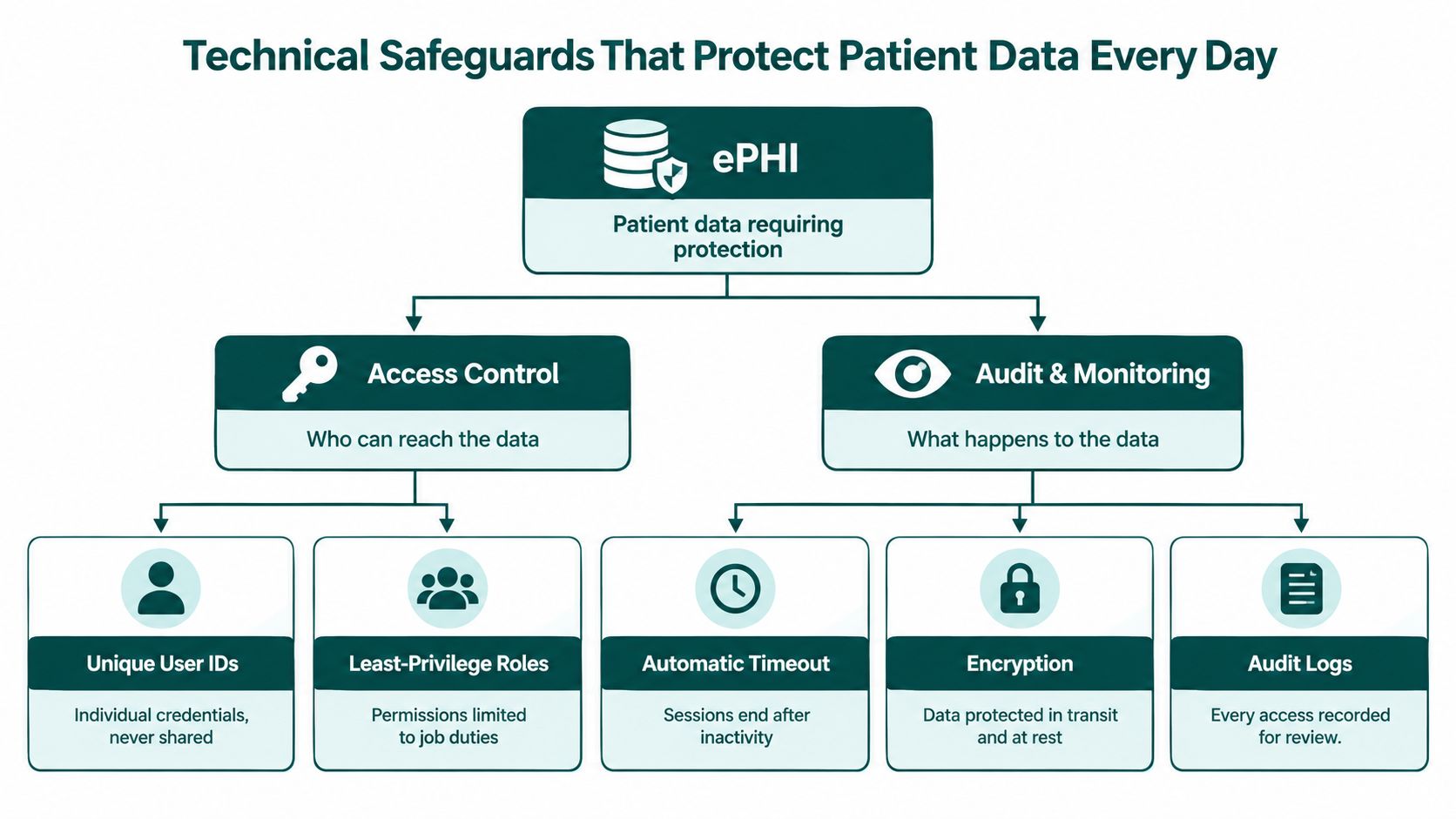
Technical Safeguards That Protect Patient Data Every Day
Technical safeguards are the technology and policies used to protect ePHI and control access. HHS distinguishes these safeguards from the broader administrative and physical measures in the Security Rule, and its Security Rule overview explains that business associates must identify and respond to suspected security incidents, mitigate practicable harm, document outcomes, and report incidents under the BAA.
Some controls are directly tied to the Security Rule. Others are prudent implementation choices that help a practice meet its obligations. The difference matters. HIPAA doesn't turn one specific vendor product, VPN configuration, or device model into a universal requirement. The practice must assess its risks and select reasonable safeguards for the environment.
Build access around the job
Every assistant should have a unique user account. Shared credentials make it difficult to determine who opened a record, who changed a note, or whose session remained active after a shift. Multi-factor authentication adds another layer against compromised passwords, while role-based EHR permissions restrict what the account can see and do.
A practical role map might look like this:
| Role | Typical system access | Control boundary |
|---|---|---|
| Virtual receptionist | Scheduling platform, approved phone system, limited demographics and communication fields | No unrestricted clinical-note browsing |
| Medical scribe | Task-limited encounter documentation and provider-directed chart information | No independent diagnosis, treatment, or clinical decision-making |
| Billing assistant | Charges, claims, remittances, coding documentation, and payer portals | Access limited to revenue-cycle work |
| Prior-authorization specialist | Authorization queue, relevant clinical attachments, payer portals, and referral details | Escalation required for clinical interpretation |
| Patient intake coordinator | Intake forms, records requests, demographics, and insurance information | No access beyond intake and records workflows |
A scheduler's permissions should match scheduling. If the role changes, the practice should approve expanded access rather than allowing permissions to accumulate by convenience.
Control devices, sessions, and data movement
Where feasible, use organization-managed devices or require a documented device standard. Controls may include encryption, screen locking, patching, endpoint protection, private workspaces, and restrictions on local storage. Session timeouts reduce the chance that an unattended computer exposes an open chart. Remote access should be limited to the practice's defined working hours where the systems support that control, and accounts should be disabled promptly when the assistant leaves or changes roles.
PHI should remain in approved systems. Prohibiting downloads to personal folders, screenshots, personal email, consumer messaging applications, and unapproved cloud storage removes common shortcuts that create untraceable copies. For practices that exchange documents with remote staff, a specialized guide to HIPAA-compliant file sharing can help managers evaluate secure transfer workflows and retention questions.
Make activity reviewable
Centralized audit logging should show who accessed or changed a record, when the event occurred, and which account or system was used. The exact fields available will depend on the EHR, practice-management platform, phone system, or clearinghouse, but the principle is consistent: a practice should be able to investigate activity without relying on memory or a shared login.
For a scribe, review may focus on changes to clinical notes and whether provider approval occurred. For a biller, it may include claim attachments, payment information, and payer communications. For a receptionist, it may involve message routing and appointment changes. Logs don't prevent every mistake, but they provide traceability and support investigation.
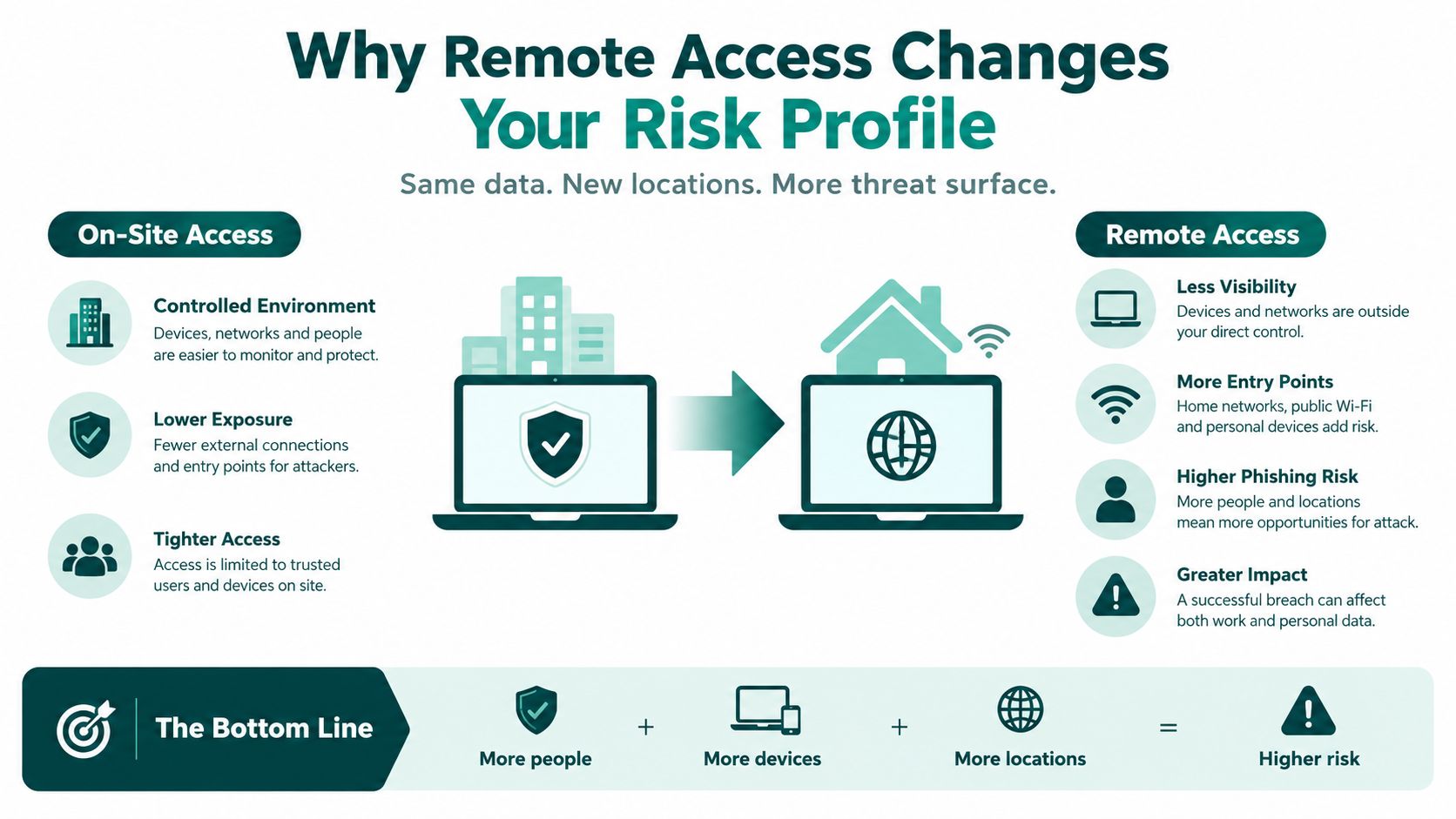
Why Remote Access Changes Your Risk Profile
Remote work doesn't automatically create noncompliance. It does change the places where a practice must look for risk. An assistant may connect from a home workspace, use several cloud applications, receive a call through a softphone, and move between the EHR and payer portals during one task. Each connection, device, credential, and transfer needs a defined control.
The scale of the exposure is clear in HHS reporting. In calendar year 2024, the Office for Civil Rights recorded 663 reported breaches of unsecured PHI affecting at least 500 individuals, involving approximately 242,908,056 people, and hacking and information-technology incidents represented 81% of reported large breaches, according to the HHS 2024 breach report. Those figures don't mean every remote assistant arrangement is unsafe. They do show why cyber controls deserve the same attention as the contract.
Ordinary operations can create exposure
A breach doesn't require malicious intent. A receptionist can send a message to the wrong patient, a biller can download a claim attachment to an unmanaged computer, or an assistant can leave a session open while stepping away. Exposed credentials, excessive permissions, weak subcontractor controls, and unapproved devices can create the same result.
The minimum-necessary rule is the first containment measure. A scheduler generally needs demographics, appointment history, insurance details, and communication preferences for the scheduling task. That doesn't mean the scheduler needs every clinical note. HHS requires reasonable efforts to limit PHI use, disclosure, and requests to the minimum needed, with role-based policies identifying which workforce members need which categories of PHI and under what conditions, as described in HHS minimum-necessary guidance.
Offshore location isn't the control
Geography alone neither creates compliance nor removes it. An offshore assistant with tightly segmented permissions, managed authentication, approved devices, and reviewed logs may present less practical exposure than an internal employee who has broad access, uses shared credentials, and works without monitoring. Conversely, an offshore arrangement with unmanaged equipment and no clear escalation process can multiply uncertainty.
This is why the practice should evaluate the workflow rather than the location. Ask where PHI is displayed, whether files can be downloaded, which systems log activity, how the assistant reports a suspected incident, and how access is disabled at separation. A provider that can't answer those questions clearly hasn't given the practice enough evidence to make an informed risk decision.
Training and Ongoing Audits That Keep Compliance Real
Training is useful when it changes behavior inside a specific workflow. HHS guidance requires covered entities to analyze risks associated with remote access and off-site use of ePHI, then provide remote-workforce training that addresses those vulnerabilities and gives clear instructions for accessing, storing, and transmitting ePHI. A generic course can introduce the rules, but it won't tell a scribe how to handle an unfinished note or a receptionist how to escalate a misdirected message.
Make training role-specific
A receptionist should practice identity verification, message routing, appointment communications, and escalation of sensitive requests. A billing assistant should understand claim attachments, payer portals, remittance information, and the prohibition on moving records into unapproved spreadsheets. A scribe needs clear boundaries around documentation, provider review, corrections, and questions that must go to licensed staff.
Training should also address the remote environment:
- Device loss: The assistant knows whom to contact immediately and how the account or device will be secured.
- Suspicious activity: Unexpected prompts, unusual login notices, or strange messages are reported rather than investigated informally.
- Misdirected communication: A wrong recipient, voicemail, attachment, or portal message triggers immediate escalation.
- Storage decisions: The assistant knows which systems are approved and which local or consumer tools are prohibited.
- Role boundaries: Administrative staff don't diagnose, interpret clinical information, or make licensed decisions unless the role and jurisdiction expressly allow it.
Document the initial training, practice-specific orientation, refresher activity, and any corrective coaching. HHS expects remote-workforce training to address the vulnerabilities of remote access, so the record should show more than a course title.
Audit the controls, not just the employee
A useful review cycle checks whether access still matches the assistant's duties, samples relevant audit logs, confirms that offboarding was completed, and records corrective actions through completion. If an assistant moves from scheduling into billing, the practice should document the new approval and adjust permissions. If a system changes, the remote workflow should be reassessed rather than assumed to remain safe.
The incident path should name the practice contact, the provider contact, the person responsible for preserving evidence, and the person coordinating the investigation. For practices building a more formal monitoring process, an MSSP HIPAA compliance workflow from ThreatExploit AI offers a useful way to think about recurring evidence collection and escalation, although the workflow still needs to match the practice's systems and agreement.
Report immediately, not on the deadline
HHS states that a business associate must notify the covered entity of a breach of unsecured PHI without unreasonable delay and no later than 60 days after discovering the breach, as explained in its breach notification guidance. That is an outside legal deadline, not a recommended internal response time.
A remote assistant should report a lost device, exposed screen, unauthorized login, misdirected message, or suspicious download the same day, preferably as soon as it is noticed. Waiting to investigate alone can destroy evidence and leave the practice with too little time to meet its own notification duties.
Practices evaluating the people who may support this work can also review the medical assistant opportunities and standards for talent to understand the professional expectations communicated to prospective remote staff.
How to Vet a HIPAA-Compliant Virtual Assistant Provider
The most useful vendor conversation happens before the first login is issued. Ask for evidence, not assurances. A provider should be able to explain how it selects assistants, documents training, controls devices and accounts, handles subcontractors, reports incidents, and removes access when an engagement ends.
HHS doesn't recognize an official “HIPAA certification” for people or vendors. A provider using that phrase may be referring to private training or an internal designation, so ask what the claim means and request the underlying documents. The relevant question is whether the arrangement has appropriate safeguards and whether the practice can verify them.
Use an evidence-based checklist
| Vetting criterion | What to ask the provider | What a strong answer looks like |
|---|---|---|
| BAA coverage | Will the organization sign a client-specific BAA? | The BAA identifies services, permitted uses, safeguards, incident duties, subcontractors, and end-of-relationship handling. |
| Workforce training | What training is completed before PHI access, and how are refreshers documented? | Records show HIPAA and security training, remote-work instructions, role-specific procedures, and recurring refreshers. |
| Assistant confidentiality | Does each assistant sign confidentiality obligations that cover PHI? | The provider can explain how workforce obligations align with the client BAA and internal policies. |
| Device policy | What devices and networks may access the practice's systems? | The provider describes managed devices where feasible, encryption, screen locks, patching, secure connections, and prohibited storage. |
| Authentication | Are accounts unique and protected with multi-factor authentication? | No shared credentials. The provider supports individual accounts, controlled password handling, and prompt account disablement. |
| Role permissions | How is minimum-necessary access configured? | The provider collaborates with the practice to map permissions to scheduling, intake, billing, documentation, or authorization duties. |
| Audit records | Can the practice review access and change activity? | The EHR and related systems produce usable logs showing the account, event, time, and affected record or workflow. |
| Incident escalation | What happens after a suspected disclosure or security event? | The provider has named contacts, immediate escalation procedures, evidence-preservation steps, documentation, and BAA-based notification duties. |
| Offboarding | How are access, devices, files, recordings, and credentials handled when a role ends? | Access is disabled promptly, assets and PHI are returned or destroyed where feasible, and completion is documented. |
| Skill verification | How do you test the assistant's healthcare and role-specific ability? | The provider uses background checks, practical skills testing, language assessment where relevant, and a structured interview. |
Match permissions to responsibilities
A staffing provider can help source talent, but the practice should approve the actual access map. The following is a useful starting point:
- Scheduling: Calendar, appointment history, demographics, insurance details needed for the appointment, and communication preferences.
- Patient intake: Intake forms, demographics, records requests, and approved patient communications.
- Billing support: Charges, claims, remittances, coding documentation, payer portals, and billing correspondence.
- Prior authorization: Authorization queues, relevant clinical attachments, payer portals, and referral information, with clinical questions escalated.
- Scribing: Encounter information needed to prepare documentation, with provider review and no independent clinical judgment.
- Records and referrals: Records workflows, referral documents, and communication systems required for coordination.
This mapping is especially important for behavioral health, dental, specialty, and multi-site practices because the systems and information flows differ. A mental health practice may need tighter handling of sensitive notes and messages. A dental practice may prioritize scheduling, insurance verification, and claims. A specialty clinic may need prior-authorization coordination without giving an administrative worker unrestricted clinical access.
MedicalVirtual is one example of a pre-vetted LATAM staffing option. Its stated model includes a BAA with each client, five-stage vetting, HIPAA training before start with annual refreshers, prior U.S. healthcare experience for shortlisted assistants, and role matching for functions such as reception, intake, billing, insurance verification, scribing, and prior authorization. Practices should still verify the specific controls, contract terms, and system permissions for their own engagement. If you want to compare candidates and workflows directly, you can connect with MedicalVirtual.
The Takeaway
A HIPAA-compliant virtual assistant isn't a label attached to a person or staffing company. It's an operating system of contractual, administrative, physical, and technical controls. The practice remains responsible for understanding the service environment, performing appropriate risk management, and confirming that the BAA, permissions, devices, procedures, and monitoring work together.
Start with three decisions. Execute a task-scoped BAA with the organization handling PHI, configure minimum-necessary access before the assistant's first day, and schedule recurring access reviews and training refreshers. Require an incident path that encourages immediate reporting, and retain evidence showing that permissions, logs, corrective actions, and offboarding were reviewed.
If you're evaluating pre-vetted, BAA-backed medical virtual assistants, compare providers by the evidence they can produce before access is granted, not by a compliance phrase on a website.
MedicalVirtual connects U.S. medical practices with pre-vetted LATAM healthcare talent for reception, intake, billing, scribing, insurance verification, and prior-authorization support. Visit MedicalVirtual to review the shortlist process and discuss a role scoped to your systems, hours, and PHI controls.
Staff shortages affect 89% of dentists, while average dental schedules are only about 85% full, so the central dentistry practice management problem is capacity design, not hiring more people. A practice can have strong clinical demand and still lose production when front-desk coverage, appointment reliability, recall work, and billing follow-up don't operate as one system.
You may recognize the pattern. The schedule looks busy, but cancellations leave holes that nobody fills. The front desk answers calls while trying to verify insurance. Claims wait until the end of the day because the same person is handling check-in, patient questions, and payment posting. The practice then responds by opening another position, even though the underlying issue may be poorly distributed administrative work.
Effective management connects staffing coverage, chair utilization, patient communication, and revenue-cycle discipline. This guide explains how to identify the hidden capacity constraint, build a more dependable patient-flow system, compare in-house and remote support, reduce preventable billing rework, and protect patient information when administrative work happens outside the practice.
Understanding the Current Practice Management Challenge
A dental practice doesn't lose capacity only when a chair sits empty. It also loses capacity when no one answers a new-patient call, when a recall patient isn't contacted, when an insurance issue delays treatment, or when a provider's schedule contains appointments that were never properly confirmed. These failures often look unrelated because different employees handle them. Operationally, they belong to the same capacity problem.
The 2025 Dental Economics and Levin Group practice survey reported that more than 89% of responding dentists believed dental staff were in short supply, 58% were seeking at least one team member, and 76% had an open position. Those figures describe a labor problem, but they also describe a coverage problem. A practice can recruit continuously and still struggle if the available hours don't match the work that must be completed.
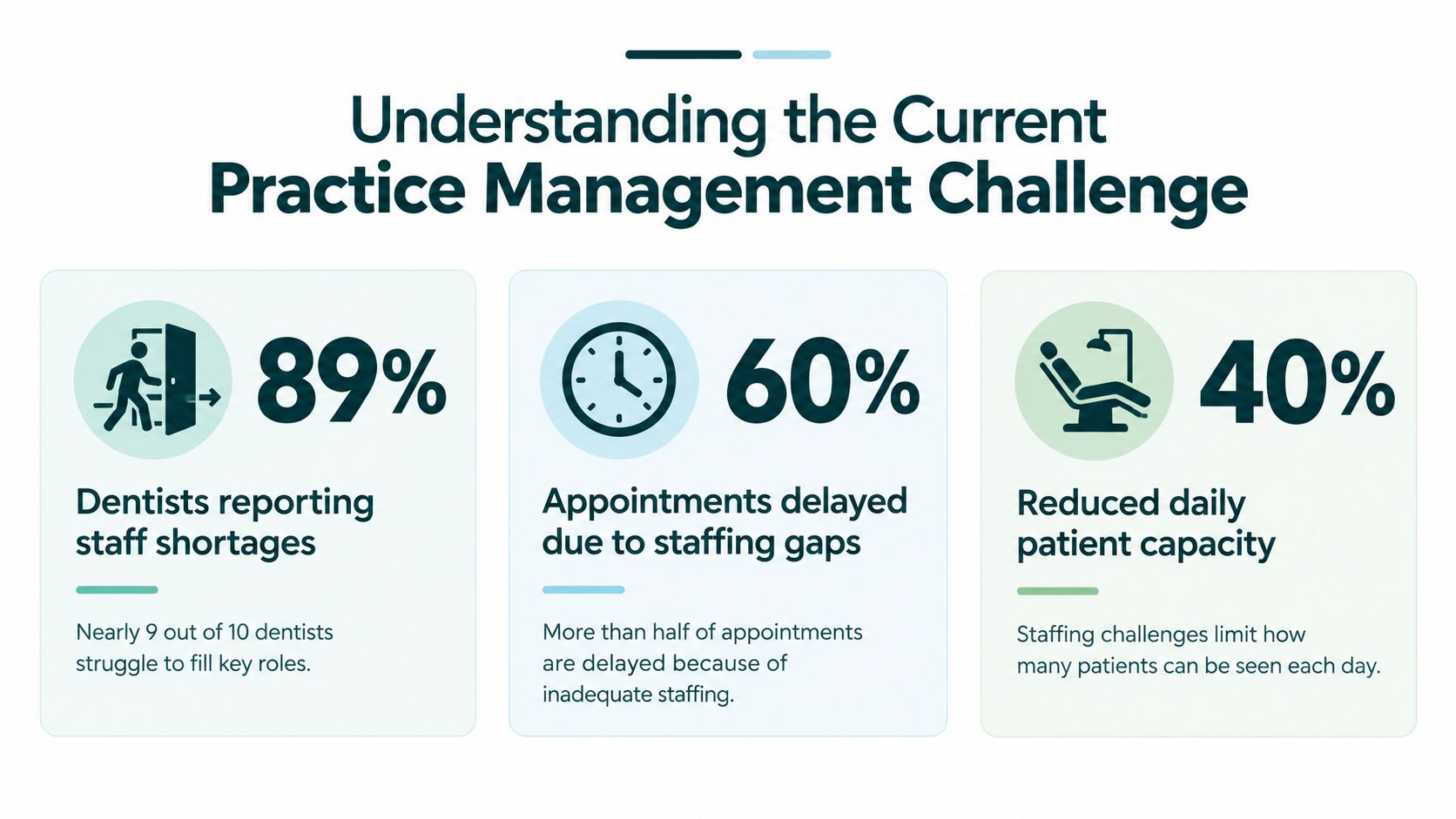
Staffing gaps create a chain reaction
The American Dental Association's January 2023 economic outlook found that approximately two out of three dentists identified staffing as a major challenge for the following six months. The same report placed the average schedule at approximately 85% full in January 2023. The combination matters. Recruitment difficulty can restrict appointment availability even when patient demand exists, while an underfilled schedule leaves less room to absorb rising operating costs.
Owners often respond by asking whether they need another receptionist, scheduler, or biller. The more useful question is, which tasks are preventing the practice from using the capacity it already has? If the answer is unanswered calls during clinic hours, the solution differs from a backlog of eligibility checks. If the problem is repeated cancellations, adding a billing employee won't repair the schedule.
Practice ownership has also become more varied. The ADA's dental practice research shows that private-practice ownership among U.S. dentists declined from 84.7% in 2005 to 72.5% in 2023, while 16% of U.S. dentists were affiliated with a dental support organization in 2024. The United States had approximately 135,665 dental-practice establishments, which means management systems must work for solo offices, multi-location groups, and DSO-affiliated practices alike.
Practical rule: Don't measure staffing only by headcount. Measure whether every critical workflow has an owner, a backup, and defined coverage during the hours when patients and payers are most active.
Start with a capacity map
List the work that affects completed appointments and collected revenue. Include inbound calls, appointment booking, confirmation, cancellation recovery, recall outreach, insurance verification, claim submission, denial follow-up, payment posting, and patient financial conversations. Then record when each task happens, who performs it, and what happens when that person is unavailable.
A capacity map usually exposes a mismatch. A practice may have enough total labor hours but too little coverage between the first morning appointment and the final phone call. Another may have a full-time employee spending prime clinic hours on work that could be completed in a quieter administrative block. The fix may be redistribution, cross-training, or dedicated remote support rather than immediate expansion of the entire team.
Owners evaluating dental and orthodontic workflows can also review support options for dental and orthodontic practices when the gap involves recurring administrative work rather than clinical duties. The role must remain clearly defined. Administrative support can coordinate information and follow established procedures, but it shouldn't diagnose patients, make treatment decisions, or perform licensed work.
Designing Reliable Patient-Flow Workflows
Appointment reliability improves when confirmation is treated as a controlled workflow rather than a message sent whenever the front desk has spare time. The process should identify risk, create several opportunities for the patient to respond, and give staff enough notice to refill released chair time.
A study of 1,604,184 appointments across 64 dental practices found that automated reminders reduced no-shows by 22.95% compared with manual reminder processes. It reported no-show rates of 1.9% for SMS, 2.68% for email, and 3.49% for telephone reminders in that dataset, as described in the dental appointment no-show benchmark analysis. Those figures are useful benchmarks, not promises. Your practice should judge channels by completed appointments, patient preferences, consent, and the quality of follow-up after a nonresponse.

Build confirmation around risk
A dependable workflow uses a confirmation request several days before the appointment, a reminder one day before, and an escalation queue for patients who haven't responded. The queue matters more than the first message. Without an assigned person checking unconfirmed appointments, automation creates a list of silent risks.
Segment the queue by appointment type and patient history. A long restorative visit or an appointment requiring preparation deserves earlier attention than a short routine visit. Patients with previous missed appointments, unconfirmed visits, or a long interval between booking and the appointment should receive direct outreach. A systematic review of dental no-show prediction studies found reported no-show rates ranging from 13.5% to 48%, with recurring predictors that included failure to confirm by SMS, previous missed appointments, Monday appointments, first-week-of-the-month appointments, and long booking lead times. The review is available through this analysis of dental no-show prediction studies.
A practical queue can contain these fields:
- Confirmation status: Recorded as confirmed, requested, unreachable, cancellation requested, or rescheduling needed.
- Risk reason: Previous no-show, long lead time, high chair-time requirement, or no response.
- Recovery action: Direct call, SMS follow-up, waitlist offer, or provider review.
- Ownership: One named staff member responsible for closing the next step.
- Outcome: Kept appointment, rescheduled appointment, backfilled opening, or unused time.
Recover released chair time
Cancellation recovery should begin when a patient cancels, not after hours. The staff member should document the opening, identify patients who can accept that appointment type, and contact the waitlist in an agreed order. A waitlist that exists only in a spreadsheet won't reliably protect production. Someone must work it.
Separate a cancellation from a true no-show. A cancellation may create time to backfill, while a no-show requires a different follow-up and may indicate a recurring risk pattern. Track both by provider, appointment type, lead time, and communication method. The study of 1,193 appointments in this reminder-method comparison reported an average no-show rate of 2.43%, with the no-reminder group experiencing more than three times as many no-shows as reminder groups. Its channel differences were not statistically significant, which reinforces the operational lesson: consistency matters, and your own completed-appointment data should guide channel selection.
Review practical patient experience tips alongside the scheduling workflow. A technically efficient reminder process can still frustrate patients if messages are unclear, difficult to answer, or disconnected from what happens when someone needs to reschedule.
Choosing Between In-House and Remote Support Models
The right staffing model depends on the work, its timing, and the level of judgment it requires. In-house employees offer proximity to providers and immediate access to office context. Remote staff can provide focused coverage for repeatable administrative work without requiring another workstation inside the clinic. Neither model fixes an unclear process.
A useful comparison starts with the task rather than the employment label. A receptionist answering phones during clinic hours needs strong communication, scheduling discipline, and reliable access to the practice-management system. An insurance verification specialist needs payer-portal proficiency, careful documentation, and a process for escalating ambiguous benefits. A billing support role needs claim accuracy, denial categorization, and disciplined follow-up. These requirements can be met in different ways, but they shouldn't be blurred into one general assistant role.
Compare coverage, control, and complexity
| Decision factor | In-house support | Remote support |
|---|---|---|
| Clinic presence | Useful when tasks require physical documents, room coordination, or face-to-face financial conversations | Suitable for calls, verification, recall, billing, records coordination, and other system-based work |
| Coverage pattern | Works well when workload is steady throughout the employee's shift | Works well when a practice needs dedicated coverage during clinic hours or focused work blocks |
| Supervision | Informal questions can be resolved quickly on site | Requires scheduled check-ins, written escalation rules, and documented performance review |
| Technology | May use local devices and office resources | Requires secure remote access, role-based permissions, and reliable connectivity |
| Bilingual communication | Depends on the local labor pool | Can broaden access to English-Spanish administrative support when patient demographics call for it |
| Scaling | Adding capacity may require another full role | A practice can assign a defined workflow without placing every task into one generalist position |
A small practice may keep patient-facing check-in and complex financial conversations in-house while assigning recall, eligibility checks, or claim follow-up to remote support. A multi-site group may centralize insurance verification and denial work, then leave local teams responsible for same-day patient questions. An orthodontic office may prioritize appointment coordination and records requests, while a general dental office may need more help with hygiene recall and payer follow-up.
Match the model to the work
Use in-house coverage when the role depends on physical presence, frequent hallway coordination, or immediate access to clinical staff. Use remote support when the work is repetitive, measurable, and performed inside a cloud practice-management system, phone platform, payer portal, or secure document workflow.
Don't outsource ambiguity. If staff members disagree about who owns a cancellation, how to document an eligibility result, or when to escalate a denied claim, remote placement will magnify the confusion. Write the workflow first, then assign it. The process should specify the input, the action, the documentation standard, the exception, and the person who makes the final decision.
A role matrix can keep boundaries clear:
- Virtual medical receptionist: Calls, appointment requests, confirmations, recall outreach, and message routing.
- Patient intake coordinator: Forms, records requests, demographic updates, and new-patient onboarding.
- Insurance verification specialist: Eligibility and benefit checks before treatment, with unclear results escalated.
- Medical billing support: Charge entry, claim submission, denial work, payment follow-up, and statements.
- Prior-authorization support: Submission tracking and escalation under established practice procedures.
- Medical administrative assistant: Records coordination, referrals, reporting, and other defined nonclinical work.
Review available administrative support roles against your capacity map, but keep clinical judgment with licensed professionals. Remote support can organize information and execute approved workflows. It shouldn't independently interpret clinical findings or promise coverage when payer information is uncertain.
Optimizing Revenue Cycle Operations
Revenue-cycle problems often begin before a claim is submitted. An outdated eligibility record, mismatched subscriber detail, missing attachment, or inconsistent procedure and diagnosis information can create work that appears later as a denial. By then, staff must correct the original defect while also monitoring filing limits, patient balances, and payer responses.
Published revenue-cycle literature places typical denial rates at approximately 5% to 10%, as discussed in this review of denial management and revenue-cycle performance. The useful management objective isn't just reaching a benchmark. It's identifying repeatable upstream defects and shortening the time between denial, correction, and resolution.
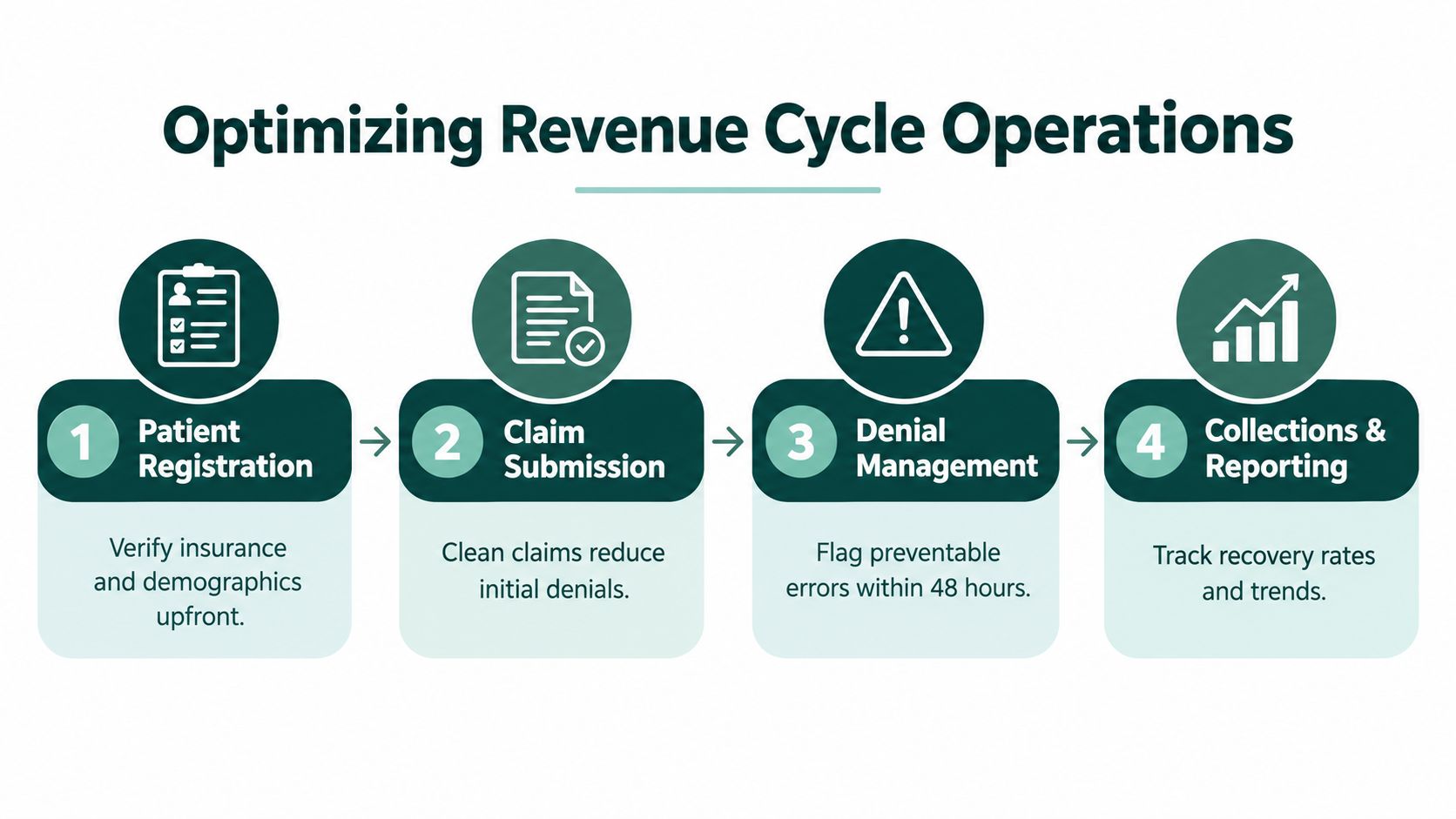
Verify before treatment
Eligibility verification should happen early enough for staff to resolve discrepancies before the patient arrives. Confirm the patient's identity, subscriber information, coverage status, network details, benefit limitations, and documentation requirements according to the practice's workflow. When the result is unclear, assign a human review rather than allowing an automated response to become an unexamined assumption.
The verification record should show the date checked, source used, staff member, relevant benefit details, and unresolved questions. This protects the front desk from repeating the same research and gives billing staff a clear reference when the claim is prepared. It also supports a more honest financial conversation with the patient. Verification isn't a guarantee of payment, so staff should distinguish confirmed information from estimates and explain that payer adjudication can differ.
Turn denials into categorized work
Create denial categories that describe the root cause, not just the payer's final message. Useful categories may include eligibility, subscriber mismatch, missing documentation, coding inconsistency, authorization, filing limit, coordination of benefits, and patient information. Each category should have an owner and a correction path.
A daily work queue can prioritize:
- Filing-limit risk: Claims that may become unrecoverable if action is delayed.
- High-value procedures: Items where a correction has a meaningful effect on receivables.
- Recurring payer errors: Patterns that justify a change to verification or submission procedures.
- Patient-balance impact: Claims that affect an estimate or statement already given to the patient.
- Unresolved responses: Accounts waiting for payer clarification or appeal review.
Track clean-claim rate, initial denial rate, denial dollars, days from denial to correction, appeal overturn rate, and accounts-receivable aging. Review balances older than 90 days as a distinct management queue, not as one blended total. The point is to make delay visible and assign the next action.
Keep humans in the loop
Automation can sort claims, populate fields, send reminders, and surface exceptions. It shouldn't remove accountability from the team. Staff must validate eligibility results, claim narratives, attachments, and patient financial communications when an error could affect treatment timing, payment expectations, or privacy.
A defined insurance verification workflow for dental practices can help separate pre-visit eligibility work from post-submission denial work. That separation matters because the same employee shouldn't have to abandon urgent denial follow-up every time the phone rings. Assigning distinct queues lets the practice measure completed work rather than assuming that a busy day produced reliable revenue-cycle performance.
Implementing Compliance and Technology Safeguards
Remote access to dental systems can be permissible under HIPAA, but location isn't the compliance test. The practice must control who can access electronic protected health information, what that person can see, how the access is secured, and how incidents are handled.
The HHS HIPAA Security Rule requirements address workforce security, authorization, supervision, and information-access procedures. Access should be limited according to the user's role and the minimum-necessary principle. A receptionist who confirms appointments doesn't need unrestricted access to every clinical document. A billing assistant may need claims and demographics without access to unrelated clinical material.
Establish the relationship correctly
When a business associate creates, receives, maintains, or transmits ePHI for a covered entity, HHS requires satisfactory assurances that the information will be safeguarded and that the relationship be documented through a business associate agreement. The HHS explanation of business associate obligations states that the agreement should define permitted uses and disclosures, require appropriate safeguards, address Security Rule obligations, and require reporting of impermissible uses, disclosures, and breaches.
A BAA isn't a substitute for operational controls. Before granting access, document the role, approved systems, permitted functions, supervision path, and termination procedure. Don't use shared credentials, even when several people perform similar duties. Shared logins prevent reliable auditing and make it difficult to determine who viewed or changed a record.
Secure the access path
Evaluate the entire route from the worker's device to the practice's systems. Review device security, authentication, network connection, cloud applications, local storage, screen visibility, and audit logs. Recommended safeguards may include:
- Unique user accounts: Give each worker an individual identity with only assigned permissions.
- Multifactor authentication: Enable it where the application supports it and require strong authentication practices.
- Role-based access: Limit screens, functions, and records to the work the person performs.
- Automatic locking: Require screen locks and prevent unattended sessions from remaining open.
- Local-storage controls: Prohibit downloading ePHI to personal devices unless the practice has explicitly approved and secured the process.
- Incident procedures: Define what happens after a lost device, suspicious login, misdirected message, or suspected disclosure.
- Access reviews: Remove or change permissions when duties, employment, or vendor relationships end.
Train remote staff on patient communication, identity verification, message escalation, and documentation. Confirm that the practice-management, imaging, phone, and billing platforms support the intended remote workflow and provide useful audit information. Requirements can vary by state, contract, and organizational structure, so have qualified compliance or legal professionals review the arrangement when the facts are complex.
Building Your Practice Management Strategy
Dentistry practice management works best as a connected operating system. Start by selecting one capacity constraint, such as unconfirmed appointments, unanswered calls, eligibility backlog, or aging denials. Assign an owner, define the workflow, and measure the result using completed appointments, recovered openings, clean claims, denial resolution time, or accounts-receivable aging.
Don't change every process at once. Stabilize scheduling, then strengthen revenue-cycle controls, then refine staffing coverage around the remaining gaps. Practices also need a separate patient-acquisition plan, and owners may evaluate specialized dental marketing services when demand generation is limiting growth. Marketing won't compensate for a front desk that can't convert calls or a schedule that can't recover cancellations.
The strongest model is usually progressive. Document the current state, test one workflow, review exceptions with the team, and adjust the role before adding more technology or labor. Management improves when the practice measures usable capacity, not activity alone.
The Takeaway
The staffing shortage and underfilled schedule point to one operational issue: practices need better control over capacity. Reliable confirmation, waitlist recovery, eligibility verification, denial follow-up, and role-based staffing should work together instead of competing for the same front-desk hours.
Audit the workflow first, assign clear ownership, and choose in-house or remote support according to the task's complexity, timing, and privacy requirements. A smaller, well-governed support function can be more useful than adding another undefined position.
MedicalVirtual connects U.S. healthcare practices with pre-vetted LATAM professionals for defined administrative workflows, including reception, scheduling, insurance verification, billing support, and patient intake. If your practice needs dependable coverage during clinic hours, visit MedicalVirtual to review role options and request a shortlist.
A patient is scheduled for a procedure, the front desk sees active insurance, and everyone assumes the financial side is settled. Then the payer denies the claim because the provider was out of network, the authorization was missing, or the deductible had not been explained. By that point, the patient is frustrated, the provider's staff is chasing paperwork, and the practice is carrying avoidable revenue-cycle work.
A medical insurance specialist prevents many of these failures by owning the administrative insurance touchpoints between scheduling, clinical care, and billing. The role includes eligibility and benefit verification, referral and authorization tracking, claim preparation, denial follow-up, and clear documentation. It doesn't include diagnosing patients, deciding medical necessity, changing clinical records, or promising that a payer will reimburse a service.
For practice owners and managers, the central question isn't whether this role is useful. It's whether the specialist's duties, authority, and performance measures are defined clearly enough to improve access to care and payment collection. The sections below explain the work from the first eligibility check through claims follow-up, the skills that prevent avoidable denials, the differences between specialties, practical KPIs, and the compliance boundary that must remain in place.
What a Medical Insurance Specialist Actually Does in a Medical Practice
A medical insurance specialist is a non-clinical administrative owner of insurance information. The specialist connects the appointment desk, payer portals, electronic health records, clearinghouses, billing staff, and patients. In a small practice, one person may handle several of these functions. In a larger group, eligibility, authorization, coding, billing, and payment posting may belong to separate teams.
The role sits inside the revenue cycle, but it begins before the visit. The specialist confirms that the patient's plan is active for the date of service, checks the relevant benefit category, identifies network restrictions, and records the patient's likely responsibility. After the encounter, the same workflow may support clean claim submission, rejection correction, denial research, and payer follow-up.
That sequence matters because active coverage isn't the same as payment approval. Eligibility answers whether a plan appears active. Benefits describe what the plan may cover. Authorization determines whether the payer requires approval for a service. Network participation, medical necessity, coding, documentation, and claim adjudication affect the final payment separately.
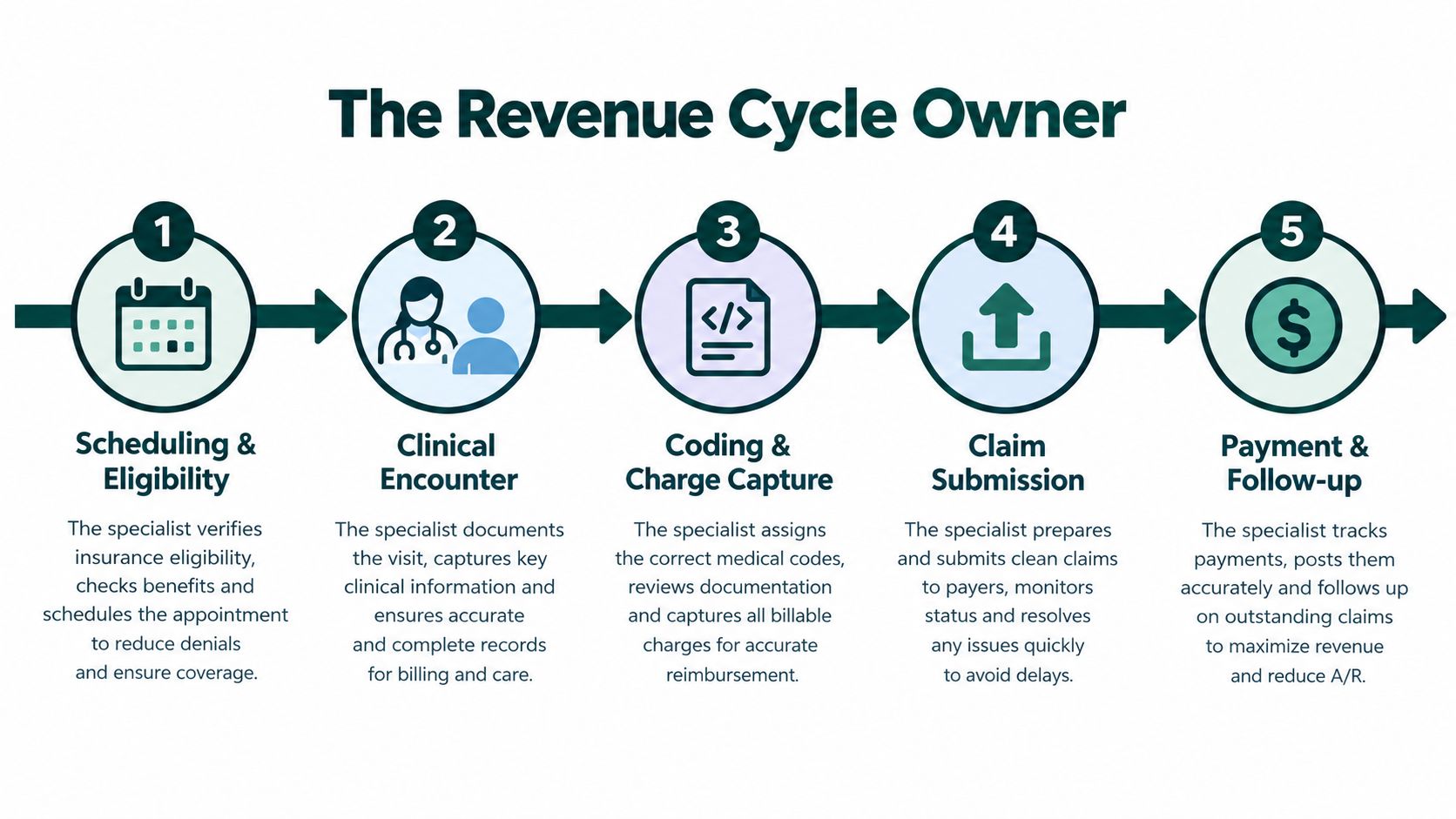
The role across the revenue cycle
The specialist's work commonly follows this path:
- Scheduling and eligibility: Confirm coverage, payer identity, network status, referral needs, and benefit details before the appointment.
- Clinical encounter support: Ensure authorization information and payer requirements are visible to the appropriate staff without interfering with clinical decisions.
- Coding and charge capture: Check that administrative data aligns with the submitted service information and route coding questions to qualified coding or clinical staff.
- Claim submission: Prepare or transmit complete claims through the practice management system or clearinghouse.
- Payment and follow-up: Review payer responses, correct rejections, investigate denials, and follow unpaid balances through the appropriate escalation path.
This is a measurable operational role, not a clerical catch-all. The Bureau of Labor Statistics groups related work under medical records specialists and health-information technicians. That group held approximately 200,700 jobs in 2025, with employment projected to grow 8% from 2025 to 2035, substantially faster than the average for all occupations, according to the Bureau of Labor Statistics overview of medical records specialists.
Practical rule: If a specialist's work can't be connected to a queue, a handoff, a payer response, or a measurable outcome, the job description is probably too vague.
A manager should define whether the position owns only pre-visit verification or also handles authorizations, claim edits, denials, payment posting, and patient financial communication. Those are related tasks, but they require different training and create different accountability.
Core Duties from Eligibility Check to Claims Follow-Up
The strongest workflow is chronological. Each step produces information that the next person can use without repeating the same payer call or searching through scattered messages.
Before the appointment
The specialist starts with the scheduled service, patient identity, payer, provider, location, and date of service. They use the payer portal, clearinghouse, or phone verification process to confirm active coverage and record the response. Benefit review should include the applicable deductible, copayment or coinsurance, out-of-pocket accumulators, service limits, referral rules, authorization requirements, exclusions, and network status.
The record needs a timestamp, payer reference number, portal confirmation, and the service being checked. A response should be reconciled against the planned CPT or HCPCS service and provider location. If the payer's language is unclear, the specialist shouldn't turn an uncertain response into a confident promise to the patient.
For higher-risk services, re-verification shortly before treatment is sensible because coverage and benefit information can change. The CAQH Index report on administrative transaction costs describes materially higher provider costs for manual benefit verification than for standardized electronic eligibility transactions. Electronic checks are useful, but they still need documented human review when the service, network, or payer response is ambiguous.
Authorization and referral control
Authorization work is a queue, not a single form. The specialist should collect the order, diagnosis and procedure codes, clinical notes, relevant imaging or laboratory evidence, treatment history, referring-provider details, payer criteria, submission channel, confirmation number, expected decision date, and appeal deadline.
A behavioral health request may require treatment-plan documentation and a peer-to-peer review. An imaging request may depend on prior conservative treatment or specific clinical notes. The specialist organizes the packet and tracks the payer's response, but the provider remains responsible for clinical information and medical-necessity decisions.
The American Medical Association reported that 94% of physicians said prior authorization delayed necessary care, 88% described the administrative burden as high or extremely high, and practices completed an average of 45 authorization requests per physician per week, consuming about 14 hours of physician and staff time, in the survey summarized by the Healthcare Business Management Association. Those findings support dedicated queue ownership, especially in specialties where an administrative delay can interrupt treatment.
Claims, rejections, and aging balances
After the encounter, the specialist may validate demographic and payer data, support charge entry, check claim completeness, and submit through the clearinghouse. The specialist shouldn't independently rewrite a diagnosis or alter a clinical note to secure payment. Coding questions should go to the coder or provider through a documented escalation process.
A rejected surgical claim may need corrected payer information, a coding review, or a resubmission. A denied claim requires a different analysis. The specialist identifies the denial reason, checks the remittance advice, gathers the needed documentation, and routes clinical or coding issues to the responsible professional. Aging balances then move into a follow-up queue with payer contact dates, reference numbers, next actions, and appeal deadlines.
| Duty | When Performed | Common Failure Point |
|---|---|---|
| Eligibility and benefits verification | Before the visit and when re-verification is triggered | Active coverage is treated as a guarantee of payment |
| Referral and authorization tracking | Before a restricted service | The authorization number never reaches the scheduler, coder, or billing queue |
| Claim readiness review | Before submission | Demographic, payer, location, or coding data doesn't match |
| Rejection correction | Immediately after clearinghouse feedback | Staff corrects the symptom without identifying the source error |
| Denial management | After adjudication | A coverage denial is confused with a coding or documentation denial |
| Payer follow-up | According to aging and appeal deadlines | Calls and reference numbers aren't documented consistently |
A practice that wants to reduce document hunting can also review a practical PDF BIRDS guide on document workflow automation. Automation can organize records and reminders, but it doesn't replace payer-specific judgment or provider review.
For practices that need dedicated pre-visit coverage work, an insurance verification service can be scoped around the practice's payer mix, systems, appointment types, and escalation rules.
Skills and Competencies That Separate Strong Specialists from Average Ones
A strong specialist doesn't merely move tasks from one inbox to another. They recognize patterns, document decisions, and know when an administrative question has crossed into coding, clinical, legal, or compliance territory.
Technical fluency
The baseline includes payer portal navigation, EHR and practice-management software use, clearinghouse workflows, medical terminology, and familiarity with CPT, HCPCS, ICD, and modifier relationships. The specialist should be able to read an eligibility response and an explanation of benefits, then explain what each document does and doesn't establish.
That doesn't mean the specialist replaces a certified coder. It means they can spot a mismatch, identify a missing field, and send a precise question to the right person. Someone who sees a recurring payer rejection and records the exact reason is more useful than someone who resubmits the same claim.
Communication under financial pressure
Patients often hear “your insurance is active” and reasonably assume the practice has confirmed payment. A capable specialist uses careful language, explains deductibles and cost-sharing in plain English, and states that verification is not a guarantee of payment. They should be able to explain the information available without presenting an estimate as a final bill.
Communication also includes internal writing. A good appeal or escalation note identifies the patient, service, payer response, missing requirement, action taken, supporting records, and next deadline. That clarity helps a provider, coder, supervisor, or payer representative act without reconstructing the case.
Bilingual English and Spanish ability can be useful where the practice serves both language communities, but language skill doesn't expand the person's clinical authority. The specialist still needs a clear script for clinical questions and a reliable route to the provider.
Judgment and operational discipline
The difference between average and effective performance is often judgment:
- Verification versus confirmation: The specialist records what the payer said, when it was said, and what remains uncertain.
- Coverage versus authorization: A covered benefit may still require payer approval or medical-necessity documentation.
- Coding versus clinical issues: The specialist identifies the possible problem but doesn't invent a diagnosis or rewrite provider documentation.
- Routine versus urgent: A stalled authorization for a medically time-sensitive service requires escalation, not just another status check.
- One-off versus pattern: Repeated denials from the same payer may point to a workflow defect upstream.
The skills profile for medical administrative roles can help a manager build a role-specific screening process. A practical interview should include a payer-response exercise, a denial categorization task, a patient-facing explanation, and a documentation sample.
How Specialists Differ by Specialty, Practice Size, and Setting
The job title hides substantial differences. A primary-care practice may need speed and consistency across a large appointment volume, while a surgical group may need deep authorization control and close coordination with clinical staff. Posting one generic description for both settings usually produces the wrong hire.
| Setting | Primary Workload Focus | Common Payer Friction | Specialty Knowledge Needed |
|---|---|---|---|
| Primary care | Eligibility, benefits, referrals, and front-desk financial preparation | Network changes, deductible questions, referral gaps | Common plan structures, preventive and evaluation services |
| Dental | Benefits, frequency limits, estimates, and claim support | Downgrades, exclusions, and service limits | CDT terminology, dental benefits, frequency rules |
| Behavioral health | Authorization, session tracking, and coordination across benefits | Carve-outs, treatment-plan requirements, and visit caps | Behavioral-health payer rules and documentation workflows |
| Surgical and specialty care | Prior authorization, medical-necessity packets, and payer follow-up | Delayed decisions, peer review, and global-period edits | Procedure requirements, clinical packet organization, escalation |
| Multi-site groups | Standardized queues, reporting, and cross-coverage | Inconsistent local processes and payer variation | Shared protocols, system permissions, and centralized reporting |
Primary care and dental workflows
Primary care insurance work often concentrates on eligibility, copay information, referrals, and accurate patient demographics. The specialist needs to move quickly without turning a short verification into a misleading financial promise. A front-desk coordinator may also need a defined handoff for patients whose coverage can't be verified before arrival.
Dental practices face a different knowledge burden. Frequency limitations, downgrades, exclusions, and CDT coding can make a benefit estimate difficult to explain. The specialist should record the payer response and distinguish a plan's stated benefit from the amount ultimately allowed after adjudication.
Behavioral health and surgical settings
Behavioral health practices may coordinate commercial coverage, carve-outs, secondary plans, session limits, and treatment-plan requirements. A specialist who understands only general medical eligibility may miss the authorization or documentation condition that controls whether sessions can continue.
Surgical and specialty practices usually need stronger authorization ownership. CMS states that, for impacted payers under its prior-authorization requirements, standard requests must receive a decision within seven calendar days and expedited requests within 72 hours, as described in the CMS prior-authorization process guidance. The rule concerns response timing, not approval, and it doesn't make every payer or service subject to identical requirements.
For a multi-site group, the manager should standardize payer fields, escalation stages, naming conventions, and reporting. Tools that support medical-office workflow organization, such as rednea for medical practices, may be considered alongside the practice's existing EHR, PMS, clearinghouse, and communication controls. The operating requirement is consistency, regardless of which software the group selects.
KPIs That Measure a Medical Insurance Specialist's Real Performance
A practice manager should measure the work at the point where it affects patient access, claim quality, and cash flow. The exact target bands should be set from the practice's baseline, payer mix, specialty, and contract terms. A target copied from another organization can create bad incentives, especially if staff rushes verification or closes authorization tasks without resolving them.
Revenue-cycle measures
The first useful metric is the clean claim rate at first submission. Pull it from the practice-management system and clearinghouse rejection report, then separate payer rejections from internal edits. A rising rejection pattern tied to one payer, location, provider, or service can reveal a registration or configuration problem rather than individual staff carelessness.
Days in accounts receivable shows whether claims and follow-up are moving. Review the aging report by payer and financial class, not just the overall figure. A stable total can conceal a growing group of old commercial claims or a recurring delay in one authorization-dependent service line.
Denial rate by category is more actionable than a single denial total. Categorize eligibility, authorization, coding, documentation, noncovered benefit, medical necessity, and submission errors. If one code or service repeatedly fails, send the pattern to the coder, provider, scheduler, or payer-contract owner instead of asking the specialist to work harder on the same defect.
Net collection rate should be reviewed with contractual adjustments, refunds, and patient balances understood. It's a practice-level outcome, not a pure individual score. The specialist influences it through accurate front-end data and follow-up, while providers, coders, billers, contracts, and patient payment processes also contribute.
Access and service measures
Prior-authorization turnaround should be measured from complete submission to payer decision, with urgent and routine work separated. Compare the result with the payer's stated service-level window, then inspect aging buckets for requests with missing records, pending peer review, or unresolved clinical questions.
Eligibility completion before the appointment is a useful operational measure. Pair it with the number of appointments requiring last-minute correction, the average check-in delay caused by insurance issues, and reschedules linked to missing authorization. These metrics show whether the process helps patients or merely produces completed tasks in a system.
| Duty | KPI | Target Band | Data Source |
|---|---|---|---|
| Eligibility work | Completed verification before scheduled service | Practice-defined high completion level | PMS work queue, eligibility log |
| Claim preparation | First-pass clean claim rate | Practice-defined improvement target | Clearinghouse rejection report |
| Authorization | Turnaround within payer service-level window | Within the applicable payer window | Authorization queue and payer log |
| Denial follow-up | Denial rate by root-cause category | Downward trend for preventable categories | ERA, EOB, denial work queue |
| A/R management | Aging by payer and financial class | Practice-defined aging threshold | Practice-management A/R report |
| Patient access | Insurance-related check-in delays and reschedules | Low and improving | Scheduling and front-desk reports |
The AMA physician workload survey reported an average 59-hour workweek, including 7.9 hours of administrative work, and found that 20.9% of physicians spent more than eight hours per week on the EHR outside normal working hours. Those figures make administrative coverage worth measuring, but they don't justify transferring clinical decisions to an insurance specialist. The right goal is to remove administrative friction while preserving provider authority.
Compliance, HIPAA, and the Limits of What a Specialist Should Sign Off On
A specialist may need chart access to verify coverage, gather records for an appeal, or document a payer conversation. That access should be limited to the systems and information required for the assigned duties. HIPAA requirements, payer contracts, state rules, and internal security policies can differ, so practices should confirm their obligations with qualified compliance or legal professionals.
For a remote worker who handles protected health information on the practice's behalf, HHS generally requires a written business associate agreement. The HHS sample business associate agreement provisions address permitted uses and disclosures, safeguards for electronic PHI, breach reporting, access to records for compliance review, return or destruction of PHI, and equivalent restrictions for subcontractors.
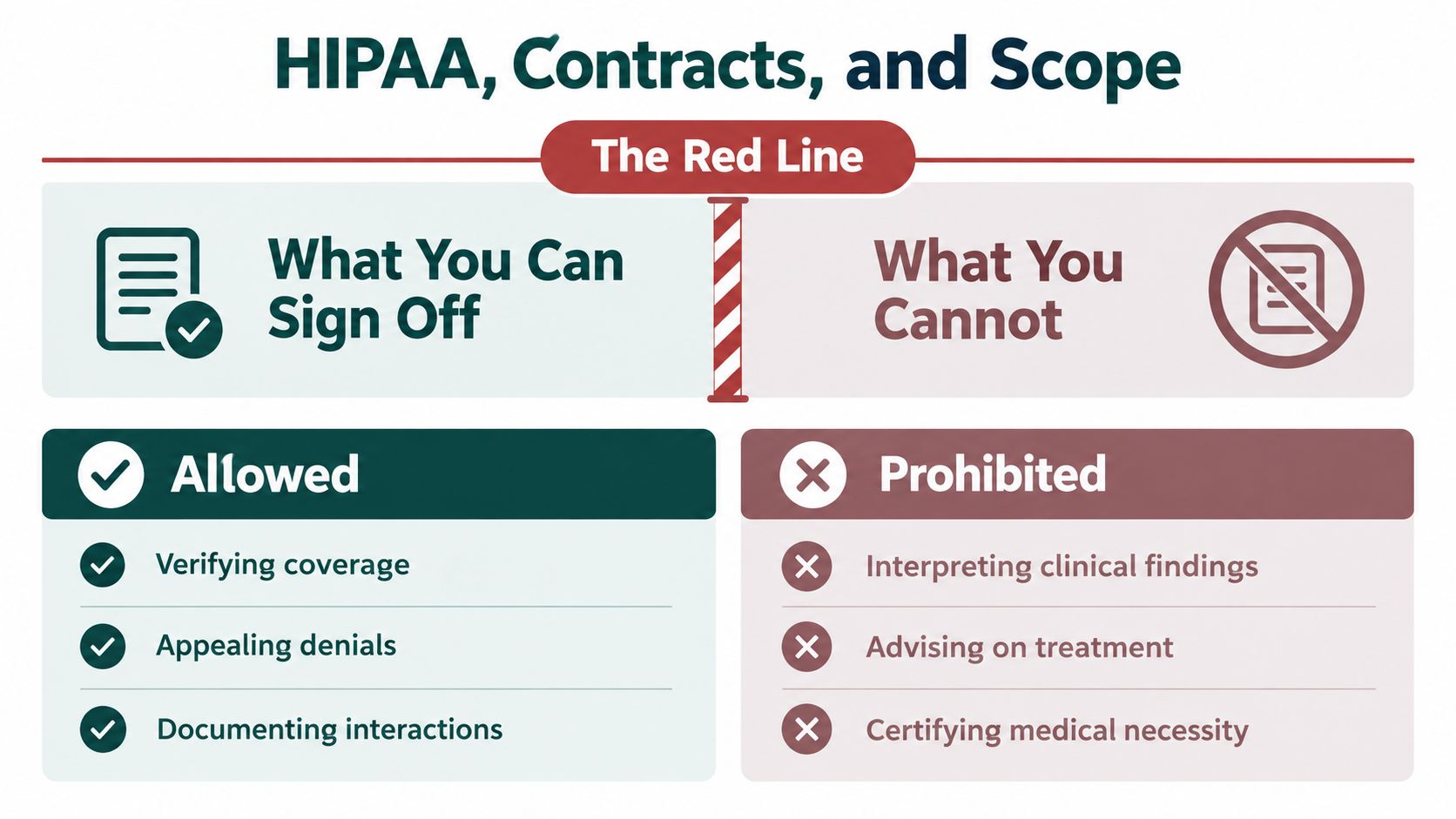
What the specialist may do
A well-scoped specialist may:
- Verify coverage: Review eligibility, benefits, network information, and payer reference details.
- Document interactions: Record portal responses, calls, timestamps, confirmation numbers, and next actions.
- Prepare appeals: Assemble records and administrative information for provider review and payer submission.
- Maintain queues: Track authorizations, claims, denials, deadlines, and unresolved payer questions.
- Communicate financial information: Explain documented benefits and uncertainty without presenting an estimate as a guarantee.
A business associate agreement is necessary in the relevant remote-work arrangement, but it isn't the entire security program. Use role-based permissions, unique user accounts, audit logs, secure communication methods, device controls, confidentiality terms, and a written process for reporting suspected incidents.
The red line
The specialist shouldn't interpret clinical findings, advise treatment, select a diagnosis, rewrite a clinical note, certify medical necessity, or tell a payer that a clinical condition exists when the provider hasn't documented it. They also shouldn't answer a patient's clinical question as though they're licensed to do so.
The manager's day-one checklist should state:
- Route clinical questions to the provider or designated clinical lead.
- Never change clinical documentation to obtain reimbursement.
- Record payer statements accurately, including uncertainty.
- Use only assigned systems and minimum-necessary information.
- Escalate privacy concerns, suspected breaches, and unusual access requests.
- Obtain provider or authorized reviewer sign-off before submitting clinical appeals.
A practice can also keep credentialing and provider-record responsibilities separate from insurance operations through a defined medical credentialing service workflow. Separation of duties reduces the chance that one administrative worker becomes the unofficial decision-maker for clinical, payer, and compliance questions.
The Takeaway
A medical insurance specialist creates value by keeping three different jobs distinct: verification, authorization, and payment follow-up. Verification establishes what the payer reports about coverage and benefits. Authorization controls a payer's approval process for restricted services. Claims and payment work address whether the submitted service was accepted, adjudicated, paid, denied, or still requires action.
Run one weekly checkpoint. Pull the clean-claim rate, A/R aging, denial categories, authorization turnaround, eligibility completion, and insurance-related appointment delays. Then route each gap back to the workflow that caused it. A repeated eligibility denial may belong to registration, a coding denial may require coder or provider review, and a stalled authorization may need clearer ownership and escalation.
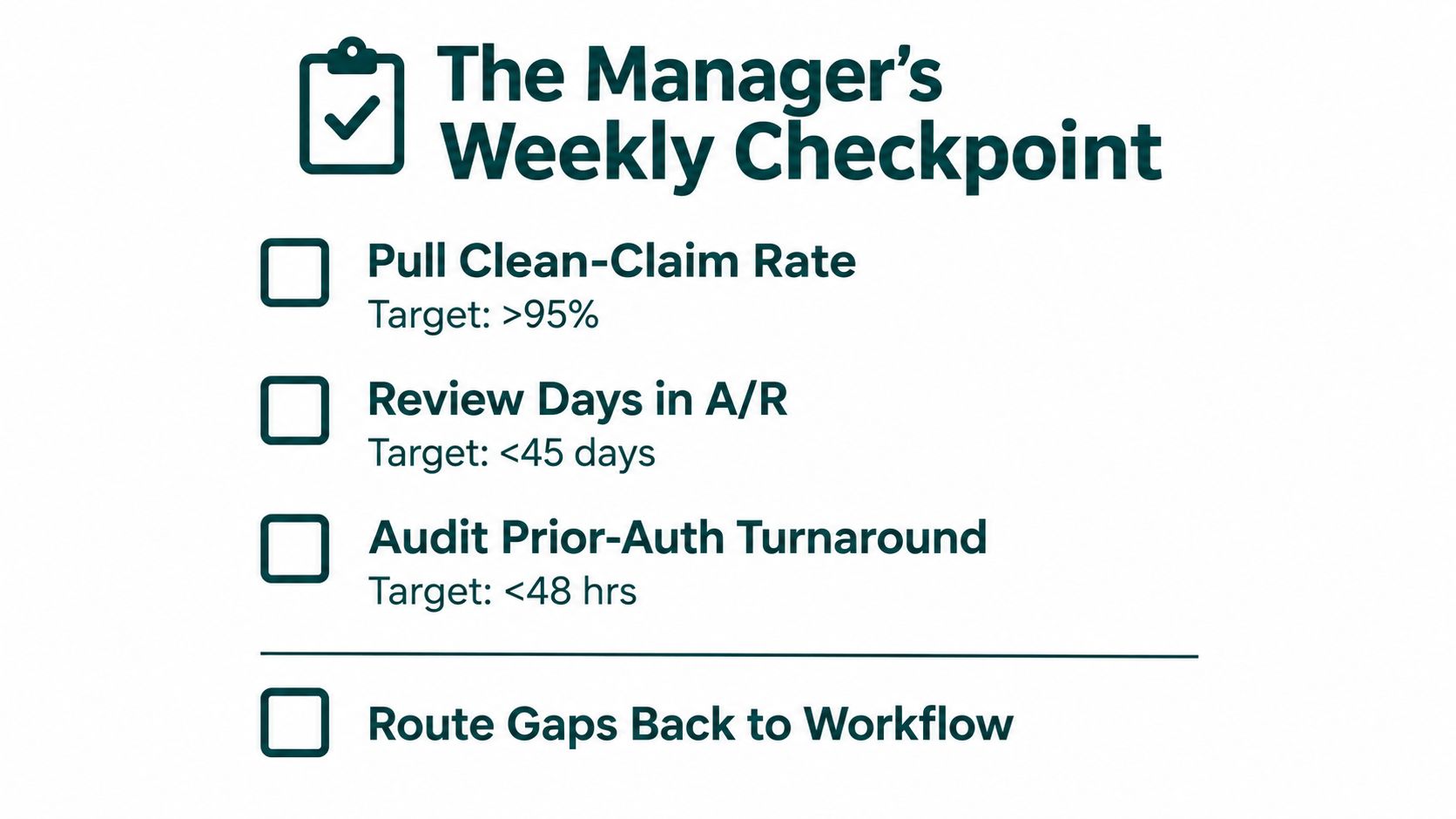
A remote specialist can cover administrative insurance work when the practice defines permissions, handoffs, payer-specific procedures, and clinical boundaries before the person starts. The work should make providers less dependent on after-hours administration while giving patients more accurate, carefully qualified information.
MedicalVirtual provides remote insurance verification and billing support for U.S. medical practices, including eligibility checks, payer follow-up, and authorization coordination within the practice's systems. If your team needs coverage for these administrative workflows, visit MedicalVirtual to discuss the role, hours, and specialty requirements.
Prior authorization is a payer approval step where your practice checks whether a service requires approval, submits medical-necessity documentation, and waits for a payer decision before delivering care. Under the CMS 2024 rule, affected programs must generally respond within 72 hours for expedited requests and 7 calendar days for standard requests beginning in 2026.
The process sounds like a simple yes-or-no checkpoint. In practice, it's a queue owned by several people, shaped by payer-specific rules, and often slowed by missing records, unclear status updates, or a patient who can't wait indefinitely. A physician may order an advanced imaging study, specialty medication, procedure, or durable medical equipment, but the order alone doesn't complete the work. Someone must verify the requirement, assemble the evidence, submit the request through the correct channel, monitor the review, and manage whatever happens next.
For practice owners and managers, the operational question is not only how prior authorization works. It's who does what, when the work is complete, and how the practice protects the patient's care plan after approval or denial. This guide follows that lifecycle from the first insurance check through appeals, rescheduling, patient communication, and staffing.
How Does Prior Authorization Work at a Glance
Prior authorization is a utilization-management process. Before a payer will cover certain drugs, imaging studies, procedures, or specialty services, a clinician or member of the practice staff must obtain approval. The payer reviews the request against plan rules and may approve it, deny it, or ask for more information.
This isn't an occasional administrative nuisance in many practices. The American Medical Association's 2024 physician survey found that physicians completed an average of 43 prior authorizations per week and spent about 12 hours weekly on the work. The same survey reported that 94% of physicians said prior authorization delays necessary care, 78% said it often or sometimes causes patients to abandon recommended treatment, and 27% said requests are often or always denied.
The practice-side lifecycle
A reliable workflow has distinct ownership at each stage:
- Identify the requirement. Staff verify the patient's active plan, the ordered service, and whether authorization is required.
- Define the clinical request. The provider documents the diagnosis, proposed treatment, medical rationale, and relevant treatment history.
- Gather evidence. Staff collect notes, results, prior therapy records, forms, and payer-specific attachments.
- Submit correctly. The request goes through the payer's portal, electronic transaction, fax process, or phone workflow.
- Track the queue. A named owner records the submission date, reference number, status, follow-up date, and deadline.
- Act on the decision. Approval requires scheduling and expiration tracking. Denial requires a patient plan, reconsideration, appeal, peer review, or alternative therapy discussion.
Small practices often underestimate the staffing needed because the work is distributed across front-desk employees, nurses, medical assistants, providers, and billing staff. A practical overview of health work for small business can also help owners think about administrative capacity more broadly, but prior authorization still requires healthcare-specific training and controlled access to patient information.
What Prior Authorization Is and Why Payers Require It
Think of prior authorization as a building permit. A contractor may know exactly how to complete a project, but the local authority requires a review before construction begins. In the same way, a provider may believe a medication, procedure, imaging study, or specialty service is clinically appropriate, while the payer requires supporting evidence before agreeing to cover it.
The payer's review generally evaluates whether the requested service meets the plan's coverage rules and medical-necessity criteria. If the practice delivers a service without required authorization, the claim may later be denied even when the provider believes the care was appropriate. That risk is why the authorization check belongs near the beginning of the workflow, not after the appointment has already occurred.
What commonly triggers review
Authorization requirements vary by payer, plan, state, service, diagnosis, and patient benefit design. Common examples include:
- Specialty medications, especially drugs with coverage restrictions or step-therapy requirements.
- Advanced imaging, such as certain MRI, CT, or specialized diagnostic studies.
- Procedures and surgery, including services that require evidence of conservative treatment.
- Durable medical equipment, where the payer may require detailed records and an order.
- Specialty services, particularly when the plan uses network or referral controls.
The same service may require approval under one plan but not another. A patient's insurance card, portal response, formulary, or payer representative may provide the first indication, but staff should confirm the requirement using the current plan-specific process.
Why payers use the gate
Payers generally use prior authorization to manage utilization, apply coverage criteria, encourage lower-cost or preferred therapies, and reduce inappropriate or fraudulent billing. Those objectives can be reasonable in principle. Providers, however, experience the process as a delay mechanism when the criteria are unclear, the submission channel is unreliable, or the payer requests information already present in the medical record.
The trade-off is therefore operational as well as clinical. A review may prevent an unsuitable service, but a slow or inconsistent review can interrupt a treatment plan. KFF found that 51% of insured adults had needed prior authorization in the previous 2 years, and many described the process as difficult to manage in its health tracking poll.
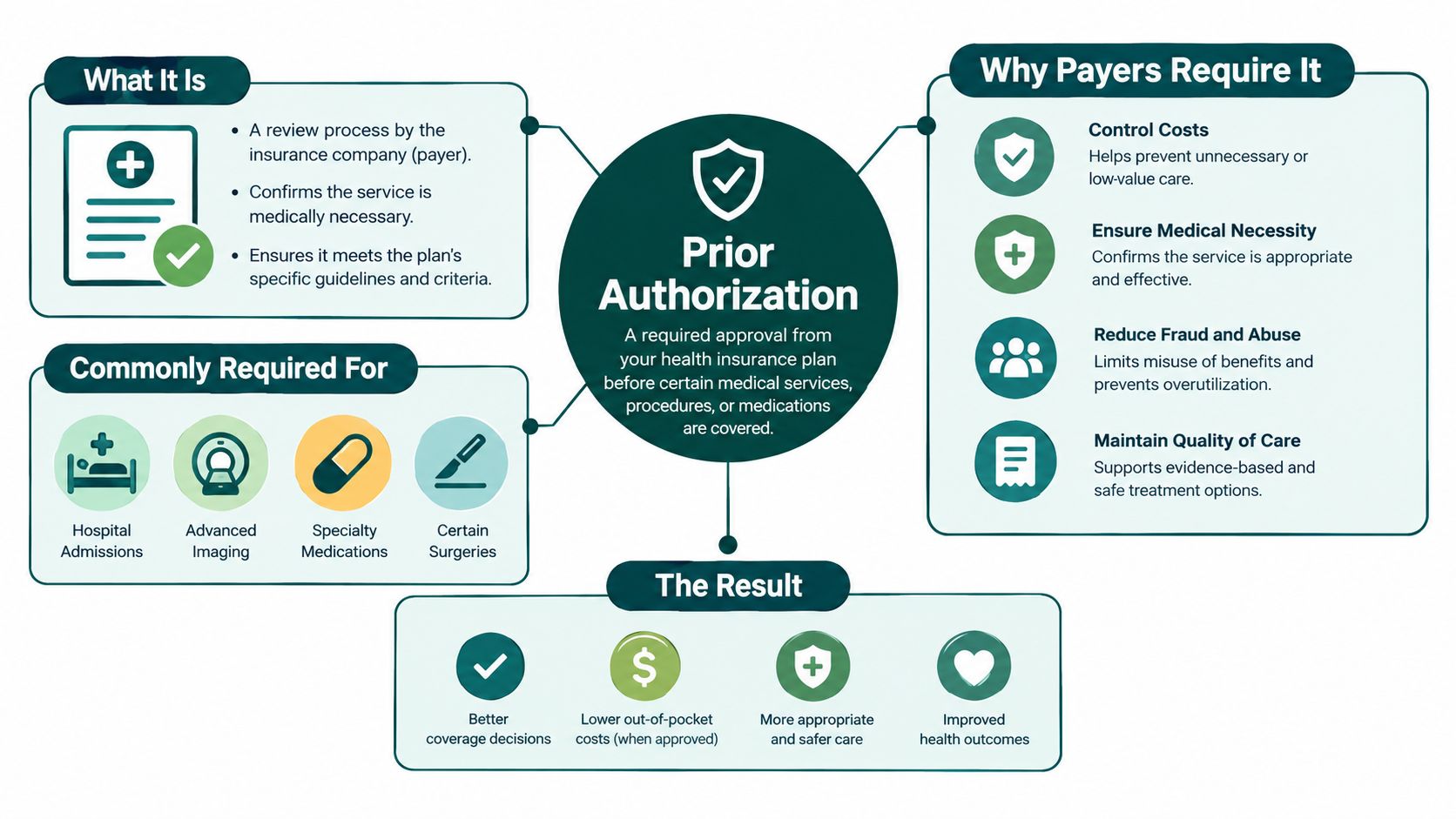
Operational rule: Treat the authorization requirement as a workflow trigger. Don't wait for the payer to reject a claim before asking whether approval was needed.
Who Initiates a Prior Authorization and What Documentation You Need
The provider's office usually initiates the request. The payer defines the requirement and reviews the submission, but the practice must identify the service, prepare the clinical evidence, and send the request through the required channel. Patients may provide an insurance card, answer intake questions, or help explain previous treatment, but they shouldn't be expected to manage the practice's authorization queue.
The provider supplies the clinical rationale. A front-desk employee, insurance verification specialist, medical assistant, nurse, billing employee, or dedicated prior-authorization coordinator may handle the administrative work. The right assignment depends on the service and the practice's policies, but administrative staff should never independently diagnose, select treatment, or make a clinical determination.
Documentation by request type
| Request Type | Typical Documentation | Common Submission Channel |
|---|---|---|
| Specialty medication | Diagnosis, prescription details, prior therapies, relevant lab results, and the payer's drug-specific form | E-prescribing workflow, payer portal, electronic prior authorization, fax, or phone |
| Imaging | Order, diagnosis code, symptoms, examination findings, prior imaging, and clinical notes | Payer portal, electronic medical record workflow, fax, or phone |
| Procedure | Procedure code, diagnosis, treatment history, operative rationale, imaging or lab evidence, and signed notes | Payer portal, electronic submission, fax, or phone |
| Durable medical equipment | Order, diagnosis, functional need, supporting examination, and required forms | DME or payer portal, fax, or other payer-designated channel |
A request can be clinically sound and still stall because one attachment is missing or the diagnosis code doesn't support the requested service. Before submission, the assigned owner should confirm:
- Patient and plan: Verify eligibility, member identification, group information, payer name, and the exact plan.
- Service details: Match the order, procedure code, medication, dosage, location, and rendering provider.
- Clinical evidence: Include the diagnosis, relevant findings, treatment history, test results, and the provider's rationale.
- Payer form: Use the current plan-specific form and answer every required field.
- Submission record: Save the confirmation, reference number, date, channel, and expected follow-up date.
- Patient timing: Record the intended appointment or treatment date so the request can be escalated appropriately.
Front-loading complete documentation reduces avoidable back-and-forth. A workflow study cited by CMS's prior authorization and pre-claim review information found that automating payer identification, documentation retrieval, and status notification reduced median authorization time by 33.9%, from 4.2 to 2.8 business days, and reduced the 90th percentile by about one week.
Practices that want to formalize the eligibility and payer-information portion of this workflow can review insurance verification services. Verification doesn't replace clinical review, but it can prevent the request from starting with the wrong payer or inactive coverage.
The Payer Review Process and Timelines
Consider a patient whose provider orders an imaging study that requires approval. The practice first confirms the active plan and requirement, then submits the order, diagnosis, clinical notes, and supporting history. The payer receives the request, assigns a tracking number, and checks whether the submission is complete. From there, the request may move through automated criteria checks, administrative review, or clinical review by a nurse or other payer representative.
The payer may approve the request, deny it, approve only part of it, or ask for more information. A request for records isn't a final denial, but it is a deadline-sensitive event. The practice must determine exactly what is missing, obtain the provider's input when needed, submit the additional material, and update the tracking record.
What standard and expedited mean
An expedited request is appropriate when waiting through the ordinary process could seriously jeopardize the patient's health or ability to regain maximum function. The provider, not an administrative employee alone, should determine whether the clinical circumstances justify expedited handling and document the reason.
The CMS Interoperability and Prior Authorization Final Rule provides a regulatory anchor for affected Medicare Advantage, Medicaid, CHIP, and federally facilitated Marketplace programs. As described in the CMS final rule announcement, impacted payers must generally issue decisions within 72 hours for expedited requests and 7 calendar days for standard requests beginning in 2026. Commercial payer procedures and actual practice-level turnaround can still vary, so staff should confirm the applicable plan rules rather than assume every request follows the same clock.
The rule also requires an affected payer to support a FHIR-based Prior Authorization API. In plain terms, an API allows the practice's electronic systems to exchange structured request and response information with the payer instead of relying entirely on manual portal entry, fax, or phone calls. The CMS fact sheet on the interoperability and prior authorization rule explains that the API must identify covered items and services, show documentation requirements, and support request and response exchange.
What faster exchange changes
Electronic exchange can reduce rekeying, improve visibility into status, and make it easier to identify missing information. It won't eliminate payer-specific criteria, clinical review, incomplete provider notes, or the need to explain an exception. A small practice still needs a human owner who knows when a request was submitted, what the payer asked for, and when escalation is appropriate.
A useful operational record contains the request date, urgency level, payer, service, reference number, current status, missing items, next follow-up date, and patient communication history. If staff can't answer those questions quickly, the technology hasn't solved the queue.
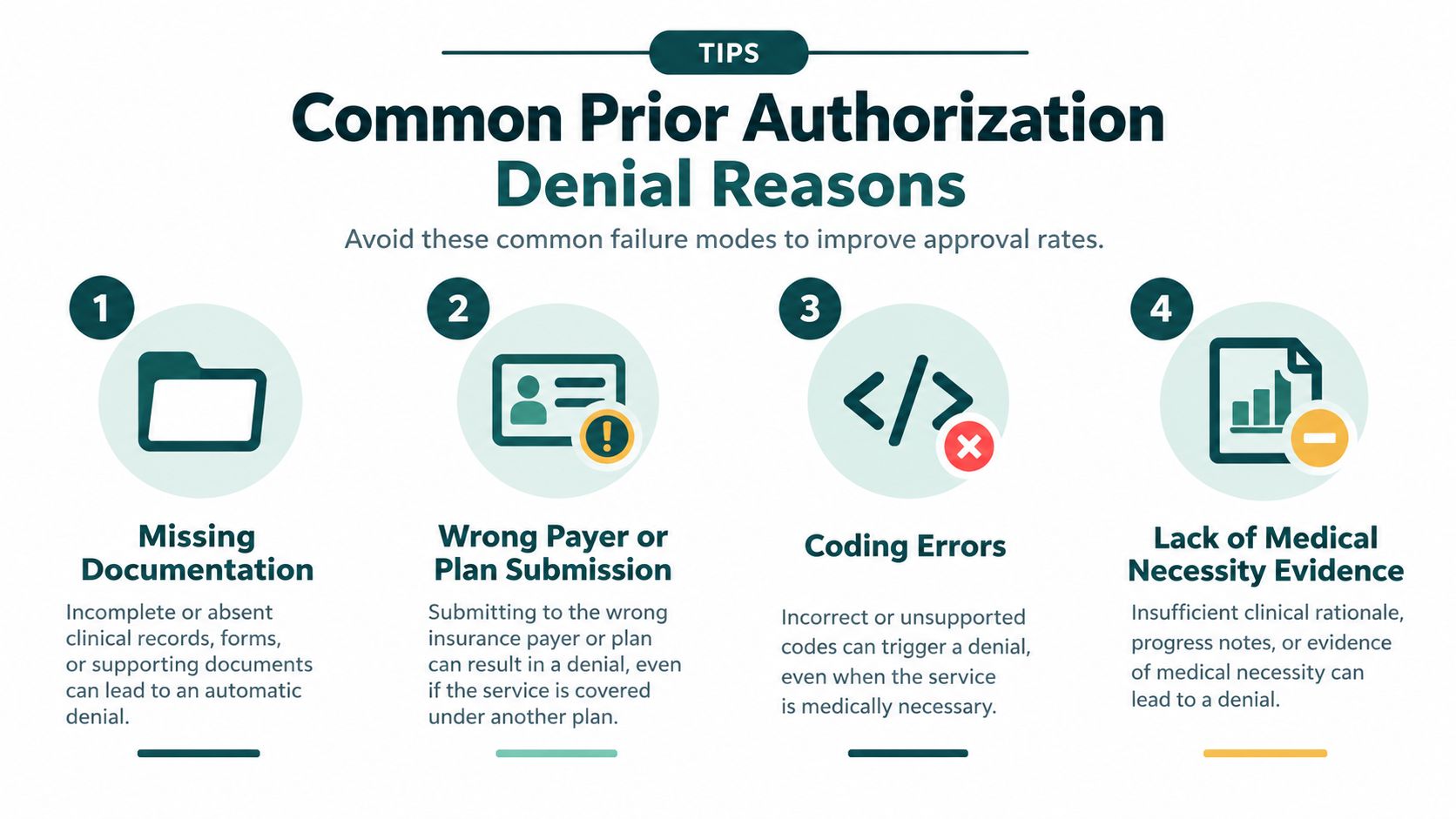
Practices also need to separate authorization work from credentialing and enrollment tasks. A specialist may be able to help with medical credentialing services, but credentialing status, payer enrollment, and authorization submission are related administrative functions, not interchangeable steps.
Why Prior Authorization Requests Get Denied
Denials usually fall into recognizable categories. Some reflect preventable practice errors. Others reflect a payer's coverage policy, a clinical disagreement, or a benefit exclusion that better documentation won't change. The manager's job is to distinguish those situations quickly instead of treating every denial as a documentation problem.
Missing or incomplete evidence
The payer may not receive the latest office note, test result, treatment history, signed order, or required form. Staff can reduce this failure by using a request-type checklist and reviewing the payer's current requirements before submission. The provider's note should connect the diagnosis and findings to the requested service rather than merely listing a code.
Wrong payer or plan
A patient may have changed coverage, carry more than one plan, or present an insurance card that doesn't identify the correct authorization administrator. Verify eligibility and authorization responsibility before collecting clinical records. Submitting a complete request to the wrong entity still produces delay.
Coding mismatch
The diagnosis, procedure, medication, place of service, or ordering provider may not align across the order, form, and clinical note. Staff should compare the submitted codes with the provider's documentation and the payer's criteria. They should escalate uncertain coding questions to the appropriate coding or clinical resource rather than guessing.
Medical-necessity and step-therapy gaps
Some plans require evidence that a patient tried a preferred medication, conservative treatment, or another covered option first. If the patient failed or couldn't tolerate that option, the record should state what was tried, the result, and why the requested treatment is appropriate. If no exception exists and an alternative is clinically acceptable, switching to a covered therapy may be faster than pursuing a weak appeal.
Administrative defects
Unsigned orders, expired referrals, wrong provider identifiers, missing clinical signatures, and incorrect patient details can stop a request before meaningful clinical review. A second-person quality check is useful for high-cost procedures and time-sensitive care, but it shouldn't create a new bottleneck for routine submissions.
Physician reports show that denials are not evidence of poor practice performance. The AMA reported that 27% of physicians said requests were often or always denied in its 2024 survey, and its prior authorization reform update reported that 69% of physicians said prior authorization leads to ineffective initial treatments and 42% said it pushes patients into immediate care or emergency department visits.
Use denial data for process improvement, not blame. A practice may find that its preventable issues cluster around missing notes, while another practice's denials mainly reflect a plan's step-therapy policy. Keeping structured authorization records in a properly governed environment is part of that review. Teams evaluating storage and reporting approaches can use this discussion of cloud versus on-prem healthcare data as a starting point, then confirm security, contractual, and compliance obligations with qualified professionals.
What Happens After Approval or Denial
Approval isn't the finish line. It changes the work from obtaining permission to using that permission correctly before it expires.
The coordinator should record the authorization number, approved service, units or quantity, servicing location, effective date, expiration date, and any conditions. The scheduling team needs that information before booking the patient, and the billing team needs the authorization number attached to the claim when required. If the patient misses the authorized window, the practice may need to start the process again.
When the payer approves
A practical post-approval sequence looks like this:
- Confirm the decision letter. Check that the approval matches the ordered service, provider, location, quantity, and date range.
- Update the record. Store the authorization number and expiration information where authorized staff can find it.
- Coordinate scheduling. Offer an appointment within the approval window and account for referral, facility, or medication logistics.
- Alert the patient. Explain what was approved, what happens next, and whether any separate financial responsibility remains.
- Monitor completion. Confirm that the service occurred and that the claim or dispensing process used the authorization information correctly.
When the payer denies
A denial should trigger a decision tree, not an automatic appeal. First, determine whether the denial resulted from missing information, a correctable administrative issue, a medical-necessity disagreement, a benefit exclusion, or a plan requirement the patient hasn't met. Correctable defects may be handled through reconsideration or resubmission. Clinical disputes may justify a provider-to-provider or peer-to-peer discussion, followed by a formal appeal if the plan allows it.
The practice should check the denial letter for the appeal deadline, required form, submission address or portal, supporting evidence, and available escalation path. External review may be available in some circumstances, but rules vary by plan and jurisdiction, so practices should confirm the applicable process with the payer or a qualified compliance professional.
What to tell the patient
Silence damages trust faster than a clear delay notice. Use plain language and avoid promising an approval:
Initial update: “Your insurance requires approval before the service can be scheduled. We've submitted the request and will contact you when the plan responds.”
More-information update: “The plan asked for additional records. We're obtaining them from the clinical team and will update you after the new information is submitted.”
Denial update: “The plan didn't approve the request under its current criteria. The provider is reviewing whether to appeal or use a covered alternative, and we'll explain the next step before you need to make a decision.”
A patient may abandon recommended treatment when a request stalls. The AMA survey cited earlier found that 78% of physicians reported patients often or sometimes abandon treatment because of prior authorization delays. The practice can't control every payer decision, but it can prevent the patient from being left without a status, an alternative, or a documented follow-up plan.
Running Prior Authorization Efficiently in Your Practice
Efficiency comes from ownership and routine, not from choosing one magic tool. Many practices still work across payer portals, phone calls, faxed forms, electronic health record tasks, and scanned decision letters. A portal may improve submission speed while creating a separate status queue. A remote employee may extend coverage while requiring careful permissions, training, and escalation rules.
Match the work to the role
Training existing front-desk staff can work when the authorization volume is modest and the team has protected time. It often fails when the same employee must answer phones, check patients in, schedule visits, and monitor several payer queues at once. A dedicated coordinator provides clearer accountability but adds staffing cost and requires a defined workload.
Remote support can handle administrative tasks such as checking requirements, assembling records, submitting requests, recording reference numbers, following up with payers, and escalating missing clinical information. It shouldn't independently interpret medical necessity, alter a treatment plan, disclose information outside approved workflows, or make a clinical decision. The provider remains responsible for the clinical rationale.
For practices considering remote staffing, MedicalVirtual offers pre-vetted LATAM healthcare personnel, including prior-authorization support that can submit, track, and escalate requests during U.S. practice hours. Bilingual English and Spanish capability may help with patient updates, but the practice still needs a documented communication policy and appropriate access controls.
Build a visible queue
Use the EHR, a payer worklist, or a secure task system that lets authorized staff see:
- Request owner: The person accountable for the next action.
- Payer and channel: The plan, administrator, portal, fax, or phone route used.
- Clinical status: Waiting for provider information, submitted, additional records requested, approved, denied, or appealed.
- Dates: Submission date, next follow-up date, appointment date, and authorization expiration.
- Patient contact: What was communicated, when, and by whom.
Review the queue at a fixed cadence. Escalate requests that are aging, tied to a near-term appointment, or waiting on a provider response. Track denial rate, turnaround time, incomplete-submission rate, and aged requests by payer and service type. Those measures show whether the problem is documentation, payer response, staffing capacity, or scheduling.
A 2025 provider survey reported uneven use of electronic prior-authorization platforms, with only 16% of office administrators and 24% of clinicians using them for more than 40% of submissions, while about a quarter of requests still used fax or phone, as reported by the survey announcement. That reality makes a fallback process necessary even as electronic standards expand.
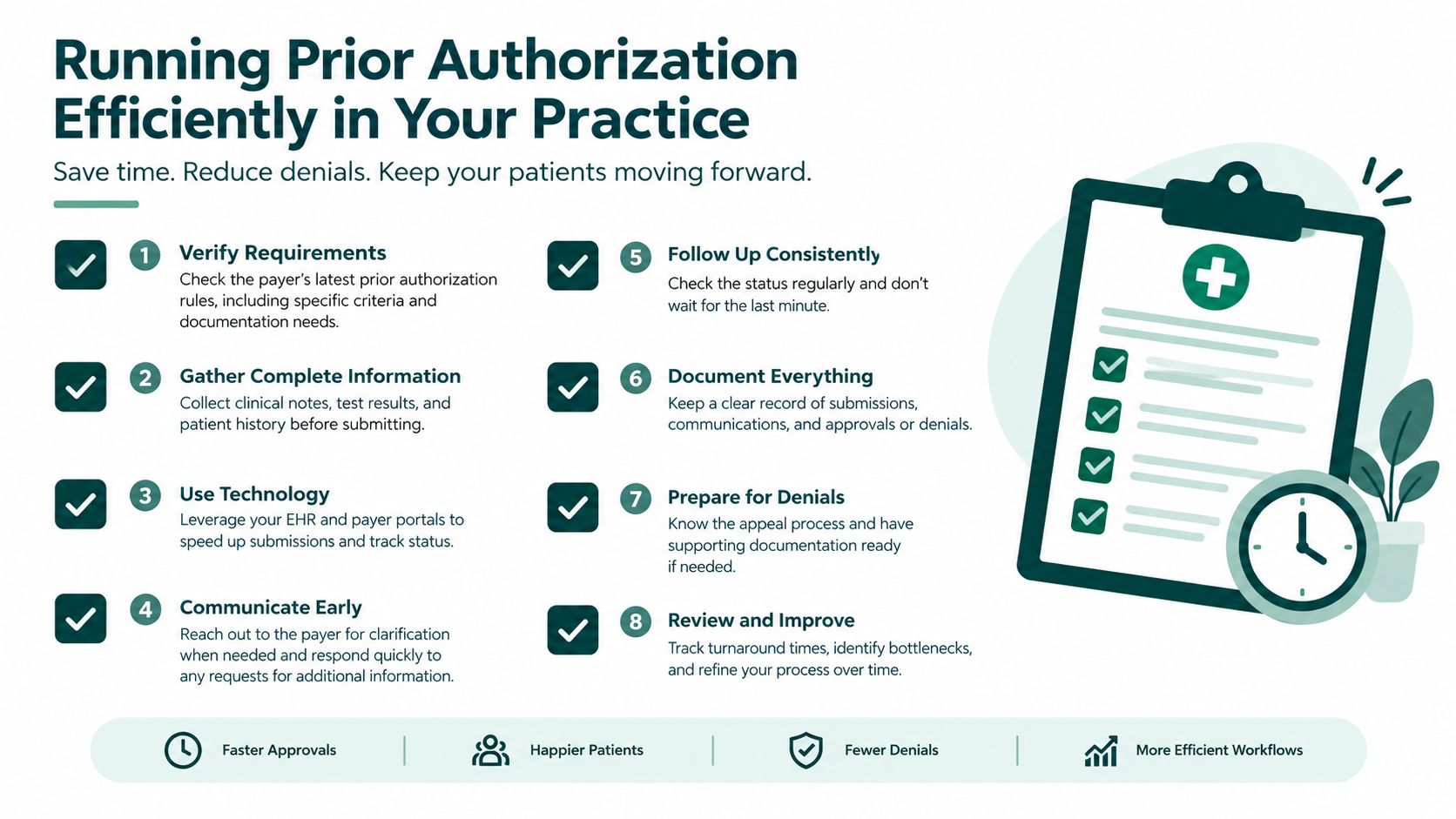
Primary care teams can also benefit from separating authorization ownership from general inbox work. A role designed for primary care and internal medicine practices may fit when the queue includes imaging, referrals, procedures, medication requests, and recurring patient communication.
The Takeaway
Prior authorization is a lifecycle your practice owns from the first eligibility check through the final claim or alternative treatment plan. The essential steps are to confirm the requirement, submit complete documentation, track payer review, respond to requests for information, record approval conditions, and manage denials without leaving the patient uninformed.
The strongest operational improvements are practical. Assign one clear owner to each request, front-load the records the payer is likely to need, record every deadline and expiration date, and review denial patterns by payer and service. Build patient communication into the queue so an approval, delay, or denial always produces a documented next step.
If your practice has more authorization work than your current team can reliably track, consider whether a trained remote coordinator can handle submission, follow-up, status documentation, and escalation while providers retain clinical responsibility.
MedicalVirtual connects U.S. medical practices with pre-vetted remote healthcare staff who can support prior authorization, insurance verification, billing coordination, and payer follow-up during U.S. practice hours. Visit MedicalVirtual to review staffing options for a more accountable authorization workflow.
An insurance verification specialist helps prevent the administrative errors behind an initial claim denial rate of about 11.8%. The role confirms active coverage, benefits, cost-sharing, network status, referral and authorization requirements, and expected patient responsibility before the visit.
A patient arrives, hands over an insurance card, and checks in without a problem. Weeks later, the claim returns as denied because coverage was inactive on the date of service, the provider was out of network, or a required authorization was never obtained. The patient believed the visit was covered, the front desk believed the card was enough, and the billing team is left to explain the gap.
An insurance verification specialist closes that gap by treating verification as pre-visit financial clearance, not a quick portal lookup. The work includes eligibility, benefits, deductibles, copays, coinsurance, coordination of benefits, exclusions, referrals, authorization flags, and accurate documentation in the practice management system or EMR.
This guide explains what the role owns, how to build a repeatable workflow, where automation falls short, and how to choose between in-house and remote staffing. It also covers the skills worth screening for and the privacy controls a medical practice should require.
Why Your Front Desk Keeps Getting Insurance Wrong
The familiar failure starts at check-in. A staff member copies the card, confirms the patient's demographic details, and moves to the next person in line. The denial arrives later because the plan was inactive, the service was excluded, or the provider wasn't in network.
An insurance verification specialist is responsible for confirming the details that determine whether a visit can be billed successfully and what the patient may owe. That includes active coverage, covered benefits, deductible status, copays, coinsurance, network standing, referral rules, coordination of benefits, and prior authorization requirements.
Eligibility and benefits work has been a major administrative transaction in U.S. healthcare for decades. Moving these checks to electronic transactions could save the industry as much as $10 billion per year, according to Experian Health's discussion of electronic eligibility verification. The value isn't limited to administrative savings. Accurate front-end information prevents patient confusion and gives billing staff a cleaner claim to work with.
Why generalists miss the details
Front-desk employees often verify coverage between phone calls, appointment changes, check-in questions, and payment collection. That arrangement can work for a small volume of straightforward visits, but it produces uneven documentation when a payer portal returns incomplete or conflicting information.
The specialist's advantage is ownership. One person or team follows a defined sequence, records the result, escalates exceptions, and makes sure the patient and billing staff receive the same answer. The sections below show how to design that role, staff it, and supervise it.
What an Insurance Verification Specialist Actually Verifies
A green “active” response answers only one question: does the payer recognize the member as covered? Full benefits verification asks a harder question: will the planned service be covered, and what financial responsibility should the practice communicate before the patient arrives?
The verification checklist
A capable specialist works through several separate data points:
- Member and plan identity: Confirm the patient's name, member ID, group details, date of birth, and payer information match the practice record.
- Active coverage: Check effective dates and whether the plan is active for the planned date of service.
- Service benefits: Confirm that the planned office visit, therapy session, procedure, imaging service, or dental treatment is included under the plan.
- Patient responsibility: Record deductible remaining, copay, coinsurance, and out-of-pocket limit information.
- Network status: Establish whether the rendering provider and facility are participating for that specific plan.
- Coverage layers: Identify primary and secondary plans and determine whether coordination-of-benefits information is complete.
- Restrictions: Check service exclusions, waiting periods, benefit carve-outs, referral rules, and visit limitations.
- Authorization: Determine whether the payer requires prior authorization and route the request to the authorization team early.
A patient may have technically active coverage while still owing a substantial amount because the deductible hasn't been met. That conversation belongs before the visit, not after a claim processes. The specialist shouldn't promise a final payment amount, but should document the payer's response and explain that estimates can change when the claim is adjudicated.
Practical rule: Treat verification like a pre-flight checklist. An active member response is one green light, not permission to skip the rest of the inspection.
Practices that need a related data-quality process can also verify contact data with Resolut, especially when inaccurate demographics create payer mismatches. Credentialing and provider participation add another layer, so teams may also coordinate insurance information with medical credentialing services when network status depends on provider enrollment.
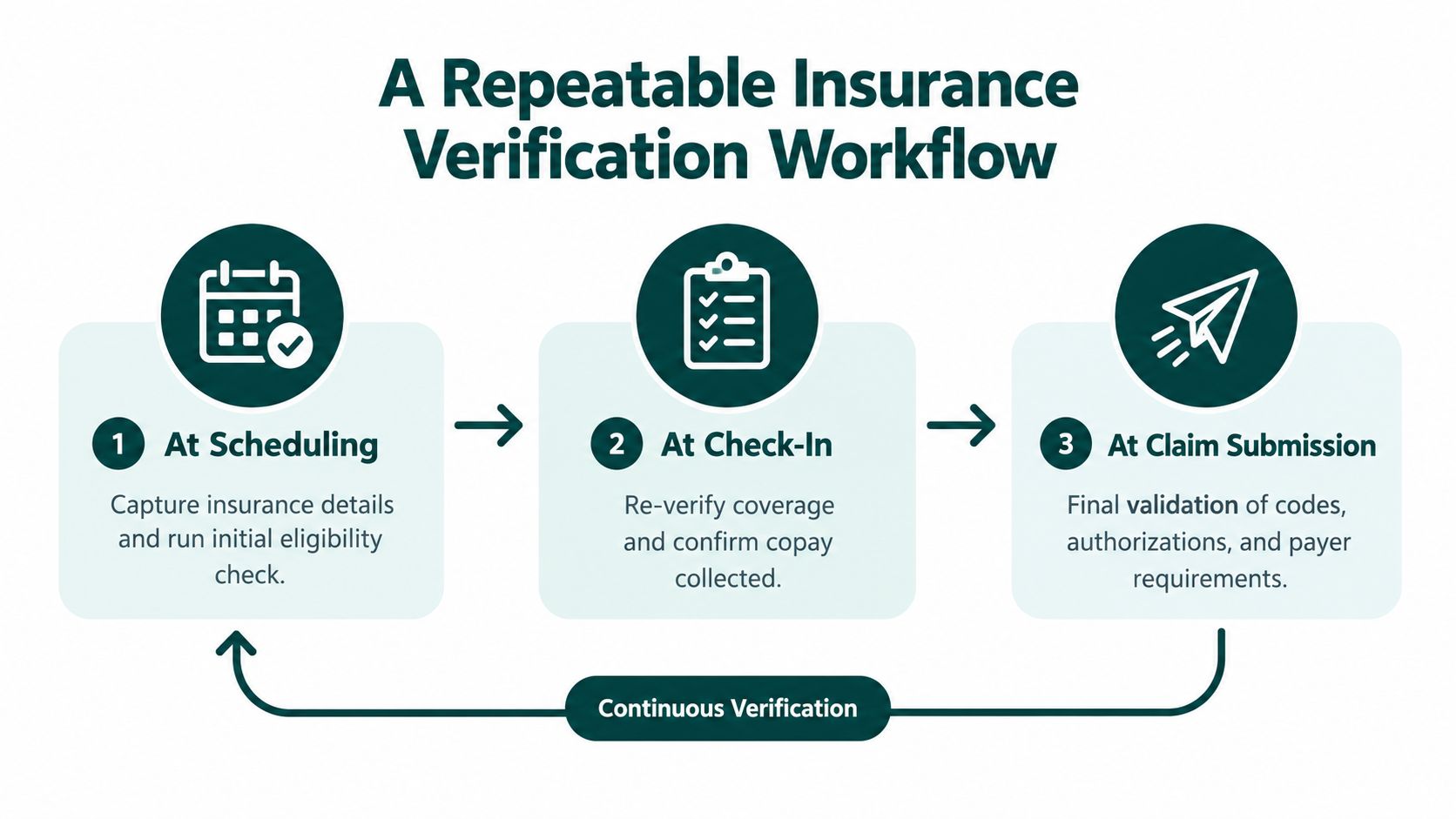
A Repeatable Insurance Verification Workflow
A reliable process uses several touchpoints rather than one hurried check. The recommended sequence begins at scheduling, continues 24–72 hours before the visit, and includes another check on the day of service for higher-risk encounters, as outlined in guidance on healthcare eligibility verification.
At scheduling
Capture the insurance card, subscriber information, referral source, planned service, rendering provider, and appointment details. Run an initial eligibility check and flag obvious problems such as a missing member ID, inactive coverage, or a plan that doesn't appear in the practice's payer configuration.
Document the payer response in the EMR or practice management system. Don't leave the result only in a portal, email inbox, or handwritten note. Front-desk and billing staff need to see the same status, date of verification, source used, and unresolved questions.
Before the appointment
Use the pre-visit window to confirm the details most likely to affect payment:
- Recheck active coverage for the scheduled date.
- Confirm benefits for the specific service and provider.
- Record deductible, copay, coinsurance, and network information.
- Check referrals, exclusions, coordination of benefits, and authorization requirements.
- Contact the patient if coverage is inactive, information is missing, or financial responsibility may be significant.
- Escalate authorization requests before the appointment rather than waiting for claim submission.
This timing gives staff room to resolve an incorrect member number, contact a secondary insurer, request an authorization, or explain a self-pay option. Guidance for practices commonly recommends verification one to three days before a visit, with earlier review for new patients and complex services, as described by Rework's insurance verification process guidance.
At check-in and claim submission
At check-in, re-run eligibility when the encounter is high risk or the patient reports a plan change. Confirm the documented copay and update the record if the payer response differs. At claim submission, billing staff should validate that the payer, provider, codes, and authorization information align with the verified record.
A physical therapy clinic may need to track changing payer panels and referral requirements across repeated visits. A dental practice may face more out-of-network conversations and benefit limitations. Urgent and same-day care will sometimes be verified after the encounter, but those exceptions should be visible in a work queue for prompt follow-up.
Where Verification Software Falls Short
Eligibility software is useful, but it doesn't turn a complicated payer response into a complete financial answer. Real-time eligibility tools and clearinghouse transactions can handle volume and quickly confirm core coverage data. They may still omit the details that determine whether the encounter is payable.
Common gaps include deductible breakdowns, waiting periods, benefit carve-outs, plan history, secondary coverage, and payer-specific authorization rules. A response may say that coverage is active while leaving the specialist to determine whether the planned service is covered under the relevant benefit category.
Manual verification still takes about 12 minutes per patient, while electronic eligibility can save an average of 12 minutes per verification, according to reporting that references CAQH and manual verification operations in this analysis of automated insurance verification. The practical lesson isn't that one method replaces the other. Automation handles routine volume, while people investigate the exceptions.

The human exception queue
A specialist should review responses that contain:
- Incomplete benefits: The payer confirms eligibility but doesn't clarify deductible, exclusions, or service-specific benefits.
- Conflicting coverage: The patient reports a secondary plan, but the payer record shows only one active policy.
- Portal inconsistency: The portal, card, clearinghouse response, and patient statement don't agree.
- Authorization uncertainty: The service may require prior authorization even though general coverage is active.
- High financial responsibility: The estimate needs a patient conversation and documented acknowledgment.
Eligibility issues drive 22% of claim denials, and industry clean-claim performance is benchmarked at 95%, according to MD Clarity's insurance verification software overview. That makes exception handling a revenue-cycle responsibility, not merely an administrative convenience.
Software should reduce repetitive searches and organize work queues. It shouldn't be treated as a substitute for someone who can call the payer, interpret ambiguous benefits language, document the conversation, and escalate a missing authorization.
In-House Versus Remote Verification Staffing
The staffing decision depends on volume, workflow maturity, and how much direct supervision the practice wants. Adding verification to a receptionist's duties may be sensible for a small practice with uncomplicated plans. It becomes fragile when the same employee must answer phones, schedule visits, collect payments, and resolve payer exceptions.
A dedicated in-house specialist offers physical proximity and easy coaching. A remote specialist can perform the same system-based work without occupying office space, provided the practice has reliable remote access, clear procedures, and a manager who reviews output.
Verification staffing options compared
| Option | Cost Structure | Speed to Coverage | Best Fit |
|---|---|---|---|
| Existing front-desk employee | Incremental labor cost, with opportunity cost during check-in and phone work | Immediate, but capacity is limited | Low volume and simple payer mix |
| Dedicated in-house specialist | Direct payroll, benefits, equipment, and recruiting costs | Depends on recruiting and onboarding | Practices wanting daily in-person supervision |
| Remote insurance verification specialist | A staffing fee or employment arrangement, with remote systems access and manager oversight | Can be faster when a pre-vetted shortlist is available | Practices with repeatable workflows and steady verification volume |
MedicalVirtual places pre-vetted LATAM healthcare talent with U.S. practices, including candidates with prior U.S. medical practice or billing company experience. Its insurance verification services use a dedicated specialist inside the client's PMS and payer portals, with U.S. business-hours alignment and bilingual English-Spanish capability commonly available.
The stated typical averages are $1,999 full-time and $1,250 part-time, with a single monthly price covering employment, payroll, and compliance, according to the provider's service information. Those figures should be evaluated against the practice's actual workload and system requirements, not treated as a universal staffing price.
When remote staffing works poorly
Remote work is less suitable when records remain heavily paper-based, payer calls require physical access to documents, or no one owns daily quality review. It also won't solve a broken registration process by itself. Before hiring, define which systems the specialist will use, who approves patient estimates, who handles authorizations, and how unresolved cases return to the practice.
Skills and Hiring Criteria for a Verification Specialist
A candidate who can use a payer portal isn't necessarily able to verify benefits. Screening should test whether the person can connect coverage data to the planned service, patient responsibility, authorization status, and claim risk.
What to screen for
Look for practical experience with:
- Payer portals and phone workflows: The candidate should know how to document call reference details, follow payer prompts, and escalate unclear responses.
- Clearinghouses and practice systems: Experience with an EMR, PMS, eligibility transaction, and work queue matters more than familiarity with one specific brand.
- Benefits interpretation: The person should distinguish active coverage from service-level benefits and explain deductible, copay, and coinsurance implications.
- Coordination of benefits: They should understand how primary and secondary coverage affects billing order and patient communication.
- Documentation accuracy: Notes need dates, payer source, representative details when available, findings, unresolved questions, and next action.
- Patient communication: The specialist must discuss financial responsibility without promising a final adjudicated amount.
A staffing provider's vetting process may include background screening, role-specific testing, EMR navigation, medical terminology, documentation accuracy, payer knowledge, English assessment, HIPAA training, and a final placement interview. Those steps are more meaningful than a generic administrative skills test. Tools for structured insurance industry hiring tools can help organize screening, but a manager still needs a role-specific evaluation.
A practical scorecard
| Area | What a passing answer demonstrates |
|---|---|
| Eligibility versus benefits | Separates active status from covered service and patient responsibility |
| Coordination of benefits | Knows when to confirm primary order and secondary information |
| Authorization | Identifies the need to escalate before the service |
| Documentation | Records payer findings in a usable, auditable note |
| Patient contact | Communicates estimates carefully and respectfully |
| Systems | Can move between the PMS, EMR, payer portals, and phone tools |
Ask, “The plan shows active coverage, but the deductible is unmet and secondary coverage is unclear. What do you do before the appointment?” A strong answer includes checking service benefits, confirming the coverage order, documenting uncertainty, and contacting the patient without presenting an estimate as guaranteed.
Also ask, “What information would you record after a payer call?” Candidates should mention the date, source, findings, reference information when available, and follow-up owner. A red flag is a candidate who treats the active response as the complete answer or can't explain a coordination-of-benefits scenario. Practices can also review broader medical assistant skills when the role includes intake, scheduling, or billing support.
HIPAA and Documentation Obligations in Verification Work
Insurance verification involves protected health information because staff handle identifiers, coverage data, treatment-related details, and financial information. The work should run inside approved systems with controlled access, secure transmission, and documented procedures, whether the specialist works in the clinic or remotely.
A practice using an outside vendor should address the relationship through a Business Associate Agreement when applicable. The agreement, security controls, and operating procedures should cover how eligibility data is accessed, transmitted, stored, and returned or destroyed. Practices should also maintain audit logs that show who accessed eligibility information and when.
Required controls and sensible practices
- Role-based access: Give the specialist only the systems and records needed for assigned work.
- Secure transmission: Use approved platforms rather than personal email, consumer messaging, or unprotected files.
- Auditability: Keep transaction and access records so managers can investigate errors or inappropriate access.
- Confidentiality: Require confidentiality agreements for remote personnel and vendors handling patient information.
- Training: Complete HIPAA training before work begins, with annual refreshers and additional training when procedures change.
- Incident handling: Define who receives a suspected privacy or security incident and how access is suspended or investigated.
HHS doesn't recognize an official “HIPAA certification” for people, services, or tools. A vendor's claim that a product is HIPAA certified isn't a substitute for a BAA, risk review, access controls, workforce training, and documented safeguards. Managers can use resources on HIPAA compliance for IT leaders as background, but should confirm obligations with qualified compliance professionals or counsel.
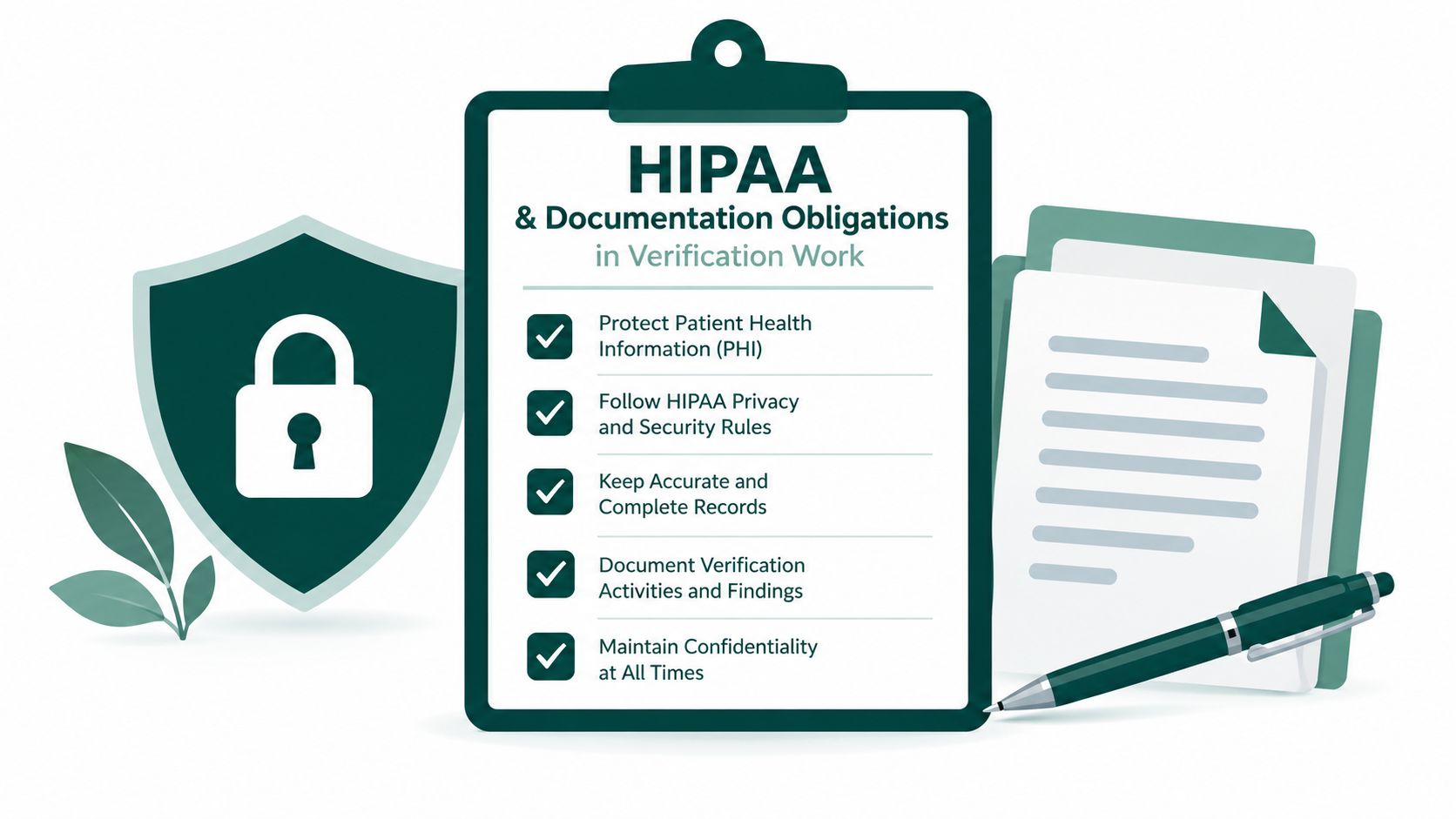
Remote staff also need a private workspace, approved devices and connections, clear screen and document handling rules, and a defined process for ending access when the assignment changes. HIPAA requirements can vary with the parties, systems, and state obligations involved, so a practice should have its own compliance review rather than relying on a staffing label.
The Takeaway
An insurance verification specialist is a first line of defense against preventable denials and front-desk friction. The role is larger than a portal check. It connects eligibility, benefits, deductibles, network status, coordination of benefits, patient communication, and authorization flags inside one pre-visit financial clearance workflow.
Start by defining verification touchpoints for your practice, including what happens at scheduling, before the visit, at check-in, and before claim submission. Then choose staffing based on payer complexity, volume, systems, and supervision needs. Whether you hire in-house or remotely, screen for benefits knowledge, coordination-of-benefits judgment, documentation discipline, and patient communication, not portal familiarity alone.
MedicalVirtual offers pre-vetted remote insurance verification specialists with prior U.S. healthcare experience, U.S.-hours alignment, and access to staffing and compliance support. Visit MedicalVirtual to explore a dedicated option for your practice's pre-visit financial clearance workflow.
A patient is scheduled for an outpatient spinal injection on Tuesday. On Monday afternoon, the Medicare Advantage plan denies the authorization. Your medical assistant starts calling the payer, the provider prepares for a peer-to-peer review, and the front desk calls the patient to explain a possible delay. The clinic now has to reschedule care, collect additional documentation, and protect the claim from a later denial.
That's Medicare prior auth in practice. It's a pre-service review that happens before a covered item or service is furnished, and it can function as a payment-control gate between the ordering provider and the payer. It isn't the same as a post-payment audit, and it isn't merely a notification that a service is scheduled.
Medicare prior auth is manageable when your team knows which code and setting trigger review, which coverage policy governs the request, how long the plan has to respond, and when an appeal is worth the work. This guide breaks down those decisions, the difference between Original Medicare and Medicare Advantage, the role of LCDs and NCDs, the CMS interoperability requirements, and the workflow I'd give to a new prior authorization coordinator.
What Medicare Prior Authorization Actually Is and Why It Matters
Prior authorization requires the provider or supplier to submit a request before the service, item, or treatment is delivered. CMS describes the process as a pre-service review in which the request must show that applicable coverage, coding, and payment requirements are met. For certain hospital outpatient department services, the request must be submitted before both the service and the claim, with documentation supporting compliance with Medicare rules. CMS's explanation of prior authorization and pre-claim review is the right starting point for your coordinator.
Three actors appear in nearly every request:
- Ordering provider: The clinician who determines that the service, item, or treatment is medically appropriate and initiates the request.
- Rendering provider: The facility, specialist, supplier, or clinician who will furnish the service.
- Plan or contracted reviewer: The Medicare contractor or Medicare Advantage plan reviewer who evaluates the request against applicable coverage and utilization criteria.
The code matters because prior authorization is usually tied to a specific CPT or HCPCS code, diagnosis, place of service, provider type, and payer policy. A service that requires review in a hospital outpatient department may not require the same review in another setting. CMS has limited Original Medicare prior authorization to defined categories, including certain hospital outpatient procedures and some durable medical equipment, with published code lists controlling the exact scope. The applicable federal regulation reinforces why your staff must check the exact code and setting instead of relying on a general service name.
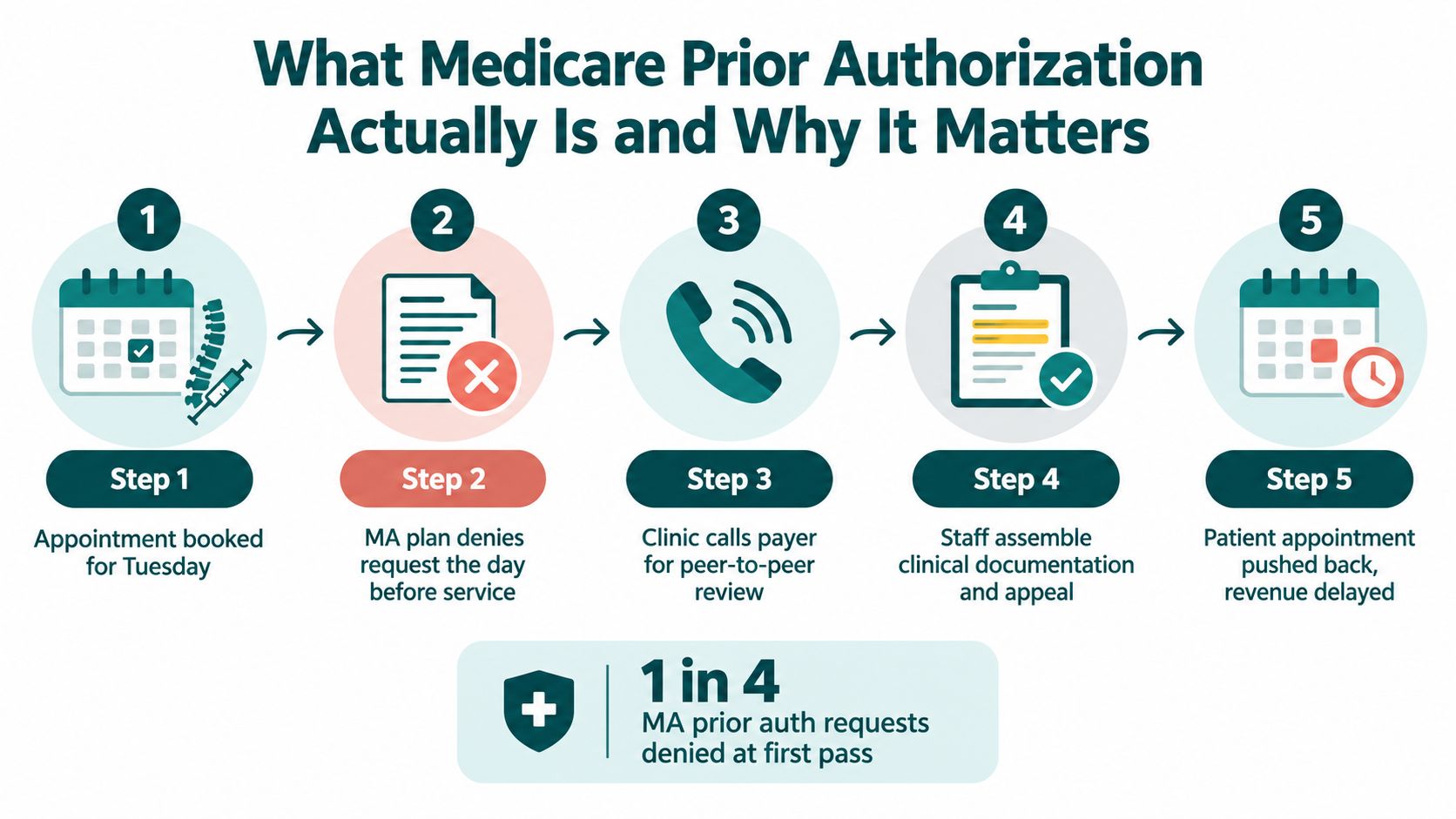
A denial can affect more than one appointment. It can create unused procedure time, patient dissatisfaction, delayed revenue, and additional work for the clinician. For that reason, practices should treat authorization as a controlled workflow, not as a form someone completes when the schedule becomes urgent. A remote healthcare staff member can support the administrative steps, provided the provider retains clinical responsibility and the assistant works inside approved systems and escalation rules. Resources such as Ekipa AI's healthcare industry page can also help managers think through how remote healthcare operations fit into broader practice workflows.
The rest of the process comes down to three questions. Which rule governs the request? How long does the payer have to respond? What should your team do when the answer is no?
Original Medicare vs Medicare Advantage Prior Auth Rules
The first question is the patient's coverage pathway. Staff shouldn't begin with the procedure name alone. They should confirm whether the patient has Original Medicare or Medicare Advantage, then identify the payer, plan, network status, code, and place of service.
Original Medicare prior authorization is narrower and more policy-driven. CMS identifies specific services and items that may require review, and the request is evaluated under Medicare coverage rules and the applicable contractor's policies. Medicare Advantage plans operate within Medicare requirements but apply their own plan-level utilization management rules, forms, portals, and clinical criteria. KFF reports that 99% of Medicare Advantage enrollees are required to obtain prior authorization for at least some services, most commonly higher-cost care such as inpatient hospital stays, skilled nursing facility stays, and chemotherapy. KFF's 2024 Medicare Advantage analysis documents the scale of that activity.
| Dimension | Original Medicare | Medicare Advantage |
|---|---|---|
| Coverage pathway | Governed by Medicare coverage rules and the applicable contractor's jurisdictional policies | Governed by Medicare requirements plus the individual plan's utilization management policies |
| Prior authorization scope | Limited to defined services and items, including certain hospital outpatient procedures and some durable medical equipment | May apply across a broad range of services, depending on the plan and benefit |
| Operational source | CMS rules, applicable code lists, National Coverage Determinations, and Local Coverage Determinations | Plan-specific medical policies, forms, portals, network rules, and clinical criteria |
| Submission method | Contractor-directed process for the applicable service or item | Plan portal, electronic transaction, fax, phone process, or another payer-specified channel |
| Denial route | Medicare contractor and Medicare appeals pathways | Medicare Advantage plan reconsideration and the applicable federal appeals pathway |
| Main practice risk | Missing a coverage requirement or using the wrong contractor policy | Applying the wrong plan workflow, missing required clinical criteria, or treating a plan decision like an Original Medicare decision |
The friction is usually operational rather than mysterious. A Medicare Advantage request may require a plan-specific form, an upload through a payer portal, recent notes, failed conservative treatment, imaging, or a peer-to-peer review. The next plan may ask for a different packet for a similar service. Your coordinator needs a payer matrix that records the correct portal, phone number, required attachments, escalation contact, and expiration fields.
Original Medicare work has a different failure pattern. The staff member must identify the applicable Medicare Administrative Contractor and read the policy that governs the service. A coverage decision based on an LCD or NCD isn't interchangeable with a Medicare Advantage medical-necessity decision.
Operational rule: Never assign a request by specialty alone. Assign it by patient coverage, code, setting, payer policy, and documentation requirement.
A credentialing or administrative support partner may help organize staff who handle these payer-facing workflows. For example, practices can review medical credentialing services when deciding how to separate payer administration from clinical decision-making.
How LCDs and NCDs Shape Every Request
Coverage should be checked before anyone drafts a prior authorization request. A well-written packet can still fail if the service falls outside the governing Medicare coverage policy, the diagnosis doesn't support the indication, or the place of service conflicts with the policy.
A National Coverage Determination, or NCD, is issued by CMS and applies nationally. A Local Coverage Determination, or LCD, is issued by a Medicare Administrative Contractor and applies within that contractor's jurisdiction. An LCD may address a service that isn't fully described by an NCD, and it can define covered indications, limitations, diagnosis codes, frequency restrictions, and setting requirements.
The practical workflow is straightforward:
- Confirm the contractor and jurisdiction. Use the patient's location, billing entity, and service details to identify the relevant Medicare Administrative Contractor.
- Search the Medicare Coverage Database. Pull the active NCD or LCD for the code, service, and setting.
- Read the limitations, not just the title. The indications section may require a specific diagnosis, clinical finding, treatment history, frequency limit, or place of service.
- Match the chart to the policy. Identify the exact note, imaging report, lab result, or treatment history that supports the listed requirement.
- Resolve gaps before submission. Ask the provider for clarification while the patient is still scheduled, rather than after a denial.
Coverage with Evidence Development adds another layer in situations where payment depends on collecting and submitting defined data. Your coordinator should flag those cases for a designated clinical or compliance reviewer instead of treating them like an ordinary authorization.
The distinction between a coverage denial and a plan denial matters. An LCD or NCD issue asks whether Medicare covers the service under the applicable policy. A plan-level denial asks whether the request satisfies the plan's utilization or medical-necessity criteria. Those decisions can require different forms, reviewers, and appeal strategies.
Chart-review standard: The diagnosis code should not stand alone. The note must explain why the patient meets the policy's clinical indications for the specific service being requested.
A practice manager should store the policy citation with the authorization record. That gives the reviewer a clear map from code, to diagnosis, to clinical documentation, to coverage requirement.
Timelines, Documentation, and the New CMS API
A practice can't manage an authorization deadline it hasn't recorded. Start the clock when the payer receives a complete request, not when a staff member first opens a draft. Save the submission timestamp, confirmation number, attachment list, payer response, and any request for more information.
For impacted payers handling medical items and services, CMS sets response deadlines of 72 hours for expedited requests and seven calendar days for standard requests. CMS also clarifies that these timelines apply to medical items and services, not prescription drugs. CMS's prior authorization process FAQ should be part of your coordinator's reference library.
| Request Type | Original Medicare | Medicare Advantage | Documentation Trigger |
|---|---|---|---|
| Medical item or service | Follow the applicable CMS or contractor process and the notice's stated timeframe | Standard and expedited response deadlines may apply under the CMS interoperability rule for impacted medical items and services | Complete clinical packet, code, diagnosis, coverage support, and payer-required attachments |
| Prescription drug | Follow the applicable drug coverage and contractor process | Don't assume the medical-item API deadlines apply | Drug-specific policy, prescribing information, and plan requirements |
| Expedited medical request | Use the applicable contractor process | 72 hours for impacted medical items and services | The request must explain why delay threatens the patient's care or condition |
| Standard medical request | Use the applicable contractor process | Seven calendar days for impacted medical items and services | Submit a complete packet so the plan doesn't pause review for missing information |
CMS's interoperability rule requires impacted payers to expose prior authorization status through a Prior Authorization API. The response must identify an approval, a denial with a specific reason, or a request for more information. For medical items and services, the API must also identify covered services and documentation requirements. CMS's final-rule fact sheet describes the shift toward a structured, machine-readable workflow.
That doesn't mean a practice can stop monitoring requests. A coordinator still needs to verify that the electronic response matches the patient, code, units, dates, and rendering provider. If a payer asks for more information, the response should be routed to the right clinical reviewer immediately.
A strong packet commonly includes:
- Recent visit documentation: The face-to-face or telehealth note should explain the condition, symptoms, examination, prior treatment, and requested service.
- Policy support: Include the applicable LCD, NCD, or payer policy reference when the submission workflow permits it.
- Clinical evidence: Attach relevant imaging, laboratory information, testing, and treatment history.
- Coding alignment: Confirm that the CPT or HCPCS code, ICD-10 diagnosis, provider, location, and requested units agree across the form and chart.
- Equipment justification: For durable medical equipment, the record may need a detailed medical-necessity explanation. A resource on a letter of medical necessity for a powerchair illustrates the type of documentation managers should review with their clinical and billing teams.
An insurance verification specialist can confirm benefits and plan identity before the appointment, while a prior authorization specialist handles submission, tracking, escalation, and denial follow-up. Practices can review insurance verification services when deciding whether those functions belong to one coordinator or separate roles.
The Five Levels of the Medicare Appeals Process
A denial shouldn't automatically trigger an appeal. First determine why the request failed, whether the missing information can be corrected, whether the service remains clinically appropriate, and whether the financial and patient-access consequences justify escalation. An appeal is strongest when the record answers the denial reason directly instead of merely repeating the original request.
The Medicare appeals pathway generally progresses through five levels:
Level one redetermination
The first review is a redetermination by the Medicare contractor or the applicable Medicare Advantage plan review process. The coordinator should identify the denial basis, gather the relevant policy language, and submit a focused response with the missing or misunderstood documentation.
This is the point where administrative accuracy matters most. Confirm that the appeal uses the correct beneficiary information, service code, date, provider identifiers, denial reference, and supporting records. A vague appeal wastes the opportunity to correct a clear record problem.
Level two reconsideration
If the redetermination doesn't resolve the issue, the next level is reconsideration by a Qualified Independent Contractor for the applicable Medicare pathway. This review is particularly relevant when the dispute involves how an LCD, NCD, or coverage requirement was interpreted.
Your packet should distinguish a factual error from a disagreement with medical policy. If the provider believes the reviewer overlooked an imaging result or misread a treatment-history requirement, identify the exact page and explain the connection to the policy.
Level three Administrative Law Judge hearing
An Administrative Law Judge hearing is a more formal review. The practice should consider the provider's availability, the strength of the clinical record, the importance of the service, and the resources required to prepare. A hearing may offer the opportunity to explain clinical context that a form-based review missed, but it also demands organized records and a clear position.
Level four Medicare Appeals Council review
The Medicare Appeals Council reviews the case after the earlier administrative levels. It isn't a chance to upload an unstructured second packet. The submission should explain the legal, factual, or procedural error that remains and should identify the earlier decision being challenged.
Level five federal district court review
Federal district court is the final judicial stage in the sequence. Practices rarely pursue this route without guidance because the record, jurisdiction, filing requirements, and legal arguments require careful handling. Confirm the available route with qualified counsel before treating court review as an ordinary revenue-cycle task.
The appeal notice controls the deadline and filing instructions. A terminated service may also qualify for a fast-track process, particularly when continuing the service is at issue. Don't let an appeal sit in an inbox. Assign an owner, record the deadline, schedule the provider review, and confirm receipt after submission.
Where Prior Auth Quietly Breaks Down
Behavioral health deserves a separate workflow. Broad authorization summaries often emphasize overall approval and denial activity, but oversight bodies have identified behavioral health as an area needing closer review. The Government Accountability Office recommendation on behavioral health prior authorization reviews calls for CMS to target behavioral health services in Medicare Advantage denial reviews, while CMS audit reporting has highlighted problems involving prior authorization and appeals processing, beneficiary access, and care coordination. The American Hospital Association's summary of the CMS audit report provides additional context.
For a mental health or therapy practice, the practical question isn't only whether a request will eventually be approved. It's whether an outpatient therapy series, psychiatry visit, or transition to higher-acuity care is delayed while the plan and practice exchange information. A patient coordinator can track visits and deadlines, but the clinician must define urgency and provide the clinical rationale.
Other recurring weak points include outpatient surgery, advanced imaging, and Part B drugs. A prior authorization approval doesn't guarantee that a later claim will survive review if the submitted record doesn't support the billed service or match the applicable coverage policy.
Use a second-level chart review for high-risk requests:
- Before submission: Confirm code, diagnosis, setting, provider, policy, and required records.
- After approval: Record authorization number, approved dates, units, service location, and limitations.
- Before claim release: Compare the performed service and documentation with the approval and coverage policy.
- After denial: Classify the reason as missing information, coding mismatch, coverage issue, or medical-necessity disagreement.
- For behavioral health: Escalate time-sensitive access concerns to the clinical and compliance leads rather than allowing them to remain in a general payer queue.
Most breakdowns are predictable. They happen when ownership is unclear, the schedule is checked too late, or the team treats approval as the end of the workflow instead of one checkpoint in the claim lifecycle.
A Practice Manager Checklist and the Takeaway
Give a new coordinator a written process, not an instruction to “check the payer.” The checklist below is designed for the first morning of a new authorization queue.
- Confirm the plan type: Identify Original Medicare or Medicare Advantage, the payer, the member number, and the active coverage dates.
- Check the exact requirement: Verify whether the code, service, provider, and place of service require prior authorization under the applicable policy.
- Pull the coverage policy: Locate the relevant LCD or NCD before drafting the request, then save the policy reference in the authorization record.
- Build the packet: Attach the clinical note, diagnosis support, imaging, laboratory information, treatment history, and any payer-specific form.
- Submit through the correct channel: Use the plan portal, Prior Authorization API, contractor process, or other approved route. Don't assume a fax sent to an old number counts as receipt.
- Log the response: Save the API payload or payer response, decision reason, approval number, approved dates, units, and documentation requests.
- Calendar the deadline: Record the plan's applicable decision deadline and every appeal deadline stated in the notice.
- Escalate intelligently: Schedule a peer-to-peer review when the denial turns on clinical judgment, and involve the provider when the record needs a medical explanation.
- Audit before billing: Compare what was approved, what was performed, and what the chart supports before the claim leaves the practice.
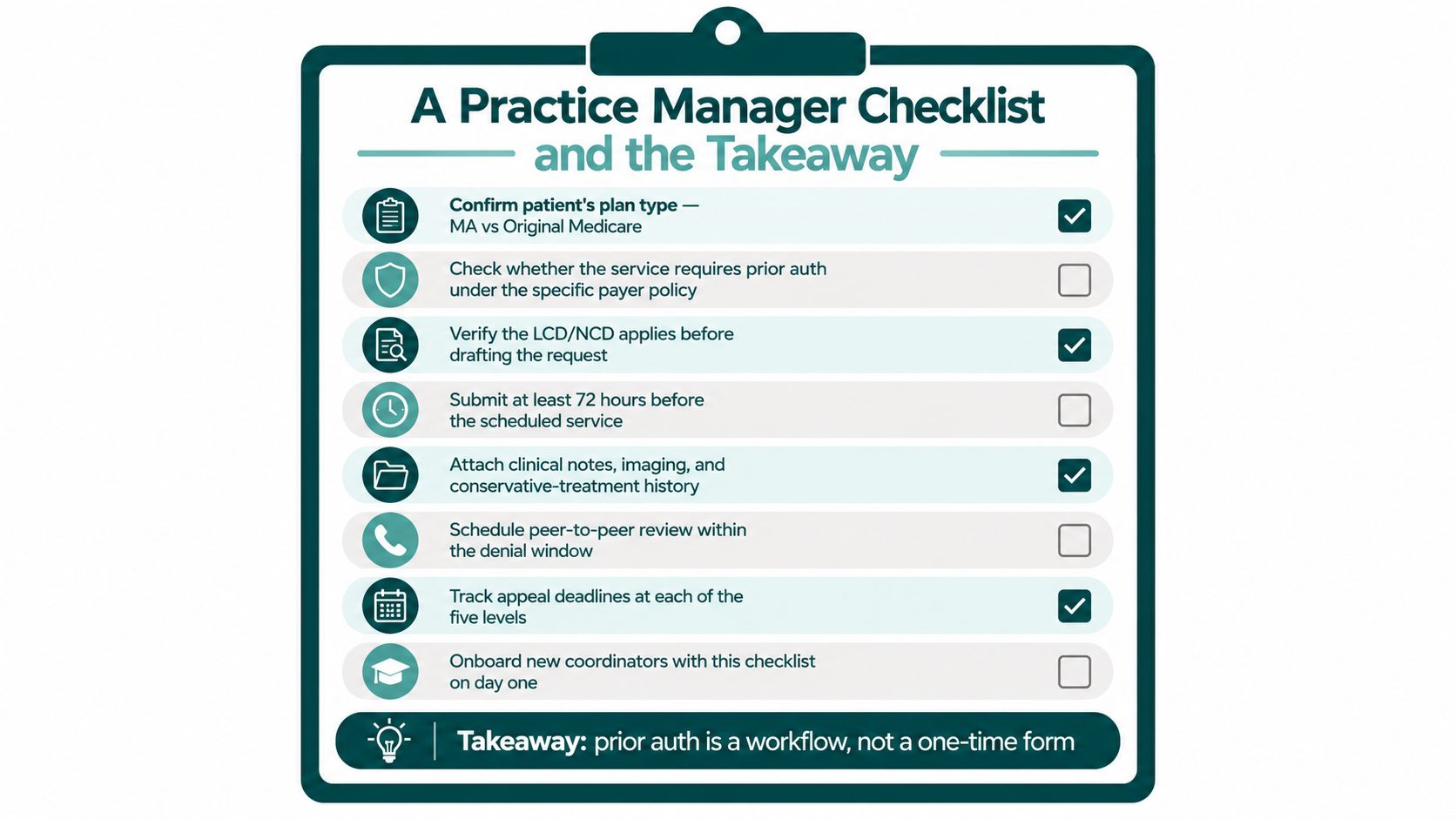
A remote coordinator can manage schedule screening, documentation collection, payer submission, follow-up, approval logging, and denial tracking. That person shouldn't diagnose patients, make independent medical decisions, or substitute for a licensed clinician. The practice should define what the coordinator can complete, what requires provider review, and how protected health information moves through the EHR, phone system, and payer portals.
The primary care and internal medicine staffing resource is relevant for practices that need coverage across scheduling, insurance verification, referrals, and authorization follow-up. The same operating model can be adapted for specialty practices, therapy clinics, and multi-site organizations, but the payer matrix and escalation rules must match the specialty.
The Takeaway
Medicare prior auth works fastest when the request follows a clear coverage policy and includes the right evidence from the start. Medicare Advantage adds plan-specific utilization rules and broader administrative variation, while Original Medicare requires close attention to CMS requirements, contractor jurisdiction, and applicable coverage policies. A denial is not automatically the end of the process, but an appeal is worth filing only when the team can answer the denial with a stronger record or a clear policy argument.
Start this week by separating plan verification, coverage research, submission, response tracking, and appeal ownership. Staff the queue with trained coordinators and connect it to the EHR rather than relying on scattered spreadsheets, personal inboxes, and manual fax follow-up.
MedicalVirtual provides U.S. medical practices with pre-vetted LATAM healthcare staff who can work aligned U.S. hours on authorization submission, payer follow-up, denial tracking, insurance verification, and related administrative workflows. If your practice needs a trained coordinator to keep Medicare prior auth requests moving inside your existing systems, visit MedicalVirtual.
Only 62% of dental inbound calls were answered in a 2026 analysis, and only 40% of answered calls became scheduled appointments on average. Dental reception duties therefore cover far more than greeting patients, they protect access, schedule utilization, accurate intake, and revenue flow.
A typical day can unravel quickly. A new patient calls while the receptionist is checking someone in, an appointment slot may go unused after a cancellation, and the patient waiting for treatment has incomplete insurance information. If nobody owns each handoff, the practice loses time before the clinical team even begins.
The eight core duties follow the full front-office workflow: appointment scheduling, insurance verification, patient intake, appointment reminders, treatment-plan and financial communication, chart preparation, dictation coordination, and documentation compliance. Together, they keep patient-facing and administrative work moving accurately.
Remote healthcare staff can support much of this workflow during U.S. clinic hours. They shouldn't diagnose, interpret symptoms, recommend treatment, or make decisions reserved for a dentist or manager. They can schedule within a written matrix, collect and document information, follow approved scripts, and escalate clinical, privacy, financial, or operational exceptions. Role-based access, documented procedures, privacy safeguards, and clear escalation rules should be in place before anyone works in the practice management system or phone platform. Practices that want a consistent operating model can also review these benefits of standardizing workflows before assigning work across an in-office and remote team.
1. Appointment Scheduling and Calendar Management
A caller needs a crown appointment, but the requested time is reserved for an emergency evaluation. At the same moment, another patient is checking in and a hygienist's cancellation has opened a short slot. Appointment scheduling requires more than finding an empty space. The receptionist records the patient's identity, reason for the visit, preferred timing, provider requirements, and information needed to choose the correct appointment type. The booking must match the procedure, duration, operatory, provider, and patient need without creating a bottleneck for the clinical team.
Industry reporting cited in 2026 placed average dental-practice call volume at about 30 to 50 calls per day, while broader benchmarks described 60 to 200 calls per day for midsized practices. The same source says a 35% miss rate could represent about 105 to 175 unanswered calls monthly for a typical midsized office. A missed-call recovery process therefore needs an owner, a response window, and a documented outcome. See the dental call handling benchmarks for the operational context.
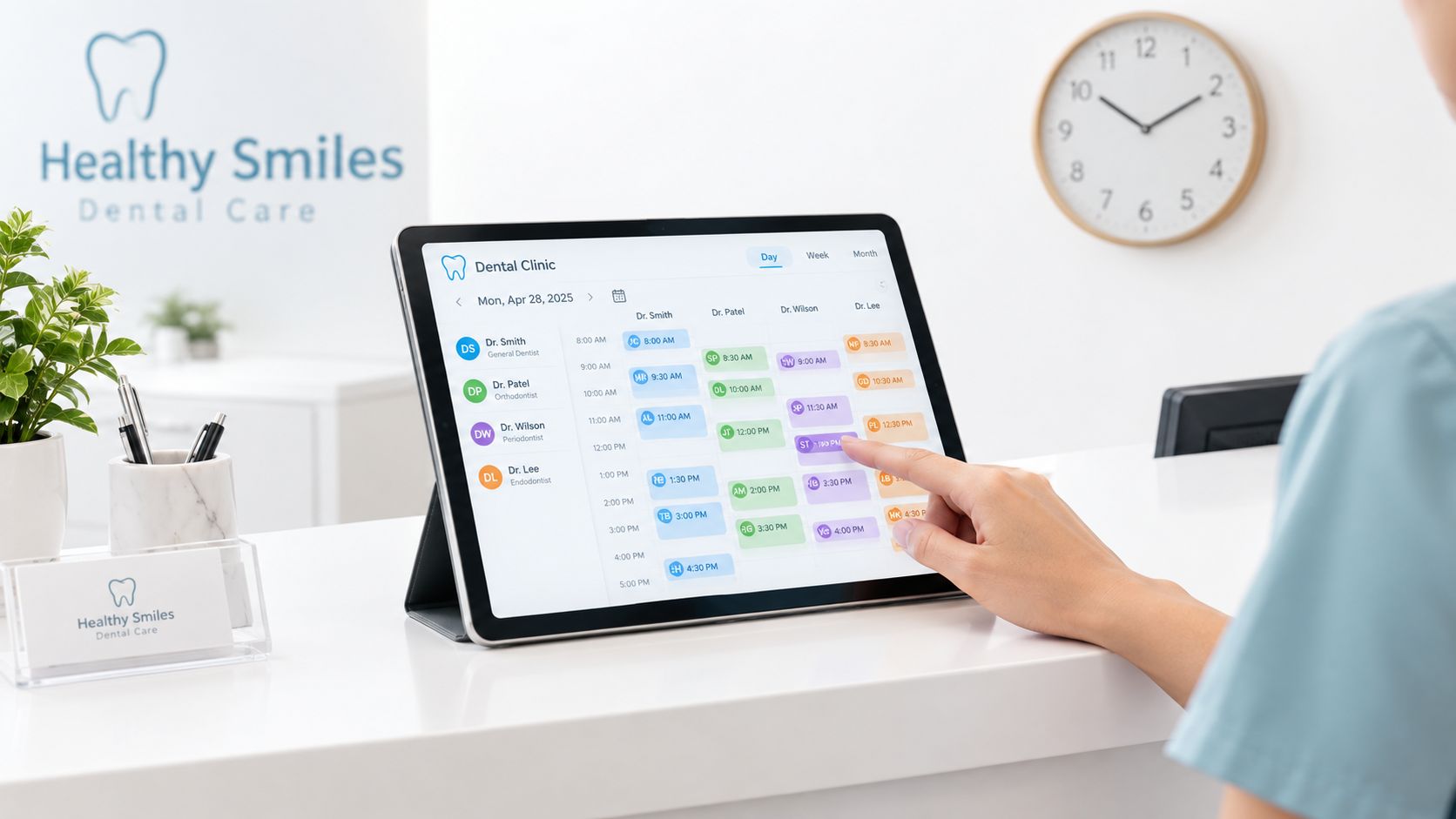
Build rules before assigning the calendar
A remote receptionist can book routine visits, reschedule cancellations, maintain an ASAP list, and route messages. Give that person a written scheduling matrix covering appointment types, time blocks, provider preferences, buffer rules, and reserved urgent slots. An apparently open slot may be held for a procedure, provider meeting, or urgent evaluation, so the scheduler should follow the matrix rather than improvise.
Useful controls include:
- Same-day escalation: State when the scheduler may use an urgent slot and when the dentist or practice manager must approve it.
- Conflict handling: Require manager review for double-bookings, late arrivals that could disrupt clinical flow, and requests outside the appointment matrix.
- Cancellation recovery: Record the reason, offer approved alternatives, and contact patients on the short-notice list so the opening has an assigned follow-up.
- Access monitoring: Give remote staff only the calendar and patient fields required for their role, then review changes through system logs or daily reports.
A remote healthcare staff member can handle calls, calendar updates, and routine messages through the phone system and practice management software. Review relevant medical virtual assistant skills before assigning this work, especially phone handling, scheduling accuracy, dental terminology, privacy practices, and escalation discipline. Clinical questions, symptom concerns, exceptions to scheduling rules, and privacy incidents remain with the dentist or manager.
Practical rule: A scheduler protects the calendar. The dentist decides whether a clinical request is urgent and what care it requires.
2. Insurance Eligibility and Benefits Verification
A patient arrives expecting a covered crown, but the plan has an exclusion or has not approved the procedure. Insurance verification reduces that surprise by connecting the appointment record with the patient's financial expectations. Staff confirm active coverage, record benefit information, check authorization requirements, and document what the payer portal or representative confirmed. The result supports a reasonable estimate, not a promise of payment.
Routine preventive care and complex treatment require different levels of review. A patient may have active benefits for examinations while crowns, bridges, implants, orthodontic services, or other substantial treatment face a waiting period, annual maximum, exclusion, frequency limit, or authorization rule. The practice should define which cases need written confirmation, a reference number, a preauthorization check, or manager approval before a financial estimate is presented.
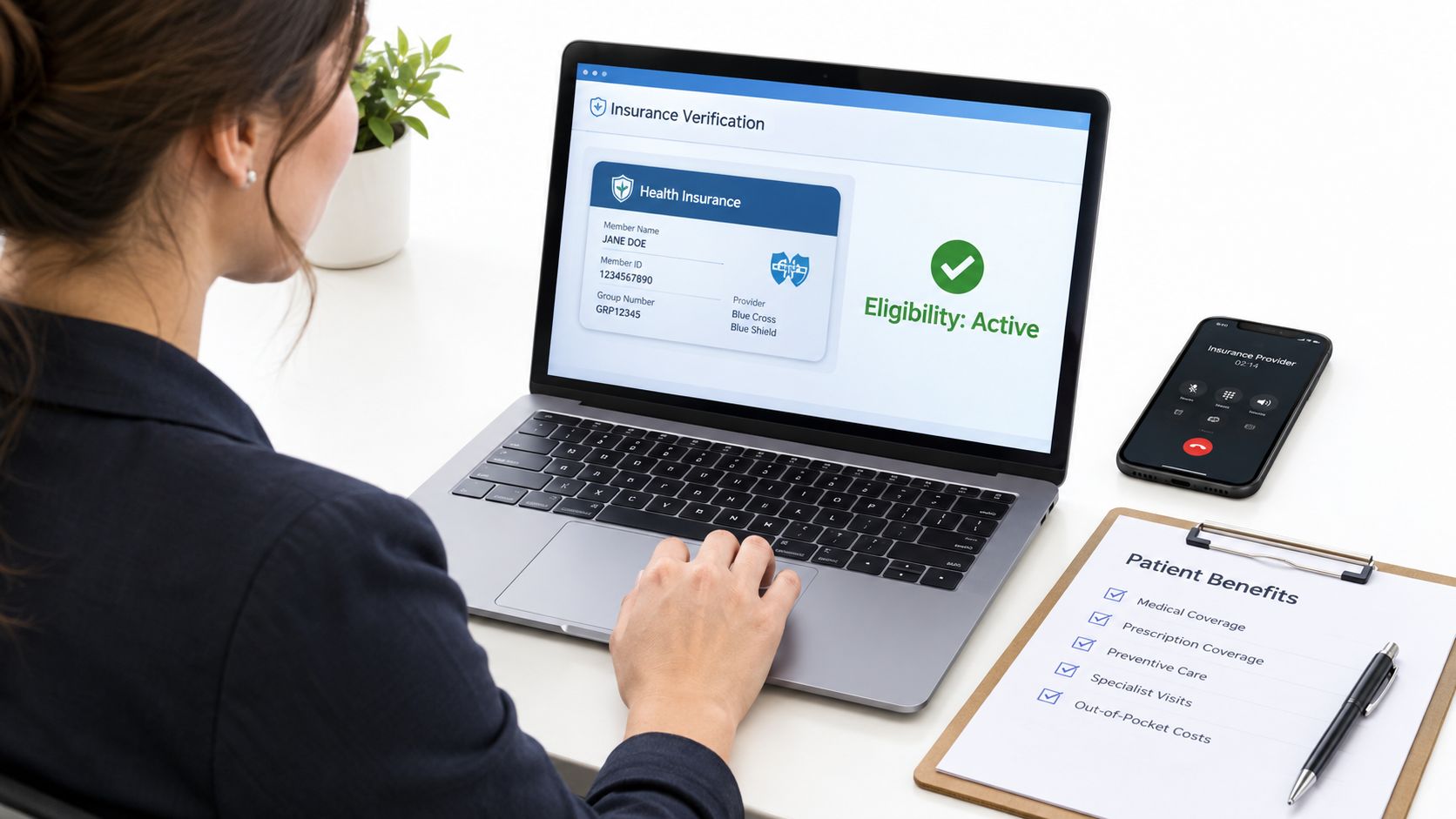
A useful verification note answers five questions:
- Coverage status: When was the check completed, which payer was contacted, what member details were used, and was coverage active?
- Source of confirmation: Was the information taken from a payer portal or representative, and what reference information may policy allow staff to record?
- Benefit conditions: Which deductible, annual maximum, waiting period, exclusion, frequency limit, or authorization requirement affects the planned service?
- Estimate limits: Does the patient-facing estimate separate the practice fee, contracted or allowable amount, expected insurer contribution, and estimated patient portion?
- Escalation point: Has unclear coordination of benefits, conflicting payer information, or an authorization problem been sent to the insurance lead or manager?
Tell patients that eligibility and estimated benefits are a snapshot. Coverage may change, and the payer makes the final adjudication.
A remote insurance verification specialist can research benefits and document the findings in the chart. The treatment coordinator or manager should handle disputed estimates, unusual payer instructions, and any discussion that could materially affect the patient's financial decision. Practices assessing this division of work can review insurance verification services as one staffing model. Access should be limited to the records and systems required for the task, with unclear coverage routed rather than guessed.
3. Patient Intake and New Patient Onboarding
A new patient arrives with forms half completed, an unlisted medication, and a request to transfer records from another dentist. Without a clear intake workflow, the receptionist must chase information while the clinical team waits. Patient onboarding should turn a scheduled appointment into an accurate administrative and clinical handoff before the visit.
The coordinator sends registration forms, verifies identity and contact details, collects medical and dental history, and confirms emergency contacts, privacy acknowledgments, consent documents, and communication preferences. Records may be requested only after the patient authorizes the release. Every submission should be reviewed for completeness, legibility, consistent identifying information, and required signatures.

Set the handoff rules before the appointment
A remote patient intake coordinator can monitor unfinished forms, contact patients with neutral clarification questions, track authorized record requests, and prepare a concise summary for the clinical team. Digital forms, secure email, and telephone assistance each have a place. Choose the method according to the patient's access, language needs, technology comfort, and the practice's approved communication tools.
Use clear controls:
- Submission timing: Send forms after booking and set a practice-approved deadline that leaves time for follow-up.
- Completeness review: Check blank fields, unreadable uploads, inconsistent identity details, and missing signatures before marking intake complete.
- High-priority routing: Send reported allergies, medications, medical conditions, previous reactions, anxiety concerns, or special needs to the dentist or clinical lead. Staff should record the patient's words accurately, not interpret their clinical meaning.
- Records authorization: Confirm authorization before requesting prior dental records, then log the request and receipt.
- Privacy controls: Use approved portals and systems, keep forms away from shared screens, and limit chart access to assigned duties.
A manager should define who owns each escalation and what status indicates that clinical review remains pending. A documented onboarding process also supports staff training. Managers may review Tutorial AI onboarding tactics for ideas about reminder sequences and handoffs, while retaining the practice's privacy review and escalation policy. Staffing options for dental and orthodontic practices can help separate administrative intake from clinical decisions.
4. Appointment Confirmation and Reminder Calls
At 9:00 a.m., a patient has not confirmed a long procedure scheduled for the afternoon. The receptionist needs enough time to reach the patient, offer the slot to someone on the waitlist, and prevent avoidable chair downtime. Confirmation work therefore continues after booking. It turns an appointment on the calendar into an active, trackable commitment.
Use the practice's approved phone, text, or email workflow. Each message should include the date, time, provider, location, and check-in instructions. If the patient cannot attend, staff should make rescheduling easy and record the outcome rather than leaving the appointment in an uncertain status.
No-show patterns differ by appointment type and patient group. A systematic review reported retrospective dental no-show rates ranging from 13.5% to 48%, which supports reviewing local results instead of applying one practice-wide assumption. See the systematic analysis of dental appointment no-shows for the review.

Build a clear recovery path
Automation can send routine reminders. A receptionist, including a trained remote healthcare staff member, can then handle unconfirmed appointments, document responses, and contact the waitlist. The practice manager should set the handoff point, such as a defined period before the appointment when an unconfirmed slot may be offered to an ASAP patient. That rule must account for travel time, procedure length, and the time needed to reach the patient.
Record these outcomes separately:
- Confirmation status: confirmed, requested reschedule, unreachable, or declined communication.
- Waitlist action: patient contacted, slot offered, slot accepted, or no suitable patient reached.
- No-show follow-up: apply the practice policy, document outreach, and send repeated concerns to the manager.
- Communication preferences: honor approved opt-outs and channel preferences.
- Clinical escalation: send reports of severe pain, swelling, trauma, medication concerns, or other clinical matters to a licensed team member.
Remote staff may manage routine outreach, but they should not assess symptoms or give clinical advice. A licensed team member owns clinical triage, while a manager owns attendance policy and repeated no-show decisions.
The ADA states that appointment and exam reminders, confirmations, pre-operative instructions, lab results, and care-coordination follow-up may be sent without prior written consent under HIPAA when limited to that purpose. Messages must exclude marketing, solicitation, advertising, billing, debt collection, and other financial content. Review the ADA guidance on calling patients and confirm broader obligations with qualified compliance counsel.
5. Treatment Plan Presentation and Financial Counseling
After the dentist records a recommendation, the treatment coordinator turns it into an understandable administrative and financial conversation. The coordinator can explain the proposed sequence, timing, estimate, known insurance information, approved payment options, and the next action required from the patient. The coordinator records whether the patient accepts, needs time, requests a clinical discussion, or declines. The role supports informed administrative decisions. It does not include diagnosis, changing treatment, or steering a patient toward care because of cost.
Use a clear handoff between clinical and front-office conversations. The dentist or clinical team explains the diagnosis, alternatives, risks, and expected clinical result. The coordinator then explains scheduling, fees, insurance assumptions, payment timing, and practice policy. Clinical questions return to the dentist. Requests for exceptions, disputed balances, or arrangements outside policy go to the manager.
A concise treatment summary should identify the procedure, practice fee, known benefit estimate, expected patient portion, payment timing, and assumptions. State plainly that insurance information is not a guarantee of payment. If authorization or a payer decision is pending, label the amount as an estimate rather than presenting it as final.
Use these controls during the conversation:
- Plain language: Pair each procedure code with the practice's approved description.
- Options without clinical steering: Present only alternatives the dentist has documented or approved.
- Written confirmation: Send the estimate and payment arrangement through an approved channel.
- Understanding check: Ask the patient to describe the expected amount and next step in their own words.
- Escalation: Route clinical questions to the dentist and policy exceptions or disputed balances to the manager.
A remote treatment coordinator can manage this administrative discussion when the practice provides current scripts, fee schedules, payer assumptions, and approval limits. Access should follow the practice's privacy controls, and every commitment should be recorded in the designated system. Remote staff should not negotiate beyond those limits or promise a payment outcome the practice cannot support.
Small practices may assign treatment coordination to reception. Larger practices may separate it from insurance verification and billing, reducing handoff errors while adding coordination work between teams. The right arrangement depends on volume, privacy controls, and who can respond promptly when a patient needs clinical or managerial review.
6. Treatment Note Documentation and Chart Preparation
A prepared chart should let the next team member understand what happened, what remains open, and what needs review. An administrative assistant or virtual scribe can enter a dentist's dictation, attach documents from the clinical team, organize images according to practice procedure, and prepare the encounter for sign-off. The provider still owns the clinical content, accuracy, signature, and final approval.
Remote staff can perform these preparation steps from approved systems, with access limited to the records and attachments required for their role. Their boundary must be clear. A scribe may transcribe a provider's statement, but must not invent findings, choose a diagnosis, alter a treatment plan, or infer medication instructions. If dictation is incomplete or contradictory, the scribe flags the item and returns it to the provider.
Set a visible completion workflow
Define when notes are drafted, when providers review them, and who monitors unfinished charts. A virtual scribe working during U.S. clinic hours may reduce documentation waiting until the end of the day. Faster drafting does not replace verification. Provider review is the step that changes a draft into an approved record.
The workflow should connect each entry to its source, such as live dictation, an approved template, or a provider-supplied document. Procedure-specific templates can prompt for tooth number, surfaces, materials, anesthesia, complications, instructions, and follow-up when applicable. The template prompts for information, it does not authorize staff to create missing clinical content.
Attachment checks should confirm that images, forms, and referrals belong to the correct patient and encounter. Unsigned or unreviewed notes should remain visible in a work queue until the provider completes the required action. Staff should correct an error through the practice's approved amendment process, not overwrite a clinical record to make it appear complete.
Chart control: If the scribe cannot determine whether a detail was stated, the provider must clarify it before the note is finalized.
The manager should sample completed charts for timeliness, missing fields, incorrect patient selection, and unresolved provider queries. This review tests the workflow while keeping clinical judgment with the provider.
7. Treatment Documentation and Dictation Protocol
A dentist finishes a procedure, moves to the next patient, and leaves a hurried recording for the scribe. If the provider uses a different order each time, unexplained shorthand and delayed dictation create avoidable uncertainty. A consistent protocol keeps the chart moving from treatment to draft, review, and final approval while the details remain fresh.
Use a sequence that matches the practice's procedures: chief complaint and visit type, tooth or site, surfaces treated, findings, anesthesia, materials, complications, patient tolerance, post-operative instructions, and follow-up. Templates can prompt for these fields, but they cannot supply missing clinical facts. The provider remains responsible for confirming the content.
Build the handoff around clear ownership
Assign a primary scribe to each provider when practical. Familiarity with terminology and preferences can improve accuracy, while a trained backup should have the same templates and reference materials. Set the dictation method in advance: live capture during treatment, recording immediately afterward, or another secure workflow approved by the organization.
A remote scribe may prepare the draft, identify unclear wording, and route questions. The provider must clarify anything that could affect the clinical record, treatment description, or billing before signing.
Documentation rule: If the scribe cannot tell whether a detail was stated, flag it for provider clarification rather than guessing.
Keep a visible status for every encounter: draft, pending provider review, or signed. The practice should define who checks unfinished charts and when unresolved items are escalated. A faster draft shortens the queue, but only provider review turns it into an approved record.
Managers can review a small set of operational signals:
- Completion queue: Encounters remaining in draft, pending review, or unsigned status.
- Clarification volume: Templates or procedures that generate repeated provider questions.
- Correction patterns: Errors involving patient selection, tooth number, procedure description, attachments, or transcription.
- Escalation response: Whether providers answer documentation queries within the agreed workflow.
Remote staff need training in dental terminology, templates, the EMR or practice-management system, and privacy procedures. Their permissions should exclude editing signed notes or making coding decisions outside the assigned process. If documentation affects billing, the billing or clinical lead resolves it through the practice's review path. The manager can then adjust templates, training, or staffing based on recurring failures.
8. Documentation Workflow and Compliance Considerations
A patient's information can pass through scheduling, intake, insurance verification, treatment planning, and payment communication before it reaches the chart. Each handoff creates a control point. The practice must define who may view each category, which system receives it, how messages are retained, and who resolves an error.
Technology adoption does not remove workflow risk. One 2026 industry summary reported that 96% of U.S. dental practices use some form of dental software, while another reported that cloud or web-based systems held 55.54% of the dental practice-management software market in 2024. The same reporting said AI phone answering was present in 40% of practices, and only 23% of surveyed practices were very satisfied with their current technology stack. These figures describe a common operating problem: software is widely available, yet disconnected systems and unclear ownership still create front-office friction. See the dental technology transformation overview for market context.
Build the control path before assigning access
Set permissions by task, not by convenience. A remote receptionist may schedule and update contact details without unrestricted access to clinical notes. An intake coordinator may enter forms but should not approve treatment documentation. A billing specialist may review financial information without changing clinical records. Review access whenever duties change, and remove it promptly when the assignment ends.
Use a document workflow guide to align permissions and correction controls across remote and in-office staff.
The practice also needs a clear operating path for common events:
- Electronic signatures: Confirm that the signature method meets applicable federal, state, payer, and organizational requirements before using it to close a chart.
- Corrections: Add a dated addendum or use the approved correction process. Do not delete or overwrite the original entry.
- Transmission: Send forms, records, reminders, and payer documents only through approved systems. Personal email and unapproved messaging should be excluded.
- Privacy escalation: Route misdirected messages, suspected unauthorized access, privacy incidents, and lost documents to the designated privacy or compliance lead immediately.
- Outside services: Put appropriate confidentiality and business-associate arrangements in place when a vendor handles protected health information. Confirm that the live workflow matches the agreement.
Remote staff can perform structured administrative steps when templates, permissions, and escalation rules are explicit. Clinical interpretation, coding decisions outside the assigned process, and uncertain privacy events remain with the designated clinical, billing, or compliance lead.
HIPAA requirements and recommended security practices are different. The practice should confirm its specific obligations with qualified compliance counsel or a privacy professional, especially when staff work remotely across locations or state rules add requirements.
Dental Reception Duties, 8-Point Comparison
| Item | Implementation complexity | Resource requirements | Expected outcomes | Ideal use cases | Key advantages |
|---|---|---|---|---|---|
| Appointment Scheduling and Calendar Management | Moderate–High (PMS integration, multi-provider logic) | Trained virtual receptionist, PMS access, scheduling matrix | Predictable patient flow, higher provider utilization, fewer idle slots | Multi-provider clinics, high call volume, practices needing centralized scheduling | Eliminates missed calls, reduces admin burden, improves case acceptance |
| Insurance Eligibility and Benefits Verification | Moderate (multi-payer methods, documentation) | Insurance specialist, payer portals/phone access, verification tools | Fewer claim denials, accurate patient cost estimates, faster adjudication | Practices with diverse payers, high-cost cases, frequent pre-authorizations | Prevents surprise billing, maximizes reimbursement, documents eligibility |
| Patient Intake and New Patient Onboarding | Low–Moderate (form workflows, data capture) | Intake coordinator, HIPAA-compliant forms/platform, follow-up process | Complete pre-visit records, improved clinical safety, faster check-in | New-patient-heavy practices, clinics needing detailed histories | Reduces day-of delays, ensures informed consent, flags clinical risks |
| Appointment Confirmation and Reminder Calls | Low–Moderate (automation + live follow-up, compliance) | Reminder system, staff for manual follow-ups, documented patient consent | Lower no-show rates, timely rescheduling, improved schedule fill | Practices with high no-shows, busy schedules, active waitlists | Reduces no-shows, captures last-minute reschedules, improves utilization |
| Treatment Plan Presentation and Financial Counseling | Moderate (cost calculations, insurance coordination) | Trained financial counselor/front-desk, pricing templates, financing options | Higher treatment acceptance, clearer patient expectations, improved cash flow | Practices offering restorative/expensive procedures, complex case plans | Increases acceptance, transparency on costs, accelerates payment |
| Treatment Note Documentation and Chart Preparation | Moderate (real-time entry, EHR linking) | Virtual scribe or admin, EHR access, imaging integration | Same-day charts, accurate billing, strong legal medical record | High-volume providers, practices requiring audit-ready documentation | Ensures continuity of care, supports billing, legal defensibility |
| Treatment Documentation, Dictation Protocol | Low (standardized templates and training) | Provider training, structured templates, assigned scribes | Consistent notes, faster chart completion, fewer transcription errors | Practices using scribes or remote transcription services | Improves note consistency, speeds documentation, enhances billing accuracy |
| Documentation Workflow and Compliance Considerations | High (security, signatures, audit trails) | IT/security support, secure EHR, role-based permissions, audit logs | Regulatory compliance, protected PHI, clear correction trails | Practices with remote staff, strict state/federal record requirements | Maintains legal integrity, protects patient privacy, simplifies audits |
The Takeaway
Dental reception duties form one connected operating system. Scheduling and communications protect access, while intake and insurance verification prepare the visit. Treatment-plan communication sets financial expectations, and documentation supports continuity, billing, provider review, and a dependable patient record.
Managers should map each duty to five controls: an accountable owner, a written standard operating procedure, the system permission required, a quality metric, and an escalation path. For scheduling, that may mean measuring unanswered calls, booking outcomes, unresolved conflicts, and open-slot recovery. For intake and verification, it may mean tracking incomplete forms, unresolved payer questions, and records requests. For reminders, the practice should monitor confirmation status, late cancellations, no-shows, and waitlist activity. For documentation, the manager should review unfinished notes, clarification requests, and correction patterns.
The work can be divided among a dental receptionist, patient intake coordinator, insurance verification specialist, treatment coordinator, billing assistant, medical records specialist, and virtual scribe. In a smaller practice, one trained person may handle several roles. In a larger practice, separating them may improve accountability and reduce interruptions. Either way, remote support works best when the assistant works during the clinic's U.S. hours, has role-specific training, uses approved systems, signs appropriate agreements, and knows exactly when to stop and escalate.
A remote receptionist can handle appointment booking, confirmations, rescheduling, recall outreach, and routine message triage. An intake coordinator can manage forms, records requests, and follow-up. An insurance specialist can verify benefits and document payer responses. A scribe can prepare notes from provider dictation. None of these roles should independently diagnose, interpret symptoms, recommend dental treatment, or make a clinical decision reserved for the dentist.
MedicalVirtual connects U.S. healthcare practices with pre-vetted healthcare staff in Latin America, including virtual receptionists, intake coordinators, insurance verification specialists, billing assistants, records specialists, and scribes. Practices that need help defining the role, reviewing candidates, and setting up a compliant workflow can evaluate whether this model fits their dental front office.
MedicalVirtual offers pre-vetted remote healthcare professionals who can work U.S. clinic hours inside approved phone and practice-management workflows. For help scoping scheduling, intake, insurance verification, or documentation coverage, visit MedicalVirtual and review the available staffing options.